Join the conversations to shape a safer, more efficient, and sustainable industrial future!
Recently active
Today October 15, 2026 we're announcing the deprecation of the classic asset-centric services in Cognite Data Fusion. They will be fully retired on December 31, 2027. The full list of affected services, and the details for each, is in our official deprecation notice.Many of you have already made the move to Data Modeling and the Core Data Model (CDM). Since late 2024 we've recommended that every new project start on CDM, and all of our new product development has gone into Data Modeling. This announcement completes that shift. Running two parallel architectures slows us down. Focusing on one lets us put all our effort into the foundation that gives you the most value.We know an upgrade takes real work, so we want to be clear about two things: why it's worth it, and what we've done to make it as smooth as possible.Why Data ModelingDescribe your operations in your own language - The classic APIs gave every customer the same fixed shapes: assets, events, time series, files. Data Modeling
Hi everyone,The Cognite Python SDK now supports State time series, from cognite-sdk 8.20.0.State time series track the discrete states of equipment, such as OPEN/CLOSED or RUNNING/STANDBY/ERROR. Each time series links to a state set that defines the valid states. CDF validates datapoints against that set and offers aggregates built for states: time spent in each state, number of transitions into each state, and count per state. If State time series are new to you, start here: https://docs.cognite.com/dev/concepts/resource_types/state_timeseriesGetting startedpip install --upgrade cognite-sdk # or uv add cognite-sdkfrom datetime import datetime, timezone from cognite.client import CogniteClient from cognite.client.data_classes import ( StateDatapointsInsert, StateDatapointWrite,)from cognite.client.data_classes.data_modeling import NodeId, StateSetEntry from cognite.client.data_classes.data_modeling.cdm.v1 import ( CogniteStateSetApply, CogniteTimeSeriesApply, ) c
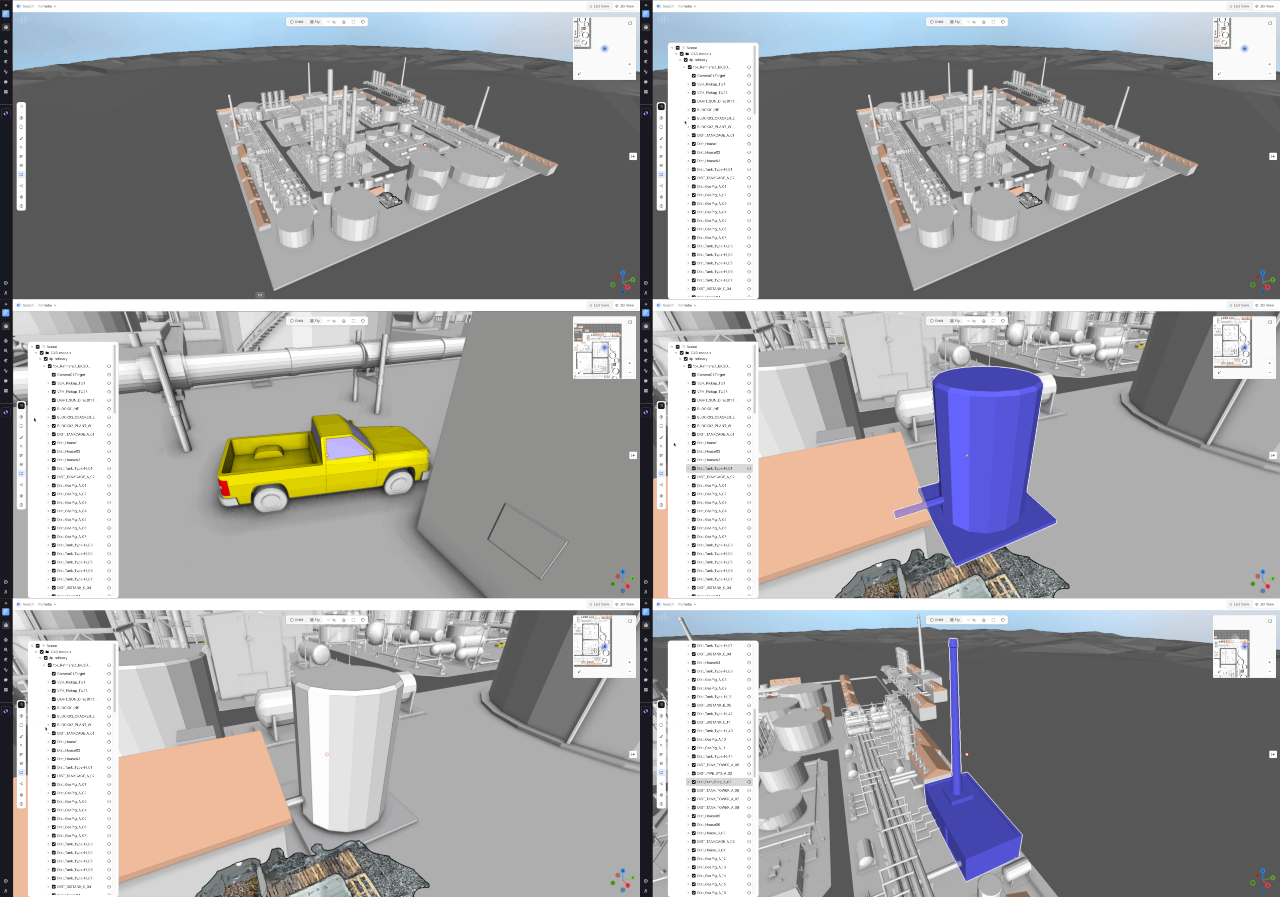
Hi everyone,We’re pleased to share an update to the Unified 3D application in Cognite Data Fusion that makes navigating CAD models faster and more informative.What’s newNew CAD tree display — a structured tree menu on the left side of the screen makes model hierarchy easy to explore at a glance. Node highlight — selecting a node in the tree highlights the corresponding geometry inside the 3D view. Auto-zoom camera — when you pick a node from the tree, the camera automatically zooms to that part for immediate, clear visibility. Node properties via info icon — an info (i) icon at the end of each node name opens a properties panel showing metadata and attributes. The panel opens without changing your current camera view, so you can inspect details while keeping visual context.Why this helpsFaster navigation — jump directly to relevant parts of large models without manual orbiting or searching. Clearer context — highlight + auto-zoom reduces ambiguity about which component you’re inspectin
As part of the September/Q3 product release, we enabled Smarter Search Results across all clusters except westeurope-1. For westeurope-1, we’re currently working on stability improvements. To avoid introducing additional changes while that work is ongoing, we’ll enable Smarter Search Results there once those improvements are complete. Smarter Search Results is improving how data is analyzed to provide more relevant and precise search results. See more information about this improvement in the linked documentation.
Hi, Unfortunately, we experienced unforeseen challenges with the Preview Panel Redesign in the Search application after the Q3 release September 8. Due to these challenges, we opted for rolling back the update, so that we can assess the issues and handle them appropriately. We deeply apologies for the issues experienced with the release, and we will ensure better testing before a new release. Current estimate on timeline for re-releasing the updates with bug fixes and other improvements, is the Q4/December release. Please let us know if you would be interested in a limited Private Preview spot on the updates, which will open up for a period of time before the December release. Apologies again, and thank you to all reporting challenges with the release, Sofie, Product Manager
Hi everyone,We're excited to share one of the standout features from our Q3 release: real-time, multi-user collaboration in Industrial Canvas — now in Private Preview.The problem we're solvingUntil now, Industrial Canvas has been a single-user experience. That meant teams working on the same problem couldn't work in the same space at the same time — creating silos and slowing down team-based decision-making.What's newIndustrial Canvas is becoming a truly collaborative workspace, where multiple users can work together simultaneously — exploring data insights side-by-side and driving faster, unified decisions together. Where this creates value — real use cases (not limited to):Root Cause Analysis — multiple engineers investigate different parts of a failure simultaneously and consolidate findings instantly. Field-to-Office Bridge — field operators and back-office engineers mark up the same P&ID together, in real time. Meeting Facilitation — run operational reviews or shift handovers
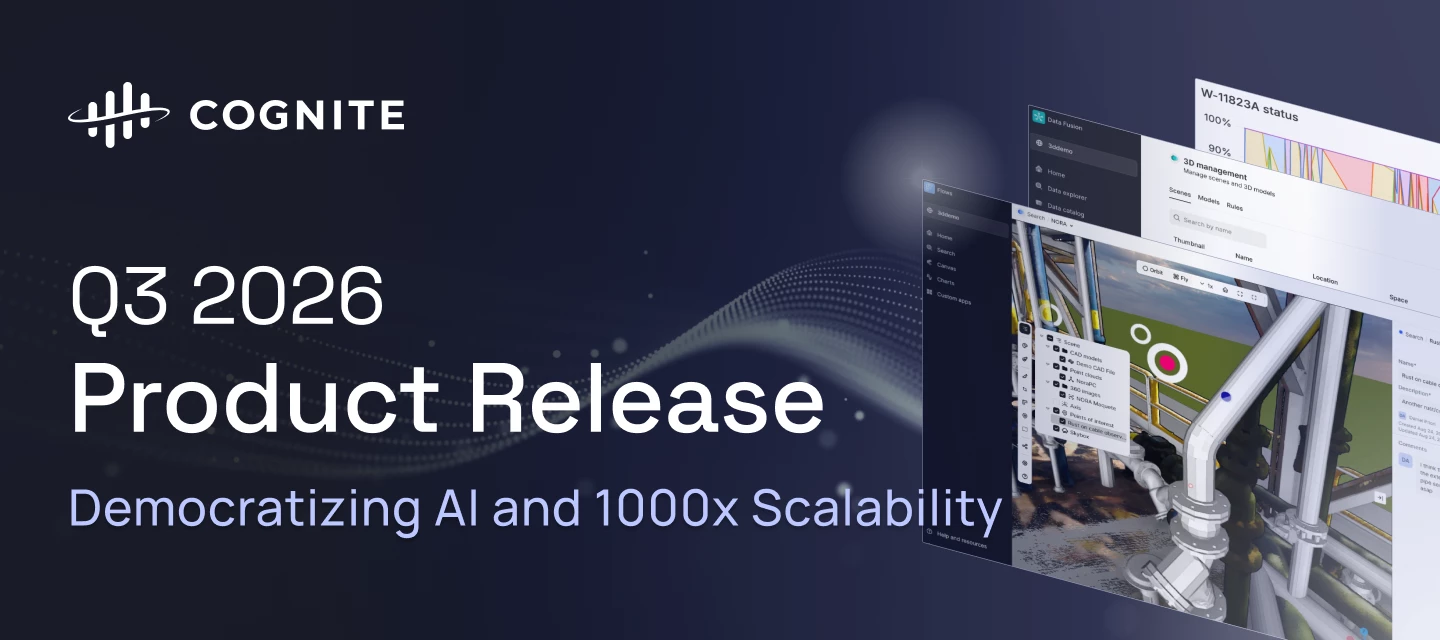
Q3 2026 makes Cognite Data Fusion faster, cleaner, and more autonomous: 3D scenes load and respond quicker, Records connect two-way with the knowledge graph, and any compliant AI agent can plug into your data in minutes, with investigations that used to take a week now taking minutes. Search gets cleaner, Atlas AI gains an open MCP server and a persistent sandbox, Cognite Flows matures across native and custom apps alike, and an open-sourced AI skill pack plus a one-pass Foundation Deployment Pack get new projects running faster than ever.Review the highlights below to see how these advancements accelerate time to value, cut downtime, and expand what your industrial workforce can do.Data Fusion Time Series Gap Filling State Time SeriesPublic Preview General Improvements in Unified 3D and 3D Management Scalability and Performance Improvements in 3D Smarter Search Results: Precision Search Records: Views & Graph Discoverability Atlas AI for Data Fusion Workspace Zero-Copy In
Hi everyone,The Cognite Python SDK now supports Records and Streams, from cognite-sdk 8.12.0.Records give you high volume storage for structured data such as logs, events, tabular data, without overloading your knowledge graph. Streams control retention, mutability and throughput for that data. If Records is new to you, start here: https://docs.cognite.com/cdf/dm/records/concepts/records_and_streamsWhat is includedBoth APIs are fully covered:Streams: create, list, retrieve, delete Records: ingest, upsert, filter, sync, sync_resume, aggregate, deleteThis is an alpha releaseThe feature is not generally available. The SDK raises a FeaturePreviewWarning when you use it, and we may make breaking changes to the SDK without notice while we improve the ergonomics. Use it in development and test projects, not in production pipelines.We will keep it in alpha until early to mid September, before deciding on the next step. That time is there so you can test it and tell us what should change.Gettin
We’ve launched the first phase of the new Cognite Flows learning journey on Academy - designed for developers and technical builders who want to start building production-ready industrial applications with Cognite Flows.Cognite Flows is the new AI-native action layer within the Cognite platform, enabling teams to build contextualized workflows and custom industrial applications significantly faster by combining operational data, AI, and modern development tooling.The newly released Step 1: Cognite Flows Foundation introduces the core concepts, architecture, and development approach behind Flows, including:Understanding the Flows ecosystem and custom app architecture AI-native development workflows and builder skills Local development, deployment, and app lifecycle basics Foundations required for the Flows Builder Certification journeyThe learning path is especially relevant for:Developers building industrial applications in CDF Technical consultants and implementation teams Solution ar
We've just released v4.5.0 of the Cognite Data Source for Grafana, with a focus on making Core Data Model (CDM) the default path for new dashboards and bringing operational context (Activities) into your time series charts. This release builds on v4.4.0 and consolidates several capabilities that make Grafana a stronger fit for teams already working in CDM, or planning to migrate.What's new in v4.5.0Activities tab - a new query tab that lets you query CogniteActivity records directly in the editor, with filtering by Asset, Equipment, or TimeSeries. No GraphQL required. Activity annotations - overlay activities as shaded time regions directly on CogniteTimeSeries charts. Useful for visualising maintenance windows, planned downtime, or operational events alongside sensor data. Numeric time series auto-detection in the Data Models (GraphQL) tab - results with type "numeric" automatically fetch datapoints from CDF, removing a manual step in dashboard setup. Config editor overhaul - settings
The Cognite Data Fusion (CDF) Bootcamp schedule for the rest of 2026 is now available.This 4-day, instructor-led, in-person training is designed for technical professionals who want hands-on experience building solutions with Cognite Data Fusion. Participants will work through key concepts including data ingestion, contextualization, data modeling, orchestration, and application development through practical exercises.Ready to build your CDF skills?Check the calendar and register for a session that fits your schedule.We recommend registering early to allow enough time to complete the required pre-work before the session begins. Event Name Event Date Location Cognite Data Fusion Bootcamp in Oslo - Nov 2026 Nov 9-12, 2026 9:00a.m. Europe Oslo, Norway Confirmed for a Bootcamp?Once your participation is confirmed, be sure to join the Cognite Data Fusion Bootcamp Group on Cognite Hub.The group contains:Preparation resources and pre-work Sessio
Learning Paths: Build skills step by stepNew learning paths bring related topics together so you can build a solid understanding of key CDF concepts and workflows, progressing from fundamentals to practical implementation.Cognite Flows Foundation Certificate: We’ve recently introduced the Cognite Flows Foundation Certificate learning journey, designed for developers and technical builders working with industrial applications and Cognite Flows.The learning path provides a strong foundation in the Cognite Flows ecosystem, including core concepts, a human-centered approach to application building, engineering architecture, submission processes, and security guidelines — everything needed before getting started with deployment and development in Flows.Who it’s for: Developers, consultants, and solution architectsValue: Build foundational knowledge for industrial application development and Builder Certification preparationDuration: 120 minutesBy completing the learning journey, you will ea
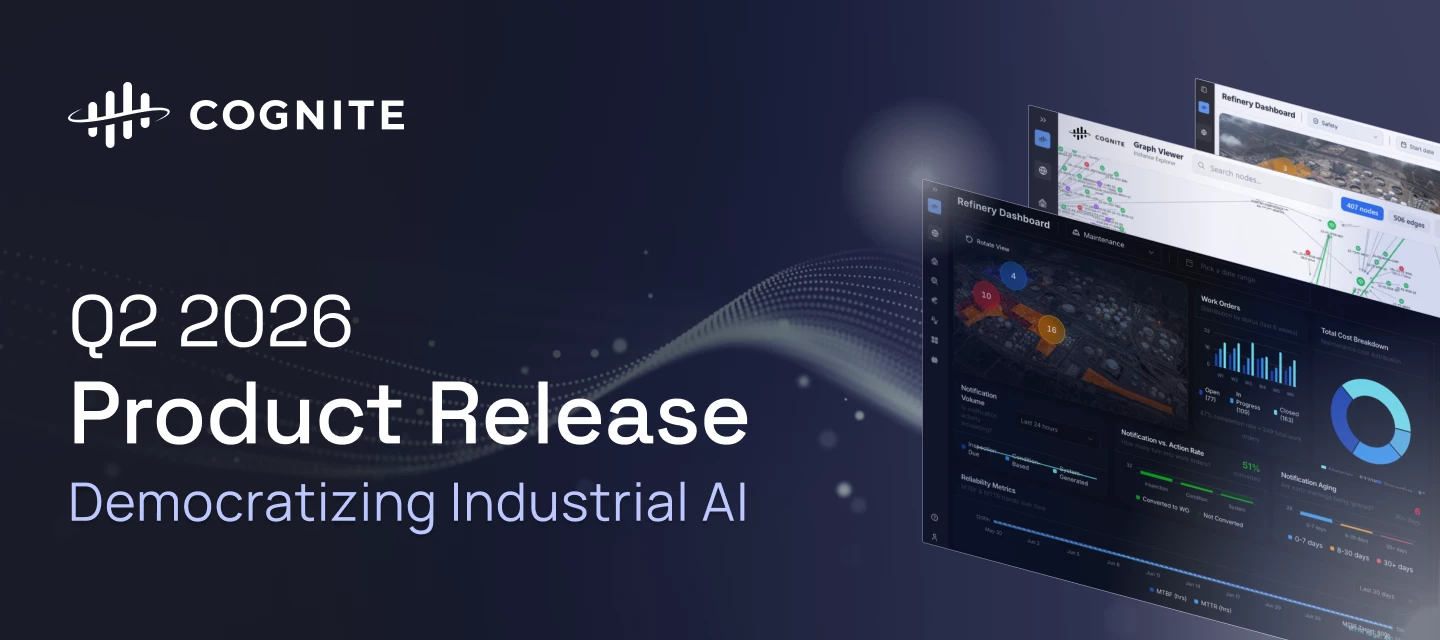
The Q2 2026 release accelerates the democratization of Industrial AI, empowering teams with production-grade custom app infrastructure and declarative data workflows. We have significantly increased industrial workforce capacity through precision search migration, zero-code CSV exports, and immersive 360° spatial walkthroughs. To rapidly scale use cases across the enterprise, builders can now leverage lifecycle-managed Atlas AI Skills and native agent execution to deliver a unified, intelligent experience across all Cognite Data Fusion (CDF) applications. Review the core release highlights below to discover how these advancements are accelerating time to value by making Industrial AI more robust, scalable, and accessible for the entire industrial workforce.Cognite Flows - Native and Custom apps Cognite Flows - Custom Apps Cognite Flows - Adaptive Experiences Cognite Flows - Application Certification Cognite Flows - New Developer Experience Industrial Canvas - Symbol Library Update
Have you seen it? In our last release, we added support for File Upload through the Search application. The goal is to remove a hindrance to daily use by allowing single-file uploads for non-technical users of Cognite Data Fusion.While most data in Cognite Data Fusion is ingested through structured pipelines, there was a need to enable individual Subject Matter Experts (SMEs) to upload data directly. This allows non-technical users, such as Reliability Engineers, to add valuable information for future reference.As of earlier this year, we have support for file uploads through the Search application and for using Search as a resource selector (e.g., in Canvas or Charts). This is available for Data Modeling Files. We ensured to add governance around file uploads: Only available through use of Location(s) The Location needs to have File Upload space added to the Location configThe individual user will see the File Upload option for Files if the location they have selected has a File Uploa
We’re deprecating the totalVariation aggregate function for numeric time series in Cognite Data Fusion, effective April 20, 2027. This follows Cognite’s 12-month deprecation policy for GA features: between now and that date the aggregate will continue to function as documented, and after it, requests that include totalVariation will return an error. The change applies to requests to the time series data list endpoint (/timeseries/data/list).If your integrations rely on totalVariation, directly via the API, through an SDK, or in dashboards and derived pipelines, please review them before April 20, 2027 and migrate to another aggregate.If totalVariation is important to a workflow in your organization and none of the alternative aggregates fit, reply to this thread or reach out to your Cognite representative. It helps us most if you can share:The use case and what the output drives (dashboard, alert, calculation, report). The time series volume and aggregation granularity involved. Whethe
Today, we released a ton of improvements to the Cognite Toolkit. Here is what you should know about the fresh v0.8 version: Better performance: Substantial refactoring has led to faster execution, especially for build, deploy, and data transfer commands. Enhanced Deployment: The deploy command is now forward-compatible with the API, ensuring proper property handling. Clearer Validation: Output is now easier to read and provides richer guidance for both you and your agents. NEAT Intelligence: You’ll notice more recommendations and auto-fixes for Data Modeling performance and scalability, powered by built-in NEAT logic. Module Scaling: Reusing modules is easier with the module repeat feature, allowing you to deploy a module multiple times using site-specific variables. New Plugins: To streamline the experience, we’ve moved development features to cdf dev ... and data features to cdf data ....Other nice-to-knows:Auth breaking changes: In cdf auth init, we have removed the --no-verify and
We are committed to continuously improving your experience in Industrial Canvas. Our goal is simple: help you generate value faster through a seamless, uninterrupted workflow—eliminating the friction of slow load times and performance lag. With our March release, Industrial Canvas now loads 50% to 70% faster on average. We’ve also reduced memory usage by up to 70% during loading, even for your most complex canvases. We look forward to hearing your feedback!Best,Andreea
We’re excited to announce the release of Activities in Charts, a new capability that brings operational context directly into time series analysis on CDM and Hybrid Projects.With Activities in Charts, you can now visualize asset-related activities, such as work orders, maintenance events, or operational tasks, directly on your Charts, alongside your time-series data. This makes it easier to understand what happened, when it happened, and how it impacted performance.Why this mattersWhen investigating operational behavior, data alone is often not enough. Activities provide critical context that helps teams:Correlate events and activities with changes in sensor data Perform faster root-cause analysis Reduce the need to switch between tools during investigationsBy bringing activities into Charts, we enable a more unified and intuitive analysis experience.What you can do with Activities in ChartsView activities overlaid on time-series charts Align operational events with performance trends
Learning Paths: Build skills step by stepNew learning paths bring related topics together so you can build a solid understanding of key CDF concepts and workflows, progressing from fundamentals to practical implementation.Data Modeling: Schema Design and Structure: Learn how to create Containers, Views, and Data Models. This learning path focuses on the schema design and structure of Data Modeling in CDF. It covers the foundational concepts - how to design Containers and Views, structure your model, and apply basic naming and governance practices before writing code or ingesting data. This is a fundamental-level path for users who are new to Data Modeling but already have some familiarity with Cognite Data Fusion. Data Modeling: knowledge graph creation: Understand how to load data into an existing data model in CDF. This learning path focuses on building a Knowledge Graph by ingesting nodes and edges, covering common data sources and the tools used to populate a schema.This is a found
We are thrilled to announce the Beta release of our new Simulator UI within Cognite Data Fusion (CDF). For too long, high-fidelity simulation runs have been locked behind a "technical wall" of complex APIs and developer-only workflows. Not anymore.We are handing the keys to the Subject Matter Experts (SMEs). Whether you’re optimizing production or running custom models, you can now orchestrate the future of your assets without writing a single line of code. From API-First to SME-ReadyPreviously, our simulator connector integrations required deep technical knowledge to configure and run. Our new interface replaces manual API calls with a sleek, intuitive workspace. Visual Logic Orchestration: The Routine BoardThe heart of this release is the Routine Board. SMEs can now visually map out simulation sequences, setting inputs, defining calculation steps, and extracting results using a drag-and-drop interface.
While most data in Cognite Data Fusion flows through structured pipelines, we know that critical insights often live with your experts.To empower non-technical users, like Reliability Engineers, we have introduced Direct File Upload. This allows Subject Matter Experts to instantly upload resources (such as a Root Cause Analysis template, a report etc.) directly into the Search UI or through resource selectors in tools like Canvas.This feature was released on 3 March 2026. Admin governance & setupTo ensure these files remain organized and secure, Admins must first define a destination for each Location for the File Upload option to appear. The File Upload option will only appear for users once this is configured.To enable this feature:Go to Admin Workspace > Project Settings. Select Locations > Configure. Define which Space should be used for all file uploads in that location.How permissions workAccess is controlled through the permissions of the destination Space you’ve sel
Hi everyone!Finding an asset is one thing; understanding its surroundings is another. In the upcoming release on the 3rd of March, we’ve upgraded the 3D Experience in Search to give you instant spatial context without leaving your search results.What’s New?In-Preview Scenes & 360-images: View 3D scenes and 360-degree images directly in the search preview pane. Seamless Transitions: Move from a search preview to the unified 3D world while staying immersed in your 360-degree view. Direct Access: Launch full Scenes immediately from the preview card.See your asset in it’s full real-world context byviewing your 3D Scenes in Search⚡ Quick Start:Prepare - Ensure you are using Scenes for 3D and that they are connected to your Location Search for an asset or location in CDF. Preview the result to see the 3D scene load automatically. Explore by opening the unified 3D view for full immersion.The preview also supports fully interactive 360 images Pro Tip 💡: Opening the full 3D view from a 360
We are excited to announce the Q1 2026 release of Cognite Data Fusion (CDF). This quarter, our focus is on breaking down technical barriers for Subject Matter Experts and providing a more immersive, high-precision data experience.Empowering SMEs: The New Simulators UI (Beta) Simulators UI (Beta) Immersive Data Exploration & 3D Context Chart - Activities 3D - MiniMap 3D - Experience in Search Smarter Search & Precision Tools Search - Smarter Results Search - File Upload Records - Unit-Aware (Beta) Atlas AI: Continuity & Control Atlas - Conversation History Atlas - Per Agent Granular Access Control Performance & Readiness Canvas - Performance 3D - Browser Caching Diagram Parsing - Tag Detection Transformations - Full Metrics in Run History Looking Forward: Production-Grade Tailored SolutionsEmpowering SMEs: The New Simulators UI (Beta)We are transitioning from a "Code-First" to a "User-First" approach for industrial simulations. Feature Problem (C
Hi everyone!We know that for an end-user, finding data shouldn't feel like a "needle in a haystack" mission. Last summer, we launched Per-Project Search Configuration, and if you haven't set it up yet, your team might be missing out on a much cleaner experience.As a Project Admin, you can curate what your users see when they sign in to Search. Instead of a generic view of data that maps 1:1 to your detailed data model definition, you can hand-deliver the most relevant data. Why configure your categories? Instant clarity: Define exactly which columns appear first. No more side-scrolling to find the "Status" or "ID." Relevant filtering: Hide the noise. Display only the filters that actually matter for that specific category. Context at a glance: Tailor the "Properties" card so the most crucial metadata is front and center. Quick guide: Check access: Ensure you have appconfig:read/write and app-scope = Search. Your users also need appconfig:read to make the config take effect for them
Understanding the inner workings of your data pipelines is key to taking action to improve performance and debug issues. To give you better visibility, we’ve unlocked the full library of transformation metrics directly in the Transformations Run History UI.Previously, the UI only showed a few key metrics. Now, you can access everything the API tracks-from specific rate limits to granular resource updates-right from the graph.Navigate to the Run history tab in the Transformations UI, and select more metrics as shown in the images below. What’s New?Searchable Metric Selector: Use the new dropdown to find exactly what you need. With the new search bar, you can quickly filter through long lists of metrics if you're working with multiple tables or data models. Smart Defaults: To keep things clean, your most important metrics (like reads, updates, and total requests) are still shown by default. Everything else is just a click away.Identifying Efficiency GainsThis update makes it easier to t
Already have an account? Login
No account yet? Create an account
Enter your E-mail address. We'll send you an e-mail with instructions to reset your password.


 Check the
documentation
Check the
documentation Ask the
Community
Ask the
Community Take a look
at
Academy
Take a look
at
Academy Cognite
Status
Page
Cognite
Status
Page Contact
Cognite Support
Contact
Cognite Support