

 Check the
documentation
Check the
documentation Ask the
Community
Ask the
Community Take a look
at
Academy
Take a look
at
Academy Cognite
Status
Page
Cognite
Status
Page Contact
Cognite Support
Contact
Cognite Support

Q3 2026 Product Release: Democratizing AI and 1000x Scalability
Q3 2026 makes Cognite Data Fusion faster, cleaner, and more autonomous: 3D scenes load and respond quicker, Records connect two-way with the knowledge graph, and any compliant AI agent can plug into your data in minutes, with investigations that used to take a week now taking minutes. Search gets cleaner, Atlas AI gains an open MCP server and a persistent sandbox, Cognite Flows matures across native and custom apps alike, and an open-sourced AI skill pack plus a one-pass Foundation Deployment Pack get new projects running faster than ever.
Review the highlights below to see how these advancements accelerate time to value, cut downtime, and expand what your industrial workforce can do.
Data Fusion
| Feature | Problem (Challenge) | Solution: What You Can Do Now |
|---|---|---|
Time Series Gap FillingPublic Preview Increase industrial workforce capacity | Extractors push data points exactly as stored in the source system. Where little or no compression is configured, that's already the full signal. Where historians compress heavily (10-100x), they rebuild the signal at query time before anyone sees it, and that reconstruction step doesn't come along with the data. | Turn on signal reconstruction with fill.limit on aggregate queries, capping the largest gap CDF will fill. Interpolation follows the OPC UA standard (linear, step, or forward-fill past the last point), and it's fully opt-in, so queries without fill are unchanged. Documentation |

| ||
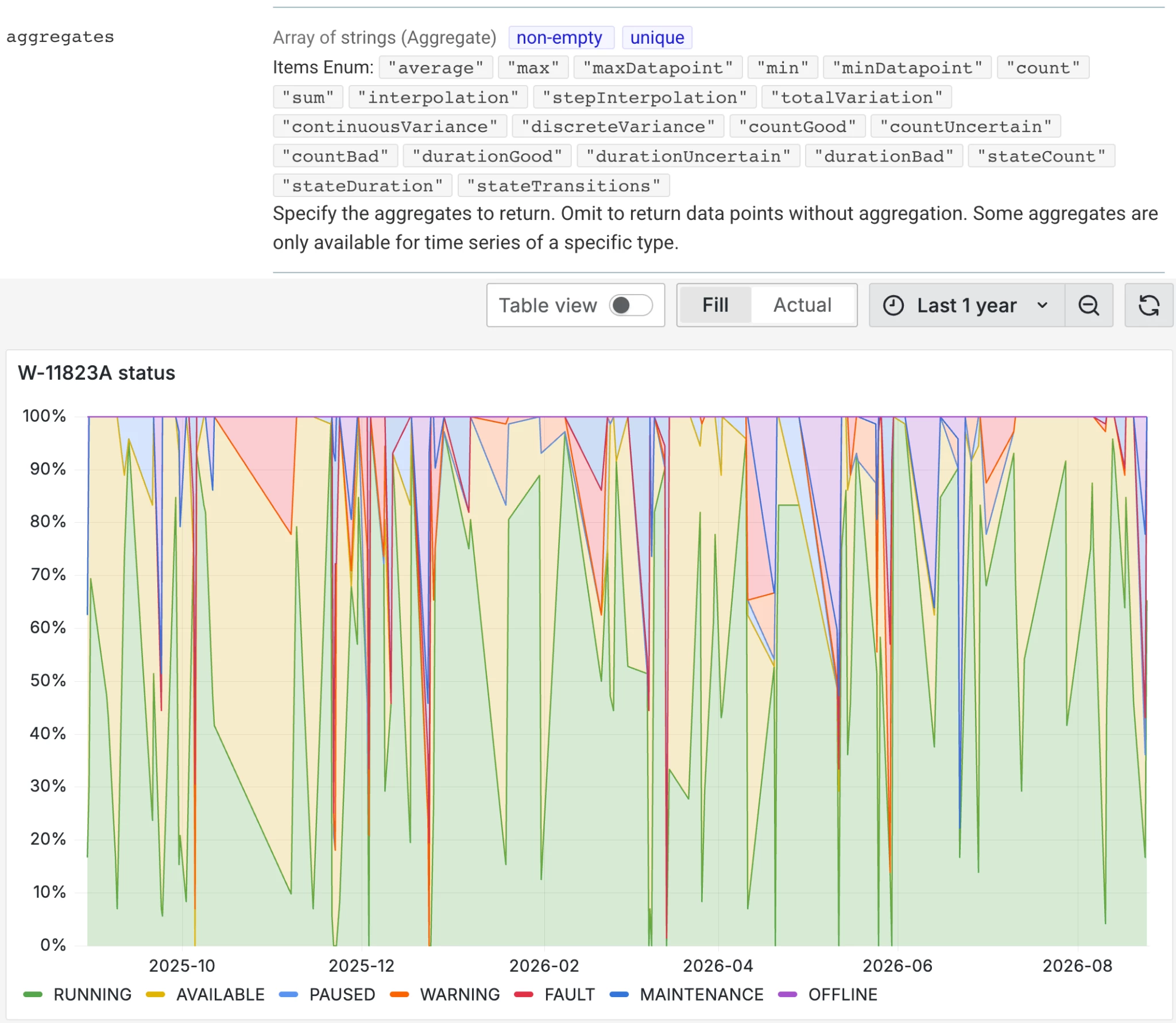
State Time Series | CDF stores time series as numeric or string. Both are right for what they cover: measurements you plot and aggregate, and free text you read. Machine states are a closed set of values that needs a code to plot, a name to read, and time spent per state, so state data from historians fits neither type cleanly. | New state type on CogniteTimeSeries, linked to a CogniteStateSet that defines the allowed numeric and string value pairs. New per-state aggregates like stateDuration, stateTransitions, stateCount, alongside common aggregates. |
| ||
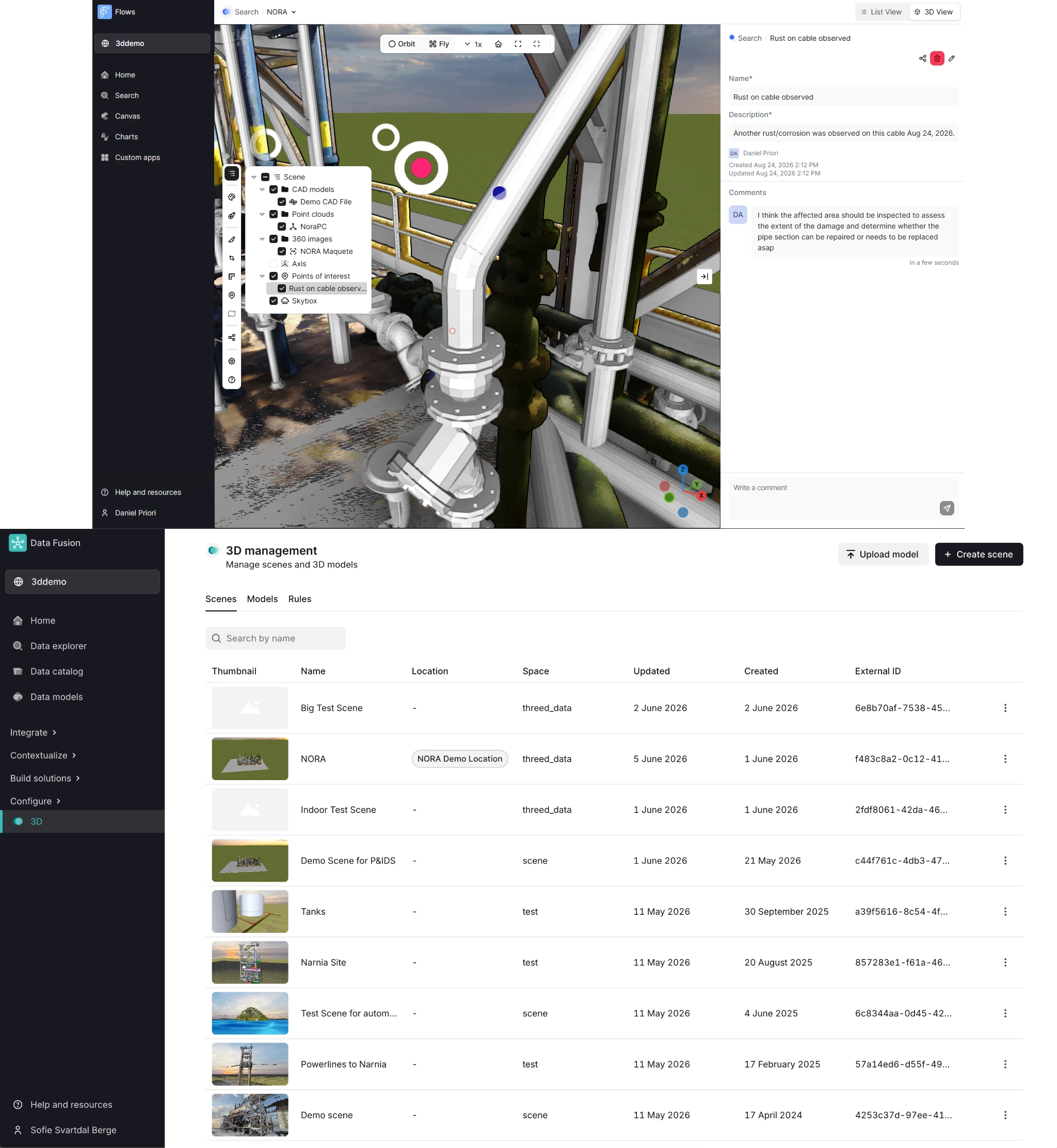
General Improvements in Unified 3D and 3D ManagementProduction Increase industrial workforce capacity | Outdated UI styling and controls, plus unintuitive navigation, made it harder for users to find their way around 3D management. | Updated styling and icons, a redesigned landing page, page structure, and action bar, a redesigned tree view (now including Points of Interest for easier navigation), and improved icon clustering for 360 images add up to a cleaner look and feel across Unified 3D and 3D management, with better navigation and usability. Documentation |
| ||
Scalability and Performance Improvements in 3DProduction Increase industrial workforce capacity | Long loading times for 360 images interrupted the user flow, interactions in heavy 3D scenes felt laggy, and performance on large datasets fell short of expectations. | Faster loading for 360 images, improved responsiveness in heavy 3D scenes, and improved performance for large datasets, including contextualization, zoom-to-asset, and queries, make interactions smoother, even in large or heavy 3D scenes. Documentation |
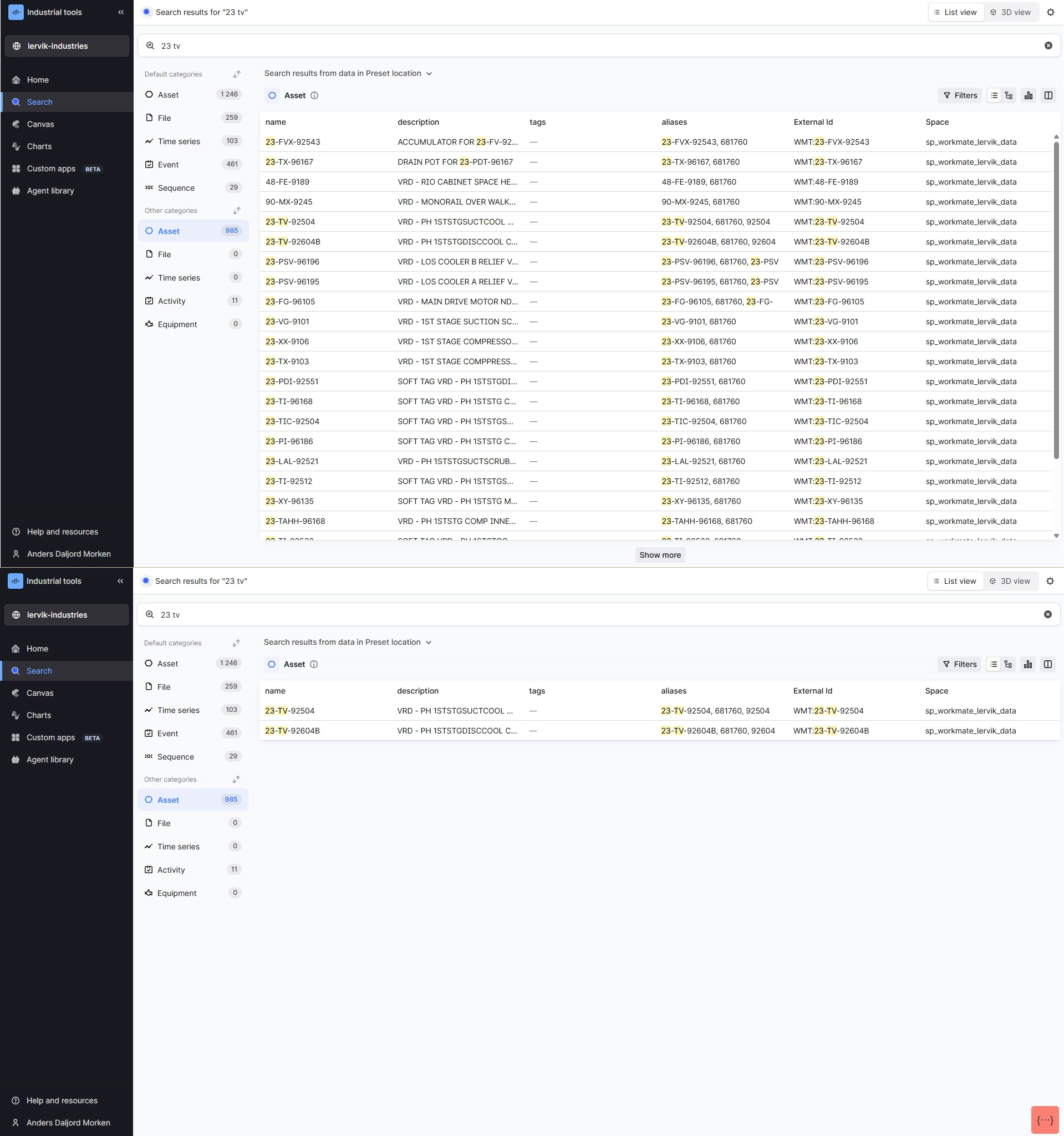
Smarter Search Results: Precision SearchProduction Increase industrial workforce capacity | Poor “partial” matching of search queries, and search queries matched too loosely, expecting any part of the query to match rather than all of it, which hurt precision. | Updated /search API logic now breaks both the search query and the underlying data into smaller searchable terms using dashes, dots, whitespace, and capitalization, so searching "unitCode" finds "unit" and "code," and it recognizes that "0059" and "59" are often the same thing, matching with or without leading zeros. Combined with the AND search operator, this delivers more relevant results every time (the operator has to be specified when using the API). Documentation |
| ||
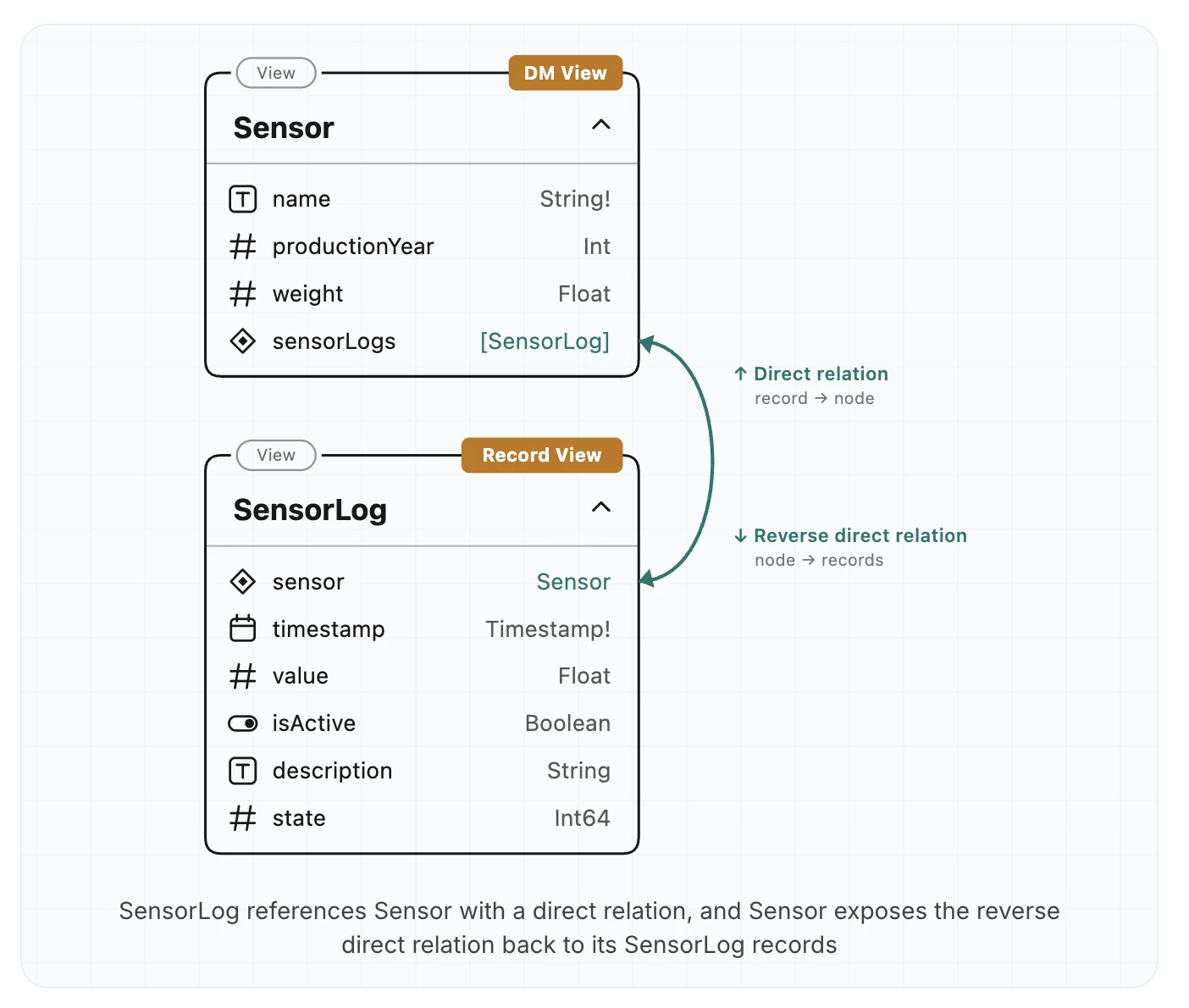
Records: Views & Graph DiscoverabilityProduction Rapidly scaling use cases across your enterprise | A record could already point at the graph instances it relates to, but nothing on the graph side pointed back, leaving records as a separate store you had to know about and query on their own. | Views now work over record containers, and a Data Model view can link back with a reverse direct relation: two-way navigation from a record to its node, and from a node to the records that point at it. Documentation |
| ||
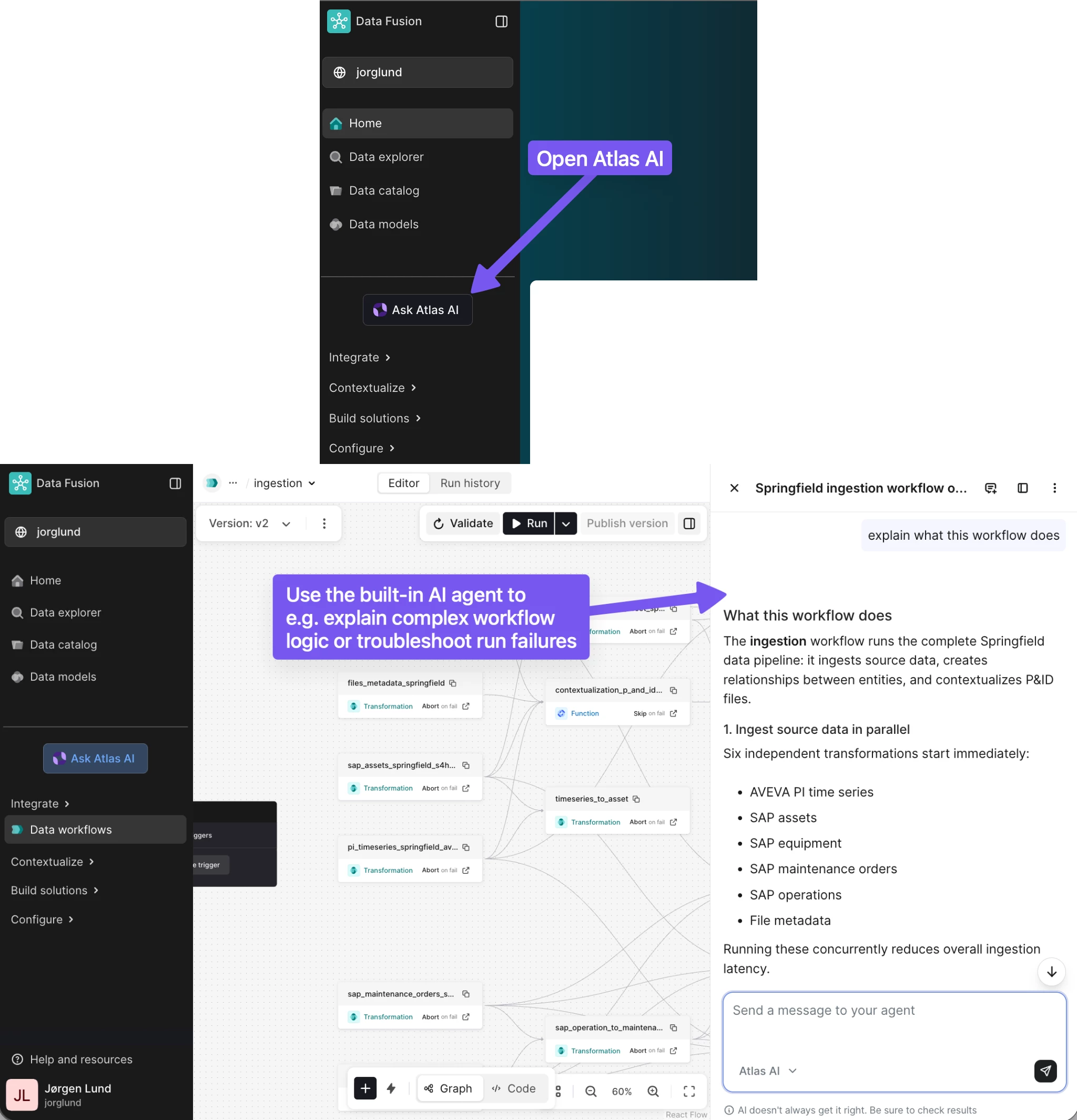
Atlas AI for Data Fusion WorkspacePublic Preview Increase industrial workforce capacity | The Data Fusion workspace has no built-in AI agent to help with day-to-day work, so complex workflows are difficult and time-consuming to understand, monitor, and troubleshoot, and finding the root cause of a failed run often means navigating multiple tasks and views. | A built-in Atlas AI agent now lives in the Data Fusion workspace: it explains complex pipelines, workflows, dependencies, and task sequences, reviews run history, debugs workflow runs and investigates task-level failures, and can modify workflows by adding and configuring tasks, for faster onboarding and more efficient workflow management. Documentation |
| ||
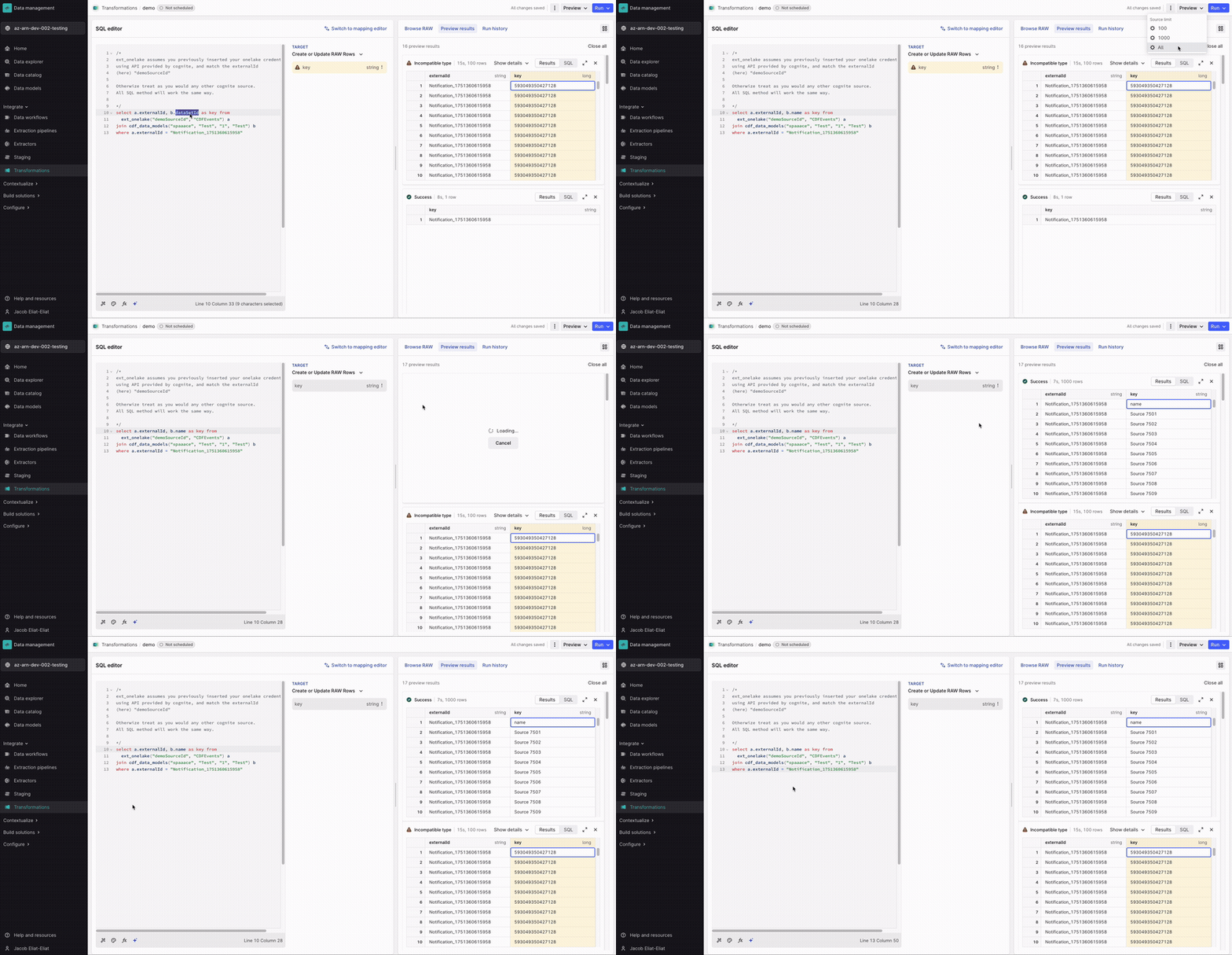
Zero-Copy Inbound for Microsoft Fabric OneLakePublic Preview Accelerated time to value with your use cases | Bringing Microsoft Fabric OneLake data into CDF meant duplicating it into RAW first, which added storage cost, pipeline complexity, and delay before it could even be transformed. | Fabric OneLake integration graduates to public preview with incremental reads, configurable volume/concurrency limits, and observability on inbound data volume, letting you bring OneLake data straight into the knowledge graph with a single Transformation SQL query, with no extractor or duplicate RAW copy required. Documentation |
| ||
Atlas AI
| Feature | Problem (Challenge) | Solution: What You Can Do Now |
|---|---|---|
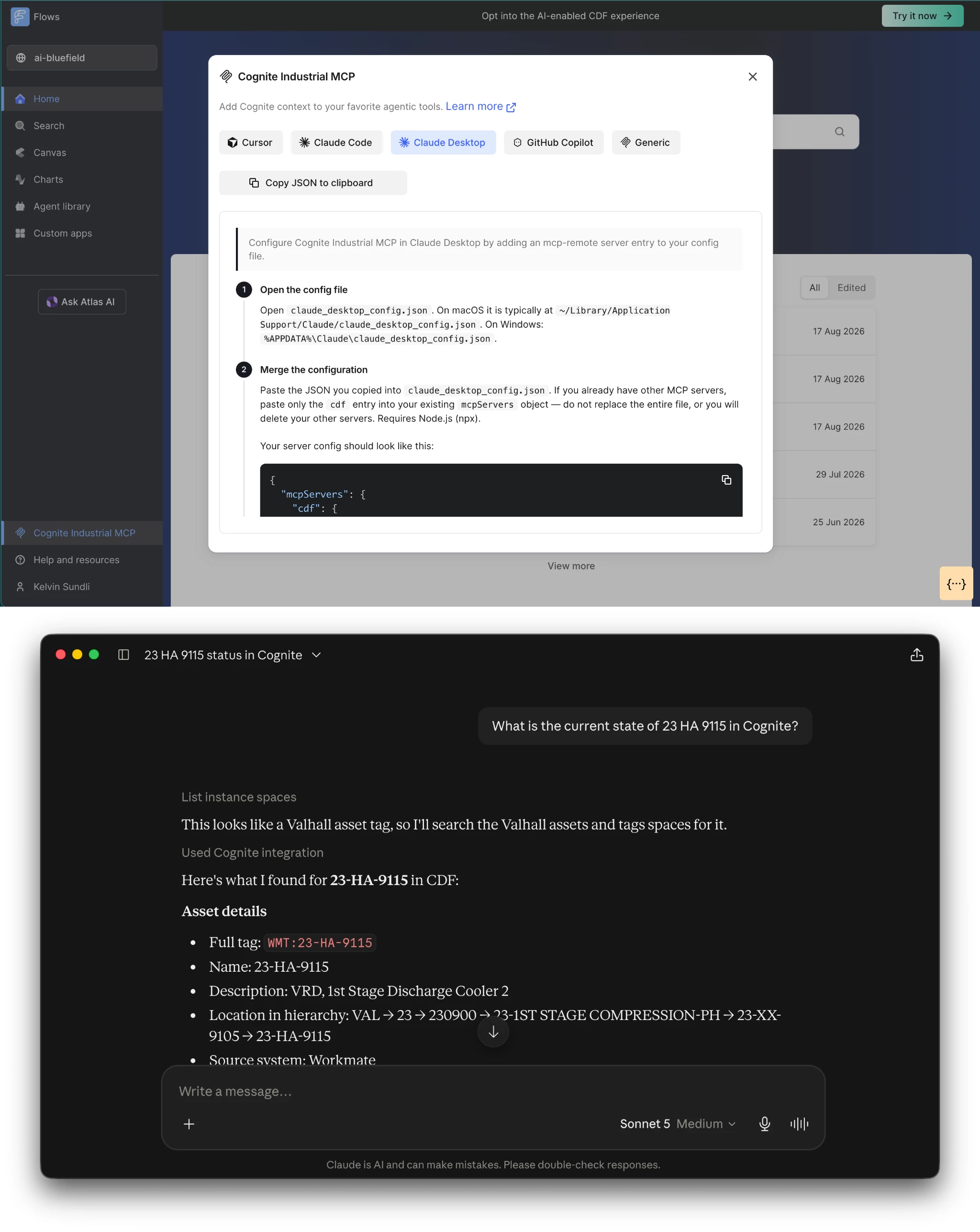
Industrial MCPPreview Rapidly scaling use cases across your enterprise | Connecting an AI agent to industrial operational data has required months of custom work per agent, per system, per use case, and most projects never reached production. | Any compliant AI agent, whether Claude, Microsoft Copilot, or a partner-built agent, can connect to Cognite Data Fusion in minutes and query the full industrial knowledge graph under the user's own permissions, with usage metered separately from native Atlas AI usage. Documentation |
| ||
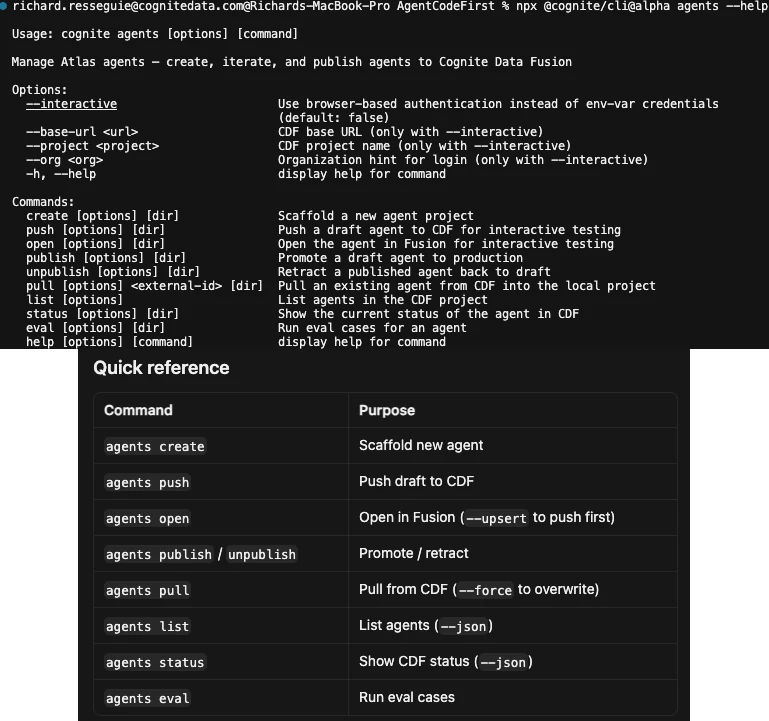
Agent Builder CLIPreview Reduce the amount and cost of downtime | Validating changes to Atlas AI agents meant manual testing in the Fusion UI, with no version history, no automated quality checks, and no reliable way to catch regressions before they reached operators. | Develop, execute, and evaluate Atlas AI agents via the Cognite CLI. Supported by insights from the knowledge graph, your coding agent aids in constructing and optimizing Atlas agents. Integrated evaluation metrics automatically score factors like accuracy, completeness, and hallucination reduction within unattended CI pipelines, preventing unverified updates from reaching production. |
| ||
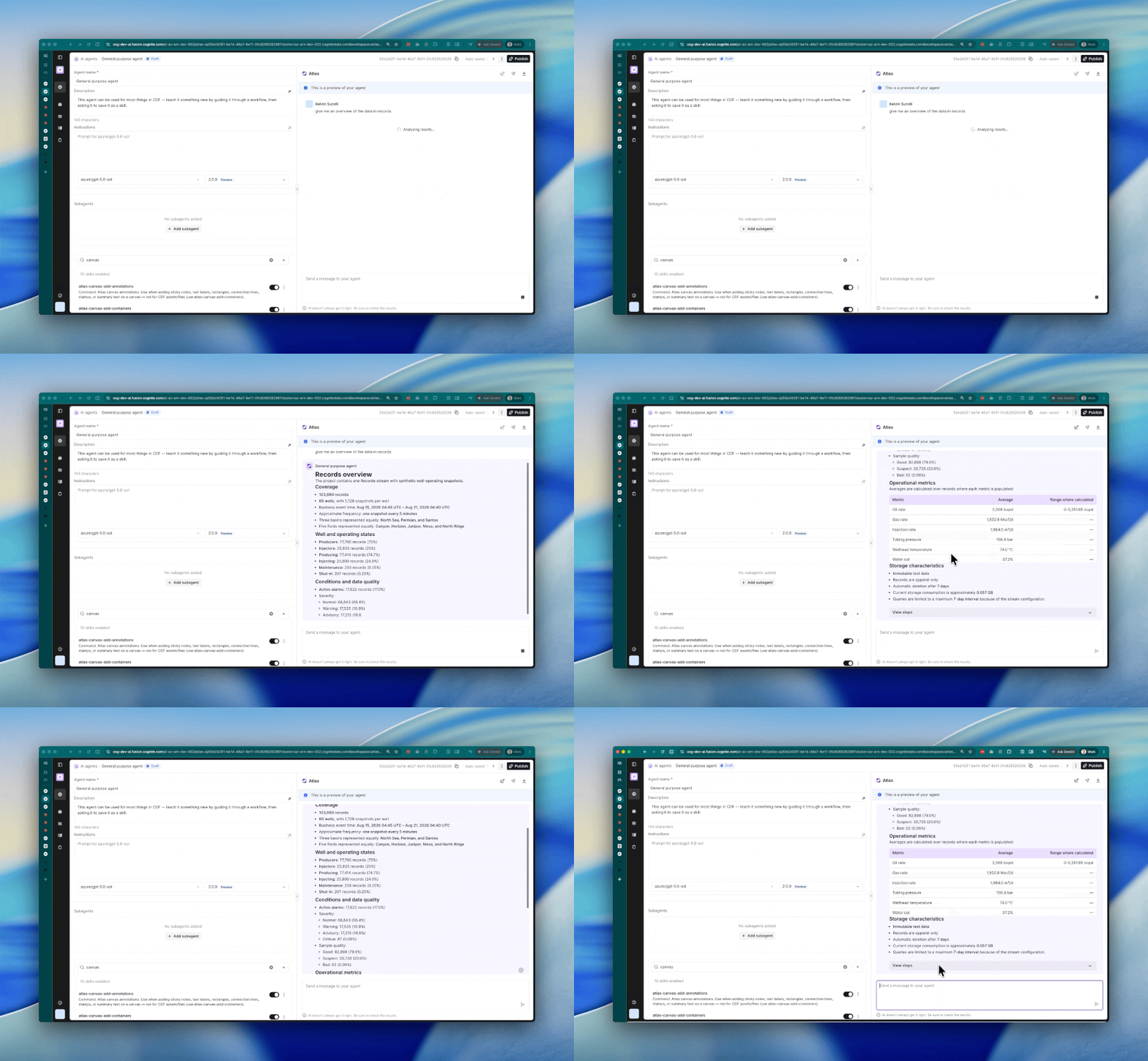
Atlas AI SandboxesPrivate Preview Increase industrial workforce capacity | Atlas AI agents could answer questions and call tools, but couldn't persist intermediate work, run arbitrary code, or resume an investigation after a session gap, so complex analysis had to be pieced together manually across people and prompts. | A secure, isolated sandbox gives Atlas AI agents a filesystem and code execution, so an agent can investigate, analyze large datasets, build visualizations, and produce files across a multi-step session that survives interruption, turning investigations that took half a day to a week into minutes. Documentation |
| ||
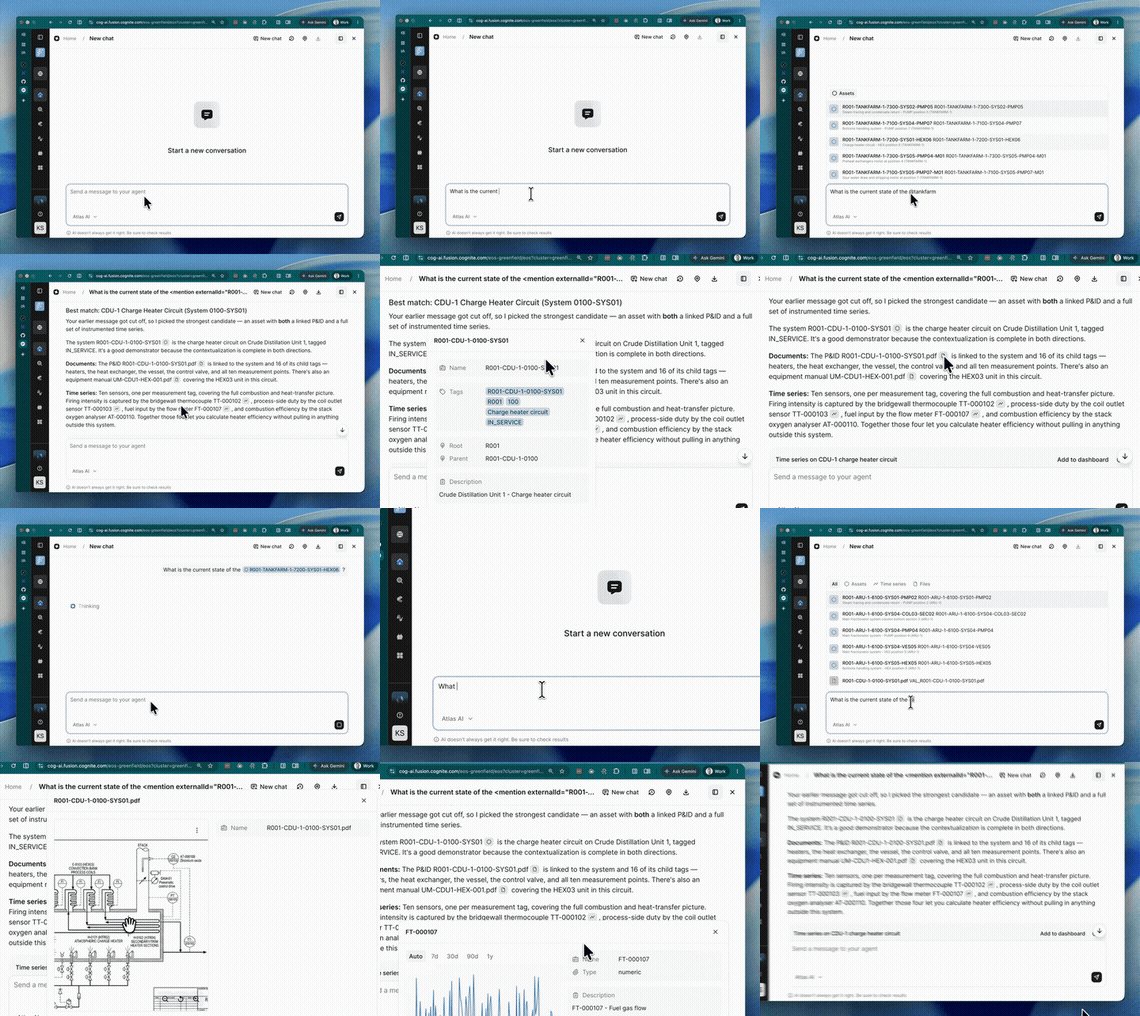
Seamless and Trustworthy ExperienceProduction Increase industrial workforce capacity | Atlas AI responses need to be grounded in the knowledge graph so customers can trust their accuracy and completeness, and beyond the chat response itself, users need transparency into the agent's thought process and how it reached an answer. | Tag CDF data directly in a request with @mentions, watch new thought traces and thinking presentations while the agent works, and preview citations to see the underlying knowledge graph items behind an answer, establishing visible trust that responses come straight from the knowledge graph. Documentation |
| ||
Cognite Flows: Native Applications
| Feature | Problem (Challenge) | Solution: What You Can Do Now |
|---|---|---|
| Note: The Search Preview Panel Redesign has been rolled back. For more information, please visit this page | ||
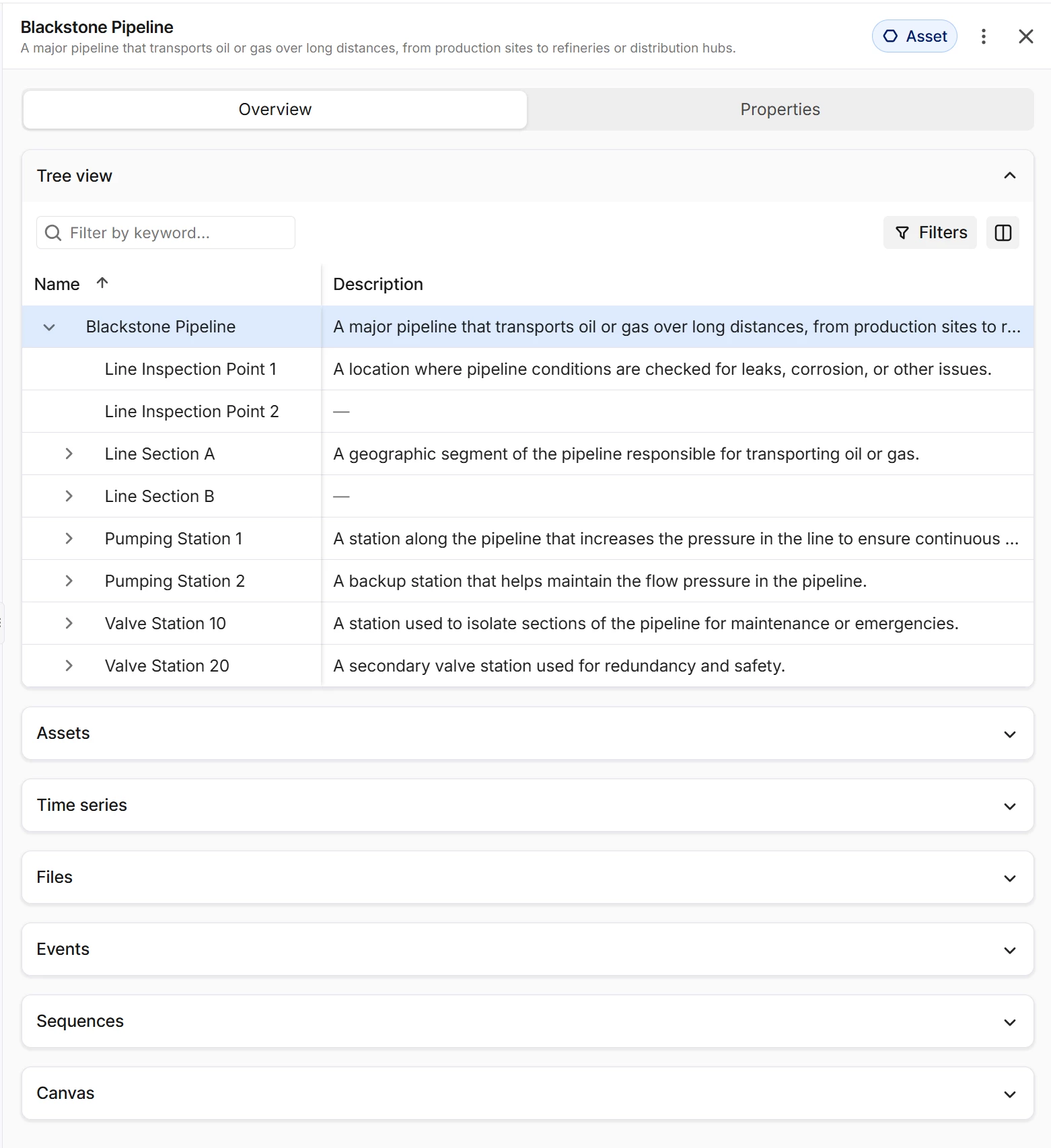
Search Preview Panel RedesignProduction Increase industrial workforce capacity | The Preview Panel loaded every relationship widget up front regardless of whether it had data, with no inline filtering or column selection, and properties for instances modeled across multiple categories were locked behind manual category-switching. | A simplified two-tab panel (Overview, Properties). Most relationship widgets are now collapsed by default, and the Properties tab shows properties across all relevant categories in one place, with no more per-category lookups. Documentation |
| ||
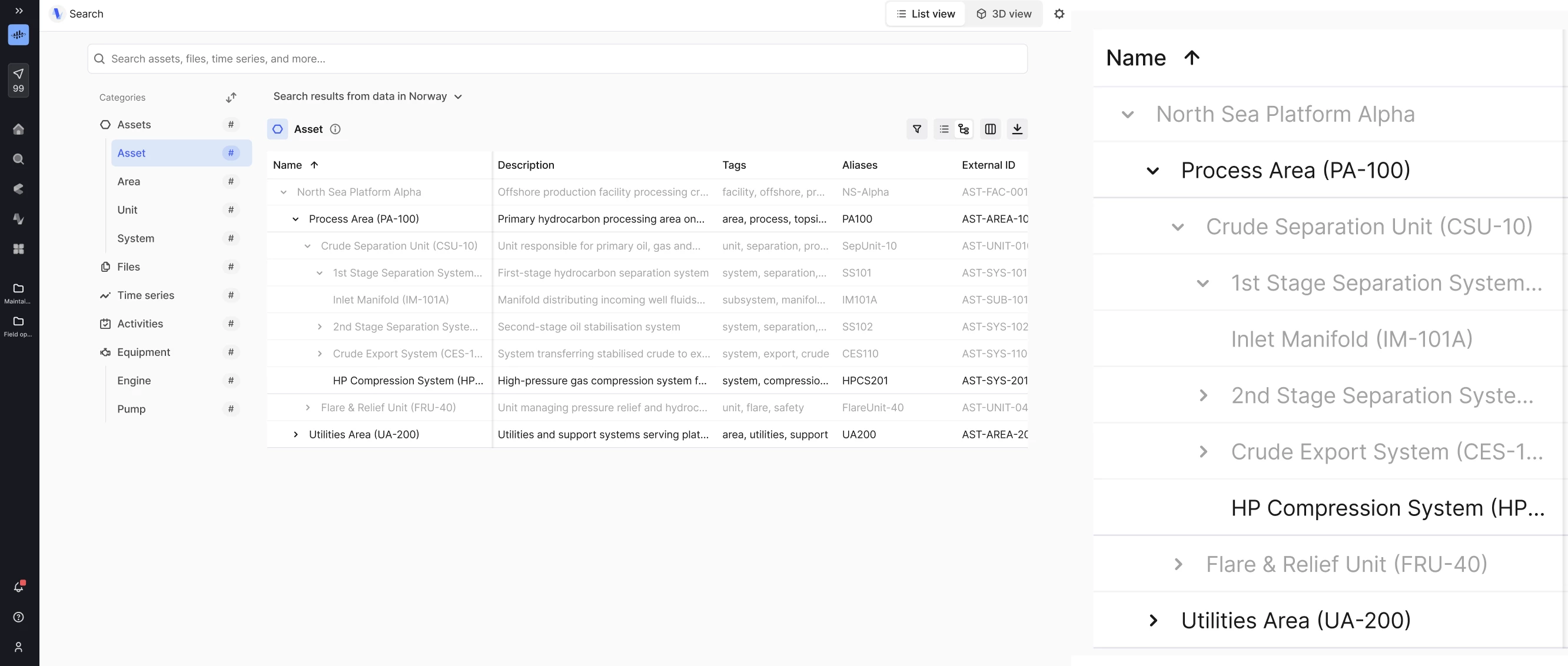
Hierarchy Across CategoriesProduction Increase industrial workforce capacity | Search's tree view only rendered instances within the currently selected category, so a hierarchy modeled across categories only ever showed a partial tree. | The hierarchy view now renders parents and children spanning categories, giving a complete tree regardless of where each node is modeled, so you can navigate with confidence that nothing's missing. Documentation |
| ||
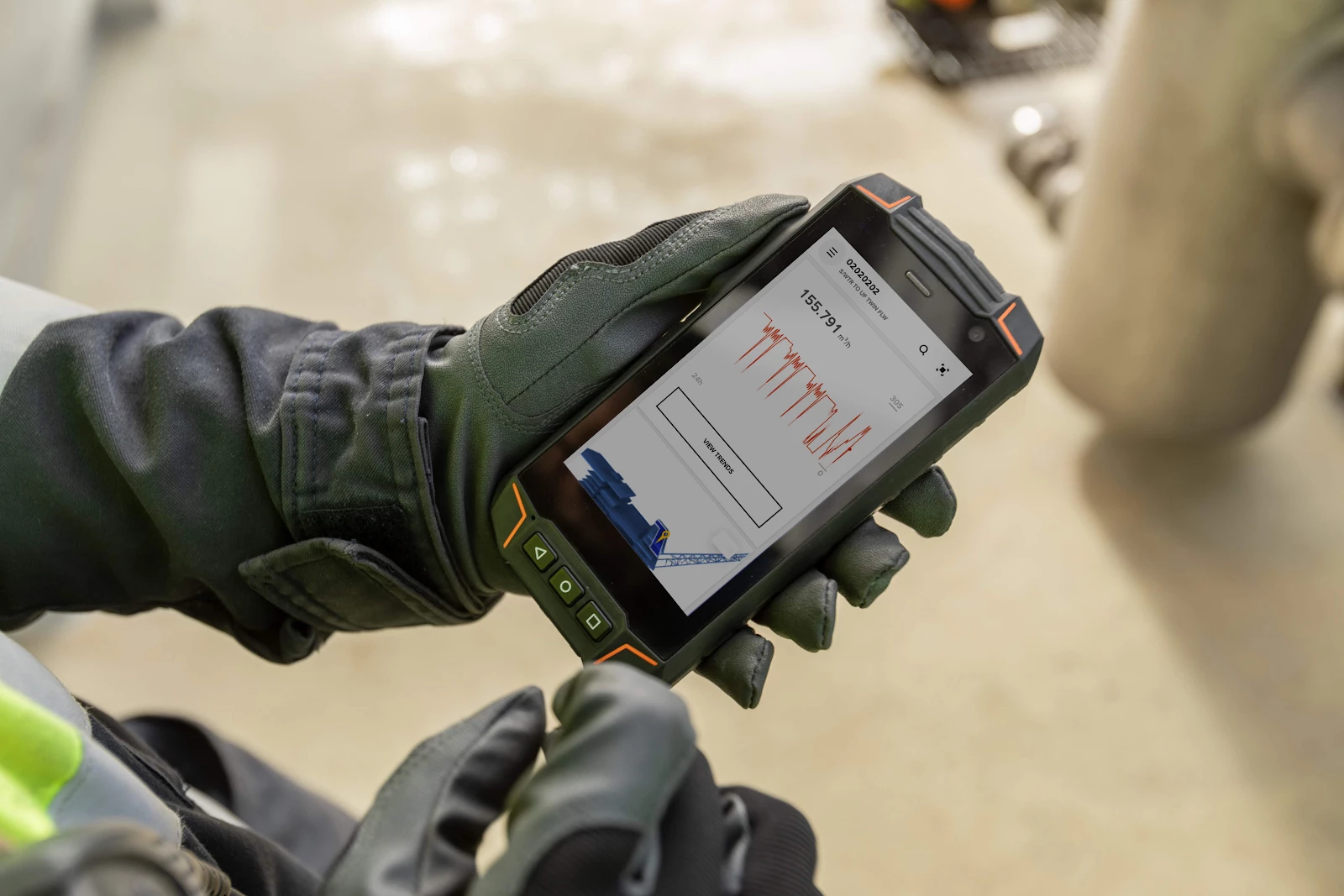
InField: Asset Centric Data Model ParityProduction Rapidly scaling use cases across your enterprise | Field operations data sat in an app-specific model, disconnected from the common foundation used by Atlas AI and Cognite Flows. | InField now runs fully on the Core Data Model, including SAP write-back, observations, hierarchy search, and Data Explorer configuration, giving InField the same data foundation as Atlas AI and Flows for faster roll-out, no separate APM model to maintain, and a clear path off Classic. Documentation |
| ||
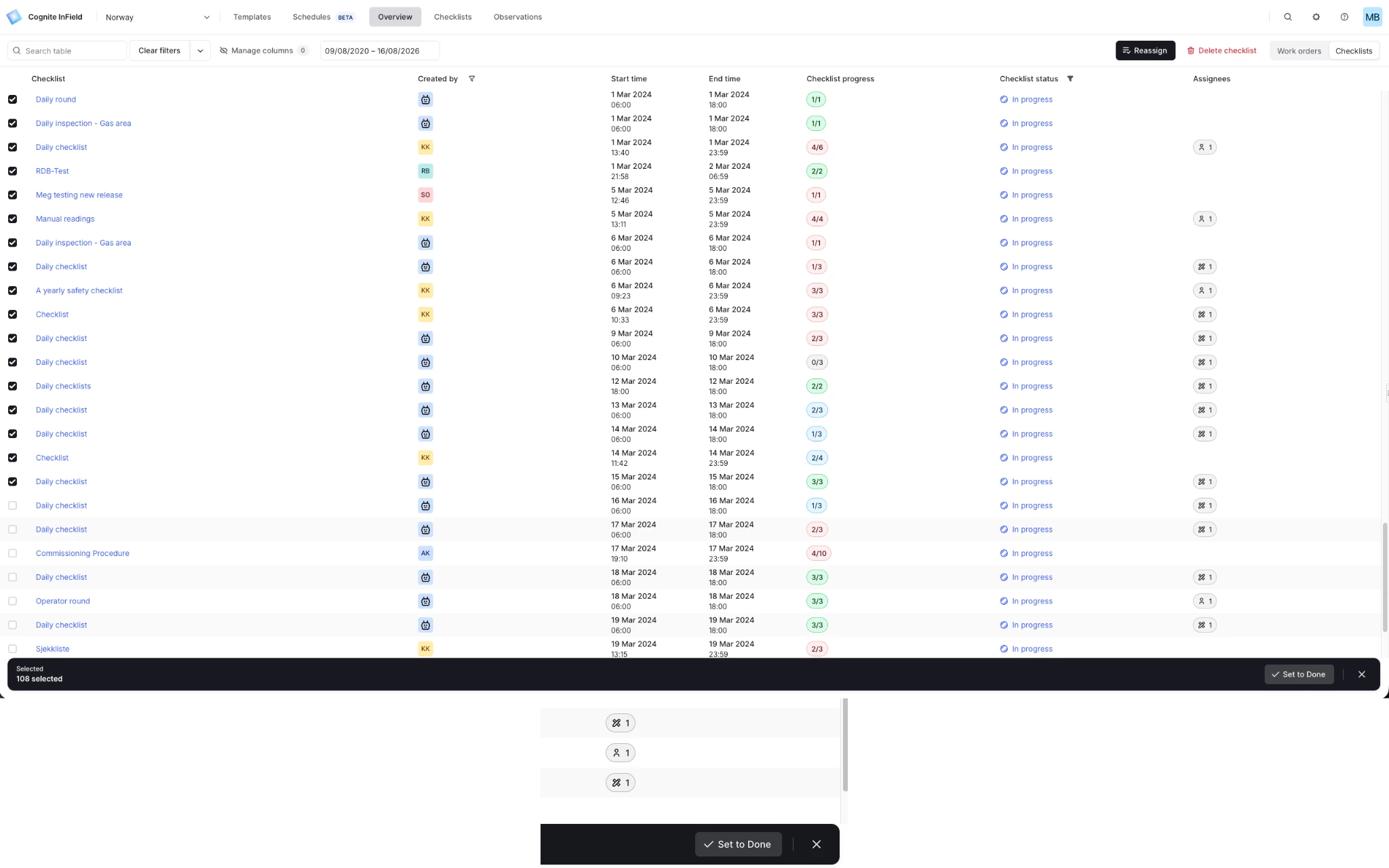
InField: Bulk Update to Done in Checklist OverviewProduction Increase industrial workforce capacity | Supervisors had to close finished checklists one at a time, meaning dozens of clicks at the end of a shift. | Multi-select checklists in the Overview and set their status to Done in bulk, so close-out now takes seconds instead of minutes. Documentation |
| ||
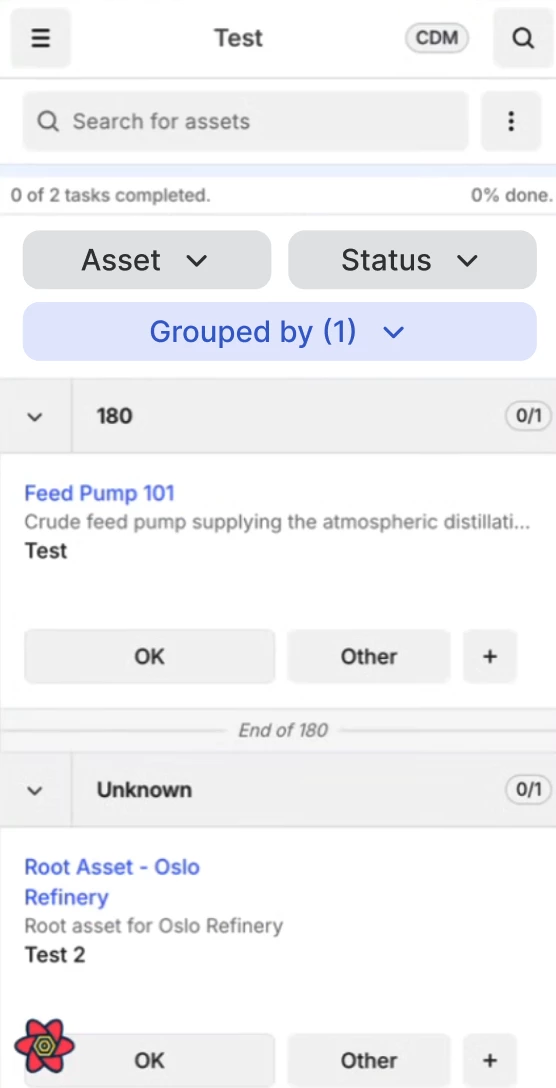
InField: Group Checklist by Asset AttributePrivate Preview Increase industrial workforce capacity | Checklists showed as one flat list unless groups were configured in the template, so operators jumped between areas and equipment, wasting steps and losing overview. | Group checklist items by asset properties such as Location, Criticality, or Manufacturer directly from the filter row, bulk-update whole groups of tasks at once, and work one area at a time in logical order, for faster execution with fewer clicks. Works in both Classic and CDM. Documentation |
| ||
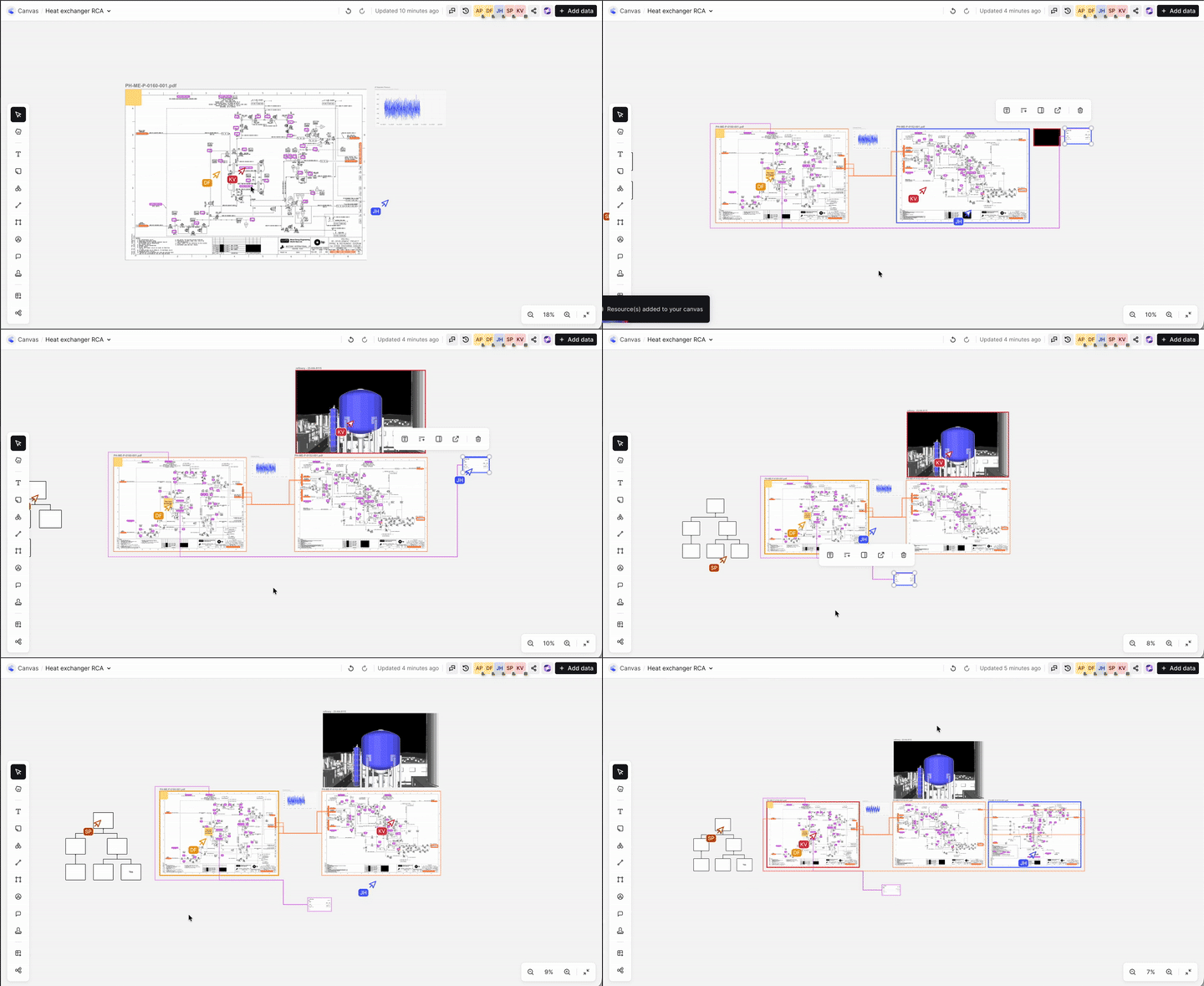
Industrial Canvas: Real-Time CollaborationPrivate Preview Increase industrial workforce capacity | Teams require a unified, real-time workspace to collaborate simultaneously on the same canvas, ensuring faster and more aligned decision-making. | Canvas is now a true collaborative workspace where multiple users can work simultaneously, explore data side-by-side, and accelerate unified decision-making for root-cause analysis, planning, and complex workflows. Documentation |
| ||
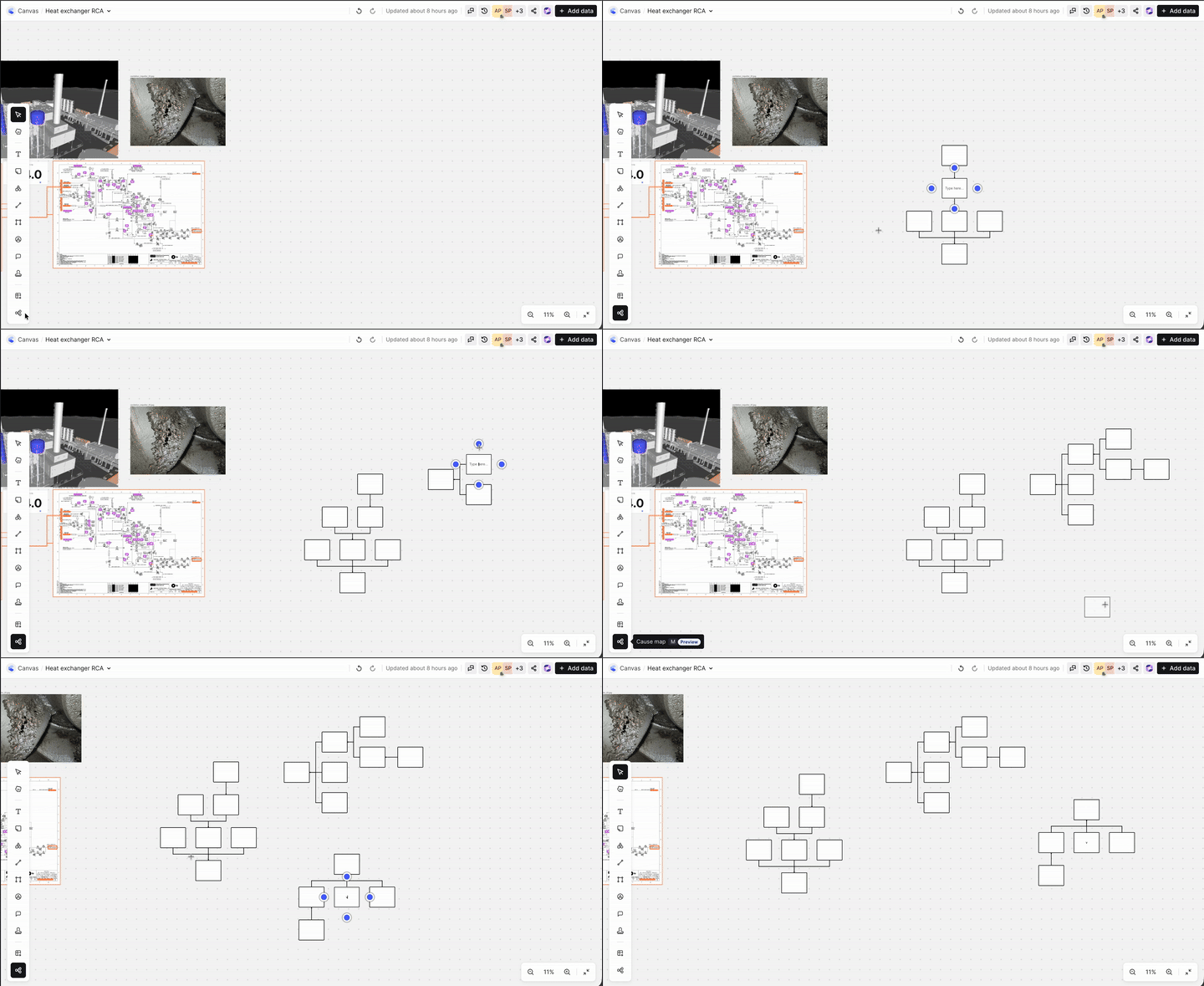
Industrial Canvas: Cause Map ImprovementsProduction Increase industrial workforce capacity | Cause Map trees in Canvas supported only one layout orientation, and repositioning a very large tree was cumbersome. | Choose between horizontal and vertical layouts, and move an entire Cause Map tree instantly by dragging its root box. Documentation |
| ||
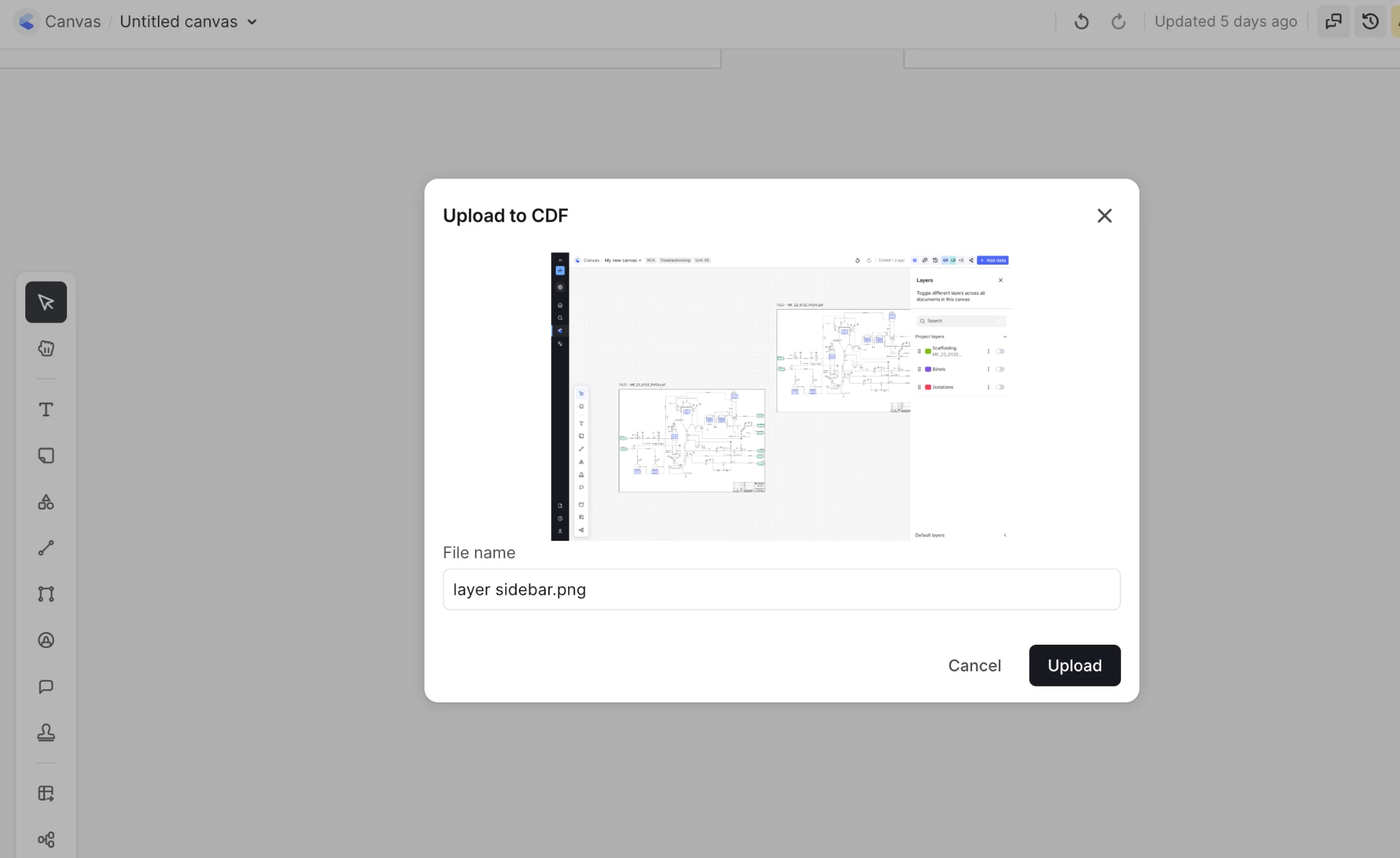
Industrial Canvas: Upload FilesPublic Preview Accelerated time to value with your use cases | Uploading a file into Canvas required manually selecting a data set or data instance first, an extra step that often stalled the import. | Drag and drop files directly into Canvas, with no pre-selection required. Documentation |
| ||
Cognite Flows: Custom Applications & Adaptive Experiences
| Feature | Problem (Challenge) | Solution: What You Can Do Now |
|---|---|---|
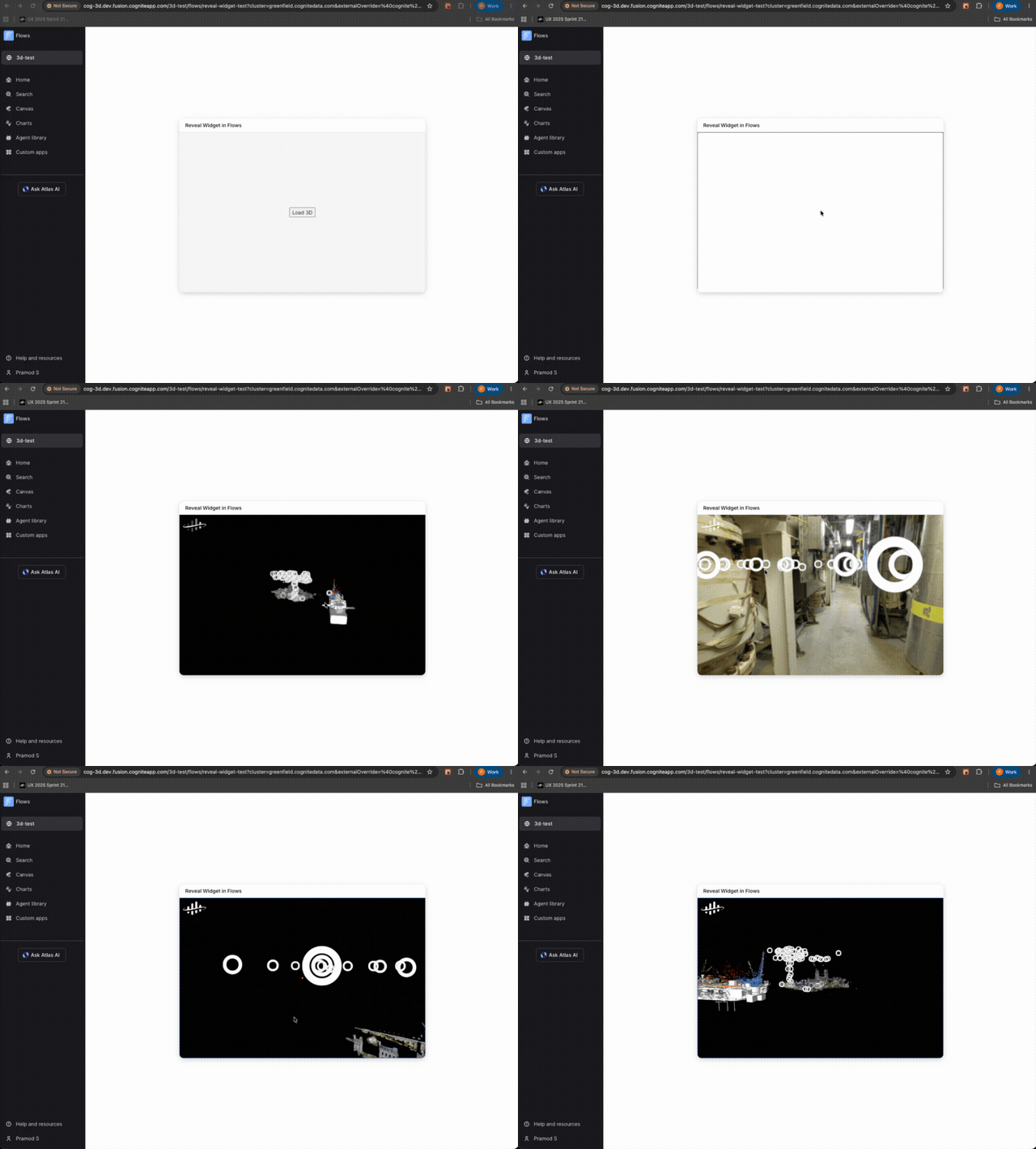
3D Widget for Flows, Adaptive Experiences, and PartnersProduction Rapidly scaling use cases across your enterprise | The 3D widget carrie internal dependencies that block it from being a free-standing component that AI agents, Flows, Adaptive Experiences, and partners can use. | A re-architecture of the 3D widget, plus new skills, makes it usable outside Cognite's native applications, enabling AI agents, Cognite Flows builders, and Adaptive Experiences to build 3D experiences, and opening the widget to partners it couldn't reach before. Documentation |
| ||
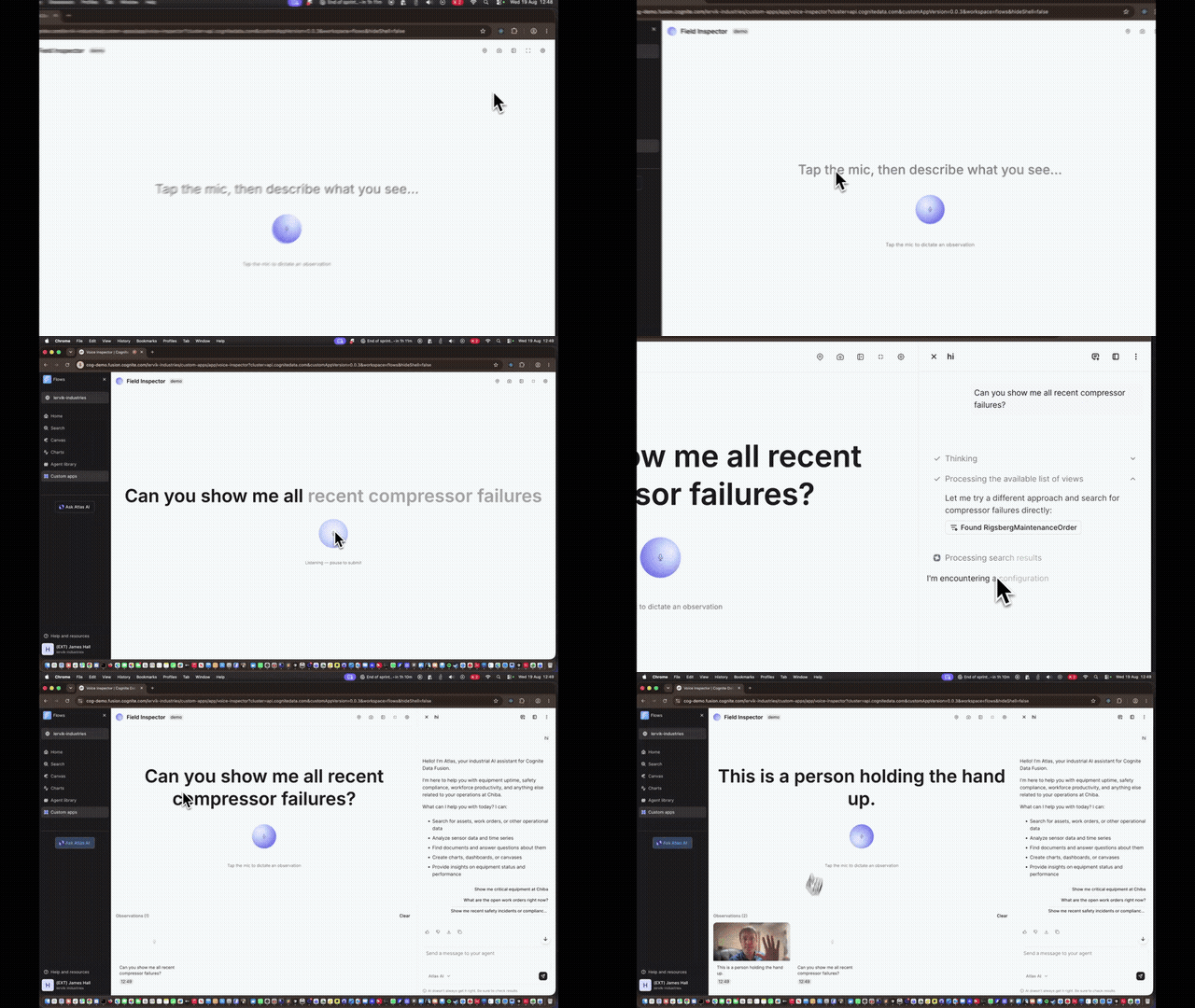
Custom Apps: Developer ExperienceProduction Accelerated time to value with your use cases | As the Custom Apps builder community grew, limited full-screen and device-API support and short-lived CLI sessions kept the platform from feeling production-ready. | Adds full-screen app mode, camera/microphone/location access, code signing with per-version trust inspection and tamper protection, longer-lived CLI sessions, clearer build-and-deploy errors, higher per-app version limits with instant rollout, and Windows OAuth fixes, all delivering faster, safer iteration for builders. Documentation |
| ||
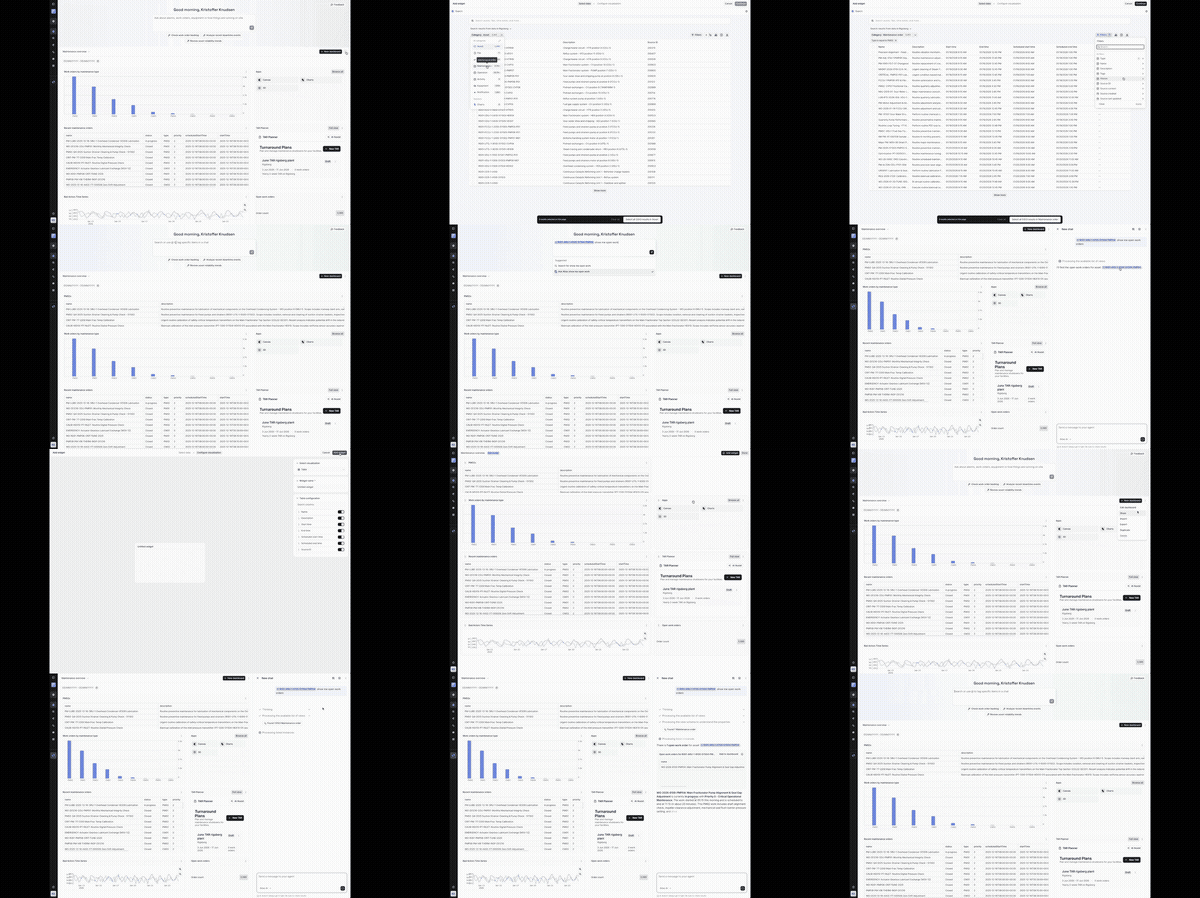
Adaptive Experiences: A Sticky, Personalized Landing PagePrivate Preview Accelerated time to value with your use cases | Every user started from a blank Search each session with no memory of past work, and Search and Atlas AI were two separate entry points to choose between. | Search, configure, and save views as live widgets on a personalized landing page. A single entry box unifies Search and Atlas AI, a growing widget ecosystem is supported (tables, KPIs, bar charts, Cognite Charts, Custom Apps), users can build widgets by describing them to Atlas AI, and create, switch between, and share multiple dashboards. Documentation |
| ||
1000x Scalability
| Feature | Problem (Challenge) | Solution: What You Can Do Now |
|---|---|---|
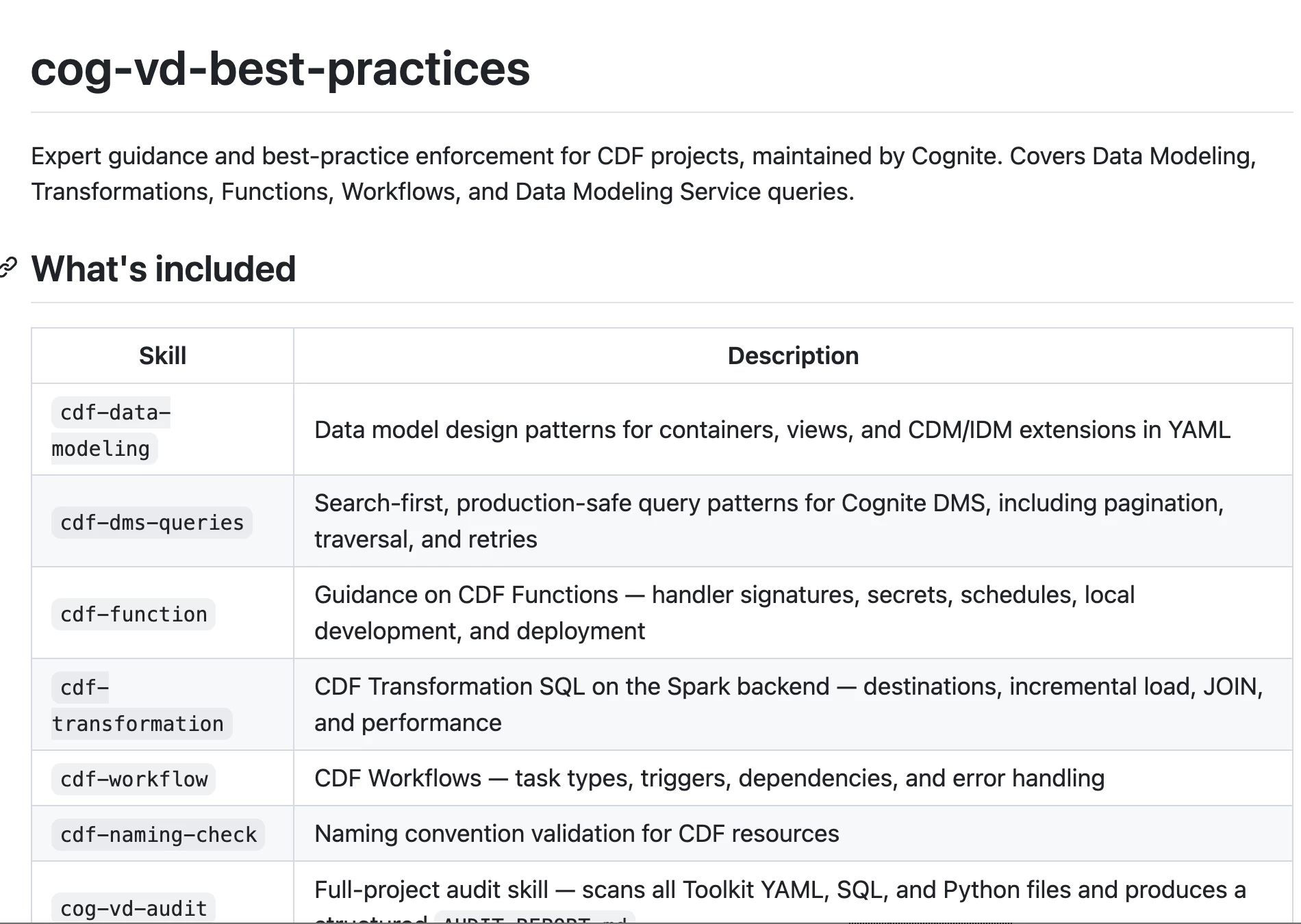
AI Coding Assistant Skills (Marketplace MVP)Rapidly scaling use cases across your enterprise | Partners and customers lacked a fast, reliable way to apply Cognite's best-practice patterns, such as data modeling, naming, transformations, workflows, and DMS queries, so every team was reinventing them from scratch. | Cognite's recommended CDF patterns now ship as a Cursor and Claude plugin, open-sourced via the marketplace GitHub repo: the same AI skills that already accelerated Cognite's own internal workflows are now available directly in your coding tools. Documentation |
| ||
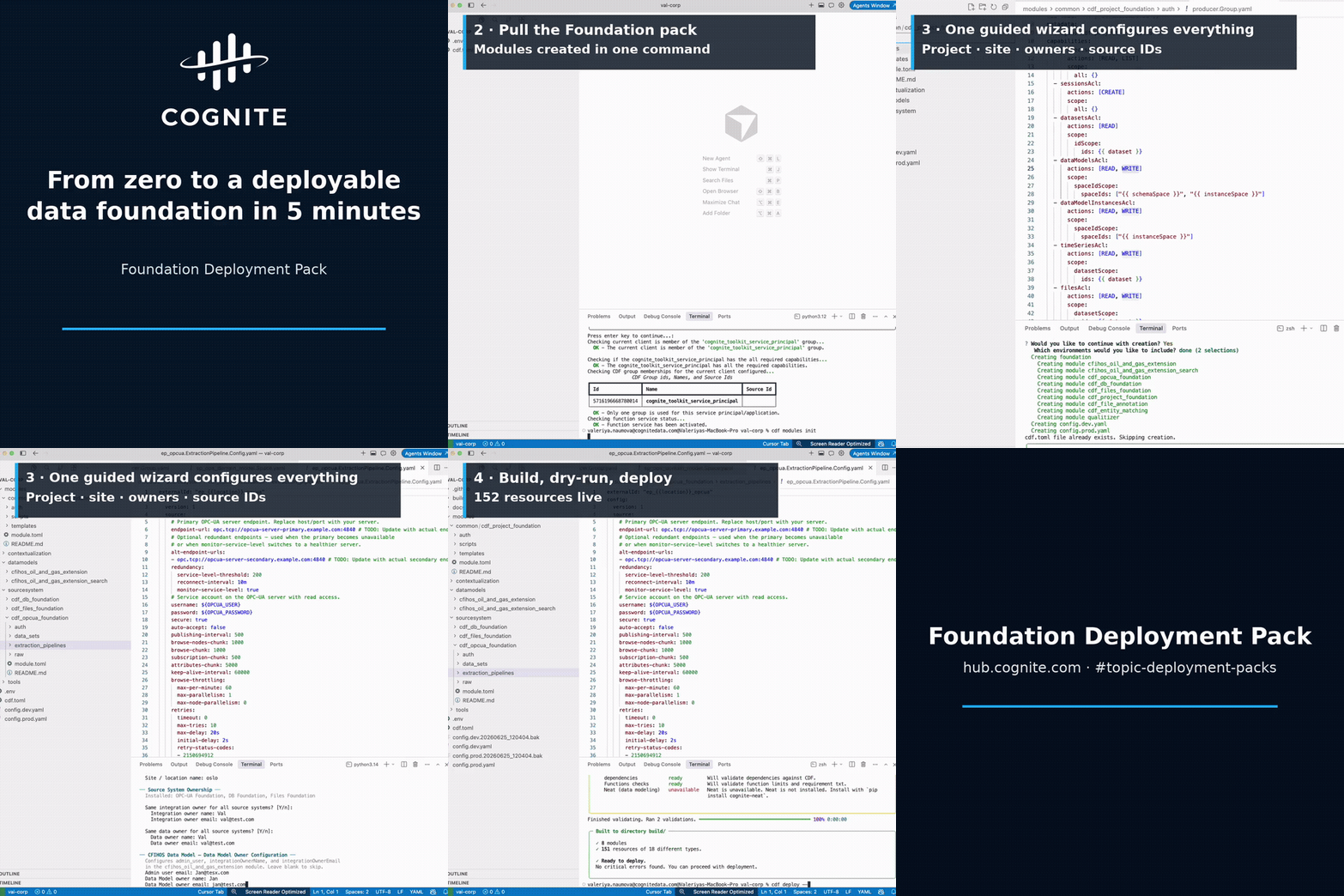
Foundation Deployment PackAccelerated time to value with your use cases | Every new CDF project repeated the same manual setup, including access groups, data model, extraction pipelines, and CI/CD, work that was slow, easy to get subtly wrong, and inconsistent across deliveries. | A Toolkit module with a guided wizard deploys a clean, best-practice project foundation, including access controls, data model, extraction pipeline configs, and CI/CD, in one pass, together with templated data models and contextualization pipelines. Documentation |
| ||
For a comprehensive list of all technical updates, improvements, and bug fixes, view the full Q3 2026 Release Notes.
