

 Check the
documentation
Check the
documentation Ask the
Community
Ask the
Community Take a look
at
Academy
Take a look
at
Academy Cognite
Status
Page
Cognite
Status
Page Contact
Cognite Support
Contact
Cognite Support

Q2 2026 Product Release: Democratizing Industrial AI
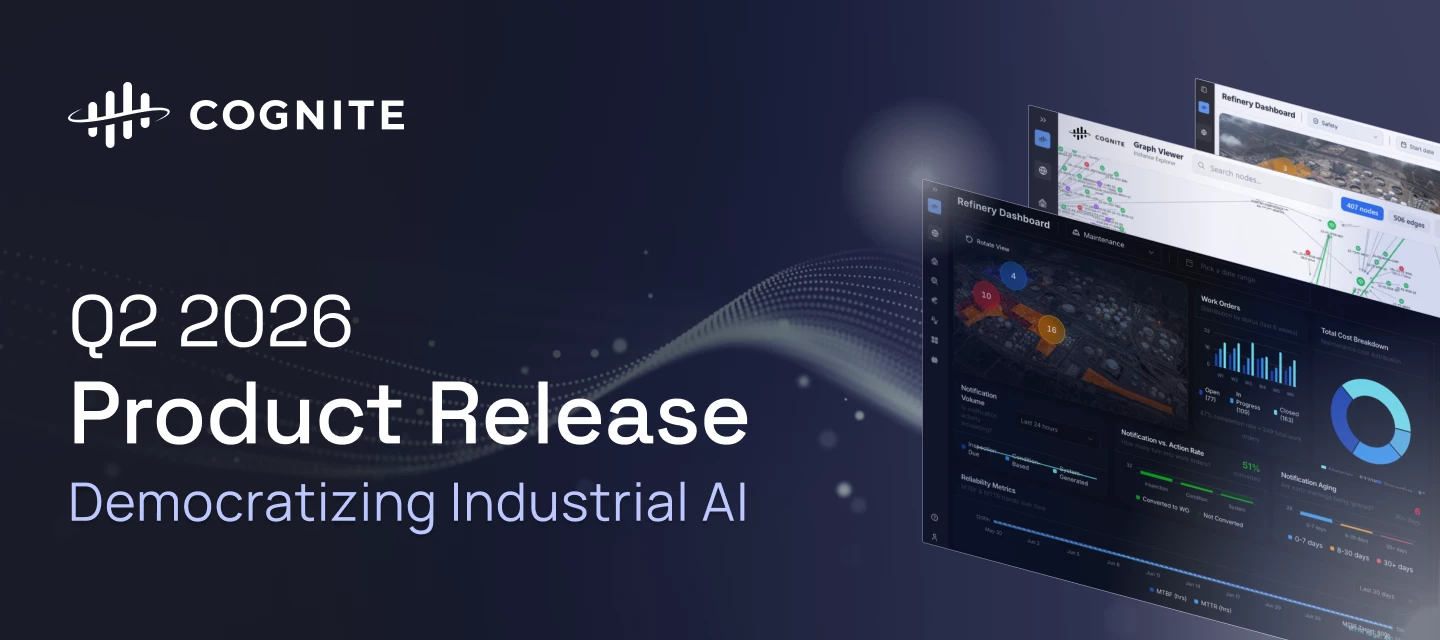
The Q2 2026 release accelerates the democratization of Industrial AI, empowering teams with production-grade custom app infrastructure and declarative data workflows. We have significantly increased industrial workforce capacity through precision search migration, zero-code CSV exports, and immersive 360° spatial walkthroughs. To rapidly scale use cases across the enterprise, builders can now leverage lifecycle-managed Atlas AI Skills and native agent execution to deliver a unified, intelligent experience across all Cognite Data Fusion (CDF) applications.
Review the core release highlights below to discover how these advancements are accelerating time to value by making Industrial AI more robust, scalable, and accessible for the entire industrial workforce.
Cognite Flows - Native and Custom apps
| Feature | Problem (Challenge) | Solution: What You Can Do Now |
Cognite Flows - Custom AppsProduction Rapidly scaling use cases across your enterprise | Industrial builders previously struggled to rapidly deploy and scale tailored enterprise applications inside CDF without creating security flaws or running up massive operational debt. | Subject Matter Experts can leverage a robust, secure, and production-grade environment to deploy custom applications directly inside CDF. Features include an upgraded command-line interface tool and a strict two-step validation safety procedure (deploy and activate) to ensure flawless code-signing. Documentation |
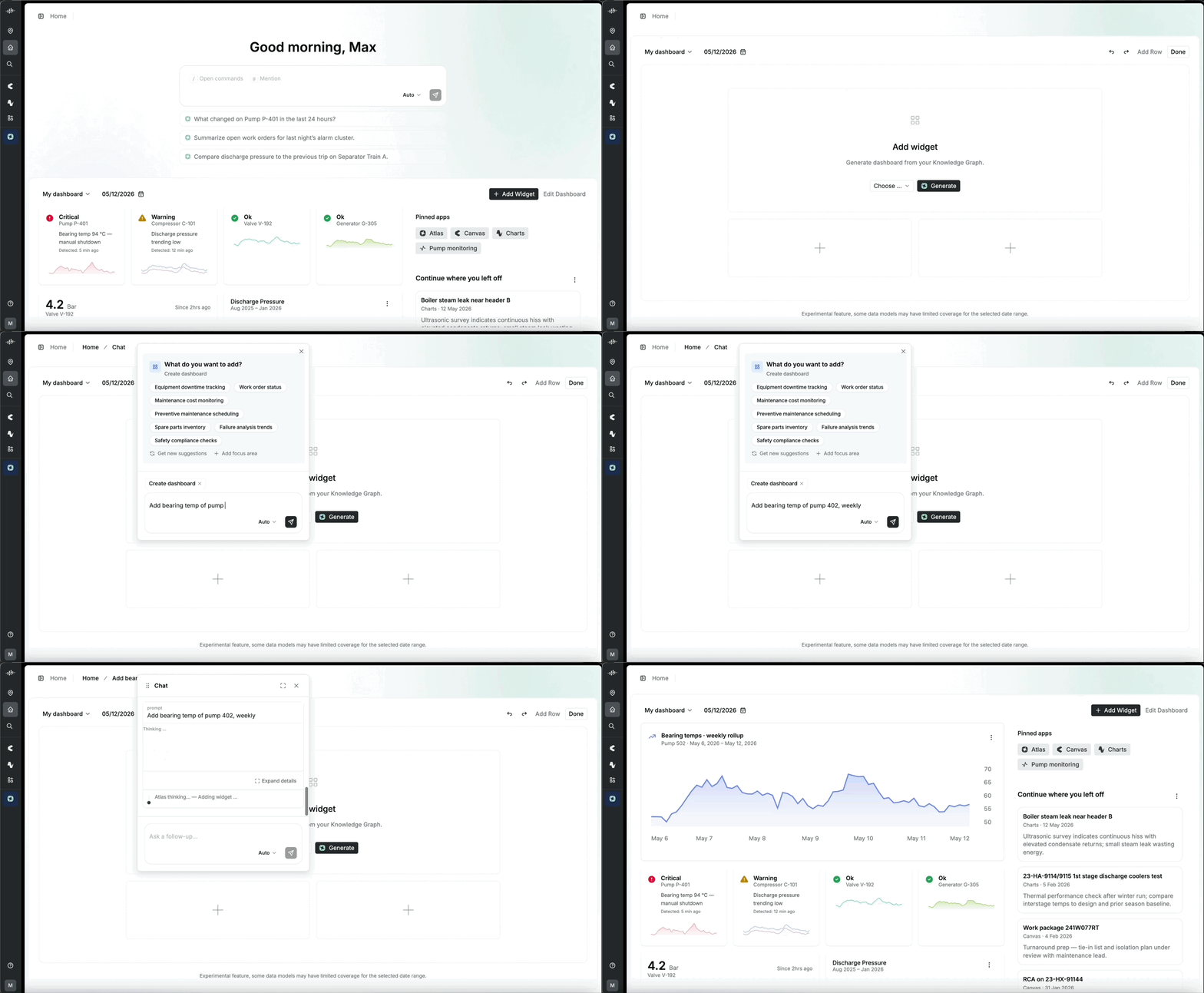
Cognite Flows - Adaptive ExperiencesPrivate Preview Accelerated time to value with your use cases | Every single system user used to inherit the exact same uninspiring home landing page, leaving critical site-specific knowledge siloed in workers' heads. | Access an intelligent landing page that builds a personalized dashboard experience via conversational AI within under 5 minutes from first login. Teams can pin custom widgets to hit an aggressive 50% Daily Active User (DAU) organizational adoption target.Documentation |
|
| ||
Cognite Flows - Application CertificationProduction Rapidly scaling use cases across your enterprise | There was no formal certification process for custom applications. Teams could deploy apps without any structured validation, creating risk around data model integrity, security, and production readiness, with no consistent bar across the builder ecosystem. | Applications undergo a verification process before deployment. Automated validation covers data model integrity, app robustness, security, and performance at scale, while selective human review handles higher-risk scenarios. Certified builders follow a verified path, ensuring every app is safe to operate in industrial environments. Documentation |
Cognite Flows - New Developer ExperienceProduction Accelerated time to value with your use cases | Fragmented tooling and manual UI assembly slowed industrial development. Existing tools were not designed for AI-assisted workflows, making it hard to scale innovation efficiently. | A standardized Developer Toolbox with SDKs, CLI, UI components, and machine-readable documentation lets developers and AI agents build consistent, production-grade applications for both Cognite Flows and self-hosted environments. Documentation |
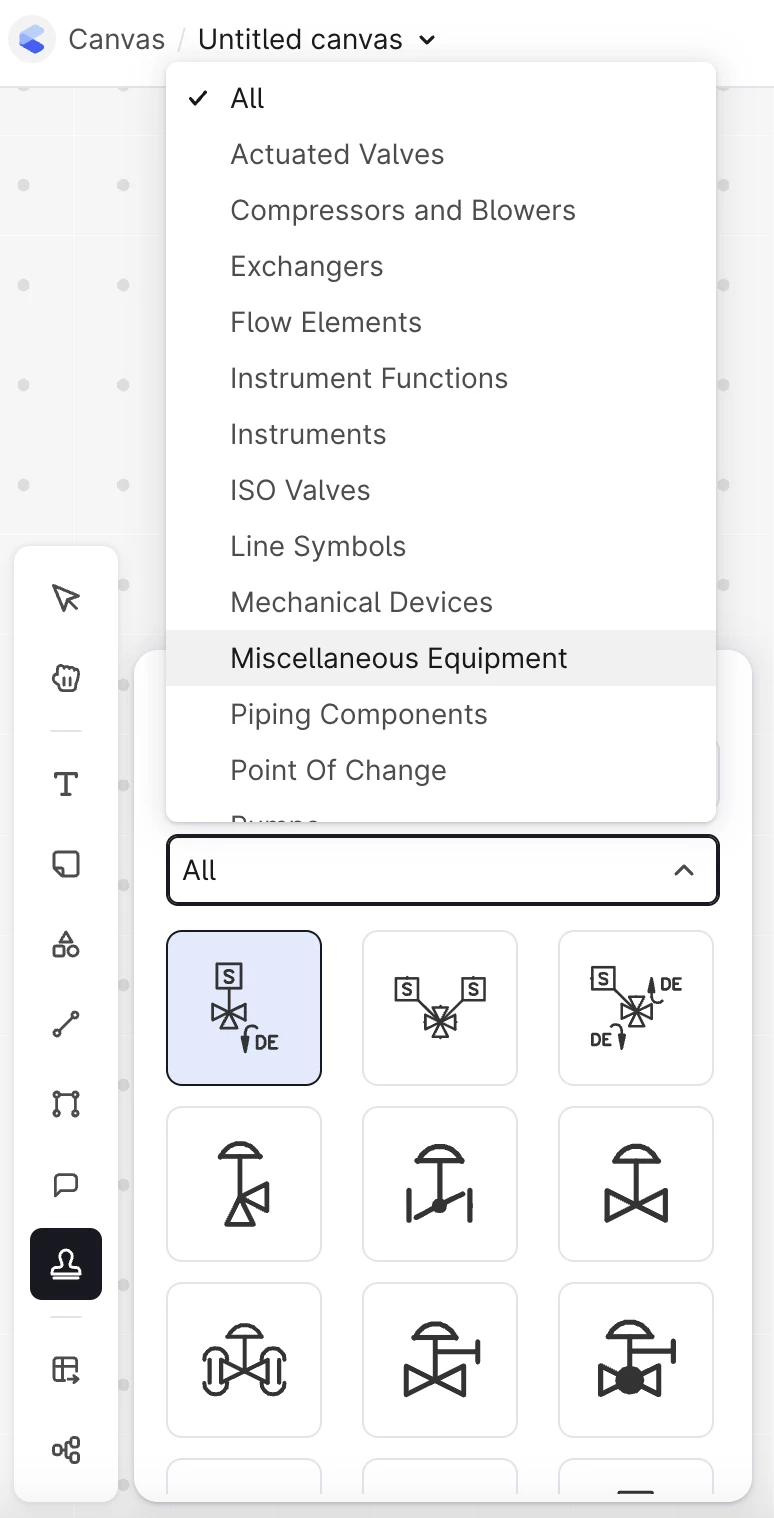
Industrial Canvas - Symbol Library UpdateProduction Increase industrial workforce capacity | Field operators editing Piping and Instrumentation Diagrams (P&IDs) lacked native tools, bottlenecking the creation of clean digital work packages. | Access more than 300 new standard industrial symbols organized cleanly by category for rapid discovery during work package creation. Key workspace updates introduce proportional resizing and persistent color memory to automatically save the last-used shape properties. Documentation |
| ||
Industrial Canvas- Unified Project Settings for Canvas and SearchProduction Accelerated time to value | When visual presentations drift across different tools, users lose confidence that they are viewing the same modeled reality across the platform. | Maintain a single, consistent story for your core data model (CDM) content. Cards in Canvas now reflect the exact same properties as Search, matching your Project Settings configuration perfectly. Furthermore, file connections and annotations now display user-friendly names and descriptions instead of confusing system IDs. Documentation |
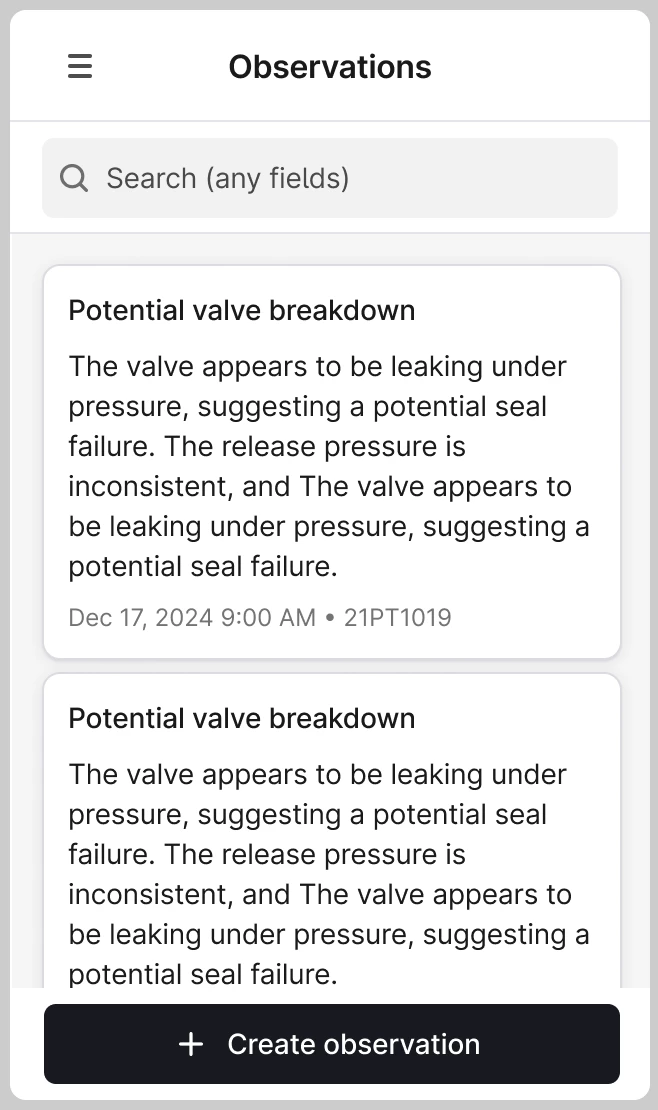
InField - Field-Ready Observations Mobile ListsProduction Increase industrial workforce capacity | Workers in the field could generate new observations on their mobile devices but had no way to track existing entries on the go, resulting in massive duplicate work reports. | View, filter, and track nearby location-contextual observations directly on mobile devices. This rollout transitions core field workflows to a unified industrial data model. Documentation |
|
| ||
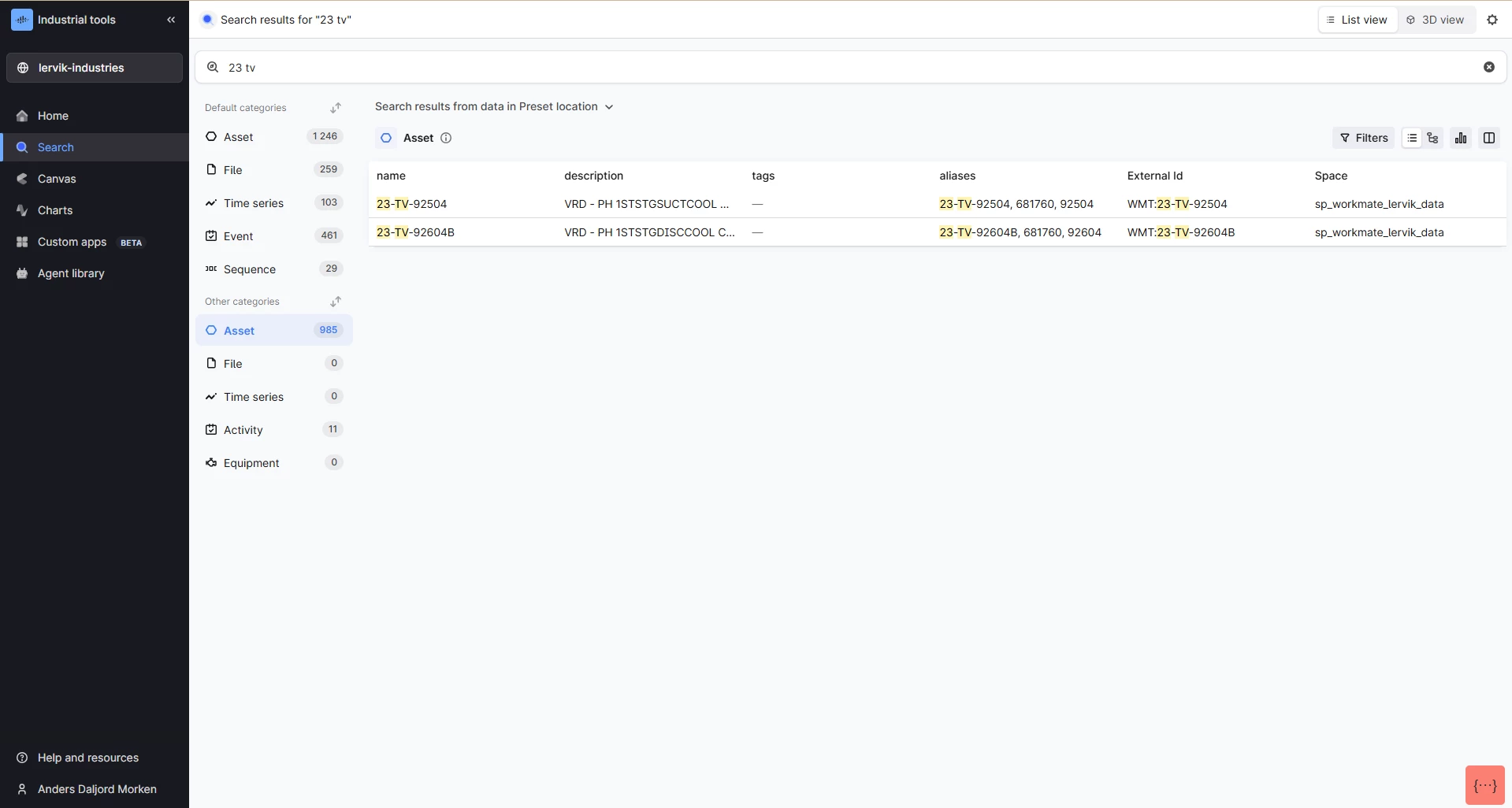
Search UI - Precision ResultsProduction Increase industrial workforce capacity | Broad keyword searches historically evaluated entries using a loose "OR" script, flooding engineers with irrelevant records when querying precise tag strings. | All core search surfaces across CDF front-ends (Search, Canvas, Charts, 3D, and InField) have migrated behind the scenes to an implicit AND operator. Searching strings like "21-PT-10-19" now demands that all tokens match, improving query precision. Documentation |
| 🔍 23 tv Before: 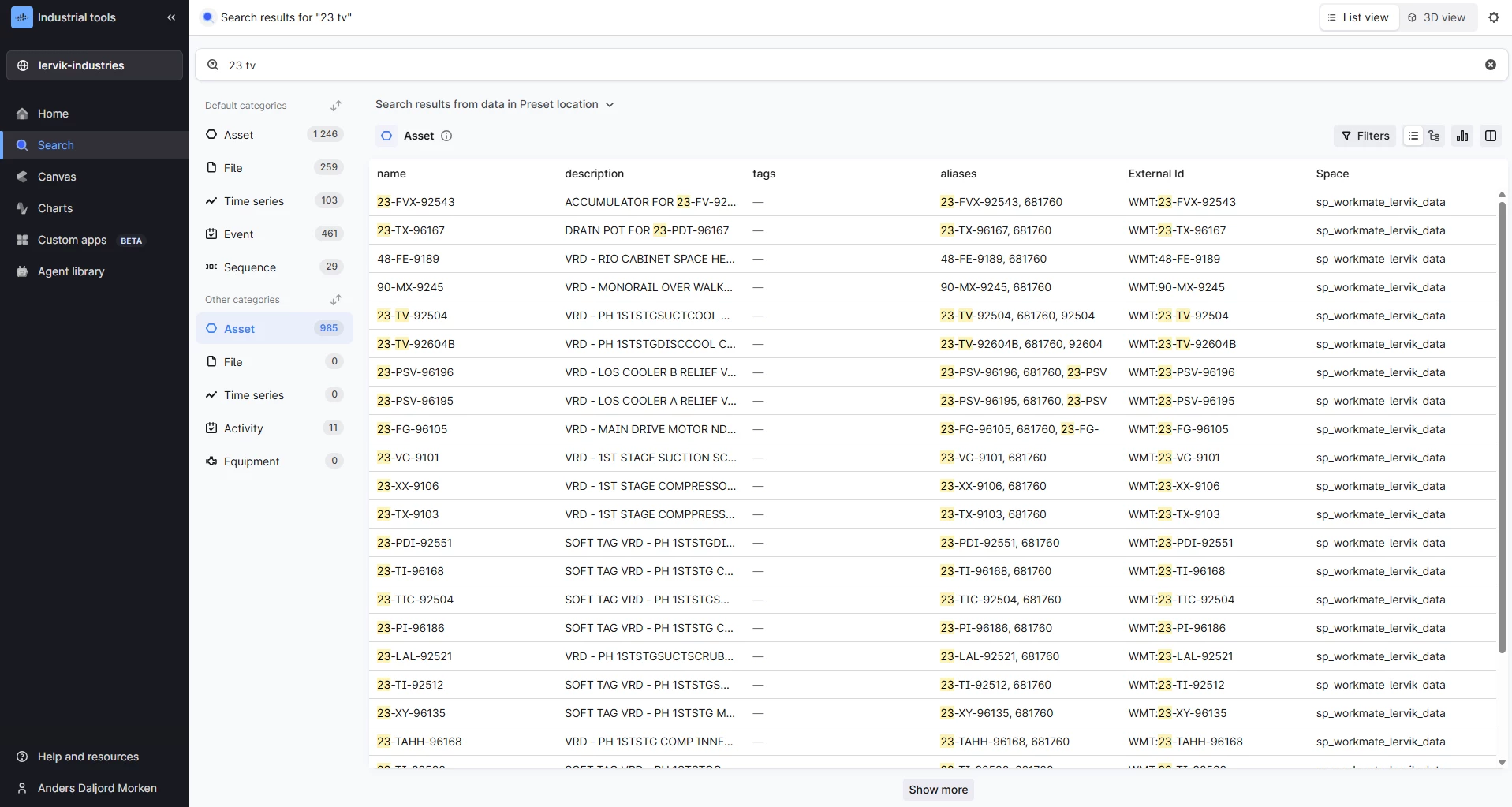 After:
| ||
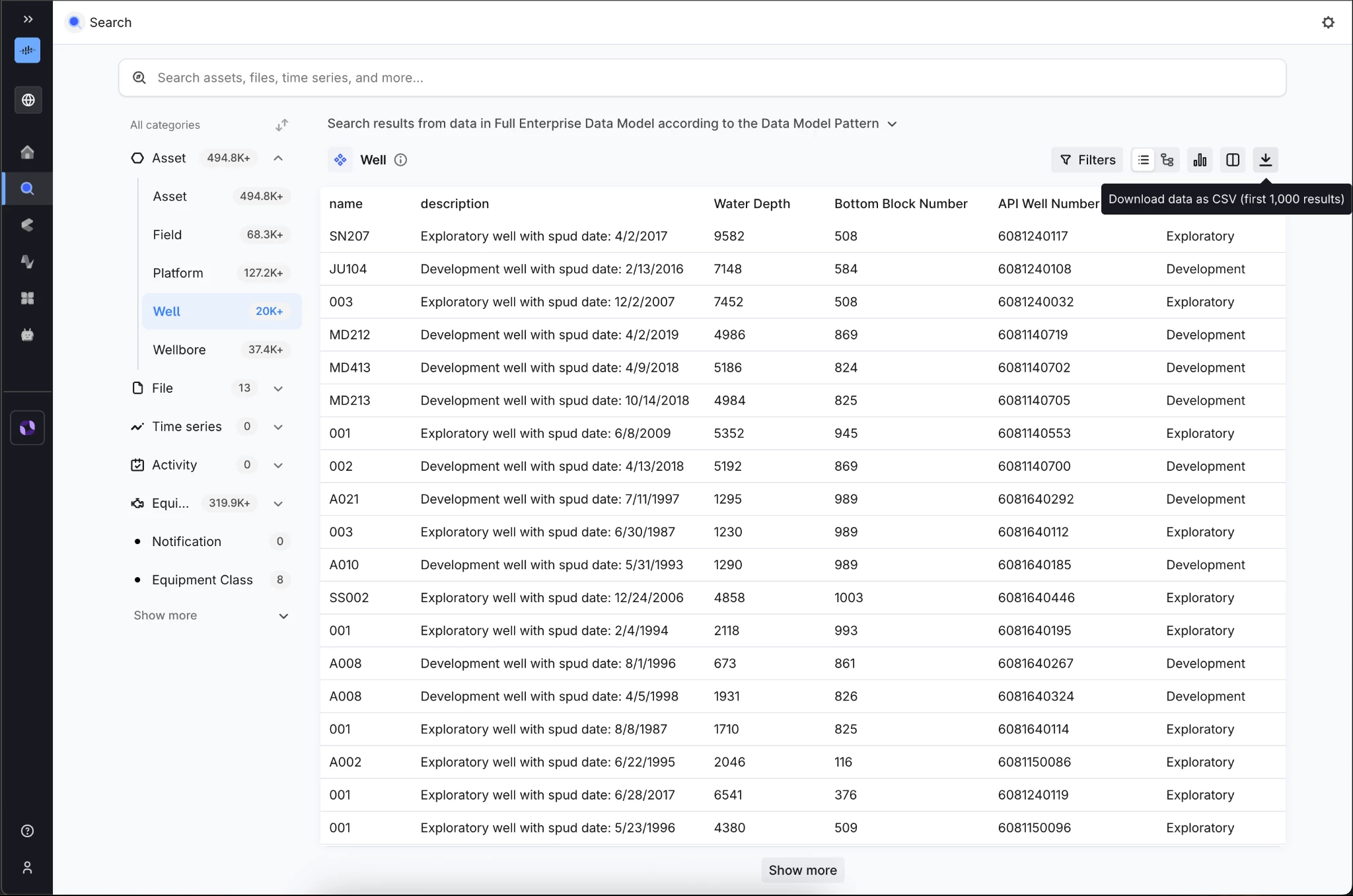
Search UI - Download Individual and List of Instances (CSV)Production Accelerated time to value | Domain specialists lacked a simple, zero-code mechanism to extract curated, filtered data models or associated relationships out of the platform for localized evaluation. | Download data lists from Search screens directly into a localized CSV file layout. Extracted tables fully capture user-configured column orders, filtered constraints, sorting layouts, and explicit download timestamps. Documentation |
| ||
Data Fusion - Integrations, Data Management, Knowledge Graph, and Data Processing & Orchestration
| Feature | Problem (Challenge) | Solution: What You Can Do Now |
Data Workflows - Native JSON Mapping TasksPrivate Preview Accelerated time to value | Normalizing data structures or reshaping payloads between individual steps in a workflow traditionally demanded heavy, custom-coded external scripts. | Evaluate declarative expressions directly against JSON inputs inside the core Data Workflows canvas. Users can apply quick transformations, string filters, and custom aliases natively without leaving the workflow interface. Documentation |
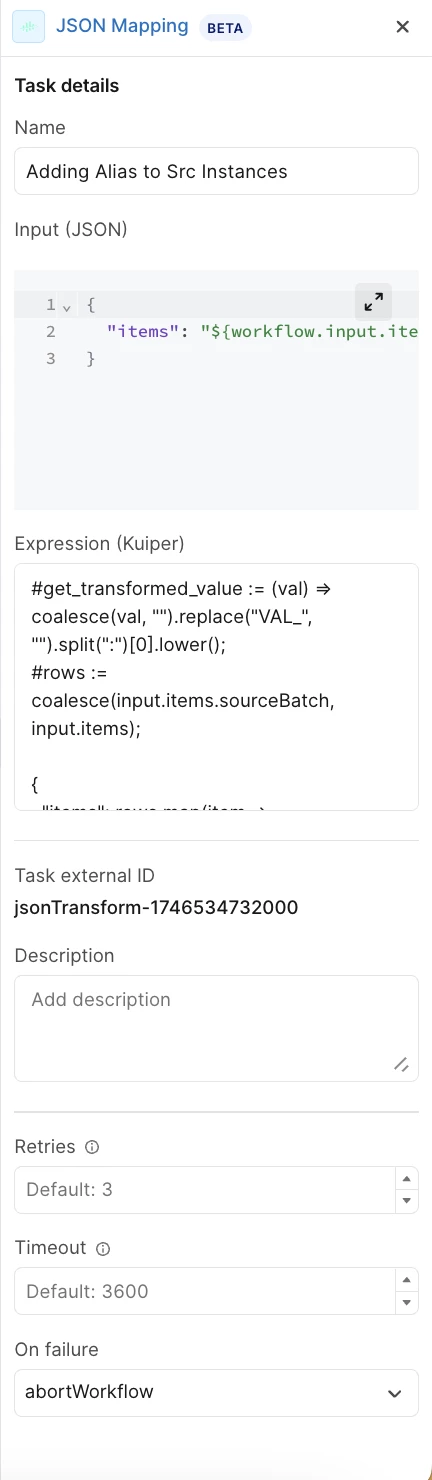
| ||
Function- Access Scoping on Execution LevelProduction Reduce the amount and cost of downtime | Execution privileges were historically hard-tied to broad data write permissions, forcing teams to grant overly permissive access roles just to run pre-approved tasks. | Grant explicit execution-only privileges through a standalone access level control. This cleanly separates operational execution from data modification roles, protecting your underlying data pipelines. |
|
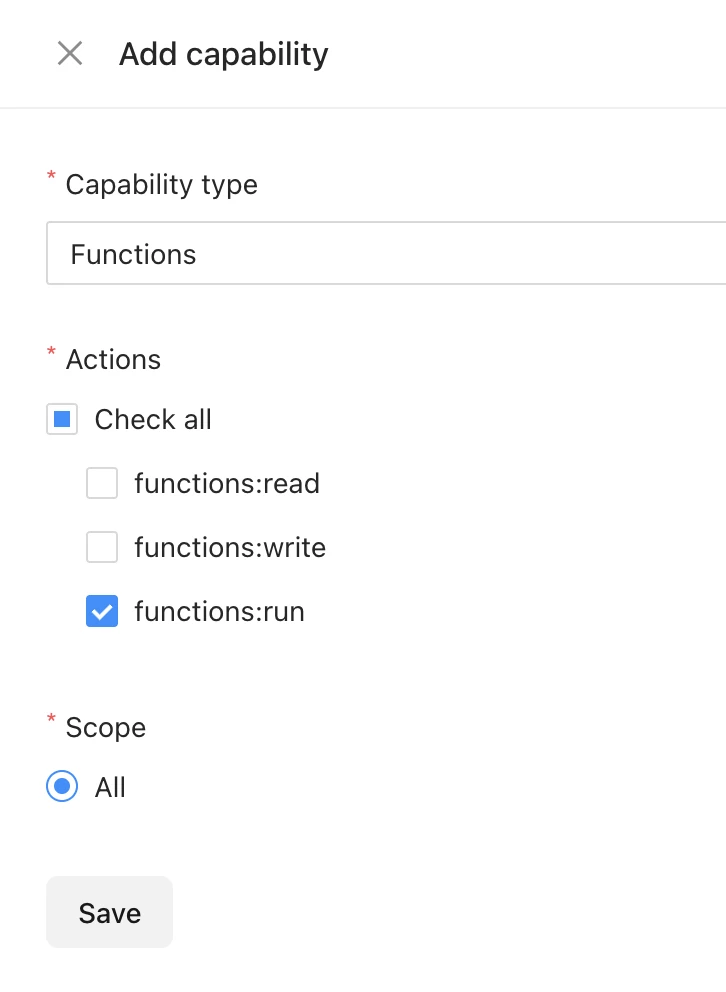
| ||
Function Apps Integrated in Workflows (UI)Private Preview Accelerated time to value | Teams could not utilize versioned Function Apps as a first-class, selectable task type within the Workflows UI canvas, limiting onboarding automation velocity. | Execute Function Apps as native tasks directly within the drag-and-drop Workflows UI editor. Built on top of CDF Functions infrastructure, this packaging model exposes strongly typed parameters, specific path methods, and versioned compute configurations. |
Hosted Extractors: Email Alerting APIPublic Preview Reduce the amount and cost of downtime | Hosted extractors lacked an integrated notification layer to match on-premises setups, forcing data engineering teams to manually poll pipeline statuses to detect job failures. | Proactively configure automated notification sinks and alert subscriptions for specific extraction jobs via the Signals API. Teams automatically receive email notifications when a hosted REST extractor enters a failure or error state. Documentation |
Integrations - API & UIPrivate Preview Increase industrial workforce capacity | Traditional extraction pipelines required data engineers to manually access physical VMs to restart service tasks whenever remote configuration files were updated. | Manage remote connectors using a single, unified Integrations surface that automatically pulls configuration adjustments and pushes live statuses without manual restarts. Provides task-level visibility into run history, errors, and system health. Documentation |
Cognite Connector - Simulation Run Load BalancerPublic Preview Increase industrial workforce capacity | Simulator routines were hard-bound to specific connector pipelines, triggering massive backlog timeouts during peak industrial usage periods. | Routes are dynamically queued and picked up by any healthy, available connector. Scale your simulation throughput horizontally by inserting new backend connectors without touching original routine layouts. Documentation |
Functions - Support for Private Link on GCP ClustersProduction Reduce the amount and cost of downtime | Enterprise customers utilizing Private Link on Google Cloud Platform (GCP) clusters for strict network isolation were unable to route traffic from Cognite Functions across the hyperscaler backbone. | Configure Cognite Functions traffic routing to natively utilize Private Link architectures on GCP setups. This ensures that all automated computing traffic remains on protected network paths, eliminating public internet interception risks. |
Data Workflows- References in WorkflowsProduction Accelerated time to value | Defining dynamic variables inside the data workflows editor was prone to errors, forcing users to type out long, highly specific syntax links manually from memory. | Assemble complex dynamic parameter strings error-free using a visual Reference Picker directly inside the workflow canvas. The UI automatically populates eligible input and output references for Transformation, Function, and Agent tasks. Documentation |
Python SDK - Asynchronous ConcurrencyProduction Increase industrial workforce capacity | Handling massive batch operations asynchronously inside local workspaces required developers to manually script complex concurrency patterns. | Upgrade seamlessly to Python SDK version 8, unlocking fully integrated async client features out of the box. The update optimizes concurrent data downloads and delivers significantly faster file uploads on Windows machines. Documentation |
3D - Industrial Street-View Spatial InspectionsProduction Increase industrial workforce capacity | Verticals like discrete manufacturing and pharma often have detailed indoor environments lacking heavy 3D CAD files, making traditional 3D engines feel flat and unnatural. | Walk through plants using an advanced 360° image walkthrough system. The engine introduces depth cursoring over underlying point clouds, ground-level markers to prevent view blockage, and automatic snapping to the closest capture view. Documentation |
| ||
3D - Forced CAD Node RenderingPrivate Preview Reduce the amount and cost of downtime | Dynamic viewport engines stripped down fine-grain geometric detailing during wide facility loads, removing structural visibility for field design reviews. | Explicitly target up to 100,000 critical structural nodes to remain fully rendered at high detail across all viewport zoom distances. This prevents visual rendering errors during sensitive site construction evaluations. Documentation |
Atlas AI Enhancements
| Feature | Problem (Challenge) | Solution: What You Can Do Now |
Atlas AI: Data Analysis (Code Execution)Public Preview Rapidly scaling use cases across your enterprise | Context caps limited assistant queries to small, 100-row batches, causing agents to drop analytical history threads mid-conversation. | Atlas AI can write, test, and run internal scripts against massive datasets up to 5,000 objects simultaneously. The system remembers the conversational state across iterative questions to build unified statistical trends. Documentation |
Atlas AI - Reusable Domain Skills PackagesProduction Accelerated time to value | Domain knowledge and specific root-cause analysis logic had to be configured by hand inside separate agent prompts, making configurations bloated and patterns un-reusable. | Package specific domain expertise into reusable, lifecycle-managed assets called Atlas Skills. Builders can rapid-assemble virtual assistants by composing existing skills instead of starting from scratch. Documentation |
Atlas AI - Query ToolProduction Accelerated time to value | Agents searching through extensive graph spaces required deep upfront schema maps, slowing responses and trapping agents on pre-defined paths. | Deploy an intelligent query tool that completely auto-discovers graph data models, inspects properties, and reads available views independently without manual pre-configuration. Requires updating agent runtime to V3. Documentation |
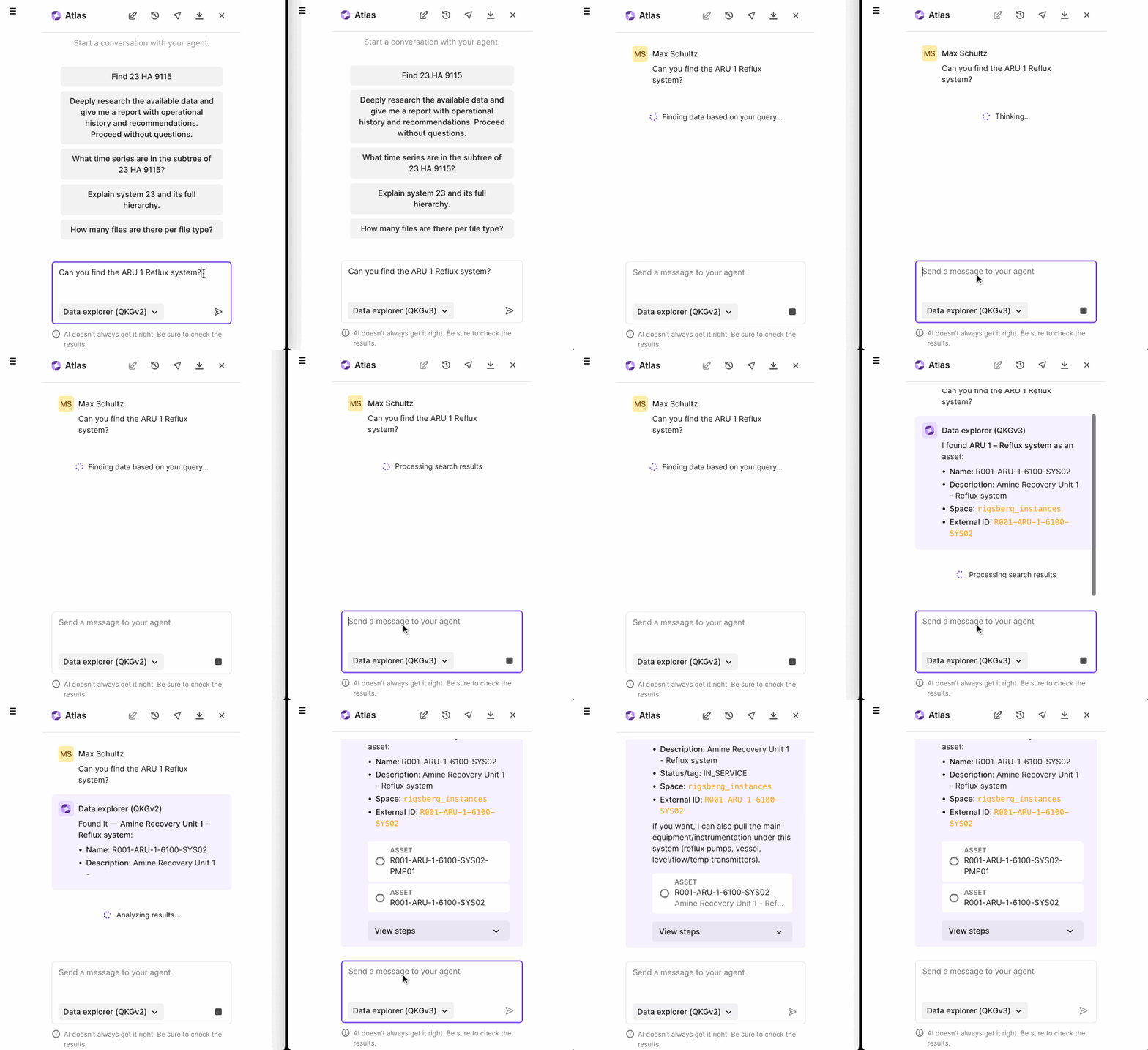
| ||
Atlas AI - Unified Agent Experience Across AppsProduction Increase industrial workforce capacity | AI assistants behaved differently across individual apps, forcing users to constantly re-learn chat commands depending on their screen view. | Execute configured AI agents defined through Atlas AI as native steps within your data processing pipelines. This allows data teams to feed the direct output of a transformation task into an agent prompt for advanced processing. Documentation |
Agent as Task Type in WorkflowsPrivate Preview Rapidly scaling use cases across your enterprise | Currently there is no provision to execute agents from workflow which limits users to operationalize and scale their use cases. | Execute configured AI agents defined through Atlas AI as native steps within your data processing pipelines. This allows data teams to feed the direct output of a transformation task into an agent prompt for advanced processing. |
For a comprehensive list of all technical updates, improvements, and bug fixes, view the full Q2 Release Notes.
