  • 238 Product updates

Filter by Topic

One foundation for what’s next: classic, asset-centric services are retiring

Today October 15, 2026 we're announcing the deprecation of the classic asset-centric services in Cognite Data Fusion. They will be fully retired on December 31, 2027. The full list of affected services, and the details for each, is in our official deprecation notice.Many of you have already made the move to Data Modeling and the Core Data Model (CDM). Since late 2024 we've recommended that every new project start on CDM, and all of our new product development has gone into Data Modeling. This announcement completes that shift. Running two parallel architectures slows us down. Focusing on one lets us put all our effort into the foundation that gives you the most value.We know an upgrade takes real work, so we want to be clear about two things: why it's worth it, and what we've done to make it as smooth as possible.Why Data ModelingDescribe your operations in your own language - The classic APIs gave every customer the same fixed shapes: assets, events, time series, files. Data Modeling lets you describe your operations in your terms. You can extend the Core Data Model with your own types, properties, and relationships, and adopt the industry standards that matter to your business. Your data then reflects how your organization actually thinks about its plants, equipment, and work.Grounding AI - AI agents are only as good as the context they're given. A typed, richly connected knowledge graph gives Atlas AI agents and other AI tools much more to reason over. They can follow real relationships rather than guess at them, which means more accurate answers with more confidence behind them.Build exactly what you need - Data Modeling is the foundation for Flows - Custom Apps. You can build and deploy applications on top of your own data model, using the data types you have today and adding new ones as your needs grow.One foundation for everything new. New capabilities, from Records for high-volume event data to Data Products and Semantic Search, are built on Data Modeling. Upgrading means you get them all.What's changingThere are two kinds of change:Full retirement. Some classic services will shut down completely and are replaced by Data Modeling equivalents. This includes things like Assets, Relationships, Labels, Annotations, Events, Sequences, and Data Sets APIs, plus Data Explorer and the pre-CDM versions of InField and Maintain. For example, assets become CogniteAsset instances and Relationships become Edges. Pattern shift. services stay available but move to a new pattern. These are Time Series, Files, and 3D. You'll no longer create them as standalone classic resources. Instead, they become part of your data model. Your time series datapoints and file content keep flowing through the same APIs. Only how metadata is managed and queried changes.The deprecation notice maps each service to its replacement.We've made upgrading as easy as we canThe migration plugin for the Cognite Toolkit gives you a guided, repeatable path from an asset-centric project to a data modeling-based one. It works in stages:Prepare. Define your target data model and how your classic resources map to it, then deploy the migration model. Migrate your data, one service at a time. Start with the foundations: data sets move to instance spaces, then source systems, assets, events (to CDM instances or to Records), files and time series, and annotations. Migrate your applications. Bring across Canvas, Charts, InField configuration and data, 3D models, and 360 images, so your users keep their work.You can also replicate production data into a development project and rehearse the whole migration before touching production. The guide lists known liimitations, so that you can plan around them in advance.👉 Get started here: Using the migration pluginKey datesOctober 15, 2026: Classic asset-centric services are deprecated. They keep working as they do today, but receive no new features. December 31, 2027: Classic services are retired and the APIs shut down.What to do nowTake stock of your dependencies. Look beyond your CDF project to the integrations, dashboards (Power BI, Grafana), custom applications, and third-party or partner solutions that read from the classic APIs. Build anything new on Data Modeling. Every new pipeline or use case built on the classic APIs adds to what you'll need to upgrade later. Try the migration plugin on a development project with a copy of your data. Talk to your Cognite team. Your account team can help you scope the upgrade, plan the timeline, and work through anything specific to your setup.Have questions? Ask them in the comments below or reach out to your account representative. 

Related products:InFieldMaintainIndustrial CanvasChartsREST APIExtractors3DDiagram ParsingAccess & Group ManagementDocument ParsingData CatalogData ExplorerData SetsExcel connection over ODataGrafana connectorJava SDKJavaScript SDKPython SDK3D ContextualizationFilesSearch APITime Series

Real-Time Collaboration Comes to Industrial Canvas - Private Preview

Hi everyone,We're excited to share one of the standout features from our Q3 release: real-time, multi-user collaboration in Industrial Canvas — now in Private Preview.The problem we're solvingUntil now, Industrial Canvas has been a single-user experience. That meant teams working on the same problem couldn't work in the same space at the same time — creating silos and slowing down team-based decision-making.What's newIndustrial Canvas is becoming a truly collaborative workspace, where multiple users can work together simultaneously — exploring data insights side-by-side and driving faster, unified decisions together. Where this creates value — real use cases (not limited to):Root Cause Analysis — multiple engineers investigate different parts of a failure simultaneously and consolidate findings instantly. Field-to-Office Bridge — field operators and back-office engineers mark up the same P&ID together, in real time. Meeting Facilitation — run operational reviews or shift handovers with Canvas as a live, shared working document. Expert Consultation — SMEs jump into active sessions to advise without disrupting the workflow. Turnaround Planning — teams collaborate concurrently on complex work packages, cutting out linear delays. Isolation Planning — multiple engineers review and verify isolation plans on live P&IDs together.Let's hear from youWhether you're already exploring this in Private Preview or hearing about it for the first time — we want to hear from you.Already using it? Would love to get your feedback and use cases. Not in yet? Let us know and we'll get you set up.   Thank you, Andreea.

Related products:Industrial Canvas
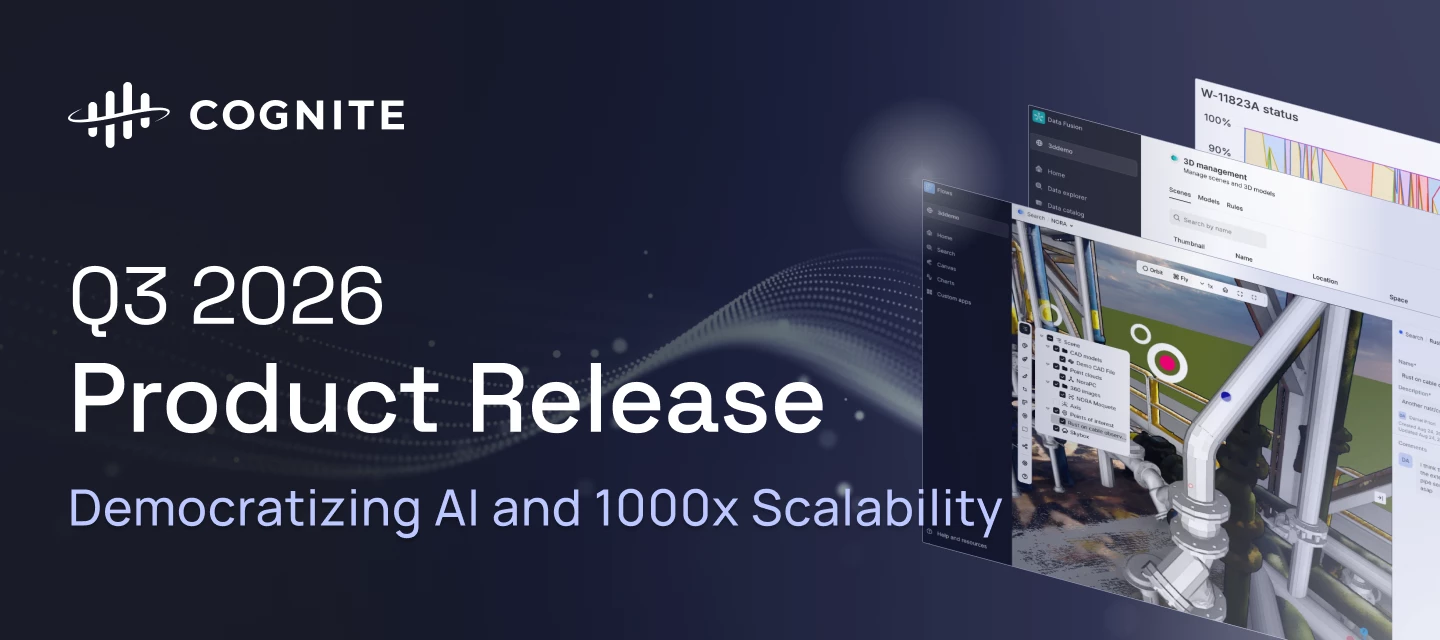
Q3 2026 Product Release: Democratizing AI and 1000x Scalability

Q3 2026 Product Release: Democratizing AI and 1000x Scalability

  Q3 2026 makes Cognite Data Fusion faster, cleaner, and more autonomous: 3D scenes load and respond quicker, Records connect two-way with the knowledge graph, and any compliant AI agent can plug into your data in minutes, with investigations that used to take a week now taking minutes. Search gets cleaner, Atlas AI gains an open MCP server and a persistent sandbox, Cognite Flows matures across native and custom apps alike, and an open-sourced AI skill pack plus a one-pass Foundation Deployment Pack get new projects running faster than ever.Review the highlights below to see how these advancements accelerate time to value, cut downtime, and expand what your industrial workforce can do.Data Fusion Time Series Gap Filling State Time SeriesPublic Preview General Improvements in Unified 3D and 3D Management Scalability and Performance Improvements in 3D Smarter Search Results: Precision Search Records: Views & Graph Discoverability Atlas AI for Data Fusion Workspace Zero-Copy Inbound for Microsoft Fabric OneLake Atlas AI Industrial MCP Agent Builder CLI Atlas AI Sandboxes Seamless and Trustworthy Experience Cognite Flows: Native Applications Search Preview Panel Redesign Hierarchy Across Categories InField: Asset Centric Data Model Parity InField: Bulk Update to Done in Checklist Overview InField: Group Checklist by Asset Attribute Industrial Canvas: Real-Time Collaboration Industrial Canvas: Cause Map Improvements Industrial Canvas: Upload Files Cognite Flows: Custom Applications & Adaptive Experiences 3D Widget for Flows, Adaptive Experiences, and Partners Custom Apps: Developer Experience Adaptive Experiences: A Sticky, Personalized Landing Page 1000x Scalability AI Coding Assistant Skills (Marketplace MVP) Foundation Deployment Pack Data Fusion Feature Problem (Challenge) Solution: What You Can Do Now Time Series Gap Filling Public Preview Increase industrial workforce capacity Extractors push data points exactly as stored in the source system. Where little or no compression is configured, that's already the full signal. Where historians compress heavily (10-100x), they rebuild the signal at query time before anyone sees it, and that reconstruction step doesn't come along with the data. Turn on signal reconstruction with fill.limit on aggregate queries, capping the largest gap CDF will fill. Interpolation follows the OPC UA standard (linear, step, or forward-fill past the last point), and it's fully opt-in, so queries without fill are unchanged. Documentation   State Time SeriesPublic Preview Increase industrial workforce capacity CDF stores time series as numeric or string. Both are right for what they cover: measurements you plot and aggregate, and free text you read. Machine states are a closed set of values that needs a code to plot, a name to read, and time spent per state, so state data from historians fits neither type cleanly. New state type on CogniteTimeSeries, linked to a CogniteStateSet that defines the allowed numeric and string value pairs. New per-state aggregates like stateDuration, stateTransitions, stateCount, alongside common aggregates. Documentation   General Improvements in Unified 3D and 3D Management Production Increase industrial workforce capacity Outdated UI styling and controls, plus unintuitive navigation, made it harder for users to find their way around 3D management. Updated styling and icons, a redesigned landing page, page structure, and action bar, a redesigned tree view (now including Points of Interest for easier navigation), and improved icon clustering for 360 images add up to a cleaner look and feel across Unified 3D and 3D management, with better navigation and usability. Documentation   Scalability and Performance Improvements in 3D Production Increase industrial workforce capacity Long loading times for 360 images interrupted the user flow, interactions in heavy 3D scenes felt laggy, and performance on large datasets fell short of expectations. Faster loading for 360 images, improved responsiveness in heavy 3D scenes, and improved performance for large datasets, including contextualization, zoom-to-asset, and queries, make interactions smoother, even in large or heavy 3D scenes. Documentation Smarter Search Results: Precision Search Production Increase industrial workforce capacity Poor “partial” matching of search queries, and search queries matched too loosely, expecting any part of the query to match rather than all of it, which hurt precision. Updated /search API logic now breaks both the search query and the underlying data into smaller searchable terms using dashes, dots, whitespace, and capitalization, so searching "unitCode" finds "unit" and "code," and it recognizes that "0059" and "59" are often the same thing, matching with or without leading zeros. Combined with the AND search operator, this delivers more relevant results every time (the operator has to be specified when using the API). Documentation   Records: Views & Graph Discoverability Production Rapidly scaling use cases across your enterprise A record could already point at the graph instances it relates to, but nothing on the graph side pointed back, leaving records as a separate store you had to know about and query on their own. Views now work over record containers, and a Data Model view can link back with a reverse direct relation: two-way navigation from a record to its node, and from a node to the records that point at it. Documentation   Atlas AI for Data Fusion Workspace Public Preview Increase industrial workforce capacity The Data Fusion workspace has no built-in AI agent to help with day-to-day work, so complex workflows are difficult and time-consuming to understand, monitor, and troubleshoot, and finding the root cause of a failed run often means navigating multiple tasks and views. A built-in Atlas AI agent now lives in the Data Fusion workspace: it explains complex pipelines, workflows, dependencies, and task sequences, reviews run history, debugs workflow runs and investigates task-level failures, and can modify workflows by adding and configuring tasks, for faster onboarding and more efficient workflow management. Documentation   Zero-Copy Inbound for Microsoft Fabric OneLake Public Preview Accelerated time to value with your use cases Bringing Microsoft Fabric OneLake data into CDF meant duplicating it into RAW first, which added storage cost, pipeline complexity, and delay before it could even be transformed. Fabric OneLake integration graduates to public preview with incremental reads, configurable volume/concurrency limits, and observability on inbound data volume, letting you bring OneLake data straight into the knowledge graph with a single Transformation SQL query, with no extractor or duplicate RAW copy required. Documentation   Atlas AI Feature Problem (Challenge) Solution: What You Can Do Now Industrial MCP Preview Rapidly scaling use cases across your enterprise Connecting an AI agent to industrial operational data has required months of custom work per agent, per system, per use case, and most projects never reached production. Any compliant AI agent, whether Claude, Microsoft Copilot, or a partner-built agent, can connect to Cognite Data Fusion in minutes and query the full industrial knowledge graph under the user's own permissions, with usage metered separately from native Atlas AI usage. Documentation   Agent Builder CLI Preview Reduce the amount and cost of downtime Validating changes to Atlas AI agents meant manual testing in the Fusion UI, with no version history, no automated quality checks, and no reliable way to catch regressions before they reached operators. Develop, execute, and evaluate Atlas AI agents via the Cognite CLI. Supported by insights from the knowledge graph, your coding agent aids in constructing and optimizing Atlas agents. Integrated evaluation metrics automatically score factors like accuracy, completeness, and hallucination reduction within unattended CI pipelines, preventing unverified updates from reaching production.Documentation   Atlas AI Sandboxes Private Preview Increase industrial workforce capacity Atlas AI agents could answer questions and call tools, but couldn't persist intermediate work, run arbitrary code, or resume an investigation after a session gap, so complex analysis had to be pieced together manually across people and prompts. A secure, isolated sandbox gives Atlas AI agents a filesystem and code execution, so an agent can investigate, analyze large datasets, build visualizations, and produce files across a multi-step session that survives interruption, turning investigations that took half a day to a week into minutes. Documentation   Seamless and Trustworthy Experience Production Increase industrial workforce capacity Atlas AI responses need to be grounded in the knowledge graph so customers can trust their accuracy and completeness, and beyond the chat response itself, users need transparency into the agent's thought process and how it reached an answer. Tag CDF data directly in a request with @mentions, watch new thought traces and thinking presentations while the agent works, and preview citations to see the underlying knowledge graph items behind an answer, establishing visible trust that responses come straight from the knowledge graph. Documentation   Cognite Flows: Native Applications  Feature Problem (Challenge) Solution: What You Can Do Now Note: The Search Preview Panel Redesign has been rolled back. For more information, please visit this page Search Preview Panel Redesign Production Increase industrial workforce capacity The Preview Panel loaded every relationship widget up front regardless of whether it had data, with no inline filtering or column selection, and properties for instances modeled across multiple categories were locked behind manual category-switching. A simplified two-tab panel (Overview, Properties). Most relationship widgets are now collapsed by default, and the Properties tab shows properties across all relevant categories in one place, with no more per-category lookups. Documentation   Hierarchy Across Categories Production Increase industrial workforce capacity Search's tree view only rendered instances within the currently selected category, so a hierarchy modeled across categories only ever showed a partial tree. The hierarchy view now renders parents and children spanning categories, giving a complete tree regardless of where each node is modeled, so you can navigate with confidence that nothing's missing. Documentation   InField: Asset Centric Data Model Parity Production Rapidly scaling use cases across your enterprise Field operations data sat in an app-specific model, disconnected from the common foundation used by Atlas AI and Cognite Flows. InField now runs fully on the Core Data Model, including SAP write-back, observations, hierarchy search, and Data Explorer configuration, giving InField the same data foundation as Atlas AI and Flows for faster roll-out, no separate APM model to maintain, and a clear path off Classic. Documentation   InField: Bulk Update to Done in Checklist Overview Production Increase industrial workforce capacity Supervisors had to close finished checklists one at a time, meaning dozens of clicks at the end of a shift. Multi-select checklists in the Overview and set their status to Done in bulk, so close-out now takes seconds instead of minutes. Documentation   InField: Group Checklist by Asset Attribute Private Preview Increase industrial workforce capacity Checklists showed as one flat list unless groups were configured in the template, so operators jumped between areas and equipment, wasting steps and losing overview. Group checklist items by asset properties such as Location, Criticality, or Manufacturer directly from the filter row, bulk-update whole groups of tasks at once, and work one area at a time in logical order, for faster execution with fewer clicks. Works in both Classic and CDM. Documentation   Industrial Canvas: Real-Time Collaboration Private Preview Increase industrial workforce capacity Teams require a unified, real-time workspace to collaborate simultaneously on the same canvas, ensuring faster and more aligned decision-making. Canvas is now a true collaborative workspace where multiple users can work simultaneously, explore data side-by-side, and accelerate unified decision-making for root-cause analysis, planning, and complex workflows. Documentation   Industrial Canvas: Cause Map Improvements Production Increase industrial workforce capacity Cause Map trees in Canvas supported only one layout orientation, and repositioning a very large tree was cumbersome. Choose between horizontal and vertical layouts, and move an entire Cause Map tree instantly by dragging its root box. Documentation   Industrial Canvas: Upload Files Public Preview Accelerated time to value with your use cases Uploading a file into Canvas required manually selecting a data set or data instance first, an extra step that often stalled the import. Drag and drop files directly into Canvas, with no pre-selection required. Documentation   Cognite Flows: Custom Applications & Adaptive Experiences Feature Problem (Challenge) Solution: What You Can Do Now 3D Widget for Flows, Adaptive Experiences, and Partners Production Rapidly scaling use cases across your enterprise The 3D widget carrie internal dependencies that block it from being a free-standing component that AI agents, Flows, Adaptive Experiences, and partners can use. A re-architecture of the 3D widget, plus new skills, makes it usable outside Cognite's native applications, enabling AI agents, Cognite Flows builders, and Adaptive Experiences to build 3D experiences, and opening the widget to partners it couldn't reach before. Documentation   Custom Apps: Developer Experience Production Accelerated time to value with your use cases As the Custom Apps builder community grew, limited full-screen and device-API support and short-lived CLI sessions kept the platform from feeling production-ready. Adds full-screen app mode, camera/microphone/location access, code signing with per-version trust inspection and tamper protection, longer-lived CLI sessions, clearer build-and-deploy errors, higher per-app version limits with instant rollout, and Windows OAuth fixes, all delivering faster, safer iteration for builders. Documentation   Adaptive Experiences: A Sticky, Personalized Landing Page Private Preview Accelerated time to value with your use cases Every user started from a blank Search each session with no memory of past work, and Search and Atlas AI were two separate entry points to choose between. Search, configure, and save views as live widgets on a personalized landing page. A single entry box unifies Search and Atlas AI, a growing widget ecosystem is supported (tables, KPIs, bar charts, Cognite Charts, Custom Apps), users can build widgets by describing them to Atlas AI, and create, switch between, and share multiple dashboards. Documentation   1000x Scalability Feature Problem (Challenge) Solution: What You Can Do Now AI Coding Assistant Skills (Marketplace MVP) Rapidly scaling use cases across your enterprise Partners and customers lacked a fast, reliable way to apply Cognite's best-practice patterns, such as data modeling, naming, transformations, workflows, and DMS queries, so every team was reinventing them from scratch. Cognite's recommended CDF patterns now ship as a Cursor and Claude plugin, open-sourced via the marketplace GitHub repo: the same AI skills that already accelerated Cognite's own internal workflows are now available directly in your coding tools.  Documentation   Foundation Deployment Pack Accelerated time to value with your use cases Every new CDF project repeated the same manual setup, including access groups, data model, extraction pipelines, and CI/CD, work that was slow, easy to get subtly wrong, and inconsistent across deliveries. A Toolkit module with a guided wizard deploys a clean, best-practice project foundation, including access controls, data model, extraction pipeline configs, and CI/CD, in one pass, together with templated data models and contextualization pipelines. Documentation    For a comprehensive list of all technical updates, improvements, and bug fixes, view the full Q3 2026 Release Notes. 

Related products:InFieldIndustrial CanvasSearch UIData Workflows3DToolkitAgent builderQuarterly Product ReleaseDeveloper ExperienceFlows- Adaptive ExperienceAgent interactionDocument Question Answering & SummarizationPython code execution via PyodideTransformationsRecords & StreamsTime Series
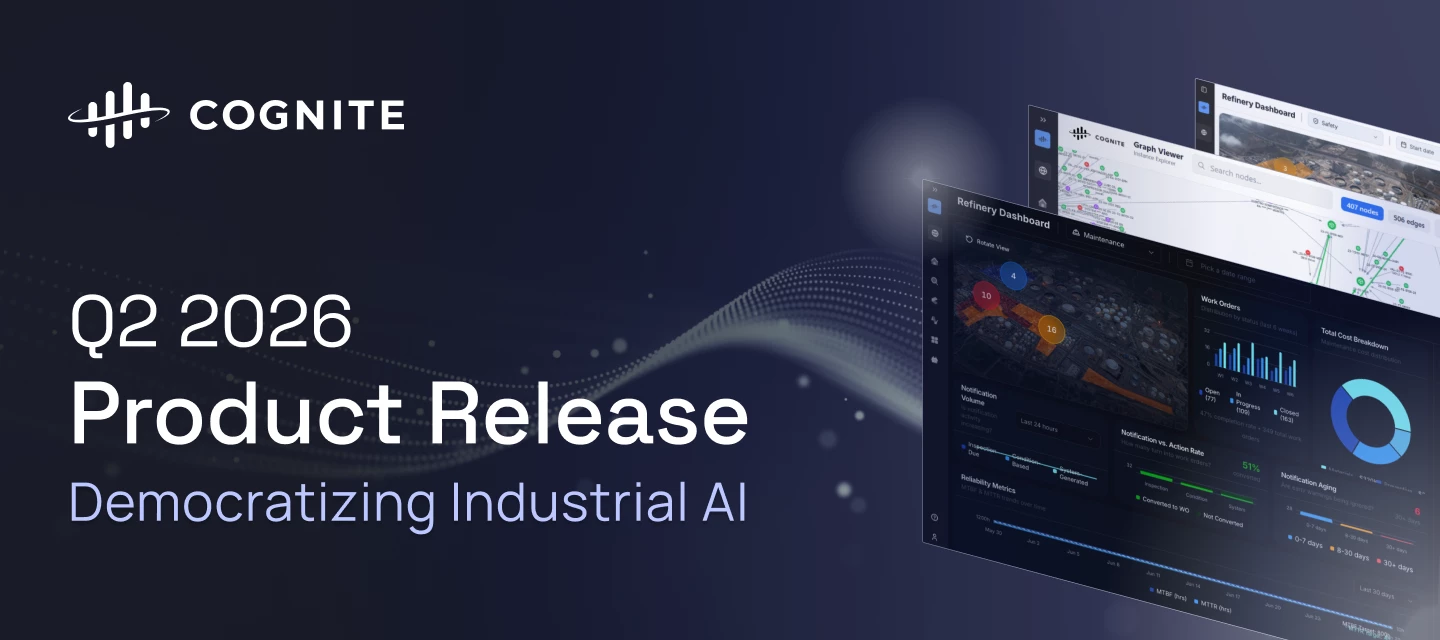
Q2 2026 Product Release: Democratizing Industrial AI

Q2 2026 Product Release: Democratizing Industrial AI

The Q2 2026 release accelerates the democratization of Industrial AI, empowering teams with production-grade custom app infrastructure and declarative data workflows. We have significantly increased industrial workforce capacity through precision search migration, zero-code CSV exports, and immersive 360° spatial walkthroughs. To rapidly scale use cases across the enterprise, builders can now leverage lifecycle-managed Atlas AI Skills and native agent execution to deliver a unified, intelligent experience across all Cognite Data Fusion (CDF) applications. Review the core release highlights below to discover how these advancements are accelerating time to value by making Industrial AI more robust, scalable, and accessible for the entire industrial workforce.Cognite Flows - Native and Custom apps Cognite Flows -  Custom Apps Cognite Flows - Adaptive Experiences Cognite Flows - Application Certification Cognite Flows - New Developer Experience Industrial Canvas - Symbol Library Update Industrial Canvas- Unified Project Settings for Canvas and Search  InField - Field-Ready Observations Mobile Lists Search UI - Precision Results Search UI - Download Individual and List of Instances (CSV)  Data Fusion - Integrations, Data Management, Knowledge Graph, and Data Processing & Orchestration Data Workflows - Native JSON Mapping Tasks Function- Access Scoping on Execution Level Function Apps Integrated in Workflows (UI)  Hosted Extractors: Email Alerting API  Integrations - API & UI  Cognite Connector - Simulation Run Load Balancer Functions -  Support for Private Link on GCP Clusters  Data Workflows- References in Workflows  Python SDK - Asynchronous Concurrency 3D - Industrial Street-View Spatial Inspections 3D - Forced CAD Node Rendering Atlas AI Enhancements Atlas AI: Data Analysis (Code Execution)  Atlas AI - Reusable Domain Skills Packages Atlas AI - Query Tool Atlas AI - Unified Agent Experience Across Apps  Agent as Task Type in Workflows  Cognite Flows - Native and Custom apps Feature Problem (Challenge) Solution: What You Can Do Now Cognite Flows -  Custom Apps Production Rapidly scaling use cases across your enterprise Industrial builders previously struggled to rapidly deploy and scale tailored enterprise applications inside CDF without creating security flaws or running up massive operational debt. Subject Matter Experts can leverage a robust, secure, and production-grade environment to deploy custom applications directly inside CDF. Features include an upgraded command-line interface tool and a strict two-step validation safety procedure (deploy and activate) to ensure flawless code-signing. Documentation  Cognite Flows - Adaptive Experiences Private Preview Accelerated time to value with your use cases  Every single system user used to inherit the exact same uninspiring home landing page, leaving critical site-specific knowledge siloed in workers' heads. Access an intelligent landing page that builds a personalized dashboard experience via conversational AI within under 5 minutes from first login. Teams can pin custom widgets to hit an aggressive 50% Daily Active User (DAU) organizational adoption target.Documentation     Cognite Flows - Application Certification Production Rapidly scaling use cases across your enterprise   There was no formal certification process for custom applications. Teams could deploy apps without any structured validation, creating risk around data model integrity, security, and production readiness, with no consistent bar across the builder ecosystem.  Applications undergo a verification process before deployment. Automated validation covers data model integrity, app robustness, security, and performance at scale, while selective human review handles higher-risk scenarios. Certified builders follow a verified path, ensuring every app is safe to operate in industrial environments. Documentation Cognite Flows - New Developer Experience Production Accelerated time to value with your use cases Fragmented tooling and manual UI assembly slowed industrial development. Existing tools were not designed for AI-assisted workflows, making it hard to scale innovation efficiently. A standardized Developer Toolbox with SDKs, CLI, UI components, and machine-readable documentation lets developers and AI agents build consistent, production-grade applications for both Cognite Flows and self-hosted environments. Documentation Industrial Canvas - Symbol Library Update Production Increase industrial workforce capacity  Field operators editing Piping and Instrumentation Diagrams (P&IDs) lacked native tools, bottlenecking the creation of clean digital work packages. Access more than 300 new standard industrial symbols organized cleanly by category for rapid discovery during work package creation. Key workspace updates introduce proportional resizing and persistent color memory to automatically save the last-used shape properties. Documentation   Industrial Canvas- Unified Project Settings for Canvas and Search  Production Accelerated time to value  When visual presentations drift across different tools, users lose confidence that they are viewing the same modeled reality across the platform. Maintain a single, consistent story for your core data model (CDM) content. Cards in Canvas now reflect the exact same properties as Search, matching your Project Settings configuration perfectly. Furthermore, file connections and annotations now display user-friendly names and descriptions instead of confusing system IDs. Documentation InField - Field-Ready Observations Mobile Lists Production Increase industrial workforce capacity Workers in the field could generate new observations on their mobile devices but had no way to track existing entries on the go, resulting in massive duplicate work reports. View, filter, and track nearby location-contextual observations directly on mobile devices. This rollout transitions core field workflows to a unified industrial data model. Documentation       Search UI - Precision Results Production Increase industrial workforce capacity Broad keyword searches historically evaluated entries using a loose "OR" script, flooding engineers with irrelevant records when querying precise tag strings. All core search surfaces across CDF front-ends (Search, Canvas, Charts, 3D, and InField) have migrated behind the scenes to an implicit AND operator. Searching strings like "21-PT-10-19" now demands that all tokens match, improving query precision. Documentation  🔍  23 tv Before:  After:        Search UI - Download Individual and List of Instances (CSV)  Production Accelerated time to value  Domain specialists lacked a simple, zero-code mechanism to extract curated, filtered data models or associated relationships out of the platform for localized evaluation.  Download data lists from Search screens directly into a localized CSV file layout. Extracted tables fully capture user-configured column orders, filtered constraints, sorting layouts, and explicit download timestamps. Documentation     Data Fusion - Integrations, Data Management, Knowledge Graph, and Data Processing & Orchestration Feature Problem (Challenge) Solution: What You Can Do Now Data Workflows - Native JSON Mapping Tasks Private Preview Accelerated time to value Normalizing data structures or reshaping payloads between individual steps in a workflow traditionally demanded heavy, custom-coded external scripts. Evaluate declarative expressions directly against JSON inputs inside the core Data Workflows canvas. Users can apply quick transformations, string filters, and custom aliases natively without leaving the workflow interface. Documentation   Function- Access Scoping on Execution Level Production Reduce the amount and cost of downtime  Execution privileges were historically hard-tied to broad data write permissions, forcing teams to grant overly permissive access roles just to run pre-approved tasks. Grant explicit execution-only privileges through a standalone access level control. This cleanly separates operational execution from data modification roles, protecting your underlying data pipelines.     Function Apps Integrated in Workflows (UI)  Private Preview Accelerated time to value Teams could not utilize versioned Function Apps as a first-class, selectable task type within the Workflows UI canvas, limiting onboarding automation velocity.  Execute Function Apps as native tasks directly within the drag-and-drop Workflows UI editor. Built on top of CDF Functions infrastructure, this packaging model exposes strongly typed parameters, specific path methods, and versioned compute configurations.  Hosted Extractors: Email Alerting API  Public Preview Reduce the amount and cost of downtime  Hosted extractors lacked an integrated notification layer to match on-premises setups, forcing data engineering teams to manually poll pipeline statuses to detect job failures.  Proactively configure automated notification sinks and alert subscriptions for specific extraction jobs via the Signals API. Teams automatically receive email notifications when a hosted REST extractor enters a failure or error state. Documentation  Integrations - API & UI  Private Preview Increase industrial workforce capacity  Traditional extraction pipelines required data engineers to manually access physical VMs to restart service tasks whenever remote configuration files were updated.  Manage remote connectors using a single, unified Integrations surface that automatically pulls configuration adjustments and pushes live statuses without manual restarts. Provides task-level visibility into run history, errors, and system health. Documentation  Cognite Connector - Simulation Run Load Balancer Public Preview Increase industrial workforce capacity  Simulator routines were hard-bound to specific connector pipelines, triggering massive backlog timeouts during peak industrial usage periods. Routes are dynamically queued and picked up by any healthy, available connector. Scale your simulation throughput horizontally by inserting new backend connectors without touching original routine layouts. Documentation Functions -  Support for Private Link on GCP Clusters  Production Reduce the amount and cost of downtime  Enterprise customers utilizing Private Link on Google Cloud Platform (GCP) clusters for strict network isolation were unable to route traffic from Cognite Functions across the hyperscaler backbone.  Configure Cognite Functions traffic routing to natively utilize Private Link architectures on GCP setups. This ensures that all automated computing traffic remains on protected network paths, eliminating public internet interception risks. Data Workflows- References in Workflows  Production Accelerated time to value  Defining dynamic variables inside the data workflows editor was prone to errors, forcing users to type out long, highly specific syntax links manually from memory.  Assemble complex dynamic parameter strings error-free using a visual Reference Picker directly inside the workflow canvas. The UI automatically populates eligible input and output references for Transformation, Function, and Agent tasks. Documentation  Python SDK - Asynchronous Concurrency Production Increase industrial workforce capacity Handling massive batch operations asynchronously inside local workspaces required developers to manually script complex concurrency patterns. Upgrade seamlessly to Python SDK version 8, unlocking fully integrated async client features out of the box. The update optimizes concurrent data downloads and delivers significantly faster file uploads on Windows machines. Documentation 3D - Industrial Street-View Spatial Inspections Production Increase industrial workforce capacity Verticals like discrete manufacturing and pharma often have detailed indoor environments lacking heavy 3D CAD files, making traditional 3D engines feel flat and unnatural.  Walk through plants using an advanced 360° image walkthrough system. The engine introduces depth cursoring over underlying point clouds, ground-level markers to prevent view blockage, and automatic snapping to the closest capture view. Documentation    3D - Forced CAD Node Rendering Private Preview Reduce the amount and cost of downtime  Dynamic viewport engines stripped down fine-grain geometric detailing during wide facility loads, removing structural visibility for field design reviews. Explicitly target up to 100,000 critical structural nodes to remain fully rendered at high detail across all viewport zoom distances. This prevents visual rendering errors during sensitive site construction evaluations.  Documentation   Atlas AI Enhancements Feature Problem (Challenge) Solution: What You Can Do Now Atlas AI: Data Analysis (Code Execution)  Public Preview Rapidly scaling use cases across your enterprise  Context caps limited assistant queries to small, 100-row batches, causing agents to drop analytical history threads mid-conversation. Atlas AI can write, test, and run internal scripts against massive datasets up to 5,000 objects simultaneously. The system remembers the conversational state across iterative questions to build unified statistical trends. Documentation  Atlas AI - Reusable Domain Skills Packages Production Accelerated time to value  Domain knowledge and specific root-cause analysis logic had to be configured by hand inside separate agent prompts, making configurations bloated and patterns un-reusable.  Package specific domain expertise into reusable, lifecycle-managed assets called Atlas Skills. Builders can rapid-assemble virtual assistants by composing existing skills instead of starting from scratch.  Documentation Atlas AI - Query Tool Production Accelerated time to value  Agents searching through extensive graph spaces required deep upfront schema maps, slowing responses and trapping agents on pre-defined paths. Deploy an intelligent query tool that completely auto-discovers graph data models, inspects properties, and reads available views independently without manual pre-configuration. Requires updating agent runtime to V3. Documentation    Atlas AI - Unified Agent Experience Across Apps  Production Increase industrial workforce capacity AI assistants behaved differently across individual apps, forcing users to constantly re-learn chat commands depending on their screen view. Execute configured AI agents defined through Atlas AI as native steps within your data processing pipelines. This allows data teams to feed the direct output of a transformation task into an agent prompt for advanced processing. Documentation  Agent as Task Type in Workflows  Private Preview Rapidly scaling use cases across your enterprise  Currently there is no provision to execute agents from workflow which limits users to operationalize and scale their use cases.  Execute configured AI agents defined through Atlas AI as native steps within your data processing pipelines. This allows data teams to feed the direct output of a transformation task into an agent prompt for advanced processing.   For a comprehensive list of all technical updates, improvements, and bug fixes, view the full Q2 Release Notes. 

Related products:InFieldIndustrial CanvasSearch UIData WorkflowsFunctions3DCognite ConnectorsQuarterly Product ReleaseHostingFlows- Adaptive ExperienceAgent interactionDocument Question Answering & SummarizationEvaluation frameworkIndustrial ComponentsHosted ExtractorsIntegrationsPython SDK

How to: File Upload in Search

Have you seen it? In our last release, we added support for File Upload through the Search application. The goal is to remove a hindrance to daily use by allowing single-file uploads for non-technical users of Cognite Data Fusion.While most data in Cognite Data Fusion is ingested through structured pipelines, there was a need to enable individual Subject Matter Experts (SMEs) to upload data directly. This allows non-technical users, such as Reliability Engineers, to add valuable information for future reference.As of earlier this year, we have support for file uploads through the Search application and for using Search as a resource selector (e.g., in Canvas or Charts). This is available for Data Modeling Files. We ensured to add governance around file uploads: Only available through use of Location(s) The Location needs to have File Upload space added to the Location configThe individual user will see the File Upload option for Files if the location they have selected has a File Upload space and they themselves have permission to write data to that spaceThe individual user will see Files uploaded by other users if they have permission to read from the File Upload spaceWe covered this feature in the March’26 release notes:  Upload files directly in Search. The upload option is available after your admin configures the space for file uploads in Admin > Project settings > Locations > Configure > Space for file upload. Only one space can be set per location. Once you upload files, they may take a moment to appear. Upload is available only for data modeling views. Let me know if you have questions regarding File Upload - we would love to see it in use!Best, Sofie, Product Manager 

Related products:Search UI

Q1 2026 Product Release: Delivering SME Empowerment, Enhanced 3D Context, and Precision Search

We are excited to announce the Q1 2026 release of Cognite Data Fusion (CDF). This quarter, our focus is on breaking down technical barriers for Subject Matter Experts and providing a more immersive, high-precision data experience.Empowering SMEs: The New Simulators UI (Beta) Simulators UI (Beta) Immersive Data Exploration & 3D Context Chart - Activities 3D - MiniMap 3D - Experience in Search Smarter Search & Precision Tools Search -  Smarter Results Search - File Upload Records - Unit-Aware (Beta) Atlas AI: Continuity & Control Atlas - Conversation History Atlas - Per Agent Granular Access Control Performance & Readiness Canvas - Performance 3D - Browser Caching Diagram Parsing - Tag Detection Transformations - Full Metrics in Run History Looking Forward: Production-Grade Tailored SolutionsEmpowering SMEs: The New Simulators UI (Beta)We are transitioning from a "Code-First" to a "User-First" approach for industrial simulations. Feature Problem (Challenge) Solution: What You Can Do Now Simulators UI (Beta) SMEs are currently blocked by a "technical wall," where simulator connectors remain locked behind APIs that can be configured only by developers. Empower SMEs to independently configure their own models and use a no-code "Routine Board" for drag-and-drop visual logic orchestration.   Routine builder  Immersive Data Exploration & 3D ContextCorrelating data trends with the physical world is critical for efficient troubleshooting. Feature Problem (Challenge) Solution: What You Can Do Now Chart - Activities Industrial users struggle to correlate data trends with real-world operational events. Overlay activity types, such as work orders, directly onto time series in Charts to instantly connect anomalies with the "why". Documentation 3D - MiniMap When navigating 3D scenes in Search, it is easy to lose orientation and real-world context. Use customizable real-time minimaps to track camera position and "fast-travel" through the scene by clicking destinations on the map. Documentation 3D - Experience in Search Users previously lacked 3D scenes in search previews, leaving them without context for model placement. View 3D Scenes and 360-degree images directly in the search preview to gain immediate context for a selected Location. Documentation  Smarter Search & Precision ToolsWe’ve overhauled our search and resource management to prioritize accuracy and ease of use. Feature Problem (Challenge) Solution: What You Can Do Now Search -  Smarter Results (opt-in beta, and GA April 2026) Standard search often fails to handle partial industrial tags or returns broad, inaccurate results for complex strings. Benefit from advanced "Industrial Parsing" and prefix matching that prioritizes result accuracy over quantity. This is applicable for search on Core Data Model. Search - File Upload SMEs lacked a simple way to upload individual files, such as RCA templates, without relying on technical pipelines. Upload single files directly through the Search UI and use Search as a resource selector in tools like Industrial Canvas. Upload is available only for data modeling views. Records - Unit-Aware (Beta) Users must manually convert sensor values when querying, filtering, or displaying data across different unit systems. Perform unit-aware querying, filtering, and aggregation within Records to eliminate the need for custom unit-conversion code. Documentation   Atlas AI: Continuity & ControlOur AI agents are now more persistent and easier to manage within your existing workspace. Feature Problem (Challenge) Solution: What You Can Do Now Atlas - Conversation History Atlas agents didn't retain session history, forcing users to restart workflows and lose context. Continue past chats where you left off or work across multiple parallel conversations without losing context. Atlas - Per Agent Granular Access Control Previously, all agents were visible to every user, and only creators could modify them. Configure specific read, write, and run rights on a per-agent basis to ensure users only interact with authorized agents.  Performance & ReadinessWe continue to optimize our core tools to ensure they are production-ready and provide full transparency into pipeline health. Feature Problem (Challenge) Solution: What You Can Do Now Canvas - Performance Increased load on Industrial Canvas caused sub-optimal load times and high memory consumption. Experience a 50% average reduction in load times and up to 40% less memory usage during loading. 3D - Browser Caching Increasing 3D data volumes led to performance degradation and suboptimal load times for large scenes. Utilize client-side browser caching for CAD and point cloud data to enable 63% faster 360 image loading and 52% less data transfer, providing instant loading for returning users Diagram Parsing - Tag Detection Tag detection wasn't ready for Data Modeling, blocking users from migrating from asset-centric models. Use production-ready tag detection for Data Modeling with built-in per-file parsing status. Documentation  Transformations - Full Metrics in Run History The UI previously showed limited metrics, making it difficult to fully debug issues or track specific rate limits. Access the full library of API-tracked metrics, including searchable selectors, directly within the Transformations Run History UI.  Looking Forward: Production-Grade Tailored SolutionsBeyond this release, we are building a future where tailored industrial applications are delivered with unprecedented speed and precision. We are evolving our platform to support production-grade, tailored solutions that can be deployed natively in just days. Rapid Delivery of Industrial WorkflowsWe are targeting the "long tail" of industrial use cases, thousands of small and medium-sized workflows that deliver significant value but were previously too complex to build.Tailored Experiences: Moving from generic interfaces to AI-first, agentic user experiences designed for specific roles like reliability engineers or maintenance supervisors. Native Deployment: Fully featured applications deployed directly as part of the Cognite product stack. Immediate Value: Targeting 100X faster deployment times and up to 80% lower costs by automating the generation of industrial applications.Compounding the Value of Your Industrial DataThis new capability is built on the foundation of the Industrial Knowledge Graph and Atlas AI. Instead of creating new data silos, these tailored applications write insights and outcomes back into the knowledge graph. This ensures that every workflow contributes to a growing, unified body of industrial knowledge that can be scaled across the entire enterprise. Ready to dive deeper? Check out our Release Notes  

Related products:Industrial CanvasChartsSearch UIData Staging (RAW)3DDiagram ParsingAgent builderCognite ConnectorsQuarterly Product Release

Try out Project settings to tailor the search experience

Hi everyone!We know that for an end-user, finding data shouldn't feel like a "needle in a haystack" mission. Last summer, we launched Per-Project Search Configuration, and if you haven't set it up yet, your team might be missing out on a much cleaner experience.As a Project Admin, you can curate what your users see when they sign in to Search. Instead of a generic view of data that maps 1:1 to your detailed data model definition, you can hand-deliver the most relevant data. Why configure your categories? Instant clarity: Define exactly which columns appear first. No more side-scrolling to find the "Status" or "ID." Relevant filtering: Hide the noise. Display only the filters that actually matter for that specific category. Context at a glance: Tailor the "Properties" card so the most crucial metadata is front and center. Quick guide: Check access: Ensure you have appconfig:read/write and app-scope = Search. Your users also need appconfig:read to make the config take effect for them.  Finding the config options: Go to Admin workspace > Project Settings > Categories. Configure: Pick a category and hit + Add.  Pro Tip 💡: After you update the columns, remind your users to hit "Reset" in their search column selector to see your shiny new layout!Ready to clean up your search? Full Guide here: https://docs.cognite.com/cdf/configure/project_settings/  Have you tried? Let me know if you have any feedback!

Related products:Search UI
Product Release Spotlight - December 2024 Release

Product Release Spotlight - December 2024 Release

We’re thrilled for the December 2024 release of Cognite Data Fusion, and we think you will be too! Check out our spotlight video about our Launch of Atlas AI Below you can find a range of new functionality released across Cognite Data Fusion. We’ll break it down into three sections, with details on the 20+ exciting new features we’re bringing around Atlas AI, Industrial Tools, and Data Management. These enhancements will be made available on December 3rd, 2024. You can also find more detailed information in our release notes on our Documentation portal.  We're eager to collaborate with you in Cognite Hub as you begin to test and leverage these features. And as always, we’re interested to hear what you would like to see next by logging them as Product Ideas. Atlas AI  Agent Builder Agent Interaction Language Model Library & Benchmarking Document question answering Industrial Tools Search & Data Exploration Industrial Canvas Data Management Connectors Simulator Integration Contextualization Data Workflows Transformations & RAW 3D Extractors  Atlas AI Our vision for Cognite Data Fusion is to enhance industry efficiency through autonomous operations, with AI playing a crucial role. We see the future for our industrial users in three areas supported by Cognite Data Fusion: providing simple access to complex industrial data, enabling scalable use cases with out-of-the-box and tailored solutions, and leveraging AI agents to automate workflows.Inline with this, we’re excited to announce the release of Cognite Atlas AI, an industrial agent workbench that extends Cognite Data Fusion. It simplifies AI agent building with a low-code interface and ensures high-quality agents through integration with the industrial knowledge graph, minimizing data inaccuracies. Some of the key features include access to various Generative AI models, insights for model selection, and tools for task-solving. AI agents built with Cognite Atlas AI can be used directly in Cognite Data Fusion, utilizing tools like Industrial Canvas and Charts. We’re thrilled for all our customers and our early adopters to begin leveraging the range of features you’ll find more details on below!  Agent BuilderEarly AdopterBuilding AI agents for industrial applications can be complex, requiring deep AI and data science expertise. To simplify this, we're introducing a Low-code Agent Builder Experience in the new Atlas AI workspace. This feature offers ready-to-use Language Models, specialized Agent Tools for interacting with your Industrial Knowledge Graph, and Agent Templates to jumpstart development. These tools reduce the need for specialized expertise, enabling faster development cycles and empowering more users to create and manage AI agents efficiently.Documentation Agent InteractionEarly AdopterDeveloping user interfaces for AI agents can be costly as their variety and number grow. Cognite accelerates this by enabling users to find, start, and interact with AI agents directly within Industrial Tools like Industrial Canvas and Charts, or through an agent library. This integration allows seamless data handling and analysis without needing separate interfaces, enhancing interaction with AI agents using natural language directly in Cognite Data Fusion.Documentation Language Model Library & BenchmarkingEarly AdopterThe rapid release of new GenAI Language Models and the deprecation of older ones make it challenging to select the best fit for AI agents. To streamline this process, Cognite Data Fusion now offers direct access to GenAI Language Models from various providers, complete with benchmark results tailored to industrial use cases. This feature eliminates the need for third-party subscriptions and integrations, providing easy access to top-tier models and significantly reducing the time spent on selecting the optimal Language Model for AI agent development.Documentation Document question answeringUsers often spend excessive time searching for insights within unstructured data formats like documents. To address this, we are bringing our Document Question Answering, Document Summarization, and Semantic Search capabilities to General Availability. These features are accessible for single and multiple documents in Search, Industrial Canvas, and Infield, with tooling available for Atlas AI agents. This enhancement reduces the time needed to retrieve insights and improves the quality of answers by combining relevant information from multiple documents.Co-pilots for documentsSemantic search developer documentationDocument question answering developer documentationDocument summary developer documentation  Industrial ToolsIn addition to our launch of Atlas AI, we are also enhancing many of our existing Industrial Tools, especially around Search and Industrial Canvas. Search & Data ExplorationThe industrial searchSubject Matter Experts (SMEs) need a straightforward tool for exploring asset-centric and knowledge graph data. To simplify this, Search is now the sole exploration tool in the Industrial tools workspace, featuring document categorization, search and filter in Tree view, file download, and viewing indirectly linked data. This change enhances the user experience by eliminating tool selection confusion, while the Data Explorer remains available in the Data Management workspace for specialized use.Documentation 3D Points of Interest Navigating complex 3D environments can hinder collaboration and context-sharing. To address this, users can now mark, comment on, and share specific locations in 3D scenes, capturing details like coordinates and camera views. This feature enhances discoverability, strengthens collaboration with shareable points of interest, and boosts productivity by reducing search time and streamlining team workflows.Documentation 3D Ghosting and Image NavigationNavigating complex 3D scenes and 360 images is challenging due to visual clutter and limited context. New features like ghosting for 3D content, contextualized 360 images, navigation between previously viewed 360s, and toggleable markers improve clarity and discoverability. These enhancements reduce clutter, provide better access to relevant data, and boost efficiency by simplifying navigation and focusing on key areas.Documentation Industrial CanvasImproved user experience when troubleshooting and conducting RCAsWe’ve made a range of Canvas enhancements including: displaying specific document pages directly, toggling time series data views, supporting clickable URLs, and customizable PDF exports. Performance improvements have cut document loading times from 5 minutes to 20-30 seconds. These updates expand use cases like work package preparation and make RCA and troubleshooting processes up to three times faster.Documentation Data ManagementAnd of course, to enable all of the experiences above, we’re continuously innovating on the foundational features which enable you to ingest, contextualize, simulate, and govern your data in Cognite Data Fusion.  ConnectorsEnhanced PowerBI integrationBetaPower BI users face issues accessing CDF data, causing potential performance issues and limited flexibility. New features include Cognite Authentication Service support, REST API functions (GET and POST) for accessing CDF resources, and GraphQL for efficient queries. These updates offer up to 10x faster data retrieval, providing greater flexibility and scalability for both basic and advanced users.Documentation Simulator IntegrationAPI-Based simulation workflowsIndustrial organizations often miss insights by not integrating simulators with plant data due to complexity and cost. Our solution offers a vendor-agnostic service with out-of-the-box connectors and a Simulators API for easy integration. This enables real-time performance optimization, predictive maintenance, and what-if analysis, reducing complexity and speeding up time-to-value for simulator-based workflows.Documentation  Orchestrating simulator workflowsEngineers and data developers struggle with automating simulation workflows that integrate operational data and post-processing. Our solution integrates CDF-based simulations with Data Workflows, allowing for flexible input/output handling and processing of simulation data. This enables automated, repeatable workflows, reducing manual intervention and simplifying data transfer between CDF resources and simulations.Documentation ContextualizationDetailed Diagram Parsing BetaEngineering diagrams are crucial for SMEs in tasks like maintenance planning and root cause analysis, but current processes are manual. Our new feature detects symbols, tags, lines, and connections in vectorized diagrams to construct a knowledge graph. This enables use cases such as automated isolation planning, data validation by comparing P&IDs with other sources, and natural language search capabilities that leverage LLMs and the knowledge graph.Documentation Parsing rasterized engineering diagrams with Data Model supportBetaThe Diagram Parsing application, formerly Interactive Engineering Diagram, detects tags in diagrams and links them to assets and files. Previously limited to asset-centric resources, the new version supports Data Modeling data, enabling non-coding users to create interactive diagrams directly through the UI. This update consolidates diagram parsing capabilities into a single, more accessible application.Documentation  Data WorkflowsEvent-based triggers and access scopingBetaFixed-schedule data processing jobs can be inefficient and wasteful. To improve this, we offer Data Modeling event triggers with batching, starting workflows based on changes in Data Modeling (DM) instances that match user-defined filters. We’re also bringing access scoping using data sets to production. These features enhance efficiency and scalability with event-based triggers, enabling effective use of Data Workflows in production and cross-team settings.Documentation Transformations & RAWFile content support in transformationsTransformations needing full table reads, such as those with complex joins, face performance issues with Raw tables optimized for record reads. To address this, transformations now support reading from CDF Files in NDJSON format, offering an alternative for staging data when incremental loading isn't possible. This enhancement improves performance and scalability for transformations requiring full table reads.Documentation  3DUnified 3D contextualizationContextualizing assets from isolated 360 images or point clouds can be difficult, as users often struggle with spatial relationships. To address this, users can now initiate contextualization directly from the 3D scene, maintaining spatial context and reducing confusion. This feature streamlines workflows by eliminating the need to interpret point clouds or navigate images separately, enhancing clarity and ensuring precise linking of assets to their real-world locations.Documentation 360 image contextualization with support for Data ModelingPreviously, users struggled to contextualize tags in 360 images, limiting workflow integration. Now, Tag Detection Suggestions automatically identify potential tags, and Manual Contextualization Tools allow users to refine or create links between equipment and tags. Fully supported in Data Modeling, these features save time and ensure precise asset tagging in 360 images.Documentation ExtractorsHosted extractors for REST APIs and Azure Event HubOn-premise, schedule-based extractors can burden local IT teams with maintenance and management. Hosted extractors alleviate this by shifting responsibilities to Cognite, enhancing data flow from source systems to CDF. With this release we’re launching our hosted REST API extractor and an Azure Event Hubs extractor. This setup streamlines data flow from RESTful API interfaces and simplifies Azure Event Hubs-based Kafka configurations, reducing management costs for data onboarding to CDF.Event Hub extractor DocumentationREST extractor Documentation Enhanced SAP integrationWe are launching multiple updates to better support the connection of SAP to Cognite Data Fusion.SAP Writeback: Support for Notifications & any Attachments - i.e. Documents from SAP BW SAP extractor: Use Odata V2 or OData v4 SAP S/4HANA endpointsTogether, these eliminate human error resulting from missing data updates in SAP system and improve performance, reduce system resource consumption, and support better SAP business logic integration (OData V4 support).Writeback of SAP Notifications and AttachmentsSetting up the SAP extractor - OData setup

Related products:Industrial CanvasSearch UIREST APIData WorkflowsData Staging (RAW)3DDiagram ParsingQuarterly Product Release

Product Release Spotlight - September 2024 Release

Dear Community! We are excited to announce the September 2024 release of Cognite Data Fusion! This post covers some significant highlights and will walk you through selected functionality.Cognite core data model enablement Rapidly onboard to Cognite data models Search across the same data in all applications Express the data in your own way with the tools you already love Industrial tools Filtering and navigation Search defaults and improvements Industrial Canvas Maintain Data Operations Data Workflows Time Series 3D Extractors Simulators and connectors These enhancements will be made available on September 17th, 2024. You can also find more detailed information in our release notes on our Documentation portal. We would love to hear your feedback here on Cognite Hub over the coming weeks. We also want to thank all our community members for their contributions so far. We're eager to continue this collaborative process with you, seeking your valuable input on both existing and upcoming product features. Please share your Product Ideas here in the community. This helps us understand how we can keep improving Cognite Data Fusion to fit your needs. Let's keep this momentum going! Here’s a short video summarizing the exciting updates Data foundationThis September, our feature updates come with a unifying theme: Data Foundation. But what exactly does that mean, and why is it important now? As the name suggests, Data Foundation is about creating a solid base to build on and expand upon. The key reasons to invest in this foundation include: Accelerating onboarding: By streamlining the onboarding process, we reduce the time it takes for users to start seeing value. Laying the groundwork for future success: A strong foundation is crucial for success in areas like Atlas AI, digital operator rounds, turnarounds, and much more to come. Enhancing user experience: Aligning our entire tech stack around these foundational features ensures a seamless and consistent user experience. Cognite core data model enablementWe've simplified our approach to data modeling and aligned all our technologies around it to enhance your experience. We’re introducing out of the box Cognite data models, which streamline industrial data management by integrating a standardized core model with industry-specific extensions and customizable solutions.Starting this September, you’ll have access to the Cognite core data model and the initial version of the Process Industry data model — the first in a series tailored to meet specific industry needs. These models serve as building blocks to solve your unique challenges without data duplication, offering guaranteed functionality without the need for additional configurations. Everything just works!In this release, we’ve achieved a lot‌ — ‌over 30 new features are coming your way, many of them tied to the Data Foundation theme. All our applications and underlying services now support the Cognite core data model.Read more about it here Rapidly onboard to Cognite data modelsYou can now onboard data from source systems directly into Cognite data models using our Cognite File, OPCUA, PI, and SAP_OData extractors. This process is fully supported, with seamless integration into the Cognite core data model, allowing for the transformation of data, creation of time series, files, and annotations. With this release, you can also access, search, and contextualize 3D data together with other Cognite data within a unified model. This enhances insights, boosts efficiency, and enables better decision-making. Search across the same data in all applicationsYou can search and find the same data from your desktop in the office or your mobile device while in the field. Enhanced search functionality uses the Cognite core data model to deliver more optimized results. Customer-defined data models can also be used and users can select and arrange columns and customize views. Express the data in your own way with the tools you already loveWe’re not stopping here‌ — ‌we know you love the tools you already use, so we’ve made sure they benefit from the latest updates. With this release, you can leverage powerful no-code troubleshooting and root cause analysis in Charts, using time series and activities natively from the Cognite core model. Additionally, you can now search and explore data seamlessly across both the Cognite Core model and existing models in Industrial Canvas. In short, this update provides a more intuitive and uniform search experience across all CDF applications. Industrial tools Filtering and navigation Filtering: In addition to location filters in Search, Canvas, and Charts, you can select specific data models. Choose between predefined location filters and specific data models for a flexible user experience that meets different needs for different users. Unified navigation: Users have faced challenges when navigating through the CDF platform, leading to confusion and inefficiencies. In response to this feedback, we're thrilled to introduce a unified top bar with breadcrumbs. This new feature is designed to streamline navigation across all applications and services within the platform. Search defaults and improvements Default exploration tool: To enhance accessibility and usability, we are making Search the default search engine for our industrial users. Users will still have the option to switch back to Data Explorer easily by clicking the “Switch to Data Explorer” option. By making Search the new default search experience, we bring the Cognite core data model closer to end-users, ensuring a more streamlined experience when exploring data. Hierarchy view: We are excited to announce a significant enhancement to the search functionality that addresses navigation challenges within the asset hierarchy!To improve the user experience, we are rolling out a hierarchical view for asset-centric data model assets. This new feature lets users look at assets in a clear and organized tree-view format. They can quickly browse and understand relationships between assets, which makes data handling more efficient. Slicing in x, y, and z direction in 3D: Many users have had trouble when trying to look at specific parts of 3D models. The inability to precisely crop and slice planes has led to inefficiencies and limited insights, making it challenging to focus on the areas that matter most. To address these issues, we are introducing new tools for cropping and slicing 3D models along the X, Y, and Z planes. This will enable users to conduct detailed examinations of specific 3D sections, enhancing their understanding of complex models and reducing the time required to isolate areas of interest, allowing for faster analyses.  Industrial Canvas Dedicated cause map diagram (Beta): Our users have expressed that they are spending more time managing tools and data, rather than focusing on the root causes of issues and analyzing them. This limits their ability to derive insights and slows down their time to value. To address this challenge, we are excited to introduce the ability to easily create cause maps directly in Industrial Canvas, where all necessary data is readily available as evidence for approving or rejecting a hypothesis. This feature includes auto-alignment when creating cause maps and built-in status indicators to streamline the process even further. Rule based coloring (Beta): This release also includes a significant enhancement that will empower reliability engineers to better monitor the health of their plants and critical systems. Currently, this process involves checking each piece of equipment individually, which can be both time-consuming and cumbersome. To streamline this process, Canvas is introducing support for color coding assets and pipes on diagrams. This feature will categorize equipment based on several vital rules, such as corrosion rate, operating temperature, and more, providing a clear and immediate visual representation of conditions.  AI-improved retrieval for multiple documents in Industrial Canvas and search (Beta): It's time-consuming for industrial users to identify relevant documents and search for specific data within each document. To make this easier, we're introducing the ability to ask Copilot questions, which will search up to 100 documents simultaneously. This will allow users to use insights across multiple documents and get relevant information quickly and effectively.  Maintain Budget awareness in turnaround scoping: Managing the cost impact of turnaround scopes can often be complex, especially as the scope evolves. By enhancing cost awareness throughout the scoping process, organizations can significantly improve the return on investment (ROI) for their shutdown projects. Users now get supported with automatically calculated costs based on work orders and resource estimates within a planned scope. This allows for real-time cost assessment as changes occur. Also, Maintain now supports the evaluation of different scope scenarios against their associated costs. This enables teams to make informed decisions and assess the financial impact of various scoping options.Data Operations Data Workflows Scheduled-based triggers: Automating data workflows has often required cumbersome custom workarounds, leading to time-consuming implementation processes. Additionally, understanding the triggers behind each workflow could be complex and unclear. To streamline this, we are introducing the ability to natively define schedule-based triggers within your data workflows. This lets you include input parameters directly within trigger configurations and access a detailed run history for each trigger. Built-in triggers ‌simplify the automation of data workflows, reducing complexity and implementation time. Time Series Improved data point queries: Users want better ways to get data points from time zones other than UTC. They also want to be able to specify calendar months in their queries. Previously, answering queries such as “Give me the average values for the month of February 2022, in the India time zone” was cumbersome and complicated. To facilitate easier data access, we are enabling users to retrieve data points based on a named time zone, or using specified time offsets, directly from the Time Series API. More details can be found in the API guide. Also, we've added monthly granularity support for retrieving aggregates. The users can now specify the aggregate bucket size in months, and the API will automatically return the aggregates they want based on the start and end date they specified  For more information on granularity, please refer to the API guide. 3D Improved experience in setting up 3D content: Users have faced challenges with the current 3D content upload and configuration process. This has led to prolonged time to value and limited scalability for projects relying on 3D content. To address these issues, we have revamped the 3D sub-application to provide a simplified experience. This enhancement streamlines the upload and configuration process, making it easier and more intuitive. Extractors Hosted extractors for MQTT and Kafka: Traditionally, Cognite extractors have only been deployed on-premise, and operate on a schedule. This deployment and management model has represented significant management challenges for local IT teams. The maintenance and management of these extractors can be burdensome, consuming valuable resources and time. In this release, hosted extractors begin to address these problems. Cognite is now taking on the burden of maintenance, updates, and management from local IT teams. This will significantly improve the flow of data from source systems to Cognite Data Fusion.Hosted extractors for REST, and Azure Event Hub (Beta): Extractors can pose a considerable management challenge, particularly for local IT teams, leading to resource allocation and management issues. To address this, we are introducing hosted extractors. This transfers the responsibilities of maintenance, updates, and management from local teams to specialists at Cognite. The cloud hosted REST extractor facilitates data extraction from source systems behind a REST API, enhancing accessibility and integration.The cloud hosted Azure Event Hub extractor streamlines data extraction processes from Azure Event Hub, providing efficient data management and flow.Write back to SP source system (Beta): Users managing maintenance operations through Cognite InField have faced challenges due to the existence of two “sources of truth” for specific SAP data. This requires two updates after field maintenance operations, one in Cognite InField and one in the SAP source system. This leads to inefficiencies and potential discrepancies. We're excited to announce the implementation of a bidirectional data flow that enables seamless synchronization of SAP notifications data between SAP S4HANA and Cognite Data Fusion. Now, when Cognite applications update SAP notifications, these changes will automatically reflect in both systems.We believe this enhancement will streamline workflows, improve data accuracy, and improve the overall user experience for maintenance operations.Simulators and connectors Simulator integration service (Beta): Industrial organizations often miss opportunities to generate valuable insights by combining simulators with plant data. The traditional process of integrating these powerful tools is usually expensive and time-consuming, which leads to underutilization of simulators in production applications. We're proud to introduce a vendor-agnostic service that supports integration with simulators from multiple vendors. This includes out-of-the-box connectors to industry-standard simulator tools, ensuring streamlined integration processes, as well as Simulators API that allows for programmatic interaction and orchestration of simulator resources. This integration enables real-time asset performance optimization, predictive maintenance, and what-if scenario analysis, driving significant operational improvements. Gap connector (Beta): Oil & Gas operators have faced challenges in integrating the PETEX GAP simulator with their ET, OT, and IT data. This limitation hinders their ability to leverage GAP's sophisticated multiphase network optimization capabilities and build process twins in cloud-based, real-time applications. Cognite introduces a native GAP connector within Cognite Data Fusion. This enhancement allows for seamless integration of the GAP simulator, alongside efficient handling of GAP and PROSPER dependencies. This integration will significantly reduce both the time and costs associated with building digital Process Twins using Cognite Data Fusion, streamlining your workflows. Development of new simulator connectors (Beta): Developing simulator connectors for different vendors and disciplines has historically been challenging, time-consuming, and costly. This limitation has limited customers from fully using their preferred simulation tools within Cognite Data Fusion. To address these challenges, we are introducing the Connector Developer Toolkit, which includes:Detailed Documentation: Comprehensive guidance for creating new connectors tailored to your specific needs. Library of Reusable Logic: A collection of reusable connector logic and building blocks to streamline development. Open-Source Example: Access to a functional example of a connector, aiding developers in understanding best practices and implementation.

Related products:InFieldMaintainIndustrial CanvasChartsSearch UIREST APIExtractorsData WorkflowsData Staging (RAW)3DDiagram ParsingData ModelingQuarterly Product Release

Charts New Features - June 2024 Release

Hei Everyone! We're excited to announce the latest updates to Charts, designed to enhance your data visualization and analysis experience. In this release, we've focused on improving data viewing capabilities, introducing new features for performance monitoring, and maturing the monitoring and alerting capabilities in Charts. These enhancements are aimed at providing users with greater flexibility, control, and confidence in leveraging Charts for their data-driven decisions. 1. Time Series Status Codes in Charts We’ve enhanced the Charts time series viewer to display not only good data points but also bad and uncertain data. Now, uncertain data points are shown with grey shading, while bad data points are shown as gaps. This improvement enhances trust in our product and allows for more accurate data representation.Before: If you look at this chart carefully you will notice lines being drawn between gaps leading to an impression that the data is being interpolated. This lead to an inaccurate representation of the data from the source systems in Charts. After: If you look at this chart carefully you will now notice some visual improvements on the time series viewer. We now show uncertain data points with a grey shading while the bad data is represented as a gap. This leads to a much more accurate representation of the data as seen in the source systems leading to more trust in Charts and a more reliable RCA / troubleshooting job. Note: To enable these indicators, please make sure to contact the relevant CDF individual to help you get this data from your source systems into CDF by updating the extractors.2. Monitoring and Persisted Calculations in GA Both monitoring and persisted calculations have matured from Beta to production.These capabilities are crucial for the troubleshooting/RCA process, and we’re excited about the positive impact on our customer base. Learn more: Monitoring Documentation Persisted Calculations Documentation 3. Live Mode in Charts We’re delighted to introduce Live Mode in Charts! You’ll now see a heartbeat icon on the top side of the Chart bar. Toggling this setting enables auto-refresh, so you can see new data points in CDF automatically without having to move around or click.      Bug Fixes:Fixed persisted calculations preview not working: The preview functionality for scheduling calculations now works correctly. Fixed an issue causing charts to crash when zooming out: Charts no longer crash due to a stack trace issue when zooming out. Plus, we’ve resolved around 35 backend and frontend bugs to improve performance and user experience.Thank you for your continued support and feedback. We hope you enjoy these new features and improvements. As always, your feedback is invaluable to us.Happy Charting! The Charts Team

Related products:Charts