Join the discussions about products powered by Cognite Data Fusion. Click the + CREATE TOPIC button in the menu bar to start the conversation.
Recently active
Hello everyone,I'm encountering an issue while working with Data model and SQL Transformation. I have a data model where I use a composite type to represent measurements. Here's a detailed description of my situation and the problem I'm facing.ContextI want to model a type Metrics that includes two attributes, temperature and humidity. Each of these attributes is a composite type Measure, containing two sub-attributes: value and unit. Here is what my schema looks like in GraphQL:enum Unit { Celsius Percent}type Measure { value: Float! unit: Unit!}type Metrics { temperature: Measure! humidity: Measure!}ProblemAlthough this model is syntactically correct in GraphQL, I am having difficulties loading this model using Cognite Data Fusion's SQL transformation. I haven't found a way to cast the unit and value fields into a Struct of type Measure.Attempted SQL TransformationI've tried several approaches to write the SQL transformation, but I can't seem to get the correct format. Here is
Hi!I have a question about how a redeployment of a Cognite Function works. Lets say we have the following scenario:A python backend fetches data from CDF in a pre-defined time window, cleans, and transforms it. Then calculates KPI timeseries. A deployed Cognite Function runs the backend on a schedule every 10 minutes. The calculated KPI time series is appended to an existing Time Series object in CDF. I.e., the Time Series is updated with KPIs for the last 10 minutes every 10 minutes. A frontend reads data from the regularly updated Time Series in CDF and visualizes it in various ways.This workflow goes on normally for quite some time, until we have developed new functionality in our backend. We want to redeploy the Cognite Function with the new functionality. What happens now? Do we have to delete the old function before creating the new one? This may lead to downtime if the deployment for some reason takes so long that we move into the next time window for the the data fetch. Our Tim
There seems to be a bug in Fusion when it comes to rounding up numbers.The shortened numbers in the below examples should not have a + at the end, since that would implicit a higher number than 137K, but the actual number is lower than 137K
Hello team, I was trying to trigger a workflow by passing the workflow input tasks and setting the onFailure to skipTask, as I did not want my workflow to be aborted if some task fails.Despite of triggering the workflow by sdk and passing the workflow input.,I can see that the workflow has been trigerred but with onFailure to be abortWorkflowCould you please help me with solving this. code for triggering workflow:workflow_input = { "tasks": [ { "externalId": "gb-test-func-1", "type": "function", "name": "1710479974441", "parameters": { "function": { "externalId": "gb-test-func-1", "data": {} } }, "onFailure": "skipTask", "dependsOn": [] }, { "externalId": "gb-test-func-2", "type": "function", "name": "1710482066717", "parameters": { "function": { "externalId": "gb-test-func-2", "data": {} } }, "onFailure": "skipTask", "dependsOn": [ { "externalId": "gb-multiplication-by-2" }
Hide the Content by Default at CDF.
DescriptionAccess to the 3D should be enabled by searching for the tag in the main Data explorer screen and All resources tab . Click on Data Explorer tab. search for 02-V-0203 see all resources Expected Results:Searching for tag 02-V-0203, does not indicate existence of a 3D model in the main CDF Data explorer tab (count=0). No availability of 3D model in All Resources tab when the asset is selected. Not feasible to contextualize asset information in an easy manner without this 3D view becoming accessible in an easy manner. Actual Results: Access to the 3D should be enabled by searching for the tag in the main Data explorer screen and All resources tab .
When searching for revisions Approved for Use is far more intuitive that u01 as sub filter.Mapping required from OQ to add sub filter as requested
Facing Session IDP refresh from UI while running workflows and transformations. Tried using client id and client secret. Facing this since yesterday Let me know if any changes required from our end
Is it possible to get more information on how metadata fetch is happening in opcua extractor? we tried to look at the code base(https://github.com/cognitedata/opcua-extractor-net) but its huge, anyway you can narrow down where to look for details?or if you could give a brief answer, that would be great too!@Snehal Jagtap
Customer is using UAExpert and for the same namespaceindex of the node I'm interested in which is 2 in the Attributes section, I can see 3 namespaces in the left side with the hierarchy: one is the default base opcua.../UA, the other one is an urn and the third one is Thingworx Kepware Server. For each one, when selected, I can explore the node I'm interested in. I still don't know what uri I should use and if I should add the namespace index 2 to it in the config file under extraction-> root-node-> namespace-uri . Customer can connect to the server but it gives error on the fact that it doesn't find that uri given in the 3 options with are the namespace maps I guess.
Hello, is it possible to send the timeseries data in raw staging area in CDF instead of writing directly in CDF timeseries or link the timeseries directly to the current assets in CDF? Is not clear for me how can I do this with the current config.yml parameters. I've seen there is an option to use node-map parameter to link timeseries to assets if I'm not wrong but can anyone provide an example for this?Thank you,Raluca
Team, I have customer has with a jupyther notebook that he is trying to use for Api Cognite Python SDK.Where do they found the correct information that must be in TENANT_ID? Any recommendation or documentation that I can specifically refer to? Thankyou in advance!
Hi All,I am trying to setup FDM on Grafana. Can somebody provide document for same?Thanks you.
I have loaded a 3D model but in the documentation, I only see a manual way to contextualize the 3D model (link an object in the model to an asset). I converted our model to NWD, imported and found the name of the asset appears in cognite.client.data_classes.three_d.ThreeDNode. So I pulled out the API and contextualized the 3D model with python. My question: is an automated method to contextualizing the model not provided? If it is not provided, does anyone care to share how they are contextualizing the model.
When Grafana Reports are scheduled and if aggregation is set to anything but None in Cognite Data Fusion query, the emailed report shows no data.When None is used in aggregation, the emailed report from Grafana shows data properly.
I am learning GrpahQL -----------list queryquery { listMonitoring( sort: { regenerationTime: DESC } filter: { and: [ { cycleStartTime: { gte: "2024-01-01T00:00:00+00:00" } } { cycleEndTime: { lt: "2024-02-01T00:00:00+00:00" } } { unitName: { eq: "UNIT-II" } } ] } first: 1 ) { items { unitName cycleStartTime regenerationTime timeUOM { description } } }}-----Aggregated queryquery { aggregateMonitoring ( groupBy: [ unitName ] filter: { and: [ { cycleStartTime: { gte: "2024-01-01T00:00:00+00:00" } } { cycleEndTime: { lt: "2024-02-01T00:00:00+00:00" } } { unitName: { eq: "UNIT-II" } } ] } ) { items { count { cycleNumber } sum { idleTime cycleTime } group }}}Is there a way to get related type field timeUOM { description } in the output
Hello:Please share some code example in python sdk to link a file to an asset.thanks
What happens to the container or indexes or during query for a field that has @reversedirectrelation.Kindly point to the documentation that explains what actually happens internally when a field has @reversedirectrelation.
Cognite Hub Community, as a member of the Cognite Partnerships Team, I am thrilled to share that Cognite has been awarded the Microsoft Partner of the Year in Energy & Resources! This is the third year in a row Microsoft has recognized Cognite as a global leader for its ability to deliver meaningful, scalable, and user-friendly industrial data solutions for our customers. We are looking forward to furthering this partnership, and the great work being done with all of our partners and customers, as we continue to make groundbreaking innovations with Generative AI and low-code digitalization solutions together.Full Cognite Press ReleaseMicrosoft Partner Blog Post
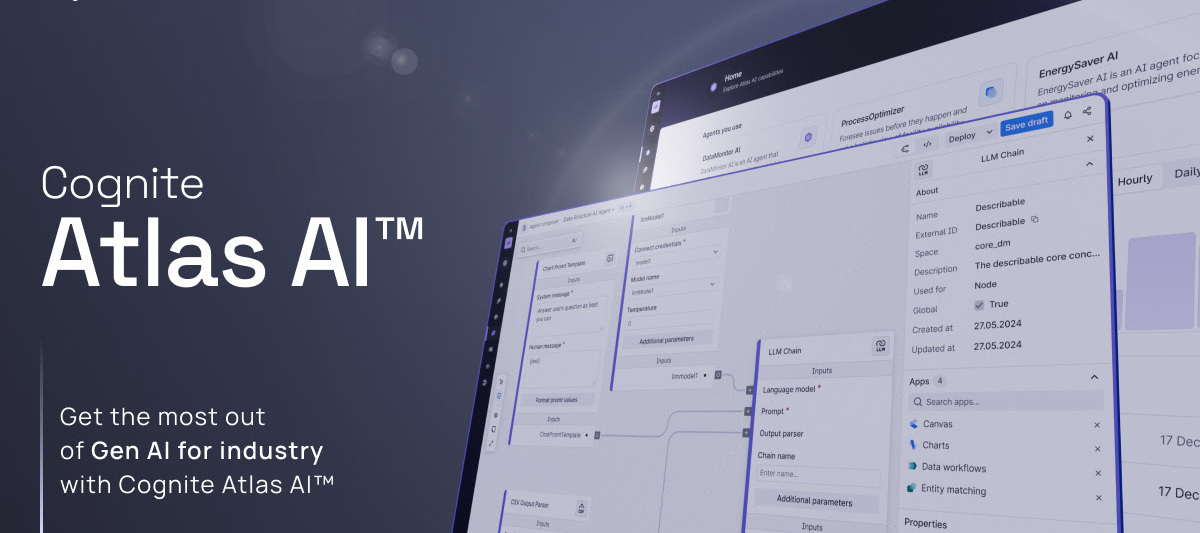
Hey everyone! We’re excited to introduce Cognite Atlas AI, a groundbreaking addition to our Cognite Data Fusion family. This innovative tool uses generative AI to automate your complex operations and enhance workflow accuracy further, driving significant business value. What’s Cognite Atlas AI?Whether you’re looking to automate complex tasks or improve your decision-making processes, Cognite Atlas AI is all about making your life easier with a low-code solution for building and managing specialized industrial agents. Why You’ll Love It:Easy Agent Building: No need to be a coding expert. Our low-code platform lets you create custom industrial agents effortlessly.Smart Data Insights: Use your Industrial Knowledge Graph to get grounded, factual, and real-time data.Pick the Perfect Model: You can choose the best language model for your specific needs.Plug and Play: Seamlessly integrate your agents with Cognite products or other platforms like Microsoft Copilot.From Start to Finish: Cognit
When saving and scheduling a calculation from Charts, the enter credentials dialog hangs in the “checking credentials” and keeps trying to verify in a loop. This happens only if you select the Use CDF client ID and Client Secret option at the top. If you do not choose the top radio button and simply enter the creds and click next, it works ok.
I have solved the BufferGeometry issue was present earlier, apparently the react-app-wired was not the latest which is why the override was not working.import React, { useEffect } from "react"import { Cognite3DViewer } from "@cognite/reveal"import { CogniteClient, CogniteAuthentication } from "@cognite/sdk"import { getToken } from "../../utils/MsGraphApiCall"import "./Models.css"function Models() { const appId = "KPI-Dev" const project = "celanese-dev" const clientId = "my-client-d" const tenantId = "my-tenant-id" const cluster = "az-eastus-1" const modelId = 7575155737800092 const revisionId = 3624517118008353 async function start() { await client.authenticate(clientId, tenantId, cluster) const viewer = new Cognite3DViewer({ sdk: client, domElement: document.querySelector("#your-element-for-viewer"), }) viewer.addModel({ modelId: modelId, revisionId: revisionId }) } const legacyInstance = new CogniteAuthentication({ project, }) // getToken() const
We are proud to announce the publication of our latest research on the application of Topological Data Analysis (TDA) for Condition-Based Monitoring (CBM) of wind turbines. This new study will be presented next week at an international conference focused on equipment health and prognostics in Prague https://phm-europe.org/.Abstract: Our research investigates how TDA, a sophisticated branch of data analysis, can enhance the monitoring and maintenance of wind turbines. By analyzing complex datasets obtained from standard vibration sensors in turbine gearboxes, we identify patterns, anomalies, and trends that are often undetectable using traditional methods.Key Highlights:Data Source: gearbox vibration data, collected from a wind park in Norway, data contextualised in CDF. Methodology: Conversion of time series data into multi-dimensional point clouds through time-delay embedding Analysis Tools: Utilization of topological methods, including persistent homology Indicators: Key health indic
I am using the Python SDK endpoint to aggregate instances and passing an advanced Filter to the filter argument, i.e.:client.data_modeling.instances.aggregate(…, filter = Filter(...))But Nested filtering is not supported. It seems like the aggregate function only works on flat tables.So I am considering to create a solution data model with only flat tables. I am considering to split up the data over multiple containers in order to support the number of indexes I would like to have. My question is whether splitting up over multiple containers negatively affect performance at query time and how does this compare to trying to limit the number of indexes instead?
hello:I want to associate files uploaded to CDF type pdf for example to my model, following this scheme:type Documentation { name: String # This is a CDF built in type file: File # this is the INVERSE relationship of the Pump.documentation # Pump.documentation <-> Documentation.relatedPumps relatedPumps: [Pump] @relation( direction: INWARDS, type: { externalId: "Pump.documentation", space: "Space_PabloPalacios" } )}but when I select the uploaded file it only shows me jpg, any ideas?
Already have an account? Login
No account yet? Create an account
Enter your E-mail address. We'll send you an e-mail with instructions to reset your password.


 Check the
documentation
Check the
documentation Ask the
Community
Ask the
Community Take a look
at
Academy
Take a look
at
Academy Cognite
Status
Page
Cognite
Status
Page Contact
Cognite Support
Contact
Cognite Support