
Cognite Academy Instructor
October 29, 2021

CDF Fundamentals Discussion

  • October 29, 2021
  • 177 replies
  • 6450 views

Welcome to the CDF Fundamentals Discussion!

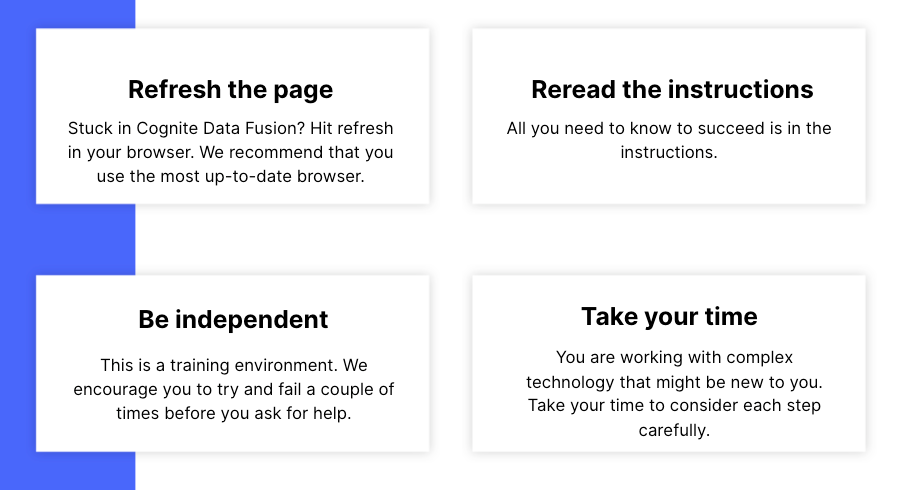
This discussion is dedicated to help learners of the Cognite Data Fusion Fundamentals learning path succeed. If you’re struggling with the exercises in this learning path, try the tips & tricks below or post a comment with the challenge you’re facing. You can also post your own tips and respond to fellow learners’ questions. Cognite Academy’s instructors are also here to help.


177 replies

Committed ⭐️⭐️⭐️
April 11, 2023

Hi Rahul,


Thanks for the response.  I am able to access the data files in manage data catalog with no issue.  I am logged in to the cdf-fundamentals project as well.  My data sets are named Bernard1977 as seen below:

When navigating to the charts section, I am having issues.  Please see screenshots below. 

First it shows as if its trying to load like this:


And I ultimately receive this after trying to reload;

Any help will be greatly appreciated.  This is the final module prior to certification.

Thanks

Cognite Academy Instructor
April 11, 2023

Hi Bbauri, 

If you are using any extension in the browser, please disable it, use the latest version of browsers  and check your have - https in the start of url and not http 
Please add the snapshot of the browser console and will help us to find the cause of the issue.

Regards
Kumar

Rahul Kumar
Committed ⭐️⭐️⭐️
April 11, 2023

Hello Rahul,

I verified that I am using the https in the start of the url.  Here is a snapshot of the browser console.


Cognite Academy Instructor
April 11, 2023

Hi Bburai, 

Can you add the snapshot of your console as I can see in the snapshot you have 88 warning in console 
look at the image the image below


Rahul Kumar
Committed ⭐️⭐️⭐️
April 11, 2023

Hello Rahul,

Thanks for your help!  Attached is a snapshot of the console.  Thanks


Cognite Academy Instructor
April 12, 2023

Hi Bbauri,

Thanks for providing the console snap short of browser.
I have investigate deeply and found out all is working fine with the fusion. In the console , you have problem with failed to load resource:net::ERR_CERT_AUTHORITY_INVALID, which is related to your network connection and SSL certificate.

I recommend you to check your network connection and SSL certificate in your browser.

Help link 1 and Help link 2

Regards
Kumar
 

Rahul Kumar
Active ⭐️⭐️⭐️
April 27, 2023

Hi @Eniko Farkas, I did, my network was too restrictive when I tried. And once I did I wanted to remove the comment, since I saw there were similar comments as well, which I’ve managed to miss somehow when I first went through the discussion 😅 Thanks for asking 

Committed ⭐️⭐️
June 5, 2023

Hello

I cant find the raw data for IFSDB data set i.e. where is the data for the maintenance events or the timeseries? I only loaded assets.csv file and that was for asset hierarchy. 

Thanks

Kapil

Committed ⭐️⭐️⭐️
June 6, 2023

Hello,

For the Data points step “Transform RAW to Data points” I received the error “Query returned no results. The query is syntactically correct, but returned 0 rows of data.” 

It seems the query does not filter for dataSetId and returns no matches. I changed the query to solve the issue on my end, here are the changes: 

SELECT
  concat('FirstnameBirthyear:',dp.sensor) AS externalId,
  cast(time_stamp/1000 as timestamp) AS timestamp,
  cast(value AS double)
FROM IFSDB.values AS dp
JOIN _cdf.timeseries AS ts 
ON CONCAT('FirstnameBirthyear:', dp.sensor) = ts.externalId
AND ts.dataSetId = '1234567890'

Sofie Haug
Expert ⭐️⭐️⭐️⭐️
Cognite Academy Instructor
June 6, 2023

Hi @Aleksander Poverud 

Did you try to run it without the data set part? Since datapoints is such a big amount of data it is not always ideal to ‘preview’ datapoints. But for the preview part, your additional line of code is doing the trick!

Sofie | Cognite Academy
