
Cognite Academy Instructor
October 29, 2021

CDF Fundamentals Discussion

  • October 29, 2021
  • 177 replies
  • 6450 views

Welcome to the CDF Fundamentals Discussion!

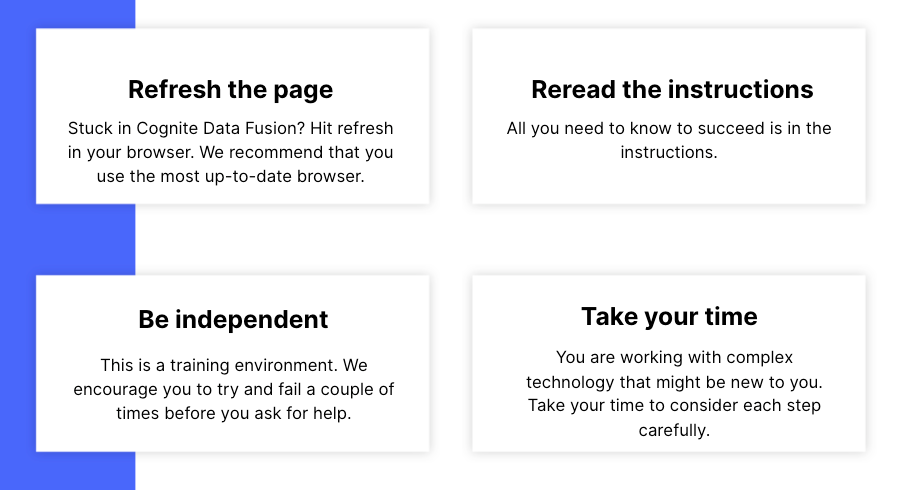
This discussion is dedicated to help learners of the Cognite Data Fusion Fundamentals learning path succeed. If you’re struggling with the exercises in this learning path, try the tips & tricks below or post a comment with the challenge you’re facing. You can also post your own tips and respond to fellow learners’ questions. Cognite Academy’s instructors are also here to help.


177 replies

Seasoned ⭐️
February 20, 2023

Hello all,

SQL statement for Events did not find records since all completion_time=start_time in maintenance table of IFSDB, so I modified ‘>’ to ‘>=’ in the WHERE clause but only get 8 records instead of the 18. Will this be a problem for my Contextualization and later modules?


I experienced the same issue and also made the same changes to the query.

Sofie Haug
Expert ⭐️⭐️⭐️⭐️
Cognite Academy Instructor
February 21, 2023

Thank you so much @Dirk Ackerman  and @Terry Gansen for notifying us, and even finding a solution for it! The course is updated! :D 


Sofie 

Sofie | Cognite Academy
Active ⭐️⭐️⭐️
February 21, 2023

I am not able to see all events transform data in my data set. The query change which @Dirk Ackerman suggested is showing only 8 events in the dataset. Please suggest

Sofie Haug
Expert ⭐️⭐️⭐️⭐️
Cognite Academy Instructor
February 22, 2023

Hi @Akshit Joshi! I took a close look at the raw table and transformation and I found out that someone has tempered with the maintenance table in RAW. @Dirk Ackerman  and @Terry Gansen fix, helped a little bit. But now the table is back to the original condition and all of you should be able to create all the events.


Sofie

Sofie | Cognite Academy
Practitioner ⭐️⭐️⭐️
February 27, 2023

Hi! I’m working through the CDF Fundamentals learning path and came across a bug with the bonus time series transformation exercise in the Working With CDF: Contextualize course. I used the SQL statement as it was provided and the preview resulted in 984 rows, but it correctly saved only 12 records when I ran the transformation. The issue I noticed is when I followed the entity matching for the time series records and got a message that it was going to overwrite all the asset ids for the 12 records. 

After further review, it looks like the transformation query ran the metadata function for everyone’s test data in the system (the HashMap function shows externalIds for several/all users test data), and the asset id that was saved did not correspond to my data.

I was able to add a where clause to resolve the transformation and get the correct asset id’s in the result. Screenshots of each dataset attached for reference.

Sofie Haug
Expert ⭐️⭐️⭐️⭐️
Cognite Academy Instructor
February 28, 2023

Hi @Sarah Behrens!

Wow, amazing work! Thank you so much, we’ll update the course.


Sofie

Sofie | Cognite Academy
Committed ⭐️⭐️
March 14, 2023

Calculate Delta T :

Click + Add Note, go to Source, and select both of the time series. 

The above lines should be : 

Click + Add Node, go to Source, and select both of the time series.

Please correct the training material.


Thanks

Dev 

Active ⭐️⭐️⭐️
March 28, 2023

Hi, I’m in the CDF-fundamentals last course “Working with CDF: Consume” but when I click on “+ New chart” I get a “busy” screen that goes on endlessly.  

Is there something wrong with this?  Have tried different browser types (MS Edge, Chrome), refreshed/reloaded page, removed pop-up blockers, anything I’ve come across in the tip notes but nothing seems to be working.
When I back out “← All charts” it seems the new chart has been created, but when I click the preview icon
I get the same busy screen again.

My data is all starting with Daniel1969.  Thanks for checking.

Best Regards,

Danny

Committed ⭐️⭐️⭐️
April 4, 2023

Hello, I’m working on the lesson Working with CDF: Consume.  I am having issues with loading the charts section.  Endless loop of failed to load.  Any tips?  Here is a screenshot of what I am seeing.  Thanks


Cognite Academy Instructor
April 11, 2023

Hi Bbauri, 

Thanks for posting your query.
As I have investigate the problem, but I can’t replicate the issue and chart module in fusion works fine at my side like create the chart, adding the timeserise, visualize timeseries etc. I hope you are using the right project which is “ cdf-fundamentals” to perform the hands-on in fusion and advise you to use the chrome browser to open the https://fusion.cognite

Can you clear the cache of your browser and try again or open the fusion in incognito widow ?

If you face the problem again (failed to load Firebase), please can add the console snap shot of your browser and it will help us to investigate the issue further in details.

Regards 
Kumar


Rahul Kumar
