
Cognite Academy Instructor
October 29, 2021

CDF Fundamentals Discussion

  • October 29, 2021
  • 177 replies
  • 6452 views

Welcome to the CDF Fundamentals Discussion!

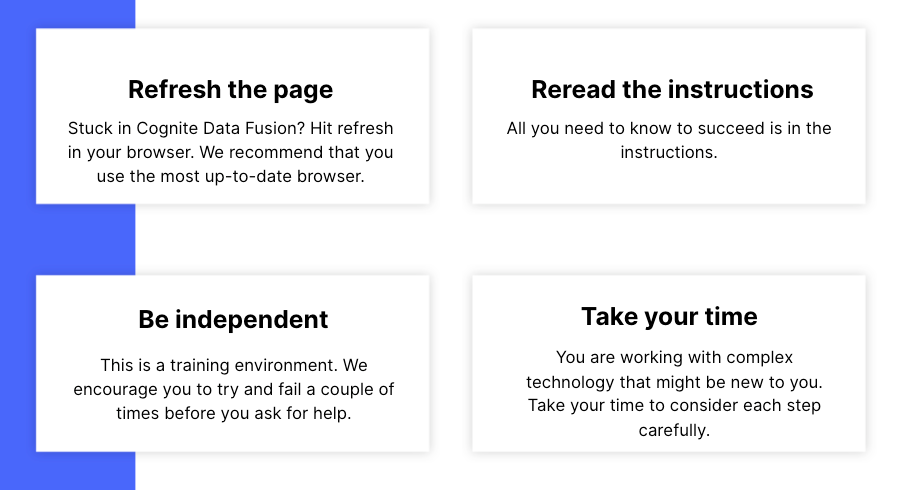
This discussion is dedicated to help learners of the Cognite Data Fusion Fundamentals learning path succeed. If you’re struggling with the exercises in this learning path, try the tips & tricks below or post a comment with the challenge you’re facing. You can also post your own tips and respond to fellow learners’ questions. Cognite Academy’s instructors are also here to help.


177 replies

Committed ⭐️⭐️
June 24, 2023

I’m having issue with Build and Consume Fundamentals course, I have competed all modules but the status is registered. I cannot move to the Assessment

Cognite Academy Instructor
June 25, 2023

Hi @Aisyah Sade , you are now enrolled in the assessment.

Enikő from Cognite Academy
Seasoned ⭐️
September 15, 2023

Hi I’m getting the following error: Cannot resolve 'Matt1996' given input columns:


Followed by a much longer error message. I’ve followed the instructions as stated, but I’m still getting an error. Any ideas?

Query:

SELECT
concat('Matt1996:',loc) as externalId,
IF(parent_loc='' OR parent_loc IS NULL, '', concat('Matt1996:',parent_loc)) AS parentExternalId,

CAST(lastUpdatedTime AS STRING) AS name,

to_metadata(*) AS metadata,

description AS description,

Matt1996-AvevaNet AS dataSetId
 
FROM `Matt1996`.assets
 

Screenshot:


Seasoned ⭐️
September 15, 2023

I realized my mistake, I need to replace Matt1996-AvevaNet with my dataset ID that was recorded earlier. Problem solved :)

Diego Antonino
Practitioner ⭐️⭐️⭐️
Practitioner ⭐️⭐️⭐️
September 21, 2023

Hello,

For the Data points step “Transform RAW to Data points” I received the error “Query returned no results. The query is syntactically correct, but returned 0 rows of data.” 

It seems the query does not filter for dataSetId and returns no matches. I changed the query to solve the issue on my end, here are the changes: 

SELECT
  concat('FirstnameBirthyear:',dp.sensor) AS externalId,
  cast(time_stamp/1000 as timestamp) AS timestamp,
  cast(value AS double)
FROM IFSDB.values AS dp
JOIN _cdf.timeseries AS ts 
ON CONCAT('FirstnameBirthyear:', dp.sensor) = ts.externalId
AND ts.dataSetId = '1234567890'

Hey @Aleksander Poverud, I figured out that the trick is adding AND ts.dataSetId = '1234567890' at the end

here is the full query:


SELECT
concat('FirstnameBirthyear:', dp.sensor) AS externalId,
cast(time_stamp / 1000 as timestamp) AS timestamp,
cast(value AS double)
FROM
IFSDB.values AS dp,
--selecting from _cdf.timeseries means we select from the timeseries we ingested to CDF earlier. We do this to make sure all the time series we try to add data points to actually exist
_cdf.timeseries AS ts
WHERE
concat('FirstnameBirthyear:', dp.sensor) = ts.externalId
and ts.dataSetId = '1234567890'


Active ⭐️⭐️⭐️
November 16, 2023

Hello All,

I was going through the training yesterday and got all the way to the end of Working with CDF: Contextualize and the system got stuck trying to create the interactive PID. Fast forward to this morning and I re-did creating the interactive engineering diagram and it worked.

I then moved on to the next course Working with CDF: Consume and while I was trying to find my timeseries I noticed that my Kyle1995-IFSDB data catalog no longer had any time series associated with it (see below). I then tried to do the data transform for the timeseries data and it tells me that it has updated 12 timeseries but I still cannot find those timeseries in my data catalog anywhere(see below).

I should also note that I did do the optional contextualization exercise of linking the timeseries to assets. I then also ran the contextualization using the entity matchers.

What can I do to get my timeseries data back so that I can continue on with the training?


Active ⭐️⭐️⭐️
November 21, 2023

Hello All,

I was going through the training yesterday and got all the way to the end of Working with CDF: Contextualize and the system got stuck trying to create the interactive PID. Fast forward to this morning and I re-did creating the interactive engineering diagram and it worked.

I then moved on to the next course Working with CDF: Consume and while I was trying to find my timeseries I noticed that my Kyle1995-IFSDB data catalog no longer had any time series associated with it (see below). I then tried to do the data transform for the timeseries data and it tells me that it has updated 12 timeseries but I still cannot find those timeseries in my data catalog anywhere(see below).

I should also note that I did do the optional contextualization exercise of linking the timeseries to assets. I then also ran the contextualization using the entity matchers.

What can I do to get my timeseries data back so that I can continue on with the training?


The only was able to get the timeseries to show in my data catalog again was to delete the FirstnameBirthyear-Timeseries Data Transformation and re-do it.


I also found a bug in the Contextualize > Match resources to assets > Quick Match page where it doesn’t show the entities that have been found (see below in red) despite there being results (see below in cyan).


This issue also seems to result in not being able to create additional fields when configuring the model, I guess due to the fact that the system doesn’t seem to think that anything was found in the timeseries step (see below in red).

That being said it still appears to run based on what is actually in the system and not what the GUI is showing.


Sofie Haug
Expert ⭐️⭐️⭐️⭐️
Cognite Academy Instructor
November 23, 2023

Hi @DE KOCK Kyle ! Thanks for your feedback! When I try to take a look at the data, I find your data sets as archived. Did you do this after you tried the matching? Some of the search fields filter away archived data sets. 


I see that you have the assets, time series and events data. Your time series data is also contextualized to the relating assets. Did you manage with the Match resources? Or is this contextualization from using transformations?

Sofie | Cognite Academy
Active ⭐️⭐️⭐️
November 23, 2023

Hi @Sofie Haug,

I archived all of my data as I was able to complete the course and do the test after I deleted and recreated my timeseries as mentioned at the beginning of my post. Once that was complete I was able to perform the contextualization with Quick Match but as I show in my post there were some problems with the GUI not showing the entities that match the search parameters of the quick match (this was while my data was not archived). Interestingly enough this was only the case with the 12 timeseries and not the 36 assets.

Another thing I should also mention is that, I was unable to find any data in the graphs after I recreated the Timeseries transformation regardless of the time range (I know the course mentions November 2020 - 2021). This was also while my data was not archived.

Sofie Haug
Expert ⭐️⭐️⭐️⭐️
Cognite Academy Instructor
November 27, 2023

Hi again @DE KOCK Kyle 


Thank for your reply! 
Good to hear that you finished! I will give the feedback to the teams responsible for the tools you mention!

Thank you! 


Sofie | Cognite Academy
