
Cognite Academy Instructor
October 29, 2021

CDF Fundamentals Discussion

  • October 29, 2021
  • 177 replies
  • 6452 views

Welcome to the CDF Fundamentals Discussion!

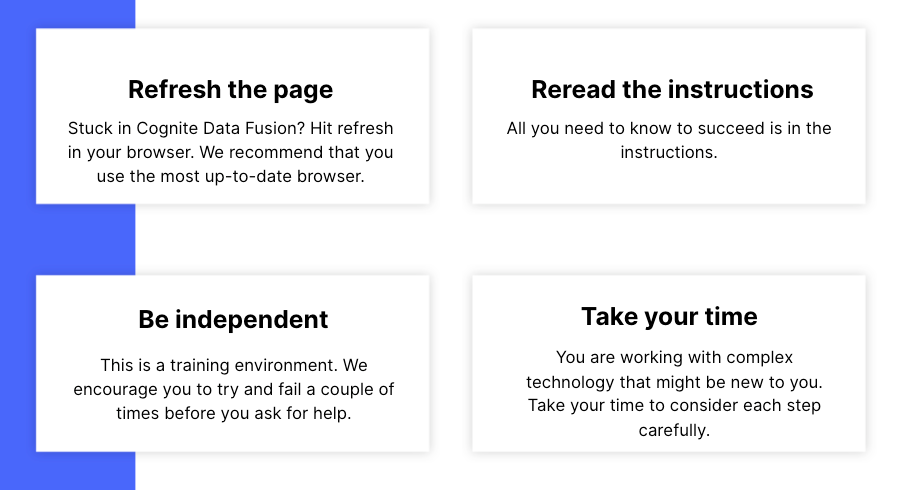
This discussion is dedicated to help learners of the Cognite Data Fusion Fundamentals learning path succeed. If you’re struggling with the exercises in this learning path, try the tips & tricks below or post a comment with the challenge you’re facing. You can also post your own tips and respond to fellow learners’ questions. Cognite Academy’s instructors are also here to help.


177 replies

Active ⭐️⭐️⭐️
January 22, 2024
  1. Go to https://fusion.cognite.com.
  2. Enter cognite-learn as a domain name.
    after enter domain name the error -An error occurred when looking up the details for this organization
Sofie Haug
Expert ⭐️⭐️⭐️⭐️
Cognite Academy Instructor
January 22, 2024

Hi @Sanyogita Wable! I just checked and it works for me. Maybe you @Dilini Fernando can take a look as well?

Sofie | Cognite Academy
Practitioner ⭐️⭐️⭐️
January 22, 2024

Hi @Sanyogita Wable ,

I've also tested this, and it appears to be functioning correctly.

Could you please retry in an incognito window to ensure that any potential browser cache-related issues are ruled out?

Regards,

Kanchana

Active ⭐️⭐️⭐️
March 7, 2024

I’ve uploaded assets.csv into a dataset and trying to run the SQL script to create the assets but am getting the error Request with id 87b97f14-7c9b-94b9-9e1f-129e2ed18250 to https://api.cognitedata.com/api/v1/projects/cdf-fundamentals/assets failed with status 400: Reference to unknown parent with externalId Salma:23-PT-92535.

The query runs fine in Preview mode but fails to run. Funny thing is it processes a different amount of rows each time it runs.

Here’s the query I’m using:

SELECT
  concat('Salma:',loc) as externalId,
  IF(parent_loc='' OR parent_loc IS NULL, '', concat('Salma:',parent_loc)) AS parentExternalId,
  CAST(lastUpdatedTime AS STRING) AS name,
  to_metadata(*) AS metadata,
  description AS description,
  6295592107437051 AS dataSetId
FROM `Salma`.assets

Any ideas what’s going wrong?

Sofie Haug
Expert ⭐️⭐️⭐️⭐️
Cognite Academy Instructor
March 12, 2024

Hi @Salma Ghafoor 

It seems to be due to the configuration of the transformation. The Target resource type needs to be “Asset Hierarchy” instead of “Assets”. The Assets target resource type does not recognize the parent external id attribute. 
You can change it from the transformations UI by clicking on the dropdown next to “Create or Update Assets”

See the pictures below. 


Sofie | Cognite Academy
Active ⭐️⭐️⭐️
March 12, 2024

Thanks Sofie! That did the trick

Active ⭐️⭐️⭐️
April 3, 2024

Hi, 

I am going through the Working With CDF: Integrate module, and have transformed the data and it looks like the 36 assets have been created based on this output: 


But I cannot see the assets in the Data Catalogue: 


Do you know what’s wrong?

Active ⭐️⭐️⭐️
April 3, 2024

Actually, I found the mistake from a previous post. 

The transformation was wrong in the first place - dataSetId was supposed to be the actual number ID that was recorded down earlier :D

Sofie Haug
Expert ⭐️⭐️⭐️⭐️
Cognite Academy Instructor
April 3, 2024

I’m glad you found out @Hannah Håland! Let us know if there is anything else we can help you with!

Sofie | Cognite Academy
Active ⭐️⭐️⭐️
April 3, 2024

Hi, 

I am going through the module Working With CDF: Contextualize, and I have loaded the P&ID. Now I am trying to link it to my Aveva assets. But I cannot find my dataset in the Data set drop down menu.


I have checked in the Data Catalog and the data set does exist in CDF. 


How do I fix this?
