
Cognite Academy Instructor
October 29, 2021

CDF Fundamentals Discussion

  • October 29, 2021
  • 177 replies
  • 6452 views

Welcome to the CDF Fundamentals Discussion!

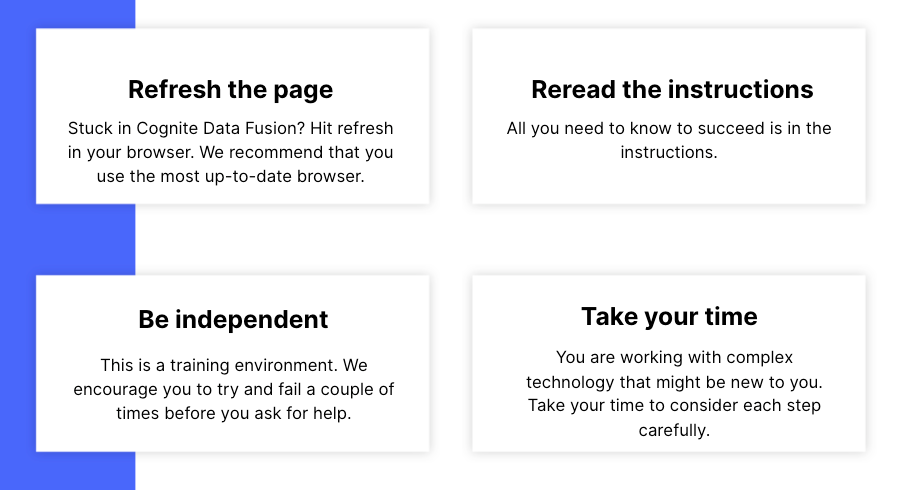
This discussion is dedicated to help learners of the Cognite Data Fusion Fundamentals learning path succeed. If you’re struggling with the exercises in this learning path, try the tips & tricks below or post a comment with the challenge you’re facing. You can also post your own tips and respond to fellow learners’ questions. Cognite Academy’s instructors are also here to help.


177 replies

Active ⭐️⭐️⭐️
April 3, 2024

Hei, 

Yet again, I fix my own problem!

I close the browser and re-sign in and my dataset magically appears :)

Cognite Academy Instructor
April 3, 2024

Thank you for sharing your solutions with the community, @Hannah Håland. This is incredibly valuable for other learners of Cognite Academy. Good luck with gaining your CDF Fundamentals certificate!

Enikő from Cognite Academy
Practitioner ⭐️⭐️⭐️
April 19, 2024

Hi!

I am in Fundamental course and I am working on the exercise “Working With CDF: Contextualize”. The challenge I face is in the part “Contextualize P&IDs”. 


My dataset with my assets does not show up in the drop-down - what could be the mistake I have made? (I have done my best to follow the training material)


Best regards,

Bjarte


Sofie Haug
Expert ⭐️⭐️⭐️⭐️
Cognite Academy Instructor
April 22, 2024

Hi @Bjarte Håtveit 

I experienced the same myself this morning and I will have to talk to the engineering team about it. 


Sofie | Cognite Academy
Brad Downen
Active ⭐️⭐️⭐️
Active ⭐️⭐️⭐️
April 28, 2024

I’m having issues with Transformation of the Raw data provided.  Running SQL Script:

SELECT
concat('Brad1971:',loc) as externalId,
IF(parent_loc='' OR parent_loc IS NULL, '', concat('Brad1971:',parent_loc)) AS parentExternalId,

CAST(lastUpdatedTime AS STRING) AS name,

to_metadata(*) AS metadata,

description AS description,

2147974692941503 AS dataSetId
 
FROM `Brad1971`.assets`

Is successful preview, but when I execute the query with 


It gives an error:


I’ve tried it multiple times and deleted table (starting over) and cleared Raw table to start over as well as Target Table.  No Luck.  In reviewing the Raw Data Table, I don’t see is missing or bad ID.  i could trace the parentID’s all the way up the tree.  Please advise.

Sorry...I had selected Asset and not Asset Hierarchy….all good.


Practitioner ⭐️⭐️⭐️
August 5, 2024

Hi all, 
I am just running through the Working With CDF: Integrate course and am facing a problem with inserting the data points into the time series.

I am following all the steps and at the end I should be able to see data points in the IFSDB time series data set. However, there are no data points in any of the time series.

The run states that 4,296 rows read - 15,428 timeseries read. So there should be data in IFSDB.values (the reference in the SQL query)

I also deleted the transformation once and did it all again, as well as changed the time interval to 5 years in case the data is older. Still I can see no data.


Has someone an idea I can try?

FYI here the SQL query from the training


SELECT 
concat('FirstnameBirthyear:',dp.sensor) AS externalId,
cast(time_stamp/1000 as timestamp) AS timestamp,
cast(value AS double)
FROM IFSDB.values AS dp,
 
--selecting from _cdf.timeseries means we select from the timeseries we ingested to CDF earlier. We do this to make sure all the time series we try to add data points to actually exist
 
_cdf.timeseries AS ts WHERE CONCAT('FirstnameBirthyear:',dp.sensor) = ts.externalId
Practitioner ⭐️⭐️⭐️
August 5, 2024

I found the problem. I accidentally deleted the “ : “ when creating the externalID for the time series. Thus the data points could not be matched. When I put the “ : “ back in to the SQL it worked!

Sofie Haug
Expert ⭐️⭐️⭐️⭐️
Cognite Academy Instructor
August 5, 2024

@Charlotte Waese good you figured out!

Sofie | Cognite Academy
Active ⭐️⭐️⭐️
November 10, 2024

Hi.

I have managed to create a set of timeseries that have correct external ID Leo1987* but are not linked to the dataset but linked to assets.  I can browse them in Data Explorer, but cannot delete. Same time I have  another set of timeseries linked to dataset Leo1987-IFSDB  but not linked to actual assets.  Can someone please help me to fix that.


Mithila Jayalath
Expert ⭐️⭐️⭐️⭐️
Expert ⭐️⭐️⭐️⭐️
November 11, 2024

Hi @Leonid Kuritsin 

I have managed to create a set of timeseries that have correct external ID Leo1987* but are not linked to the dataset but linked to assets.  I can browse them in Data Explorer, but cannot delete. Same time I have  another set of timeseries linked to dataset Leo1987-IFSDB  but not linked to actual assets.  Can someone please help me to fix that.

Can you please let me know on how you are creating the timeseries? Are you using the API or the SDK?

You can delete the timeseries using the API/SDK. Please find the relevant documentation below.
