
Question

Viewing all search results in CDF or ability to export all search results

  • August 21, 2025
  • 5 replies
  • 49 views

Forum|alt.badge.img+1

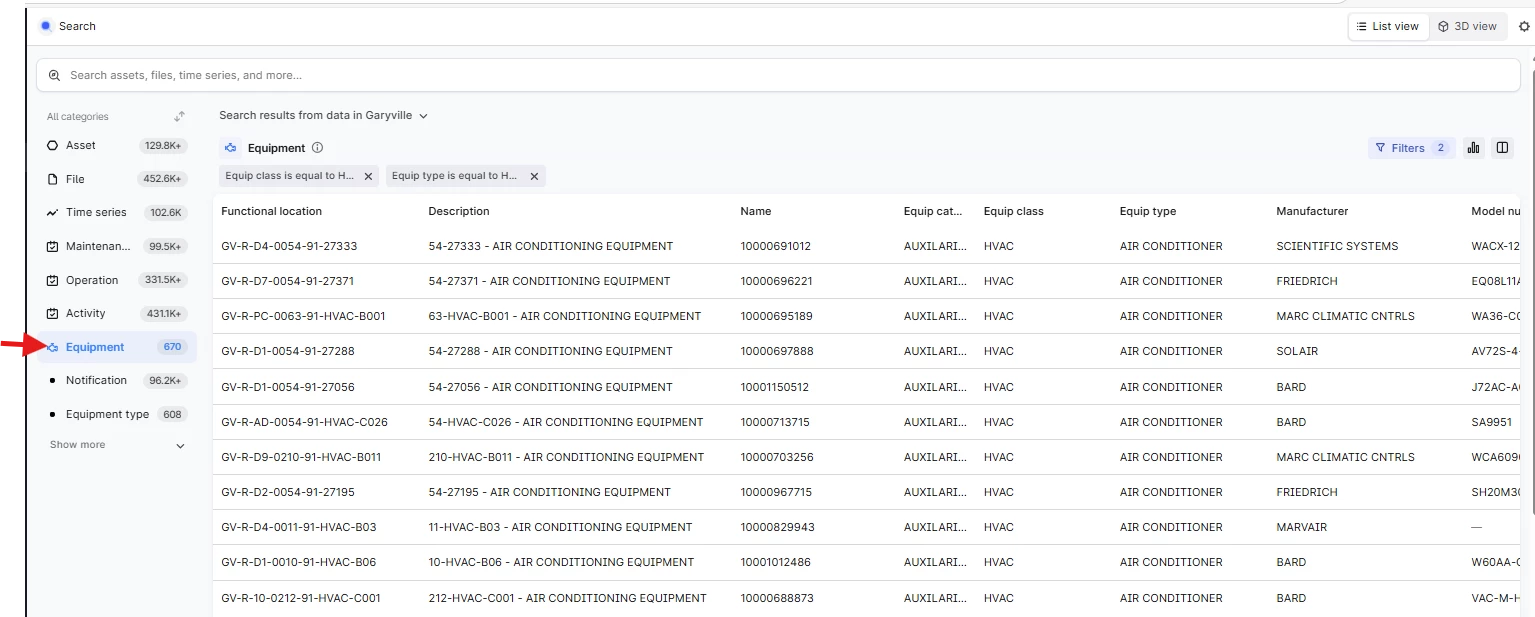
Currently if I perform a search, in equipment for example, I can only display the first 100 results with no ability to see the remaining results.  There is also no way for me to export the results to an excel spreadsheet. We can work around the export issue but there doesn’t appear to be a workaround for viewing more than the 100 first results. 


5 replies

Sofie Svartdal Berge
Seasoned Practitioner

Hi ​@RyanGuillory

Thank you for sharing feedback.

We set the limit to 100 results to optimize for loading time, as most search use cases have involved finding something specific (which should be available in the top 20 results).

For your use case, could you share a bit more about why you want to browse the full set of all data instances (6-700) matching the filter applied? 

For downloading a list of data instances based on a search query and/or filters applied, this is something we very much would like to build out support for! We are aiming for that in H1 next year, hopefully Q1. 


Best, 

Sofie, Product manager


Forum|alt.badge.img+1
  • Author
  • Committed
  • August 22, 2025

For most end users, searching CDF for a list of assets or equipment with certain values or properties is much easier than searching the source systems (like SAP which requires domain specific knowledge).  A work around to not being able to export search results in CDF into a table is to display all of them, export to PDF then export that to excel.   


Sofie Svartdal Berge
Seasoned Practitioner

Hi ​@RyanGuillory !
We have increased the number of results presented and have been monitoring load time. We are happy to see that load time has not increased as much as we feared, and we will keep this update of fetching the first 1000 items.

Additionally, data export is in the works, and the first release will be in June. This will include a download of properties/metadata for a list of instances (up to 1000 items). 


Best, 

Sofie


Forum|alt.badge.img+2
  • Committed
  • February 24, 2026

Sofie - Are there any active plans to support/allow users to “Export to Excel” where they can perform a search, add in all the filters/columns they want, and then export those results in xlsx/csv format from there. 

Today there is not a great way to do that from the Search results or from the Data Management backend at all so from an administrator perspective, we have no way to get those results except creating a custom Python/API query each time. 


Sofie Svartdal Berge
Seasoned Practitioner

Hi there, ​@jjschumaker !

Yes there is. We are currently working on this, planning for release in June 2026. We will be providing the option to download up to 1000 instances (the properties) to a .csv file, in the format selected in Search before choosing to download (e.g. the results given a search/set of filters and with the selected columns. We also aim at being able to keep the selected sort when downloading). 
 

Very excited about this! 
 

Best regards, 

Sofie
