Answer

While running the Flow it does not considers the updated version

  • February 3, 2024
  • 3 replies
  • 64 views

HanishSharma
Practitioner
Forum|alt.badge.img+4

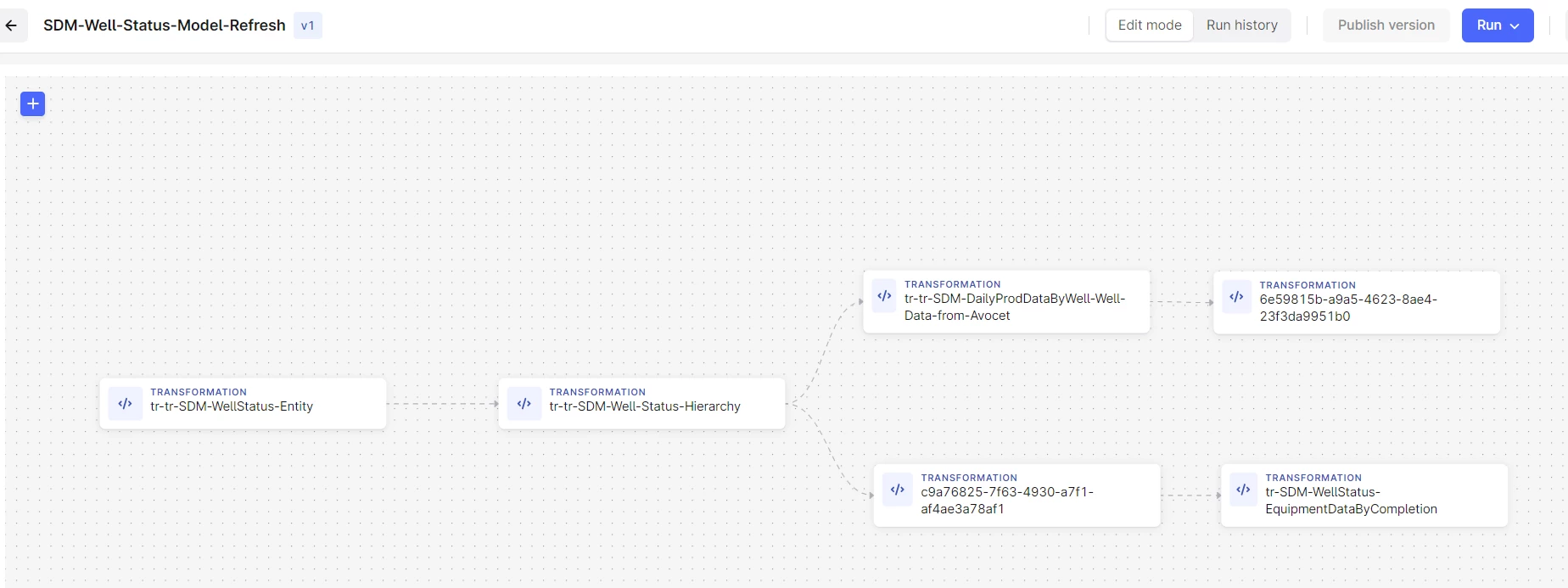
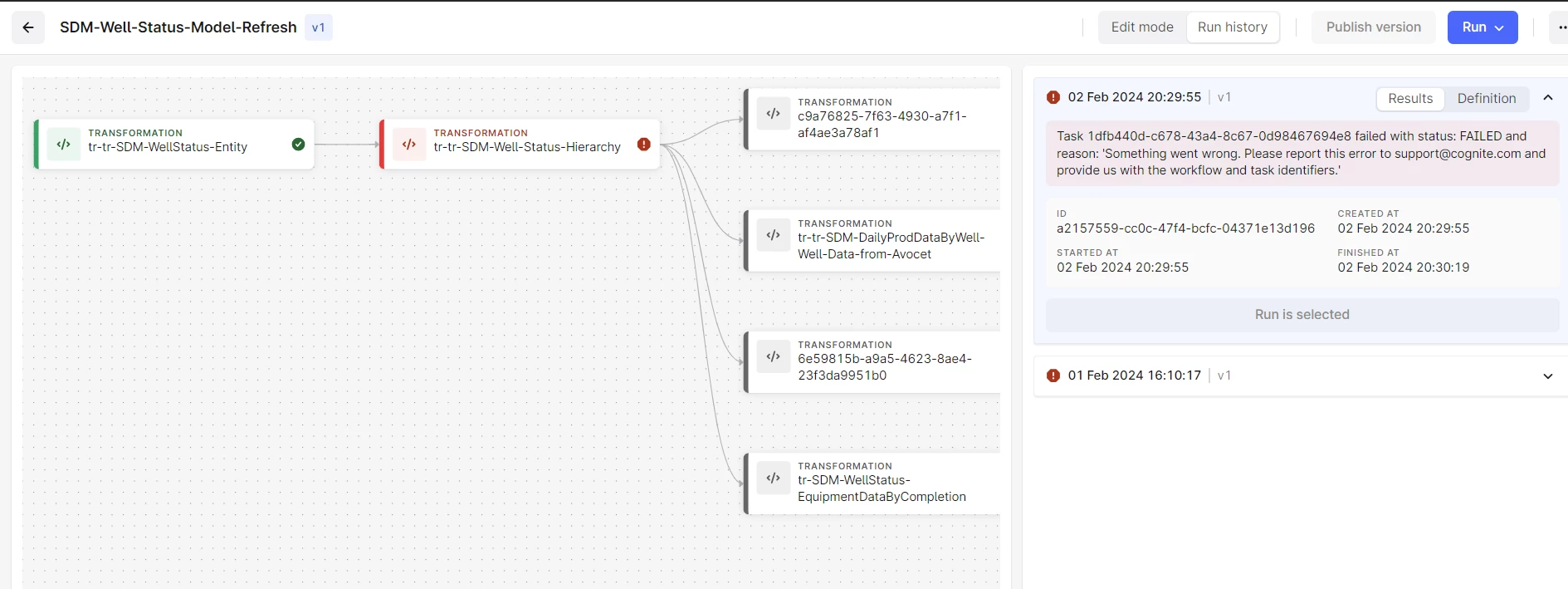
I updated and published a new version of the flow. When I am trying to run the updated flow it is still running the older version.

Below is the updated version - 
 

Below is the version after initiating the Run


Best answer by Jørgen Lund

Thank you! We’ll make sure to resolve the issue in the next release of the graphical user interface.

3 replies

Jørgen Lund
Seasoned Practitioner
Forum|alt.badge.img
  • Product Manager
  • February 5, 2024

Hi @HanishSharma.

The graphical user interface is unfortunately in an alpha state, and has certain shortcomings currently. From the screenshots, it looks like the workflow definition did not get updated properly (version number should change to “v2” if you make a change and publish it successfully), like this: 

Could you try updating the workflow definition again, and see if that leads to a version update? Otherwise, you could try recreating the workflow. 

I’ve tested this on my side now, and unable to reproduce the issue. 


HanishSharma
Practitioner
Forum|alt.badge.img+4
  • Author
  • Practitioner
  • February 12, 2024

I found the issue!


Actually the Publish Version button remains disabled in scenario where I am just changing the linkage between the transformations, it only gets enabled when you add or remove a transformation/function.


Here is how you can replicate this,

  1. create a Flow by adding 3-4 transformations
  2. Add them with arrows in a series
  3. Publish v1
  4. now refresh the page and change the links between them (do not add/remove a transformation)
  5. The changes get saved but “Publish Version” button does not get enabled

Jørgen Lund
Seasoned Practitioner
Forum|alt.badge.img
  • Product Manager
  • Answer
  • February 12, 2024

Thank you! We’ll make sure to resolve the issue in the next release of the graphical user interface.