
New

In CDF: opportunity to configure "default" timeseries for the tag (asset)

Related products:Data Modeling
  • March 12, 2026
  • 2 replies
  • 38 views

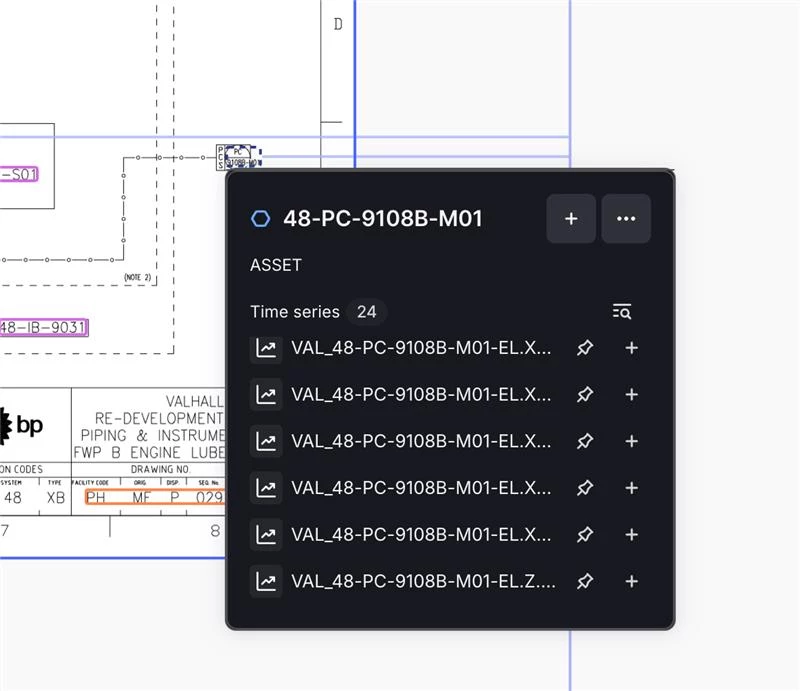
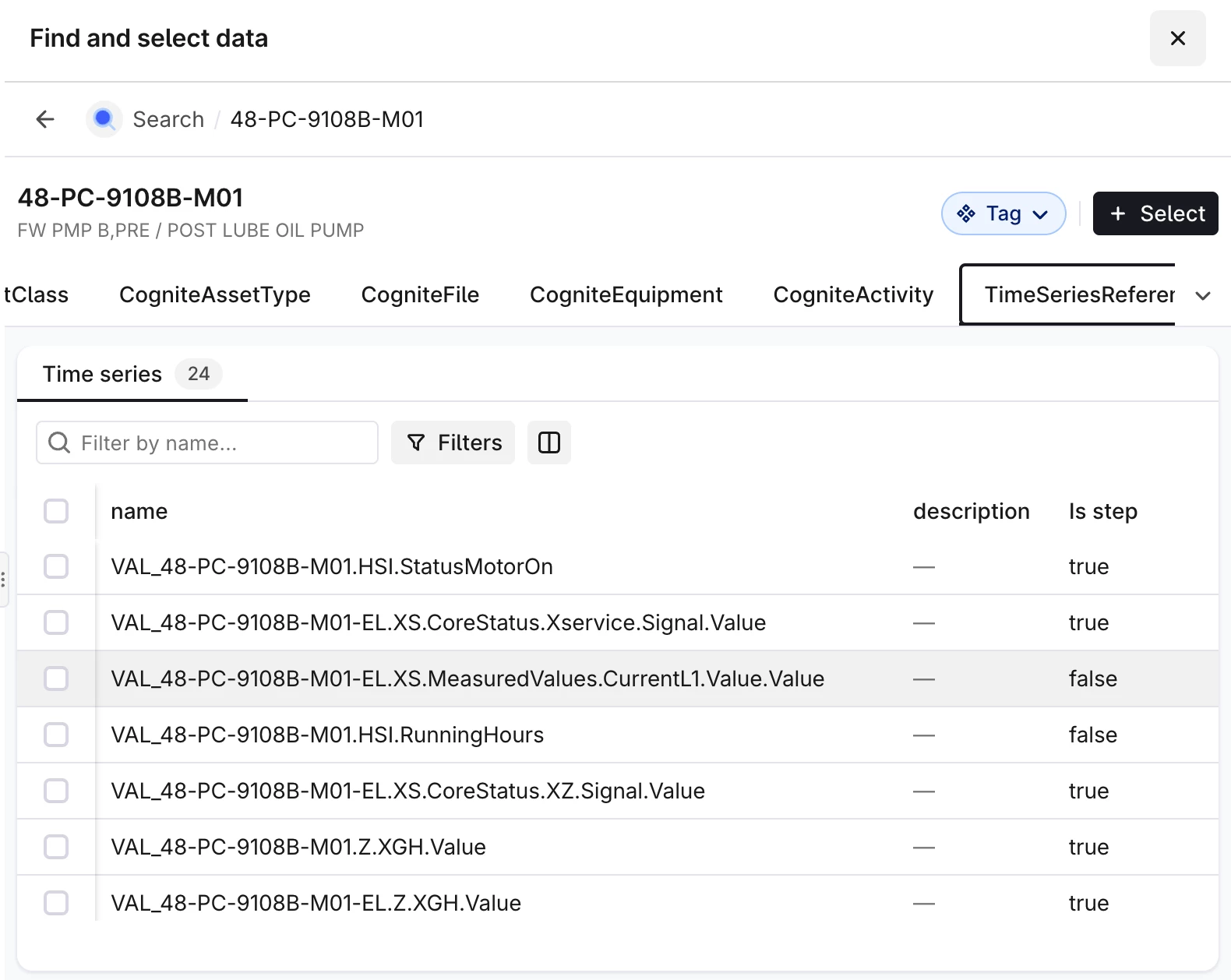
Now it's challenging to find the correct timeseries, especially for OPCUA, where we have many service signals. It would be good to have a way of prioritizing it in all the UIs, including Canvas and Search. Could be a flag in the timeseries properties or any other way.


2 replies

  • Practitioner ⭐️⭐️⭐️
  • April 14, 2026

Hi ​@Kristoffer Helgeland ,

Could you explain the need here a bit more? Is this 'default’ timeseries label variable based on different users? If not, why not simply create a new timeseries relationship (direct) for 'default timeseries’, pointing to the relevant specific timeseries of interest explicitly?

Regards


  • Seasoned ⭐️⭐️
  • April 19, 2026

I can chip in here.
We can create the “default timeseries” relationship from our Timeseries view, but that doesn’t help if the UI do not use it. Today we already have information allowing me (for most cases) to pick up the “default” timeseries via the API, but as you can see from the screenshots above the UI is blindly listing the timeseries from the CogniteAsset:timeSeries. What we need is a way of influencing the order of the list.

For the timeseries  table view for the Asset I can sort/filter on an extra property I have added that reflects some sort of prioritization, but it will require the end user to know how to do this (we can adjust the default columns in the table), and that doesn’t work for the Canvas “P&ID-link” nor for Charts.   

The general ask here is:
Is there a better way for us to influence the order of lists in the UI than adding a property that can be used as the sorting criterion, add that property to the table, and manually force the ascending sorting on that column (cannot be pre-configured). This applies to more than timeseries (very relevant for files)
