
Cognite Academy Instructor
October 29, 2021

CDF Fundamentals Discussion

  • October 29, 2021
  • 177 replies
  • 6453 views

Welcome to the CDF Fundamentals Discussion!

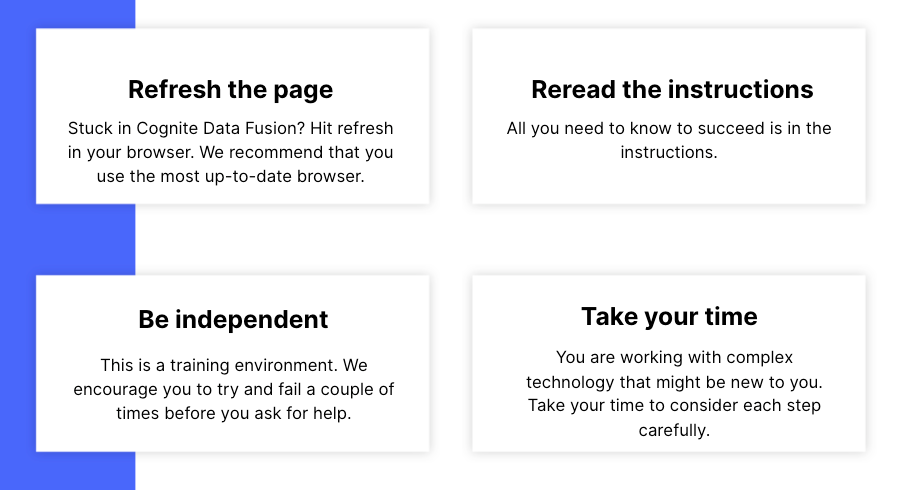
This discussion is dedicated to help learners of the Cognite Data Fusion Fundamentals learning path succeed. If you’re struggling with the exercises in this learning path, try the tips & tricks below or post a comment with the challenge you’re facing. You can also post your own tips and respond to fellow learners’ questions. Cognite Academy’s instructors are also here to help.


177 replies

Sofie Haug
Expert ⭐️⭐️⭐️⭐️
Cognite Academy Instructor
April 8, 2026

Hi ​@kunal013 

If you click on where it says “Industrial tools” all the way up, you should be able to switch to the Data Management workspace. 

Best regards, 

Sofie | Cognite Academy
Committed ⭐️⭐️
June 5, 2026

Heads-up for learners taking CDF Fundamentals Part-2 Hands-on Training

While following the training, you may notice that the instructions refer to the Data Management workspace. (Screenshots attached) Please be aware that the platform has since been updated, and this workspace is now called Data Fusion.

So, if you're asked to navigate to the Data Management workspace and cannot find it, look for Data Fusion instead.

Sharing this note to help new learners avoid confusion and continue with the training smoothly. Happy learning!

Earlier it was: 


Now:


Christian Steinle
Practitioner ⭐️⭐️⭐️
Practitioner ⭐️⭐️⭐️
June 10, 2026

Hi,

I just started the practical part of the training. asset.csv is downloaded and I now try to ingest the data. However, there is no Data Management workspace. So I tried “Data Fusion” which makes the most sense to me still. However, under integrate, there is no “Staging” to select. Could you please help me on this?


Thank you and best regards

Christian

Christian Steinle
Practitioner ⭐️⭐️⭐️
Practitioner ⭐️⭐️⭐️
June 10, 2026

Hi,

even though the preview looks promising I cannot do the data transformation- I alreday tried it twice, always the same error message.


Seasoned ⭐️⭐️
June 27, 2026

Hello Cognite Team,

I am experiencing an issue when copying the following SQL into CogniteActivity.


SELECT

workpackage_desc AS description,

to_timestamp(completion_time/1000) AS endTime,

to_timestamp(start_time/1000) AS startTime,

concat('○○●●:', key) AS externalId

FROM IFSDB.maintenance

WHERE to_timestamp(completion_time/1000) > to_timestamp(start_time/1000)

その他の行を表示する

When I paste this SQL into CogniteActivity, an error occurs and the screen appears as shown in the attached screenshot.
 

Could you please help us understand:

  1. What is causing this error?
  2. Is this related to whitespace, special characters, or SQL syntax parsing?
  3. Are there any recommended workarounds or syntax changes to avoid the issue?

Please see the attached screenshot for reference.

Thank you for your support.

Seasoned ⭐️⭐️⭐️
June 29, 2026

Hello Cognite Team,

I am experiencing an issue when copying the following SQL into CogniteActivity.


SELECT

workpackage_desc AS description,

to_timestamp(completion_time/1000) AS endTime,

to_timestamp(start_time/1000) AS startTime,

concat('○○●●:', key) AS externalId

FROM IFSDB.maintenance

WHERE to_timestamp(completion_time/1000) > to_timestamp(start_time/1000)

その他の行を表示する

When I paste this SQL into CogniteActivity, an error occurs and the screen appears as shown in the attached screenshot.
 

Could you please help us understand:

  1. What is causing this error?
  2. Is this related to whitespace, special characters, or SQL syntax parsing?
  3. Are there any recommended workarounds or syntax changes to avoid the issue?

Please see the attached screenshot for reference.

Thank you for your support.


The “!” next to the “space” propery means that this is a non-nullable property. In other words, a required field that needs to be filled out. In your expression, I do not see you returning space. The same rule applies for externalId. It is non-nullable, and you return it in the expression:

concat(‘Mani1949’, key) AS externalId

So you also need something similar for the space:

'fixed_space_example' AS space


Hope that clears it up

Maria Fonseca
Expert ⭐️⭐️⭐️⭐️
Expert ⭐️⭐️⭐️⭐️
June 29, 2026

Hello ​@Kubota Mami ,

Please make sure you follow the section on “CogniteActivity Transformation”

  • Create a new transformation and name it FirstnameBirthyear-Activity. A unique external ID for your transformation will be generated automatically.

  • Fill out the following to create your Events transformation.

    • Destination: Cognite core data model

    • Version: v1

    • Target space: cdf-fundamentals

    • Target  type or relationship: CogniteActivity

    • Action: Create or Update

    • For incoming NULL values on updates: Keep existing values (Default)

I have mark in bold the setting that I believe you have missed. I will also attach an screenshot on how should look. I have run the preview myself and could not encounter any issue with the space.

Let me know if that helps.

Maria Fonseca, Technical Enablement Consultant
