
Cognite Academy Instructor
October 29, 2021

CDF Fundamentals Discussion

  • October 29, 2021
  • 177 replies
  • 6453 views

Welcome to the CDF Fundamentals Discussion!

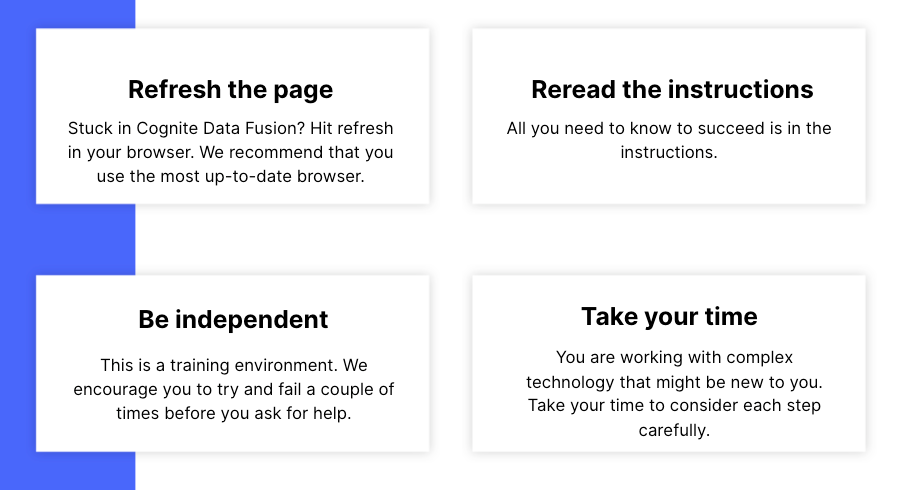
This discussion is dedicated to help learners of the Cognite Data Fusion Fundamentals learning path succeed. If you’re struggling with the exercises in this learning path, try the tips & tricks below or post a comment with the challenge you’re facing. You can also post your own tips and respond to fellow learners’ questions. Cognite Academy’s instructors are also here to help.


177 replies

Sofie Haug
Expert ⭐️⭐️⭐️⭐️
Cognite Academy Instructor
October 28, 2025

 I find them by pasting in your prefix in the the search tab. 

Sofie | Cognite Academy
Sofie Haug
Expert ⭐️⭐️⭐️⭐️
Cognite Academy Instructor
October 28, 2025

They appear in the second “Assets” tab

Sofie | Cognite Academy
Active ⭐️⭐️⭐️
October 28, 2025

Thanks Sofie. That seems a Display bug cause i had to change my SQL script transform and change my first name 1st letter by an A instead of a Y. After i could retrieve My asset. 

Active ⭐️⭐️⭐️
November 7, 2025

Hi.

In the lesson #18 I’m not getting why the query bellow is returning 0 rows, since I do have cdm_assets.externalId equals to “Leonardo1987:23-1ST STAGE COMPRESSOR-PH”, for example. And there is the asset “23-1ST STAGE COMPRESSOR-PH”.

SELECT
workpackage_desc AS description,
to_timestamp(completion_time/1000) AS endTime,
to_timestamp(start_time/1000) AS startTime,
concat('Leonardo1987:',key) AS externalId,
array(node_reference("cdf-fundamentals", CAST(cdm_assets.externalId as STRING))) as assets
  
from IFSDB.maintenance as t1
join cdf_data_models("cdf_cdm", "CogniteCore", "v1", "CogniteAsset") as cdm_assets
on cdm_assets.externalId = concat('Leonardo1987:',t1.func_loc)

Sofie Haug
Expert ⭐️⭐️⭐️⭐️
Cognite Academy Instructor
November 10, 2025

Hi ​@leonard.cruz 

I don’t know why there is nothing showing up from the preview. But I see that you did run it successfully. And when I check your CogniteActivites, they are liked to the CogniteAsset. So you have but everything correctly. 

Sofie | Cognite Academy
Active ⭐️⭐️⭐️
December 29, 2025

Part 2 - Hands-on / Lesson 11 of 27 (Verification of ingestion)
Oddly, the ‘Starts with’ filter does not show my newly-transformed Assets (first screenshot) but the general Search does. Perhaps just an odd quirk.


Sofie Haug
Expert ⭐️⭐️⭐️⭐️
Cognite Academy Instructor
January 2, 2026

FYI ​@Sofie Svartdal Berge  about the Search experience above

Sofie | Cognite Academy
Committed ⭐️⭐️⭐️
February 13, 2026

working thru Cognite Data Fusion Fundamentals: Part 2 - Hands-on

I can preview the SQL, but on lesson 10, to run, I get this error with my asset Dominick1970:

[DATAMODELS] Request with id a6de5f06-0af4-949c-846c-cafd08bc8824 to https://api.cognitedata.com/api/v1/projects/cdf-fundamentals/models/instances failed with status 403: Not allowed to perform instances action: READ.

I’ve logged off and back of thinking my credentials haven’t full set, but after many trys still the same error.

Any thoughts on how to resolve this?

Sofie Haug
Expert ⭐️⭐️⭐️⭐️
Cognite Academy Instructor
February 16, 2026

Hi ​@dburley70 

I’m sorry for the access blocker, it should be fine now! Please let me know if there are any more issues.

Sofie | Cognite Academy
Active ⭐️⭐️⭐️
April 7, 2026

Hi Team, I am logged in to the cdf fundamentals, unfortunately i am not able to access Data Management tab to upload CSV. Would appreciate if you can help.
