
Seasoned ⭐️⭐️
August 11, 2026
Question

Identical Simulator Models. Can I create a Routine that run on both of these models?

  • August 11, 2026
  • 1 reply
  • 36 views

Hi,

I have two nearly identical PROSPER models for two oil producers (A-13 and A-11) on the same oilfield. The model structure is essentially identical: same well type, same configuration, same parameters, etc. The only differences are the actual values (for example, well-specific data such as gauge depth).
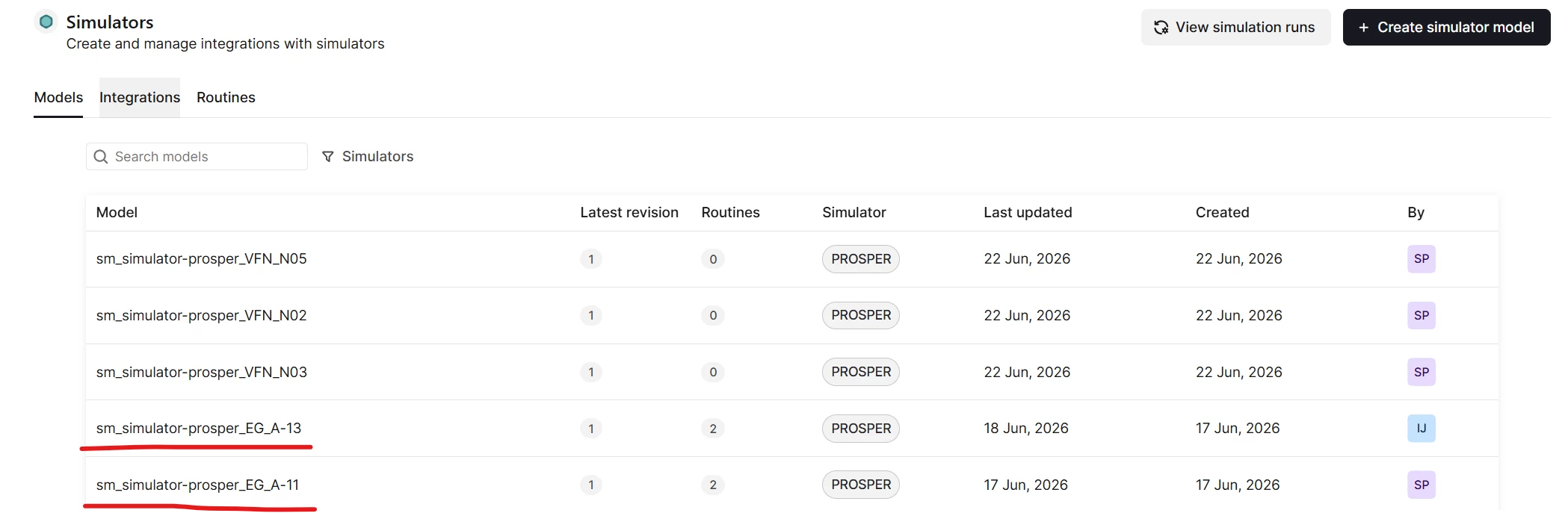
 

Question

Since the corresponding Simulator Models are nearly identical, is it possible to create one Simulator Routine that can be executed against multiple models?

Ideally, I would like to maintain a single routine and simply select which model to run, perhaps through a variable or parameter (for example, a "Model" input/SET variable).
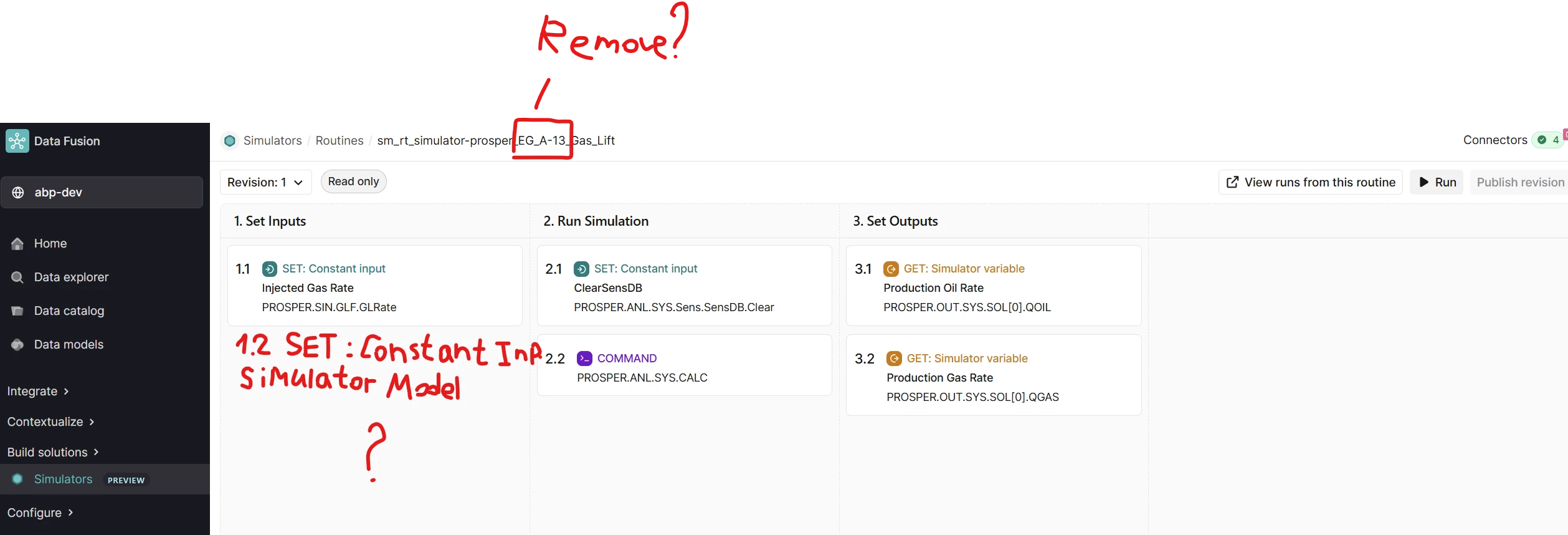
I would like to avoid creating and maintaining two identical routines, one for A-11 and one for A-13, as this creates unnecessary duplication and makes maintenance and governance more difficult.

Could you please advise on the recommended approach for running a single routine against multiple simulator models? If the approach I described is not supported, is there another best practice you would recommend?


cc:

@Maciej Marciniak 

@navin.r 

    1 reply

    vikram.chawan
    Practitioner ⭐️⭐️⭐️
    Practitioner ⭐️⭐️⭐️
    August 13, 2026

    Can one Simulator Routine run against multiple models? Short answer: No - here's why, and what to do instead.

    The caveat

    In Cognite's Simulator Integration, a Simulator Routine is permanently linked to exactly one Simulator Model the moment it's created. This isn't a UI limitation - it's enforced at the data level:

    • Every routine (and every revision of that routine) stores a fixed reference to one model. You cannot change which model a routine points to after creation.
    • When you run a routine, you can choose which revision of its model to use, but you can never point it at a different model. The system explicitly blocks this and returns an error if you try.
    • Routine "input variables" (the things you can set per run) only let you override values like gauge depth - they cannot be used to switch which model the routine targets. Model selection is structural, not something you can parameterise.

    A tempting workaround - and why we don't recommend it: You might think to store A-11 and A-13 as two "revisions" of the same model, then pick the revision at run time. This technically works, but it's fragile:

    • If anyone ever triggers a run using the simpler "run by routine" path (instead of "run by specific revision"), the system silently defaults to whichever revision was uploaded most recently - meaning a scheduled run meant for A-13 could silently execute against A-11's data with no error or warning.
    • There's no real safeguard tying a "revision" to a specific well - it's just a free-text, optional label. Nothing stops someone from accidentally uploading the wrong well's file as the "next revision" of the wrong model.
    • Model revisions are meant to represent the version history of one evolving model over time - not a container for two unrelated wells.

    Using it that way relies entirely on everyone remembering to do the right thing, forever, with no system-level protection.

    So: one routine per model is required. The good news is you don't have to maintain them by hand.

    ---
    Recommended approach: automate the duplication, don't do it manually

    Instead of hand-editing two routines in the UI, treat your routine as code - write it once, and let a tool stamp it onto both models automatically. This gets you single-point maintenance and clean governance (one reviewed change, not two manual edits).

    Step 1 - Extract your routine into one shared template file

    Take the routine you've already built (steps, calculations, input/output definitions) and save it as one YAML template using the Cognite Toolkit format. This becomes your single source of truth.

    Step 2 - Keep well-specific values out of the template
    Anything that differs between A-11 and A-13 (like gauge depth) should be defined as a routine input variable/override, not hardcoded into the steps. The template's internal object references (well/node names inside the PROSPER model) should stay generic and identical across both wells - this only works cleanly because your two models already share the same structure, which you confirmed.

    Step 3 - Set up the per-model values
    For each well, define the small set of values that differ:

    • model_external_id → e.g. prosper_model_a11, prosper_model_a13
    • Well-specific input overrides → e.g. gauge depth for each

    Step 4 - Deploy the template to both models
    Use the Cognite Toolkit CLI to deploy the same template twice - once per model - injecting each model's model_external_id and input values at deploy time. This creates (or updates) two routines, each correctly bound to its own model, from one source file.

    Step 5 - Put the template under version control
    Store the YAML template in your git repo alongside your other CDF configuration. Now, any change to the shared logic is:
      - Made once, in one file
      - Reviewed once, via a normal pull request
      - Deployed automatically to both A-11 and A-13 through your existing CI/CD pipeline

    Step 6 (optional, if you prefer scripting over Toolkit) - Python SDK alternative
    If you'd rather not adopt Toolkit right now, you can achieve the same result with a short Python script using the Cognite SDK: read one master routine configuration, loop over your list of wells, and call client.simulators.routines.create() / create-revision for each, injecting the model ID and well-specific values programmatically. This is faster to set up but gives you less built-in review/diffing than Toolkit — you'd be responsible for re-running the script every time the template changes.

    ---
    Bottom line

    You can't collapse A-11 and A-13 into one runnable routine - the platform ties routines to models by design, for good reason (data integrity and run safety). But you can eliminate the maintenance burden entirely by keeping one template file and letting Toolkit (or a script) generate/update both routines automatically whenever it changes. That gives you exactly what you were after - a single place to maintain and govern the logic - without fighting the platform's safety guarantees.
