Question

How to hide Asset class properties in the propertyLayout of a view?

  • June 19, 2026
  • 2 replies
  • 46 views

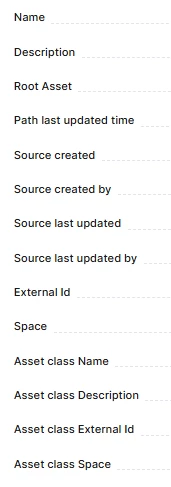
I have 4 views that implement CogniteAsset. When clicking on an instance and heading over to the properties tab, there are four properties there:

  • Asset class Name
  • Asset class Description
  • Asset class External Id
  • Asset class Space

These are visible for 3 of the 4 views. Looking at the propertyLayout, I did not see any reference to an asset class in a view where they are visible, and neither in a view where they are hidden. I’ve tried adding the following to the PropertyLayout section of views where they are visible in the UI:

- property: assetClass

  hidden: true


But it did not help. What is the factor that determine whether these are visible or not?

 

2 replies

Sofie Svartdal Berge
Expert ⭐️⭐️⭐️⭐️

Hi ​@Mark Movh , 

We do not have a configuration option to prevent these AssetClass properties from being displayed. They are appended if the instance has a relation to a populated CogniteAssetClass instance. 


Do you say that you see these properties in the property config in Project settings for views implementing CogniteAsset? 


Best regards, 

Sofie, Product Manager


  • Author
  • Seasoned ⭐️
  • June 19, 2026

Hi ​@Mark Movh , 

We do not have a configuration option to prevent these AssetClass properties from being displayed. They are appended if the instance has a relation to a populated CogniteAssetClass instance. 


Do you say that you see these properties in the property config in Project settings for views implementing CogniteAsset? 


Best regards, 

Sofie, Product Manager


Hi Sofie, thank you for the response.


These properties are visible under the “properties” panel.


Here is 1 view under asset that has the unwanted properties:


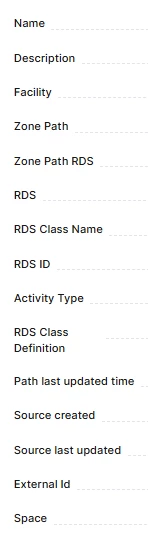
And another view under asset that does not have them:


Hope this provides a clearear image. Under the yaml SearchConfig files these are not present.