Committed ⭐️⭐️⭐️
December 4, 2022
Solved

Understanding Open Industrial Data - Setting up Postman

  • December 4, 2022
  • 14 replies
  • 227 views

Hi,

I am following the course “Understanding Open Industrial Data” and am at “Set up Postman”. 

Two issues:

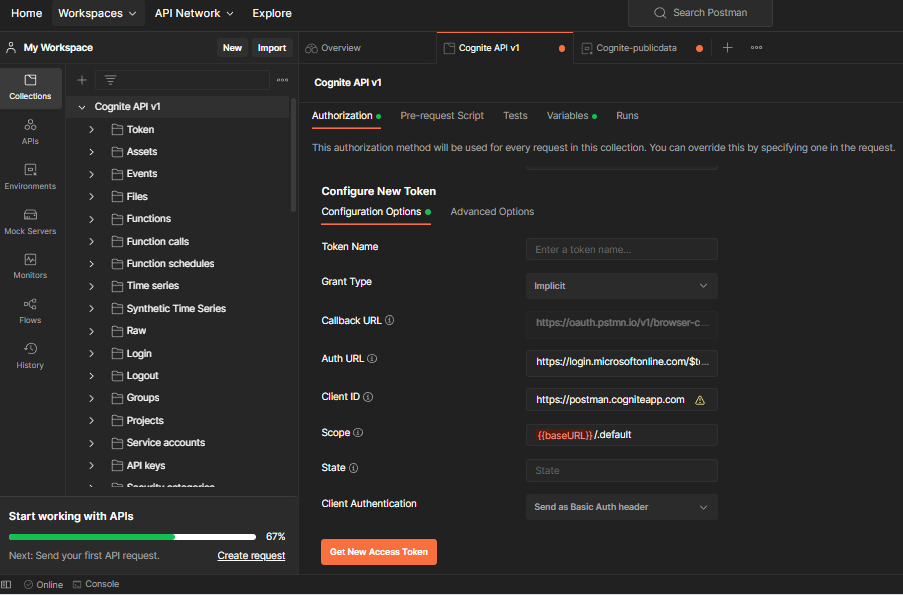
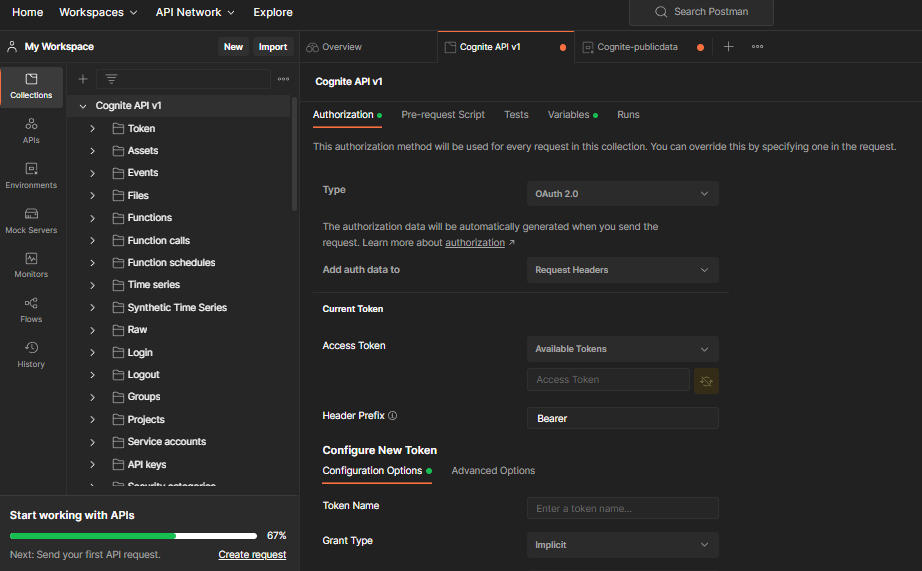
  1. I don’t get to see the “Authorize using browser” option under CallbackURL” and hence it is not allowing me to make any edits there as per the course. Just fyi, I am running the Postman from web and have downloaded  Postman-Agent for it.
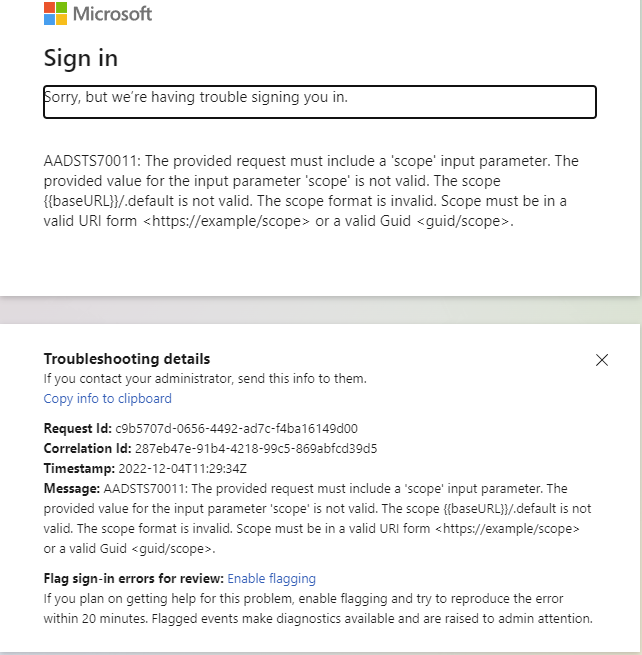
  2.  I am currently trying to get Access token using provided details in the section. But I am unable to get the Access token when I click on “Get New Access Token”. I get an error message saying “Sorry, but we’re having trouble signing you in.”.

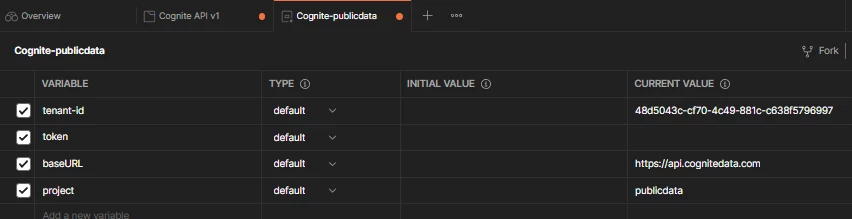
I am unable to move further due to this. I have attached the screen-shots to show my entries in Postman and error message. Will highly appreciate assistance to resolve this and help me move forward.


Thanks,

Anindya Ray
 

    Best answer by Madina Kholmatova

    Hi @Anindya Ray

    It might be because your token that you generated in the previous lesson has expired. Tokens are given for a short period of time, and gets expired. Can you make sure to generate a new token, click Use token, and save it. Then retry with this lesson. If the issue keeps persisting, I suggest to reach out to Cognite Support (support@cognite.com).

    Best regards,
    Madina

    14 replies

    Madina Kholmatova
    Expert ⭐️⭐️⭐️⭐️
    Cognite Academy Instructor
    December 7, 2022

    Hi @Anindya Ray

    It might be because your token that you generated in the previous lesson has expired. Tokens are given for a short period of time, and gets expired. Can you make sure to generate a new token, click Use token, and save it. Then retry with this lesson. If the issue keeps persisting, I suggest to reach out to Cognite Support (support@cognite.com).

    Best regards,
    Madina

    Committed ⭐️⭐️⭐️
    January 13, 2023

    I faced similar issue. Able to overcome it by replacing variable name {{tenate-id}} and {{baseURL}} with actual values.

    Seasoned ⭐️⭐️⭐️
    September 26, 2023

    Hi.


    Found this thread as I was having the same issue as OP.

    My problems resolved after removing the extra space in front of tenant-id.

    You might want to fix this.


    I copied the tenant-id from below this video: 


    Cognite Academy Instructor
    September 26, 2023

    Hi Mtnholt, 

    Thanks for noticing the extra space in the auth url and we have updated the course.

    Regards 
    Kumar

    Rahul Kumar