

 Check the
documentation
Check the
documentation Ask the
Community
Ask the
Community Take a look
at
Academy
Take a look
at
Academy Cognite
Status
Page
Cognite
Status
Page Contact
Cognite Support
Contact
Cognite Support


How to automate transformation deployment using toolkit [Contributed by SLB]
This document describes how the script for the above-described use case is set up for use.
- We mention the output path where we want to store the transformation yaml files Two paths are mentioned as we want to classify them based on target - classic-transformation for timeseries, asset hierarchy, events etc. whereas custom-sdm-transformation for all data model related transformation
- There is also an option to exclude transformations related to a list of data models (
exclude_dm_ext_ids) - There is also
exclude_trans_ext_id, which lists transformations that don't need to be dumped/moved

- Then there is a custom logic added to exclude transformations starting with 'core_', which was added for project specific requirements (Core data model related transformations were being maintained manually as they were written for SDM to CDM migration and were being maintained manually)
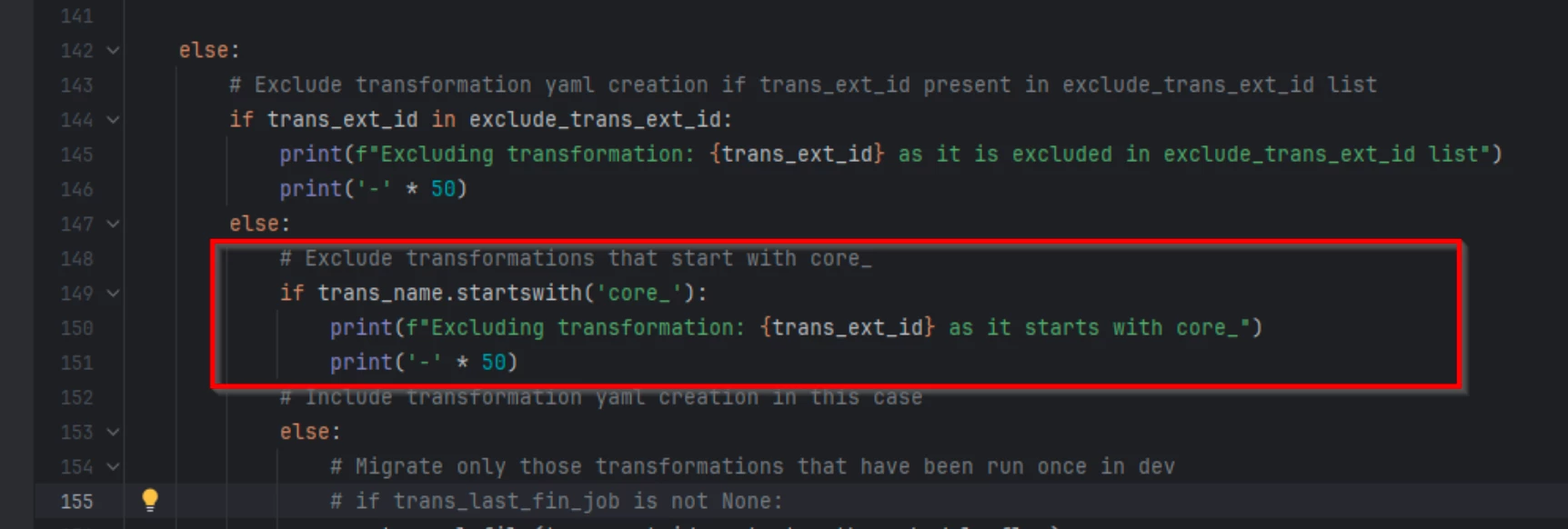
- We use the pull command to pull transformations, which is mentioned the below screenshot

- To parameterize the data model version in target, we replaced them with variable
{{legacy-sdm-version}},{{legacy-sdm-tol-version}}and{{legacy-sdm-net-version}}, which are parameters mentioned in the config files of toolkit to maintain latest data model versions being deployed. Below two functions are written for the same

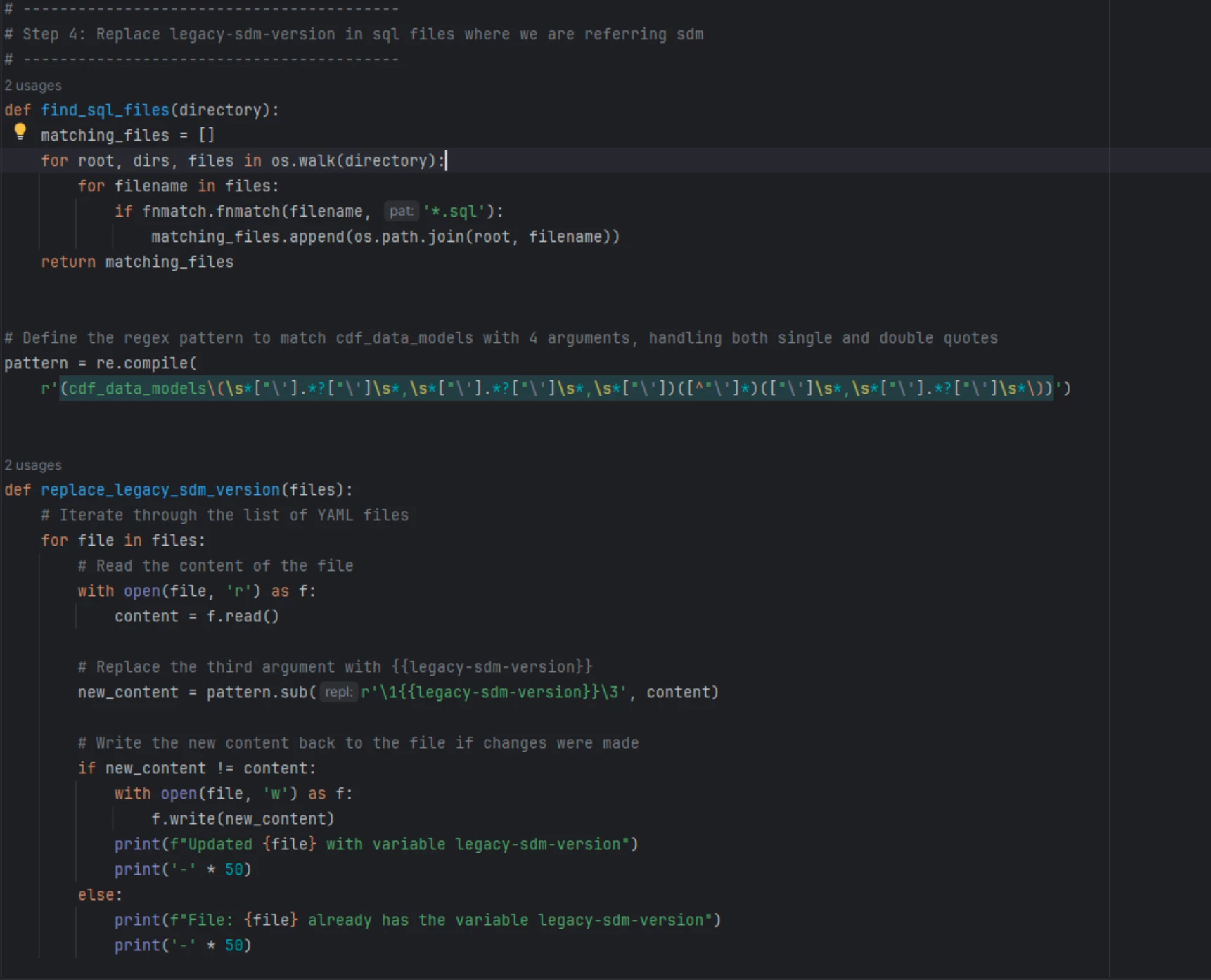
- Similarly, in sql queries, we replace hard coded data model version being used in
cdf_data_models()inbuilt function with the parameter{{legacy-sdm-version}}. Below two functions are written for the same
- For adding authentication part, the below code snippet is written

