Seasoned ⭐️⭐️
October 17, 2025
Solved

string is shortened unnecessary

  • October 17, 2025
  • 4 replies
  • 120 views

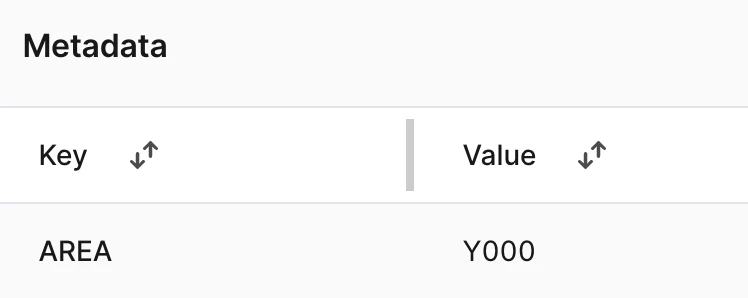
For metadata on assets (and other object types) in the app UI, the text is capped even though there is a lot of white space. Inconvenient when viewing it on a big screen and expecting to be able to see the whole string.



Best answer by Sofie Svartdal Berge

Hi ​@Haakon !
We are focusing the capacity on the Search UI which we transition all customers to, and are not picking up smaller improvements (besides bugs!) on Data Explorer.

You can today adjust the width of the Key and Value property fields by hovering at the top of the table (the grey vertical line you see). Sliding this left or right :) 


Best regards, 
Sofie, Product Manager

4 replies

Mithila Jayalath
Expert ⭐️⭐️⭐️⭐️
Expert ⭐️⭐️⭐️⭐️
October 17, 2025

@Sennen de Almeida is this a bug or should we create a product idea for this?

HaakonAuthor
Seasoned ⭐️⭐️
May 7, 2026

Was this picked up? Looks like a small change!

Sofie Svartdal Berge
Expert ⭐️⭐️⭐️⭐️
Expert ⭐️⭐️⭐️⭐️
May 7, 2026

Hi ​@Haakon !
We are focusing the capacity on the Search UI which we transition all customers to, and are not picking up smaller improvements (besides bugs!) on Data Explorer.

You can today adjust the width of the Key and Value property fields by hovering at the top of the table (the grey vertical line you see). Sliding this left or right :) 


Best regards, 
Sofie, Product Manager

HaakonAuthor
Seasoned ⭐️⭐️
May 7, 2026

That makes sense! Thanks for the reply!