
Answer

Infield Checklist template add measurement input

  • March 28, 2023
  • 4 replies
  • 69 views

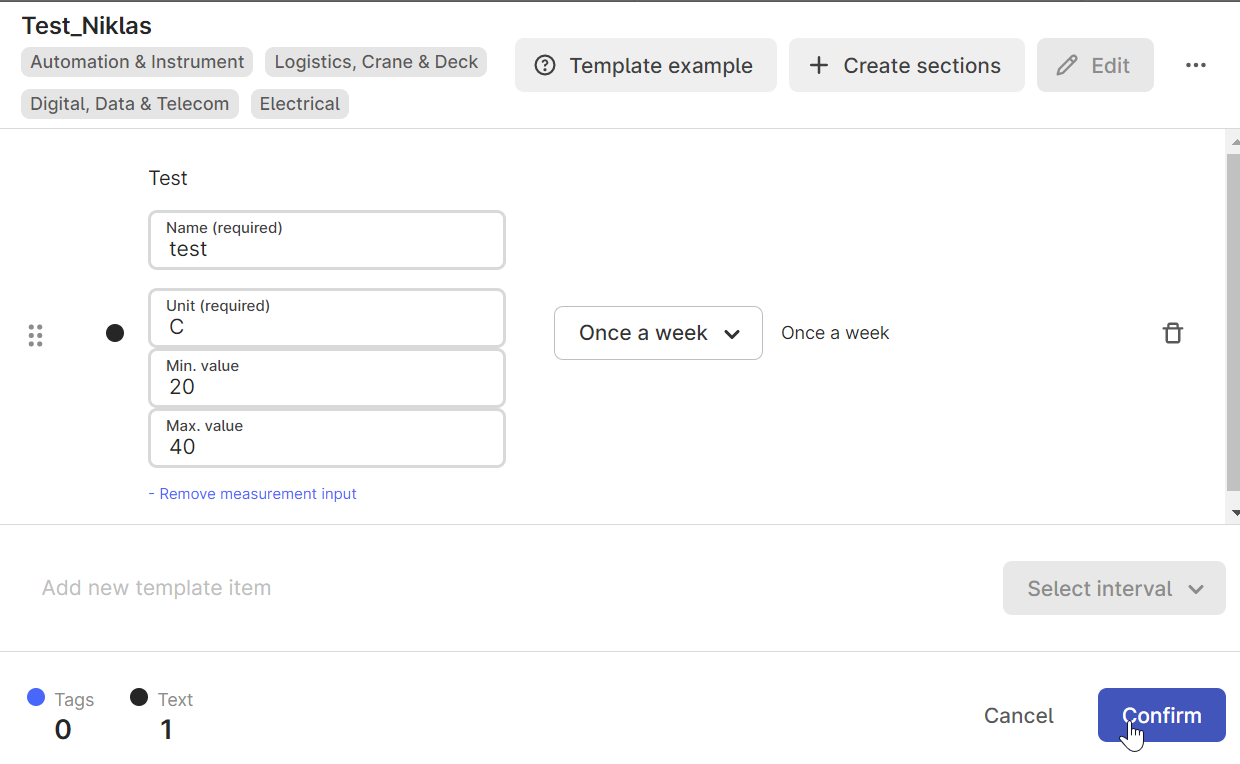
As soon as I add a measurement in a checklist template and click on "Confirm" it is not saved. After opening the template again, my measurement input is no longer available. Am I doing something wrong here?
All fields (name, unit, min/max value) are filled in.
 

Best answer by Dilini Fernando

Hi @Niklas Laufer,

We have received the Support ticket and will further communicate in the ticket . As of now, I will close this thread. 

Best regards,
Dilini


4 replies

Forum|alt.badge.img+1

Hi @Niklas Laufer , thanks for reaching out! 

From your screenshot it doesn’t look like you are doing anything wrong, but could you potentially attach a screen-recording of exactly what happens after you click “confirm”? 

Br,

Kristoffer 


Forum|alt.badge.img+1

Thanks @Niklas Laufer ! 

From the video I can’t see that you are doing anything wrong. There might be a bug here, could you please log a ticket at support@cognite.com with the video attached? 

Br,

Kristoffer 


Dilini Fernando
Seasoned Practitioner
Forum|alt.badge.img+2
  • Seasoned Practitioner
  • Answer
  • March 30, 2023

Hi @Niklas Laufer,

We have received the Support ticket and will further communicate in the ticket . As of now, I will close this thread. 

Best regards,
Dilini
