

 Check the
documentation
Check the
documentation Ask the
Community
Ask the
Community Take a look
at
Academy
Take a look
at
Academy Cognite
Status
Page
Cognite
Status
Page Contact
Cognite Support
Contact
Cognite Support

Solved
Charts: Locking y-axis in stack mode
Not zoomed burgundy line
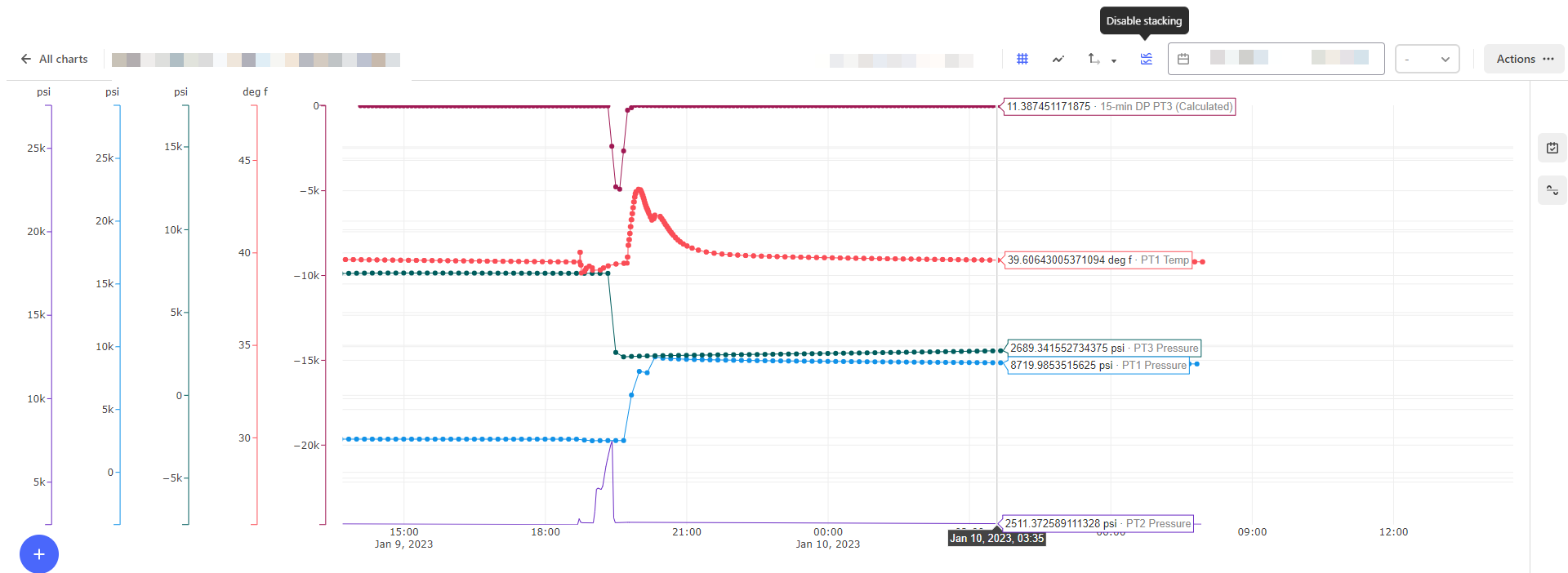
vs
Zoomed burgundy line
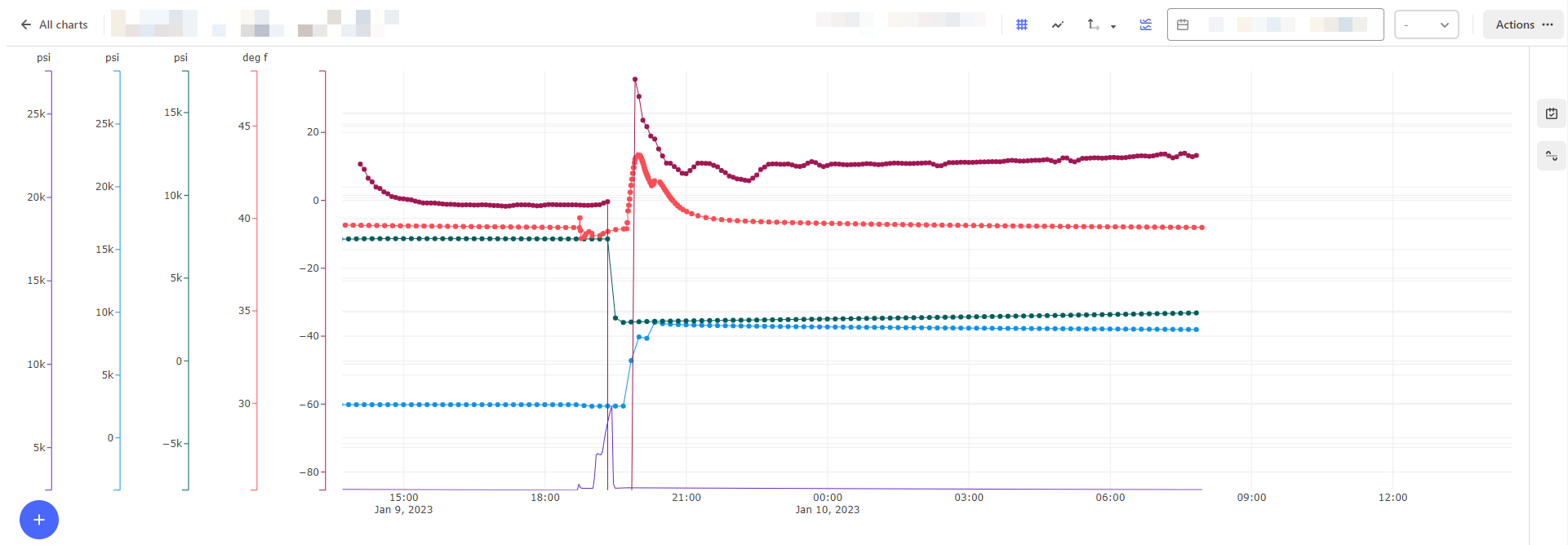
Not zoomed burgundy line
vs
Zoomed burgundy line
Hi, Richard.
As I understand it, you want to first stack the time series, then lock them so they are not moving the y-axis when you are zooming and panning?
The expected behaviour is that after enabling stacking, the y-axes should not re-scale. However there are situations where it will trigger the re-stacking and try to optimize the axes for best view of the data.
I’ll investigate with the designers and look into a better pattern to lock the axes when zooming and panning, so that it is easier to follow the data at different zoom levels.
Knut
Enter your E-mail address. We'll send you an e-mail with instructions to reset your password.
