

 Check the
documentation
Check the
documentation Ask the
Community
Ask the
Community Take a look
at
Academy
Take a look
at
Academy Cognite
Status
Page
Cognite
Status
Page Contact
Cognite Support
Contact
Cognite Support


Data Workflows UI is now Generally Available
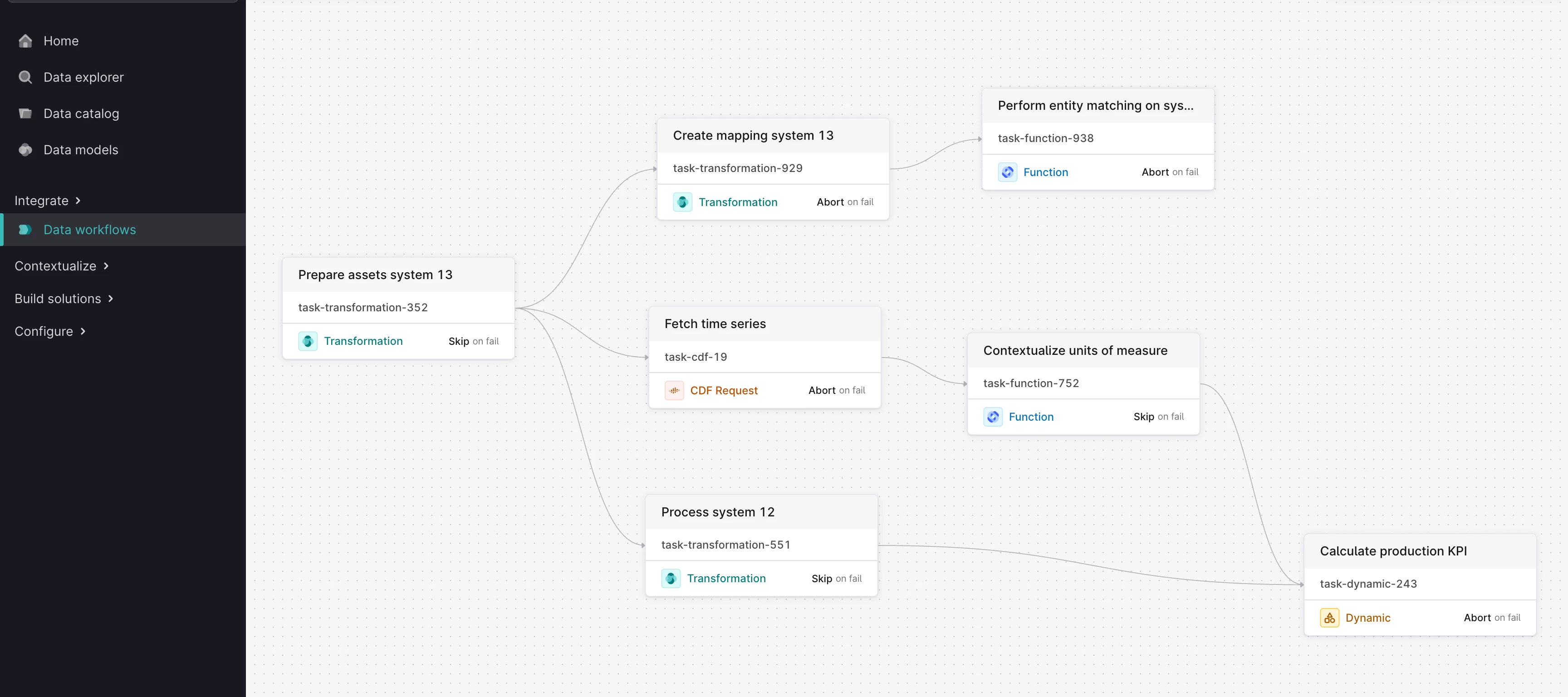
Industrial operations generate massive volumes of data that must be processed, transformed, and contextualized to drive business value. Yet building reliable data pipelines through APIs alone or managing individual tasks in isolation can create operational complexity, especially as your data ecosystem grows.
Data Workflows in Cognite Data Fusion addresses this challenge with a visual orchestration platform that's now generally available. Improve how you build, manage, and monitor your industrial data pipelines with an intuitive graphical interface designed for both technical and business users.
Why Data Workflows changes the game
Data Workflows is an orchestration service that lets you connect different CDF tasks together and run them in sequence with dependency management.
While we're just getting started with this service, it already provides several key improvements over managing individual tasks:
Task coordination: Handle complex sequences of tasks with dependencies, supporting up to 50 concurrent executions and 200 tasks per workflow.
Enhanced reliability: Built-in retry logic, error handling, and failure recovery help reduce manual intervention when individual components encounter issues.
Execution visibility: Track execution history, monitor task status, and debug failures with centralized logging and status monitoring.
Mixed task types: Mix different task types and create dynamic, data-driven pipelines that can adapt to different data conditions and requirements.
Current task orchestration capabilities
Data Workflows currently supports six task types that cover common industrial data operations, with plans to expand this list as we continue developing the service:
- CDF Transformations: Running SQL transformations to process and transform data with builtin retry policies, advanced concurrency control and credential management.
- Cognite Functions: Custom data processing logic, integration with external APIs and systems, complex calculations and analytics, data validation and quality checks with support for both synchronous and asynchronous execution patterns.
- Simulations: Engineering simulations for process optimization, predictive maintenance simulations to assess equipment health, what-if scenario analysis integrated directly into your data pipelines.
- CDF API Requests: Direct integration with any CDF API endpoint for low key resource management and data retrieval.
- Dynamic Tasks: Processing variable numbers of data sources, creating workflows based on runtime conditions, handling different processing paths based on data content, great for handling dynamic industrial scenarios.
- Subworkflows: Grouping related tasks for better organization, creating reusable task blocks, logical separation of workflow phases that enhance maintainability and reusability.
Workflow automation with Triggers
Scheduled triggers: Run a data workflow at regular intervals using cron expressions for everything from hourly data updates to monthly reporting cycles.
Data modeling triggers: Run a data workflow based on changes to data modeling instances matching a filter with support for batching controls that allow distributing load over multiple workflow executions.
Advanced workflow capabilities
Parametric workflows: You can pass data between tasks and from the outside world into your workflows. Makes them reusable across different scenarios.
Error handling: Mark tasks as required or optional. Optional tasks can fail without cancelling the whole workflow.
Where to find it
Navigate to Data Management > Integrate > Data Workflows to begin building your first automated pipeline, or explore our public documentation to discover current capabilities.
