

 Check the
documentation
Check the
documentation Ask the
Community
Ask the
Community Take a look
at
Academy
Take a look
at
Academy Cognite
Status
Page
Cognite
Status
Page Contact
Cognite Support
Contact
Cognite Support

Gathering Interest
When using filters in Search, the Apply button in the filter setup do not work unless there is a match in the "pre-fetched" data
When using filters, the Starts with setting is a powerful functionality allowing you to filter on phrases (limited to the start of the string). However, if the phrase you enter in the search field do not get a match in the “sample set” (not sure how that is extracted, but assume it is the X first instances returned by the list API call), the Apply button is grayed out (shows a red no-parking sign if you hover over it).
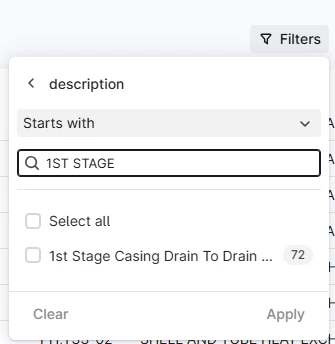
To force the setup of the filter you have to activate the search field and press Return.
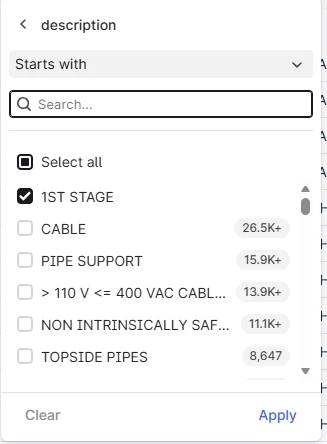
If you then press Apply the filter works as intended.
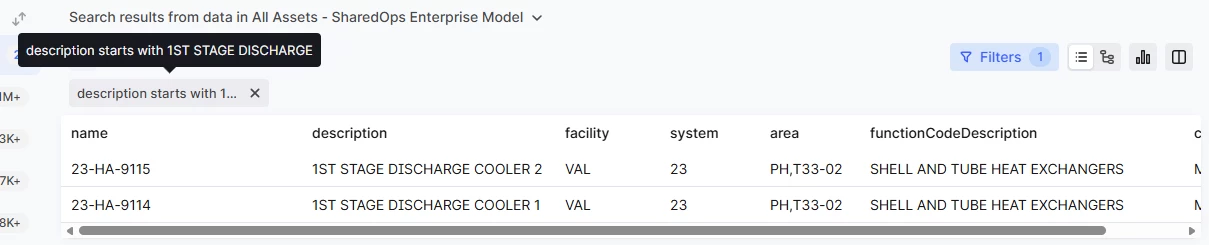
This is not a very intuitive workflow, and most users believe the filter config is invalid when the Apply button is “greyed out”.
