Check the
documentation
Check the
documentation Ask the
Community
Ask the
Community Take a look
at
Academy
Take a look
at
Academy Cognite
Status
Page
Cognite
Status
Page Contact
Cognite Support
Contact
Cognite Support

Gathering Interest
Cognite Data Model UI - Change List View Order Preference and Hide Views
Hi Team,
In regards to Cognite Data Model UI we understand that the below features are currently not supported and would like to add them here as a Product Idea requests -
- Reorder the Sequence of the Views listed in Cognite Data Model UI.
For example, Under "Assets" category we have 1) Piping Tag 2) SAP Assets.
We would want the "SAP Assets" View to come first followed by the "Piping Tag" View.
This would make easier for end users by having important and frequently visited views on top. Also, would reduce the number of clicks a users has to make to get the the required data - for example in Canvas when we want to "Add Data", the default category is set to "Piping Tag" and user has to switch to "SAP Assets" to get to the right view.
- Option to HIDE some of the views from the Data model UI main/home/landing page.
Most of the Views need not be accessible from the Data Model main page and can be accessed through relationships.
For example - Under "Activities" category we currently have 11 different categories. We done need "Work Order Operation" on the main page but can be accessed through "Work Order" View and its relationship with "Work Order Operation".
We would like to hide these categories from which a user would typically not start their data search journey with.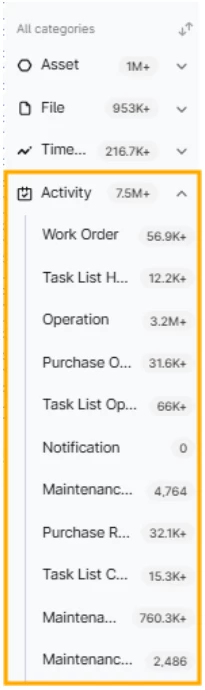
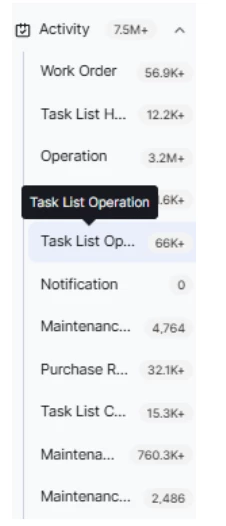
- In below screenshot you see that some of the names of the Views are truncated in the categories panel. This panel seems to have static width and does not seems to have a feature to expand to see the entire names of the views. We end up having to hover on top to get to the right view which again becomes time consuming when we have many views to search from.
Requesting if the sizing of this panel can be made dynamic.