Check the
documentation
Check the
documentation Ask the
Community
Ask the
Community Take a look
at
Academy
Take a look
at
Academy Cognite
Status
Page
Cognite
Status
Page Contact
Cognite Support
Contact
Cognite Support

Charts: Not possible to view an instance as the CogniteAsset extension when going via P&ID link
If you in Charts add a timeseries that is contextualised to a CogniteAsset, you will get the “P&ID” link icon. By clicking on it you will enter search mode for that specific asset, showing the File links as default. This is a nice workaround for a “Find related data”, also allowing you to add CogniteActivities.
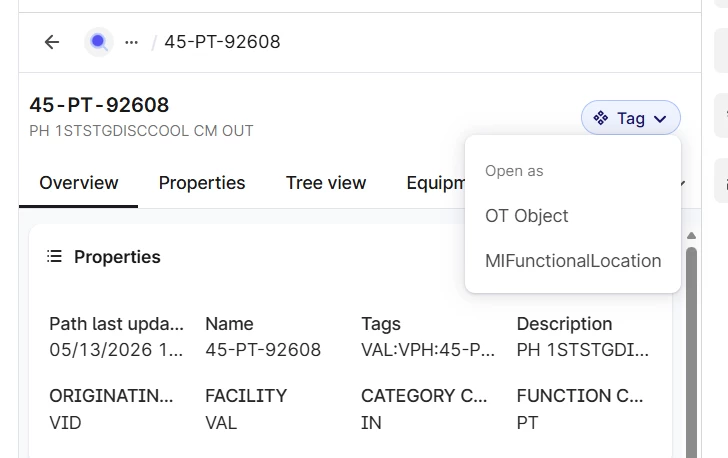
The instance is shown as a CogniteAsset, and it obviously use the inspection endpoint since you are allowed to change between different views for this instance. However, it doesn’t show the View that is the CogniteAsset extension. The consequence of this is that I’m not able to see neither CogniteFiles nor CogniteActivities as their extension (my CogniteAsset extension has reverse direct relation to the CogniteFile and CogniteActivity extensions). This seriously limits me when filtering on important properties since they only exist in the extension.
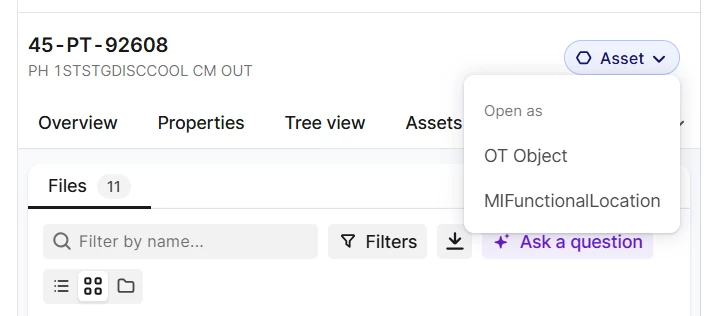
A workaround is to go directly to “+ Add data → Add time series”, and then select my CogniteAsset extension when I search, but then I have to repeat the search instead of going directly via the “P&ID” link, making it much more cumbersome.