Check the
documentation
Check the
documentation Ask the
Community
Ask the
Community Take a look
at
Academy
Take a look
at
Academy Cognite
Status
Page
Cognite
Status
Page Contact
Cognite Support
Contact
Cognite Support

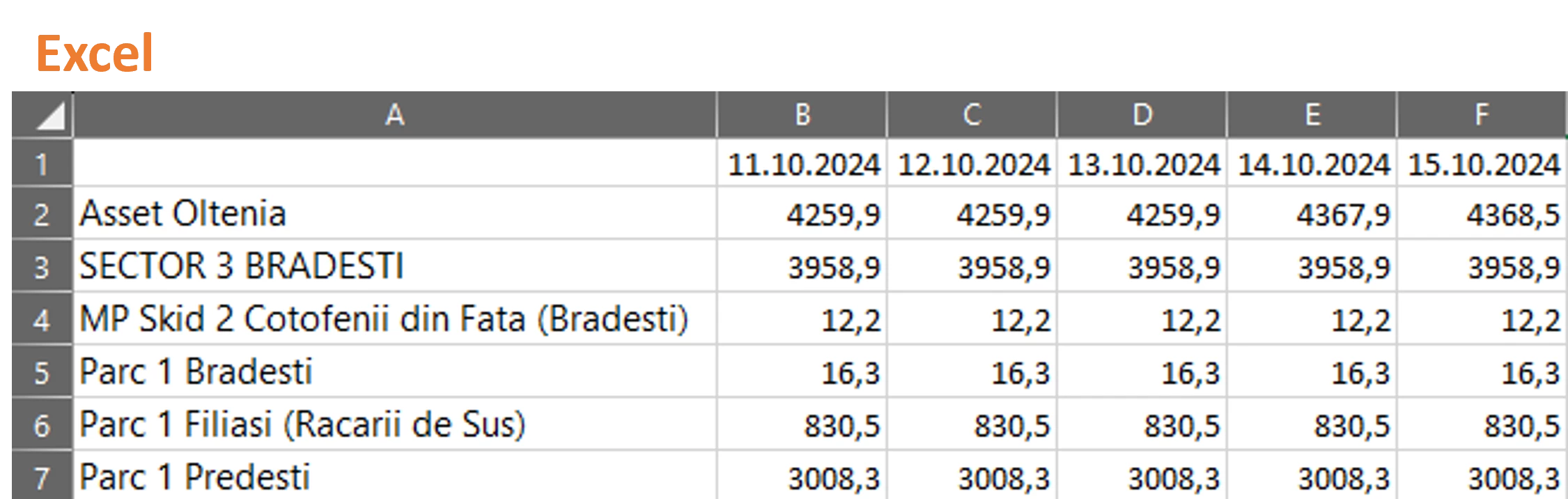
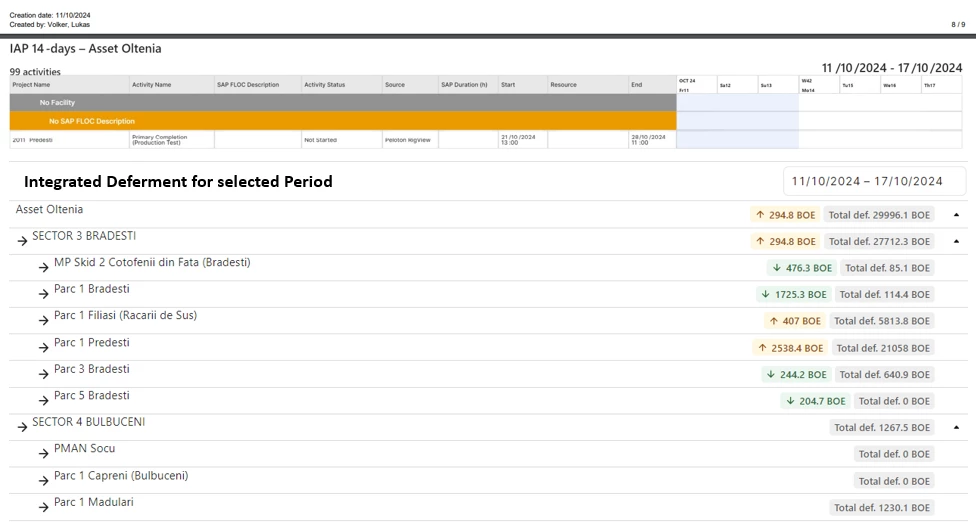
As I user I want to have an export function for the integrated deferment panel as an Excel and to append the deferment panel to the PDF export.
Function 1: Add Export function to deferment panel


Function 2: Add Deferment Summary to PDF Export
If a deferment panel is available for the selected plan, it should be added to the PDF Export as a summary of the selected Period at the end of the report.

Acceptance Criteria:
- User can export the integrated deferment for the selected period on the lowest grouping level (Facility or Production Subsystem)
- When the user exports the plan as a PDF, the summary of the selected period is appended to the existing PDF Export on the last page.