Check the
documentation
Check the
documentation Ask the
Community
Ask the
Community Take a look
at
Academy
Take a look
at
Academy Cognite
Status
Page
Cognite
Status
Page Contact
Cognite Support
Contact
Cognite Support

Implemented
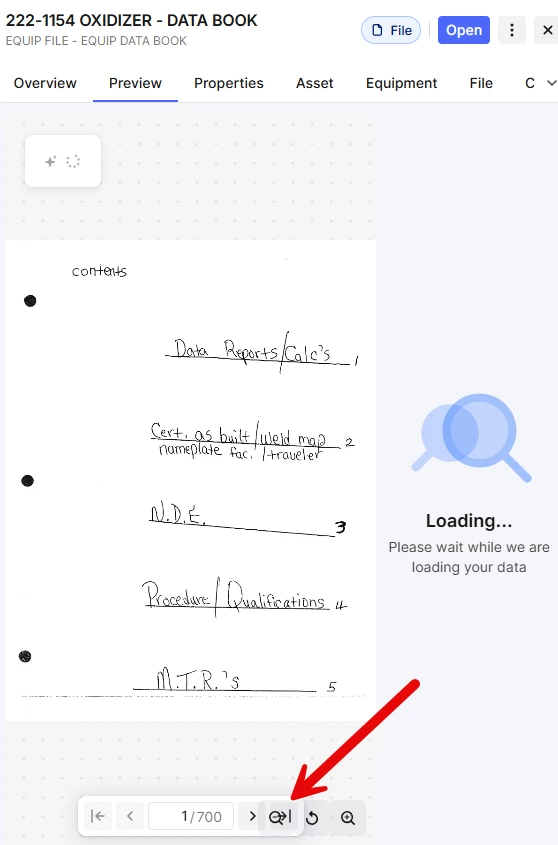
File Previewer Pane Icon Spacing
Problem Statement: When the browser zoom is increased, the file preview pane icons (Last Page & Magnifier) overlap each other. When the icons are overlapped, the magnifier icon overrides the last page icon not allowing the button to be used. The work around is changing the browser zoom and or utilizing larger monitor sizes, however in the industrial setting remote/mobile applications these work arounds may not be available and can still cause user issues.
Solution: Re-locate the icons so that the location doesn’t overlap or anchor the icons.