
Question

3D Model components hiding ( editing a revision through CDF)

  • February 11, 2026
  • 4 replies
  • 45 views

Forum|alt.badge.img+5


Dears,

Would you please advise how can we hide specific layers (for ex. the crane) in the 3D model and then to save the updated or customised revision?
is the revision editing for 3D models doable inside CDF itself or there is a specific workflow needed for it, as you can see it the snapshot below:
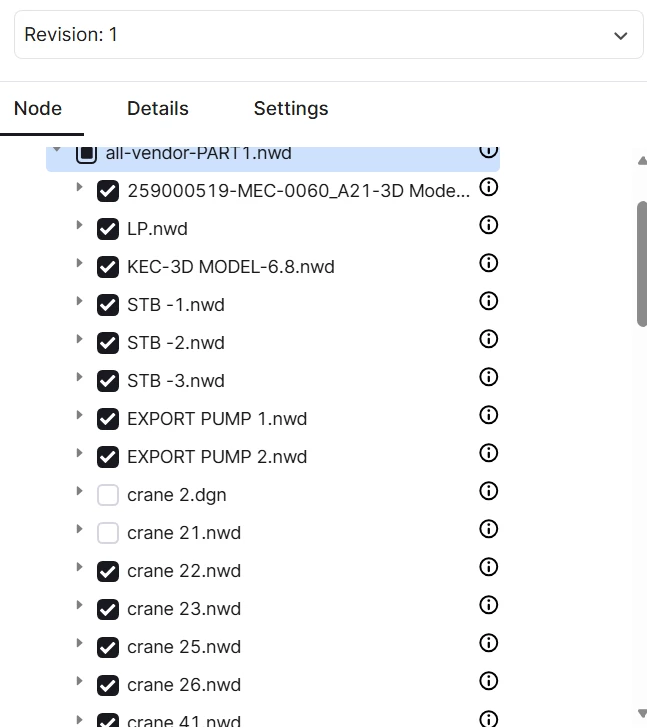
 

Thank you!


Fatima 
4 replies

Mithila Jayalath
Seasoned Practitioner
Forum|alt.badge.img+8

@Fatima Nazim can you please elaborate more on the use case that you are trying to solve?


Hi, thank you for the question.

Currently, processed models are treated as immutable, which means that we don’t support any way of modifying them after they have been processed. However, Reveal, our 3D viewer, supports hiding a given set of nodes in run-time, so you can still avoid showing unnecessary CAD nodes to business users that way.

Where do the business users interact with the 3D model?

If they interact with it through Unified-3D in Fusion, we could explore the possibility of persisting the CAD model node state from the 3d-management for consumption in Unified-3D.

If they interact with it through another (custom) Reveal-based application, the developers of that application may need to do some heavy-lifting themselves. As mentioned, Reveal can hide a given set of CAD-nodes in run-time, but you will need to identify and provide Reveal with e.g. IDs or CAD node metadata values for the relevant nodes. The CDF Data Modeling knowledge graph may be useful for persisting this data, but it largely depends on the exact use case.


Let me know if you require more information, or have more questions surrounding this!


Forum|alt.badge.img+5
  • Author
  • Committed
  • February 13, 2026

Dear,

Thank for replying,

Our users are interacting with it through industrial tools tab - browse 3d

possibly through PBI, so I have some questions here what you mean by Reveal? and how do we persist the nodes in CAD model note state & keep the changes reflected?

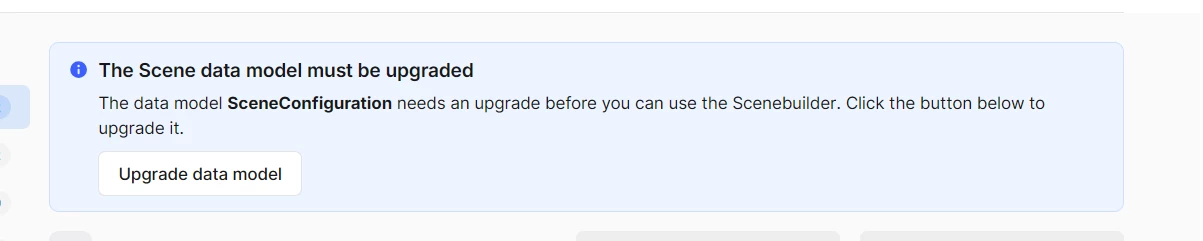
Also, this is what appears on the 3D model configure tab, please if you can advise on this. Thanka again!


Hi,

I see - thank you for the clarification. We will discuss internally if this is a feature we can feasibly implement.

Reveal is the underlying 3D viewer that is used in both in the 3D configuration tab, Browse 3D and the PowerBI-plugin, among others. Some of our customers use Reveal directly, but if you don’t, you may ignore the references I made to it.

The banner appearing in the 3D configuration tab appears when we make updates to our scene data model. The data model is not a system data model, meaning that it must be upgraded manually by administrators of the projects. If you have the correct access rights, you may click the button to perform the upgrade, or otherwise get an administrator to do it. It does not remove or invalidate any data you already have in the project.
