Question

Status 403 while transforming academy provided data

  • June 8, 2026
  • 8 replies
  • 51 views

Hi,


I created the asset Dutta2026 in order to transform the academy data but I receive the following error “[ASSETS] Request with id a8ff7523-7c66-9300-82e5-37961456d56d to https://api.cognitedata.com/api/v1/projects/cdf-fundamentals/assets failed with status 403: Resource not found. This may also be due to insufficient access rights.”

Can somebody please help with what’s the issue and how to resolve it?


Regards,

Sushmita

8 replies

Michael Bennett
Expert ⭐️⭐️⭐️⭐️
Forum|alt.badge.img+6
  • Expert ⭐️⭐️⭐️⭐️
  • June 8, 2026

Hi Sushmita,


Thanks for reaching out to the Academy team. The 403 error you’re receiving means that you’re forbidden from writing to an object. The Resource not found is 99% of the time a red herring. In all likelihood, one of the parameters in your transformation is missing or incorrect.  Or, if you’re configuring your transformation yaml file in toolkit, you are either missing a parameter or there is an incorrect value. Double check your .env and config yaml file to make sure you’re passing the correct authentication parameters.parameters.

authentication:
clientId: {{ icapi_extractors_client_id }}
clientSecret: {{ icapi_extractors_client_secret }}
tokenUri: {{ tokenUri }}
cdfProjectName: {{ cdfProjectName }}
scopes: {{ scopes }}

Here’s a link that shows that the parameters need to be configured. 


Regards,


Michael Bennett

Academy Engineer


  • Author
  • Seasoned ⭐️
  • June 9, 2026

Hi,


Thank you ​@Michael Bennett!


Actually I am new to this and I was simply  following the instructions in  the course for cognite data fusion fundamentals part 2. We were asked to upload a CSV file and click run. Somehow the intstructions  for transformation yaml is not included in the ingest data phase.

This is the SQL query provided. In the original I replaced (as suggested) the asset with the asset name created (Dutta2026).

SELECT
  concat('Dutta2026:', loc) as externalId,
  CAST(lastUpdatedTime AS STRING) AS name,
  description AS description,
  if(
    parent_loc == ''
    OR parent_loc == null,
    null,
    node_reference(
      'cdf-fundamentals',
      concat('Dutta2026:', parent_loc)
    )
  ) as parent 
FROM
  `Dutta2026`.assets


What am I missing and what other information can I provide the explain the problem better? :)


Sushmita


Michael Bennett
Expert ⭐️⭐️⭐️⭐️
Forum|alt.badge.img+6
  • Expert ⭐️⭐️⭐️⭐️
  • June 9, 2026

Hi Sushmita,


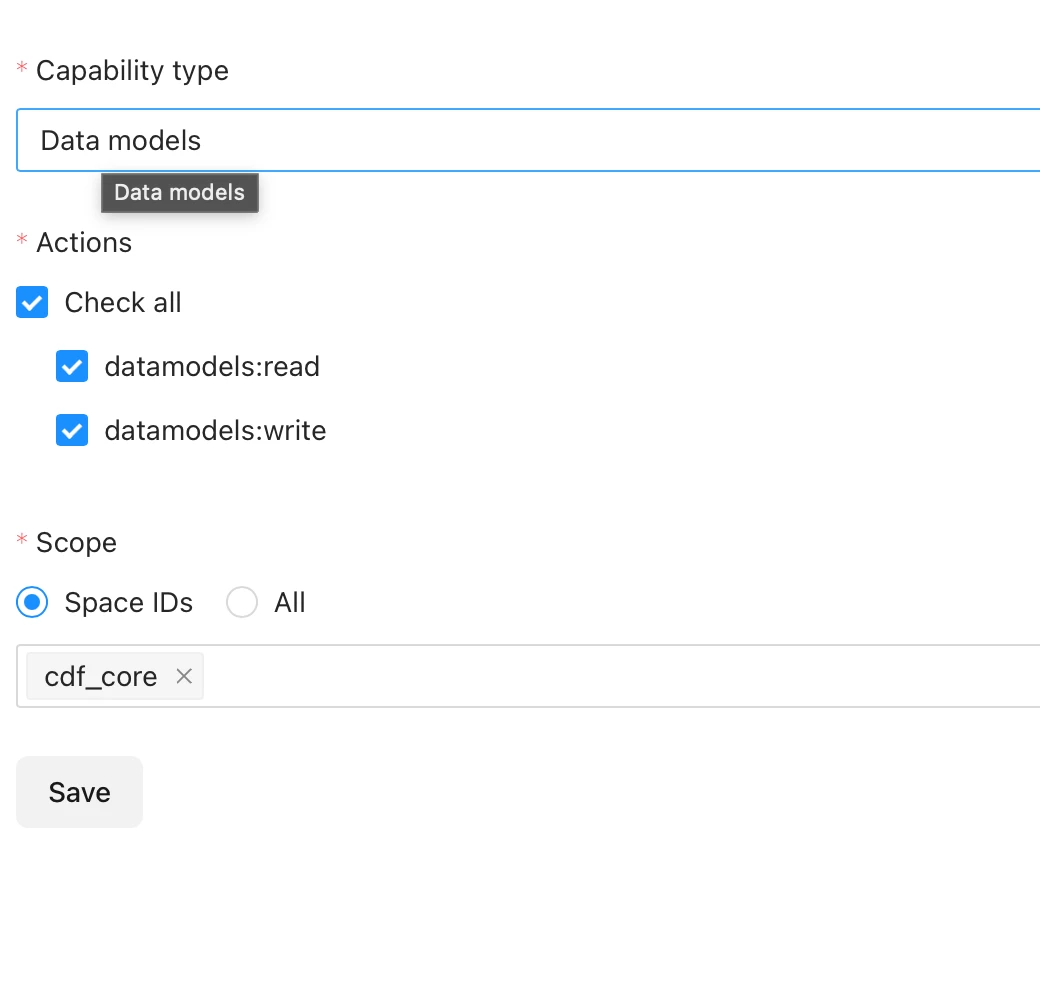
If you’re still receiving this error when running your transformation, I would suggest that you make sure that the group you belong to has transformation read/write to all datasets, as well as read/write to Cognite Core Data Model. I’ve included screen shots.


You can find more details on access management here 


Regards,

Michael Bennett

Academy Engineer


  • Author
  • Seasoned ⭐️
  • June 9, 2026

Hi ​@Michael Bennett ,


I think there is a confusion. I am presently using the sandbox environment in Cognite Data Fusion Fundamentals: Part 2 - Hands-on. I do not belong to any group.

These are the steps I followed as per the instructions from the academy:

  1. From the staging area(under integrate) in data fusion uploaded the raw document (provided by the academy) with the asset name Dutta2026.
  2. From the transformation (under integrate) in data fusion performed transformation with the following SQL code provided by the academy:

SELECT
  concat('Dutta2026:', loc) as externalId,
  CAST(lastUpdatedTime AS STRING) AS name,
  description AS description,
  if(
    parent_loc == ''
    OR parent_loc == null,
    null,
    node_reference(
      'cdf-fundamentals',
      concat('Dutta2026:', parent_loc)
    )
  ) as parent 
FROM
  `Dutta2026`.assets

Ofcourse I have replaced the asset name to Dutta2026

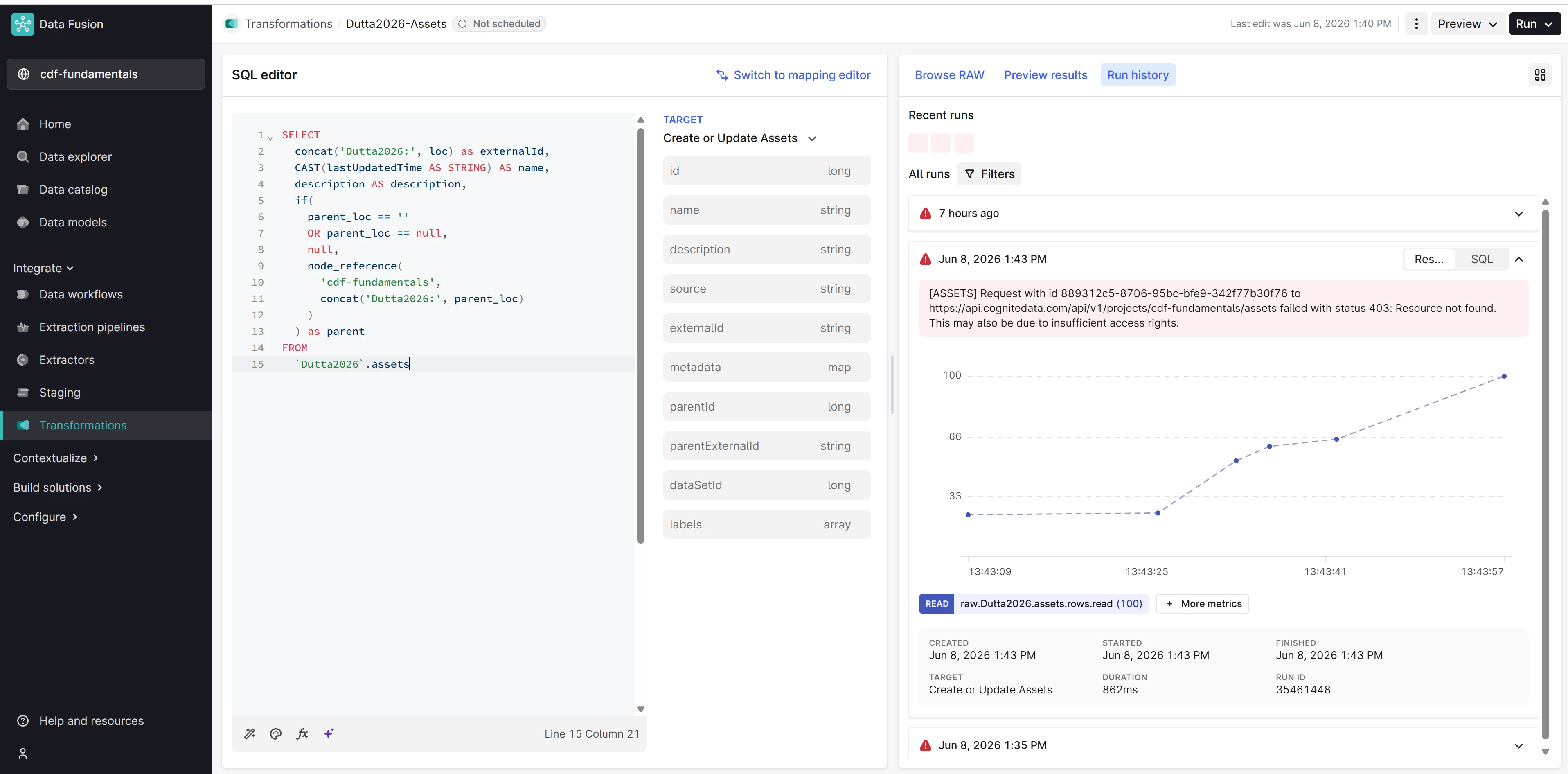
  1. After preview and run and received the following error “[ASSETS] Request with id 889312c5-8706-95bc-bfe9-342f77b30f76 to https://api.cognitedata.com/api/v1/projects/cdf-fundamentals/assets failed with status 403: Resource not found. This may also be due to insufficient access rights.”

Apologies if this is confusing but there are no groups mentioned in the step by step instructions.


Michael Bennett
Expert ⭐️⭐️⭐️⭐️
Forum|alt.badge.img+6
  • Expert ⭐️⭐️⭐️⭐️
  • June 9, 2026

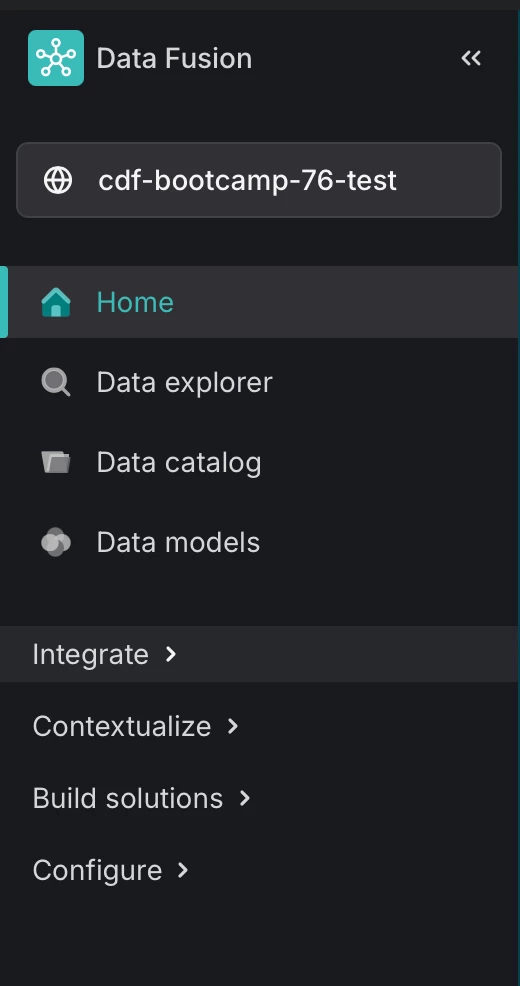
Can you provide a screen shot of the Project name that you are currently working in? It looks like this.


  • Author
  • Seasoned ⭐️
  • June 9, 2026

Yes sure. 


Here it is,


Michael Bennett
Expert ⭐️⭐️⭐️⭐️
Forum|alt.badge.img+6
  • Expert ⭐️⭐️⭐️⭐️
  • June 9, 2026

Great. As I suggested before, please review the permissions that I mentioned above. It appears your transformation doesn’t have access to read/write to the CDF Core DM and and/or the cdf-fundamentals space. This will be the fastest way for you to get past the permission issues you’re facing and will allow you to progress through your class.


Regards,


Michael Bennett

Academy Engineer


Michael Bennett
Expert ⭐️⭐️⭐️⭐️
Forum|alt.badge.img+6
  • Expert ⭐️⭐️⭐️⭐️
  • June 11, 2026

Hi Sushmita,


I looked at your project today, and I can see that you selected “CDF Resource Types” as your destination of the transformation. The instructions of the course tell the student to select Cognite core data model. 


Here’s the values you should provide when setting up the transformation.


  • Target data model: Cognite core data model

  • Versio: v1

  • Target space: cdf-fundamentals 

  • Target type or relationship: CogniteAsset

  • Action: Create or Update

  • For incoming NULL values on updates: Keep existing values (Default)

I went ahead and ran a transformation myself with the assets staging table, and it ran smooth. 


Hope this helps,


Michael Bennett

Cognite Support