Question

Cognite Charts: Statistic

  • November 11, 2025
  • 1 reply
  • 55 views

Forum|alt.badge.img

Hi Everyone,

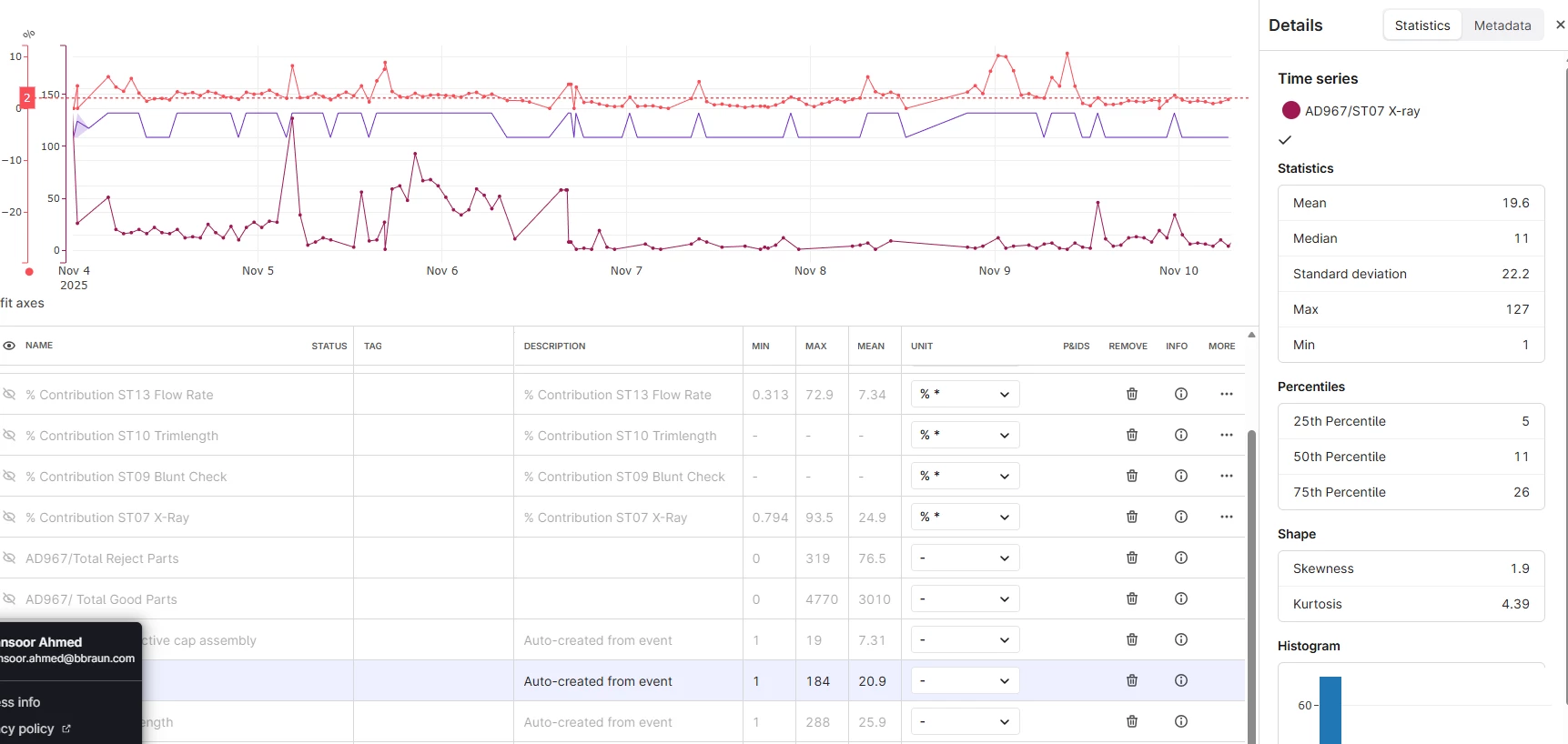
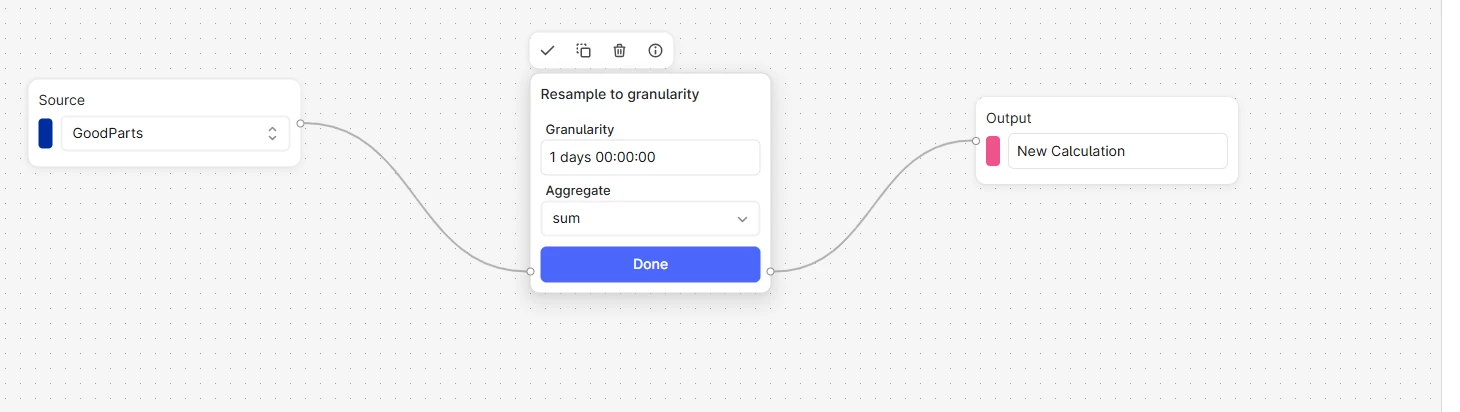
I’m trying to sum up all the values in my data points for a daily total. However, the Resample to Granularity function doesn’t seem to work properly on my side. Also, I noticed that we can’t select a custom time frame in this function — for example, if I want to sum values between specific hours, that option isn’t available.

Is there any other function that allows summing all data points within a specific time range?

One more thing: I find the Statistics window for each time period very useful. Wouldn’t it be great if we could also have a Sum value displayed there?


1 reply

  • Practitioner ⭐️⭐️⭐️
  • November 12, 2025

Hi ​@Mansoor Ahmed!

Thanks for your question! 

Resample to Granularity as any other function in Charts is working on a time window that the user is looking at. If you want to get a sum of all the values at each hour, you should use scheduled calculation functionality by clicking Save and Schedule button in the node editor. You can try to select daily scheduler frequency for the best results. Scheduled calculation then is going to executed your calculation every day on the data window [start of scheduled calculation-1d, start of scheduled calculation] and save it back to CDF as a time series. 

Currently, we do not provide a functionality to resample between specific hours. Charts is using Cognite’s Industrial Data Science Library that is open sourced. We are welcome contributions to improve our data science functions! :) https://indsl.docs.cognite.com/resample.html#resampling-to-granularity-default https://github.com/cognitedata/indsl 

I think the update for statistics could be a great feature request to our PM ​@danielferraz!

Have a nice day! 

Neringa