
Cognite Academy Instructor
October 29, 2021

CDF Fundamentals Discussion

  • October 29, 2021
  • 177 replies
  • 6453 views

Welcome to the CDF Fundamentals Discussion!

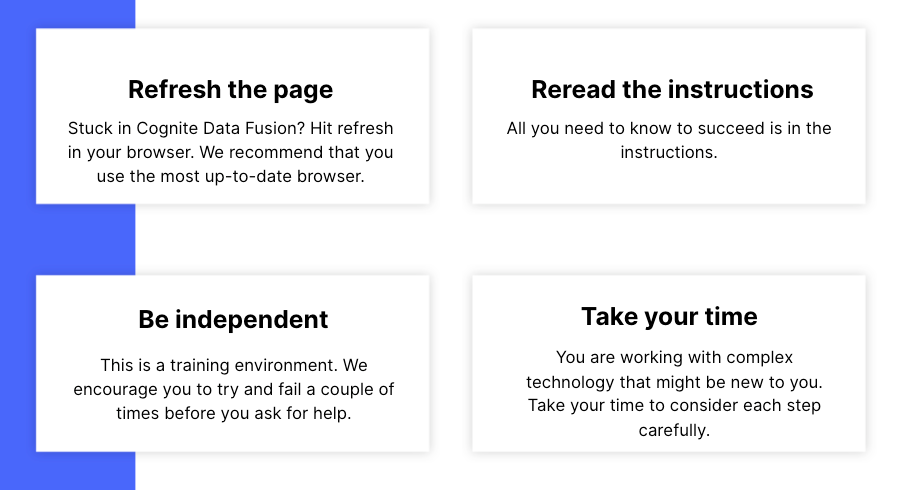
This discussion is dedicated to help learners of the Cognite Data Fusion Fundamentals learning path succeed. If you’re struggling with the exercises in this learning path, try the tips & tricks below or post a comment with the challenge you’re facing. You can also post your own tips and respond to fellow learners’ questions. Cognite Academy’s instructors are also here to help.


177 replies

Sofie Haug
Expert ⭐️⭐️⭐️⭐️
Cognite Academy Instructor
April 4, 2025

As mentioned, the data is only in 2020 (which I need to update). I found it when I went in to your time series.


Best regards, 

Sofie | Cognite Academy
Sofie Haug
Expert ⭐️⭐️⭐️⭐️
Cognite Academy Instructor
April 4, 2025

You mentioned, ​@Dinakar Gollapinni, that the filtering disappears, is that inside of charts? 

Sofie | Cognite Academy
Active ⭐️⭐️⭐️
April 4, 2025

Ohh you are right. Sorry, I did not understand before. I scrolled to 2020 and i can see my data now. 


And yes, In charts, when i click Add Data and choose time series, and apply filter on ExternalID, when i change tabs in my browser and come back to the charts tab, the external Id filter i applied is gone, and i have apply the filter again. 
 

Sofie Haug
Expert ⭐️⭐️⭐️⭐️
Cognite Academy Instructor
April 4, 2025

@Dinakar Gollapinni Thank you for your feedback, I will take it back to the Charts team and let them know!


Have a nice weekend!

Sofie | Cognite Academy
Active ⭐️⭐️
April 18, 2025

Hi Bbauri,

Thanks for providing the console snap short of browser.
I have investigate deeply and found out all is working fine with the fusion. In the console , you have problem with failed to load resource:net::ERR_CERT_AUTHORITY_INVALID, which is related to your network connection and SSL certificate.

I recommend you to check your network connection and SSL certificate in your browser.

Help link 1 and Help link 2

Regards
Kumar
 

I found the helpful resource article for the error ERR_CERT_AUTHORITY_INVALID and it can occur due to when a browser cannot verify an SSL certificate for a particular website. You can check out the solution guide in detail and maybe it will be helpful, also to get rid of the error.

I hope it helps!

Active ⭐️⭐️⭐️
May 15, 2025

Hello.  I have moved on to the data point transformation in learning path.  I have created transformation for data points , but when i check time series ID there is no data appear.

thanks in advance

Sofie Haug
Expert ⭐️⭐️⭐️⭐️
Cognite Academy Instructor
May 15, 2025

Hi ​@Mohamed Ali 

When I go into your data set to investigate your data I find you have used 2 different prefixes with the external ids.

For you assets, you have used; concat('mohamed1992:',loc)
for time series, you have used; concat('mohamed1992-IFSDB',tag)

this results in 2 things: 

  • you are not able to link your time series and assets
  • you are not able to add your datapoints when referencing to concat('Mohamed1992',dp.sensor
Sofie | Cognite Academy
Sofie Haug
Expert ⭐️⭐️⭐️⭐️
Cognite Academy Instructor
May 15, 2025

When trying to link assets and time series, you are trying to match:
mohamed1992-asset with mohamed1992-IFSDB-timeseries. 

The way the written code works in the current state of the time serie transformation is written, it will not find a match on this. 

Secondly, trying to write the datapoints, you are trying to create datapoints, say that you want to add the datapoints to the time series with external id = mohamed1992:timeseriesname, while the current external id of the time series = mohamed1992-IFSDBtimeseriesname


I hope you understand what I’m trying to explain here ​@Mohamed Ali ?

Sofie | Cognite Academy
Sofie Haug
Expert ⭐️⭐️⭐️⭐️
Cognite Academy Instructor
May 15, 2025

However, the solution is: 
 

  • Go back to the time series transformation (the one without the assets linking), and re-run it with the correct prefix. this will update the existing time series. Make sure you are consistent in the prefix you are adding, just by using ‘mohamed1992: vs ‘mohamed1992 can also cause issues. 
  • Then continue the steps from there. 

    Please let me know if there are anything I can help out with. I can also go in and change the external ids for you if want me to?
     

Best regards, 

Sofie | Cognite Academy
Active ⭐️⭐️⭐️
May 18, 2025

However, the solution is: 
 

  • Go back to the time series transformation (the one without the assets linking), and re-run it with the correct prefix. this will update the existing time series. Make sure you are consistent in the prefix you are adding, just by using ‘mohamed1992: vs ‘mohamed1992 can also cause issues. 
  • Then continue the steps from there. 

    Please let me know if there are anything I can help out with. I can also go in and change the external ids for you if want me to?
     

Best regards, 

Thank you ​@Sofie Haug 
everything is working well now. I really appreciate the support.
