
Answer

Unable to view all Source fields in the drop down when the page loads (CDF UI)

  • February 10, 2023
  • 4 replies
  • 60 views

Forum|alt.badge.img+2

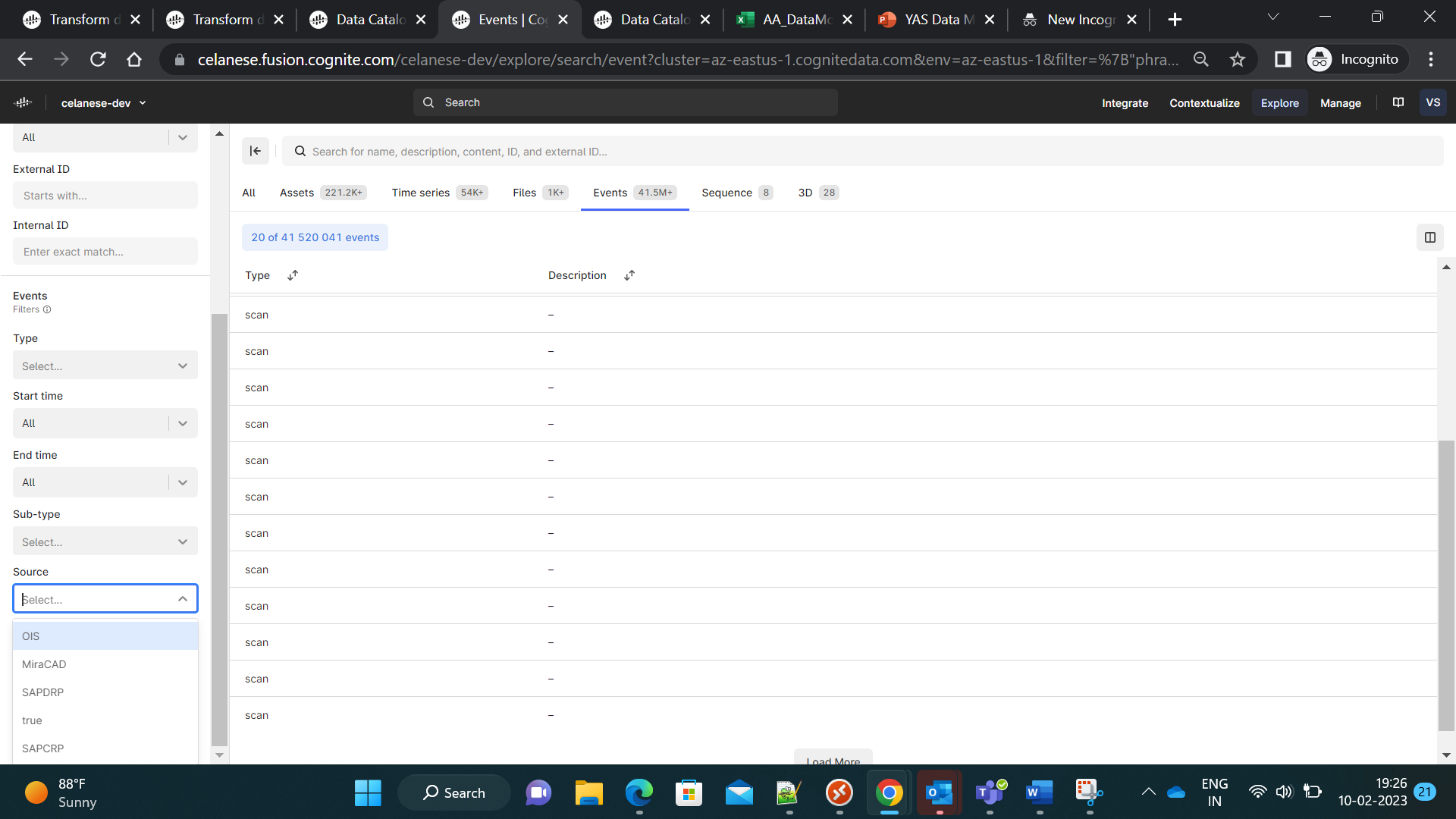
Unable to view all the values in the source field drop down for a events page in CDF UI.


In the image below , for the source field drop down,over the left side, i am not able to see all the values expected . It’s showing only few values.
 

Best answer by Knut Vidvei

Hello, Kumar. 

Based on you post, it appears that you are hitting the limitations in number of aggregates. 

This is being significantly increased in our upcoming release in one week. We are releasing advanced and extended aggregates Feb 21st. 

Best regards, Knut 

4 replies

ibrahim.alsyed
Seasoned
Forum|alt.badge.img

Is this a bug?


Forum|alt.badge.img+2
  • Seasoned
  • February 12, 2023

Additional information: CDF on the initial load is displaying only few thousand records and it appears that the source information in the dropdown, is being displayed relevant for those records.

In cases where the desired source is not visible in the source drop down and the user is aware of the source name, user is able to manually type the source field and query/press enter and filter based on the manually typed source name. 

It is not possible for end users to be aware of the source or expect them to manually type the field. 

So, all source types should be visible on the drop down at all times or the source field should be made configurable (by a CDF admin) for different data types.


ibrahim.alsyed
Seasoned
Forum|alt.badge.img

@Knut Vidvei  @terjelo  please look into this.


Knut Vidvei
Seasoned Practitioner
Forum|alt.badge.img
  • Seasoned Practitioner
  • Answer
  • February 13, 2023

Hello, Kumar. 

Based on you post, it appears that you are hitting the limitations in number of aggregates. 

This is being significantly increased in our upcoming release in one week. We are releasing advanced and extended aggregates Feb 21st. 

Best regards, Knut
