

 Check the
documentation
Check the
documentation Ask the
Community
Ask the
Community Take a look
at
Academy
Take a look
at
Academy Cognite
Status
Page
Cognite
Status
Page Contact
Cognite Support
Contact
Cognite Support

Question
Cannot select and reject overlapping annotations
To all the experts out there,
When parsing a diagram, some annotations may be incorrectly assigned and overlap with the correct ones. For example, "Pump A-1" is correct, while "Pressure Gauge A-1" is incorrect.
I want to reject the incorrect "Pressure Gauge A-1" annotation, but I cannot select it because it completely overlaps with the correct "Pump A-1" annotation. As a result, I cannot select and reject the annotation I want to remove. First of all, it is difficult to tell at a glance which annotations are overlapping, as the only indication is a slightly darker color. The annotations I pointed out below are overlapping.
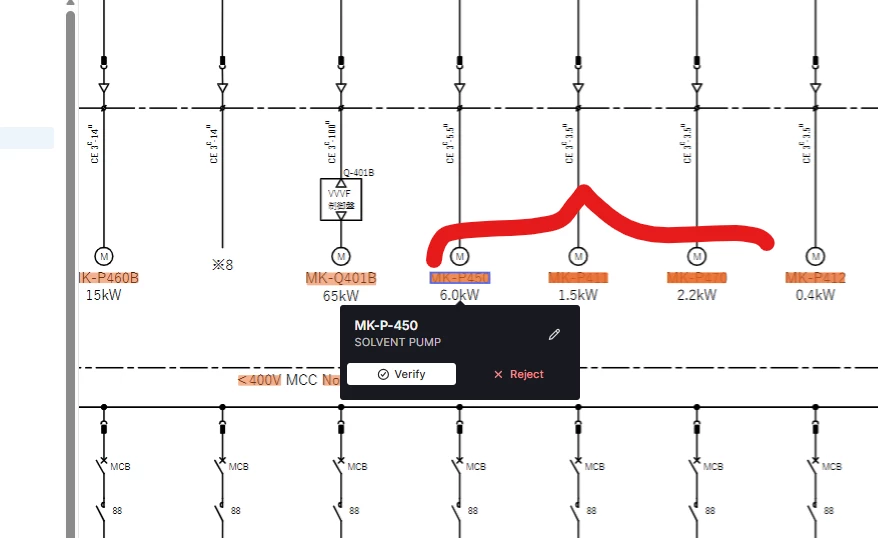
I would like it to work like Explorer, as it used to.
