

 Check the
documentation
 Ask the
Community
 Take a look
at
Academy
 Cognite
Status
Page
 Contact
Cognite Support


Q4 2026 Product Release: Industrial Intelligence, Ready for Work
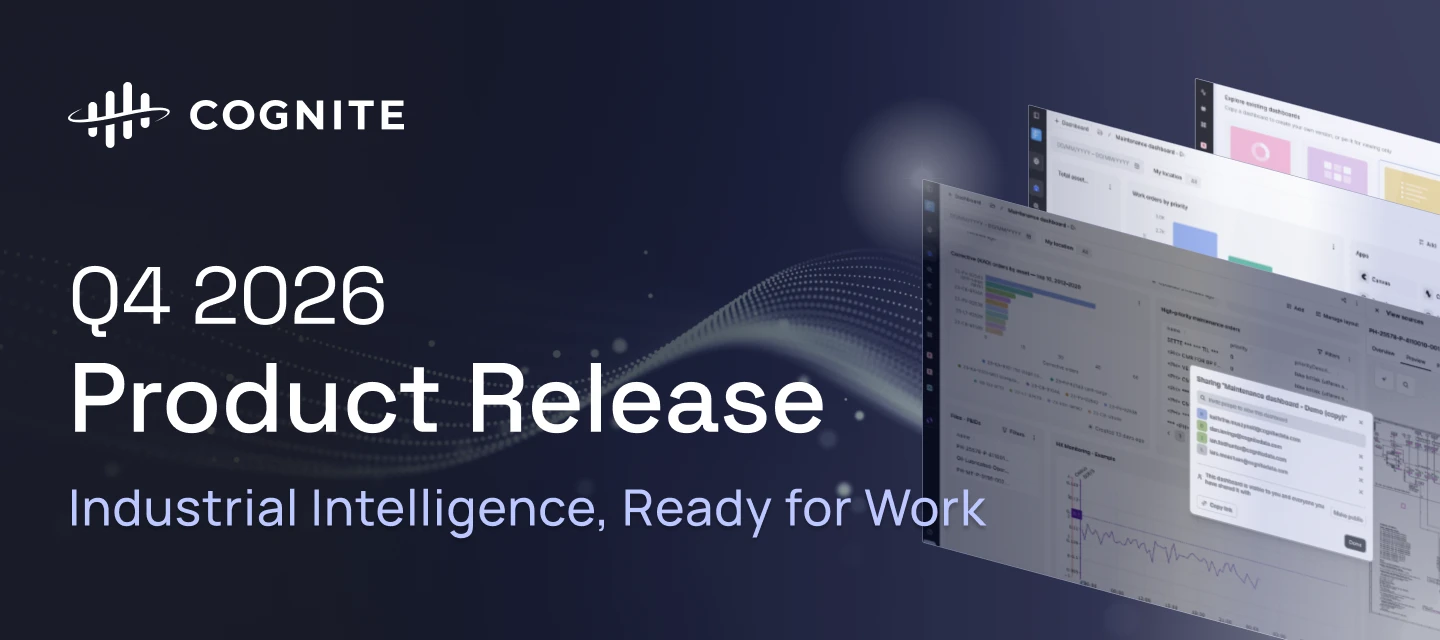
This quarter puts the right work in front of every role: Flows dashboards that adapt to what each person does, InField checklists that keep working offline, and a new default Atlas AI agent that turns industrial data into finished work, backed by a sandbox for multi-hour investigations and a connector for Microsoft Copilot. Underneath, richer Time Series (state data, gap filling, common aggregates), more immersive 3D, and Toolkit CLI improvements for builders and agents make it faster to turn industrial data into decisions.
Review the highlights below to see how these advancements accelerate time to value, cut downtime, and expand what your industrial workforce can do.
💡 Want to explore the release in more detail?
Visit the interactive Q4 Release experience to browse the highlights and jump directly to the updates most relevant to you.
1. Flows Native Applications
| Feature | Problem (Challenge) | Solution: What You Can Do Now |
|---|---|---|
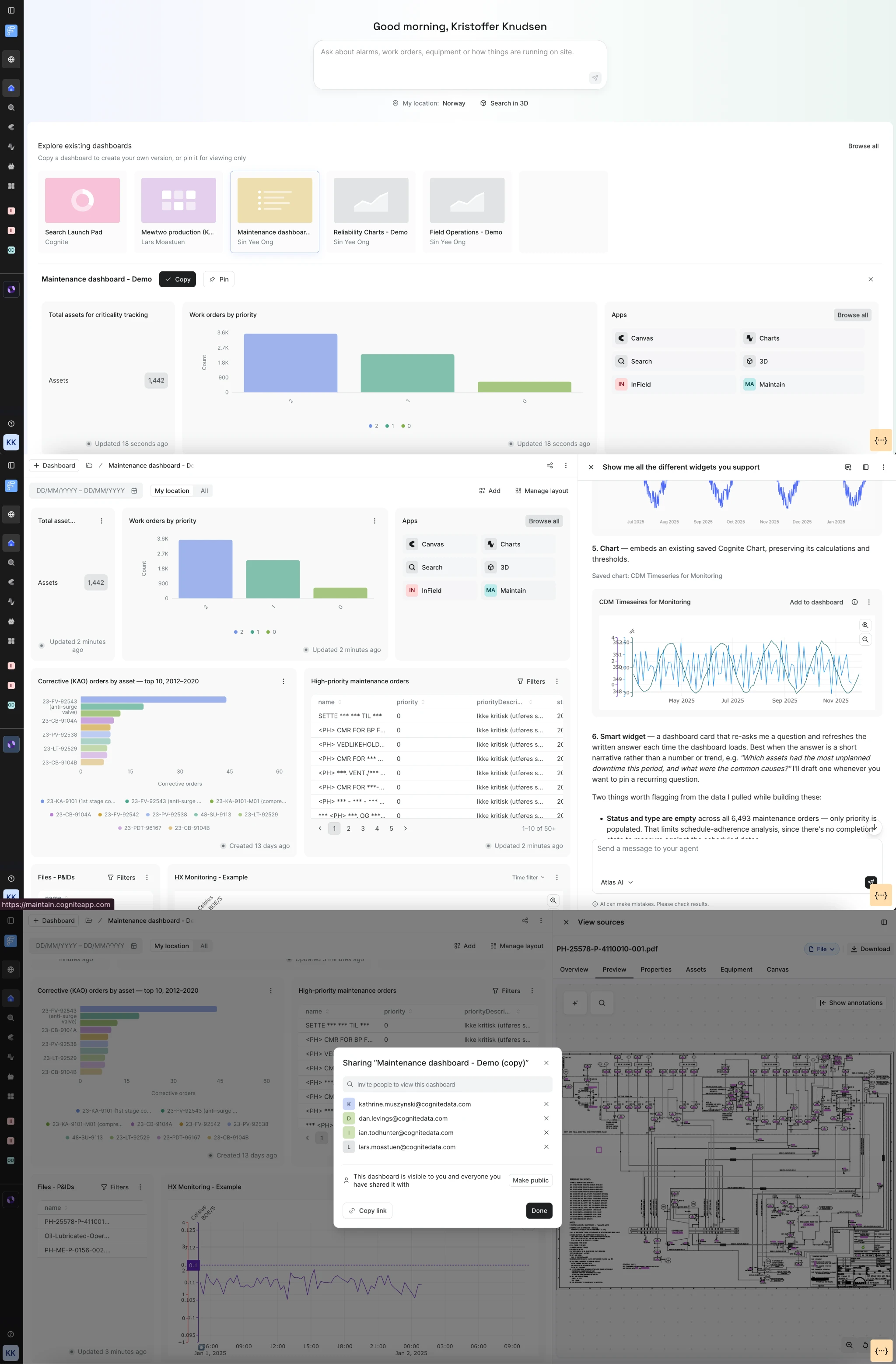
Adaptive ExperiencesProduction Accelerated time to value with your use cases | A maintenance planner, a reliability engineer and a site manager do different jobs, yet everyone lands on the same generic search page and starts from zero. | Build a role-specific starting point with dashboards in Flows, using a rich widget ecosystem (Charts, KPIs, 3D, Tables, Custom Flows Apps). Use intent-based Search, share dashboards with colleagues, and work from a mobile-friendly workspace. Atlas customers also get agentic widget generation and investigation. Documentation |
| ||
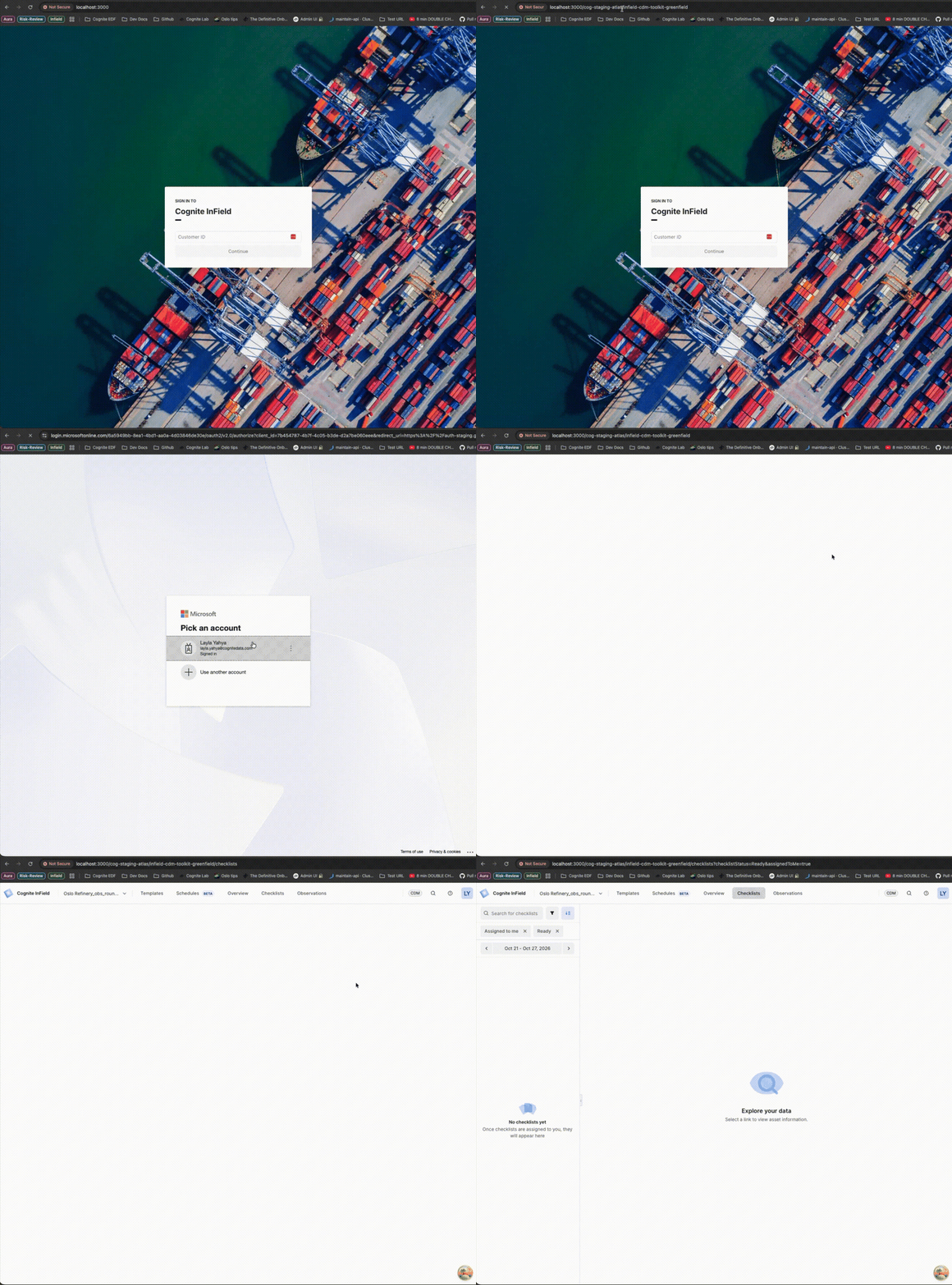
InField: Simplified login experienceProduction Accelerated time to value with your use cases | Field workers have to type the project name before signing in, which is friction on mobile and shared devices and easy to get wrong. | Open a link with the project details carried in the URL and go straight to sign-in, with the app clearly showing which environment you are in. Expect faster onboarding and fewer login support questions. Documentation |
| ||
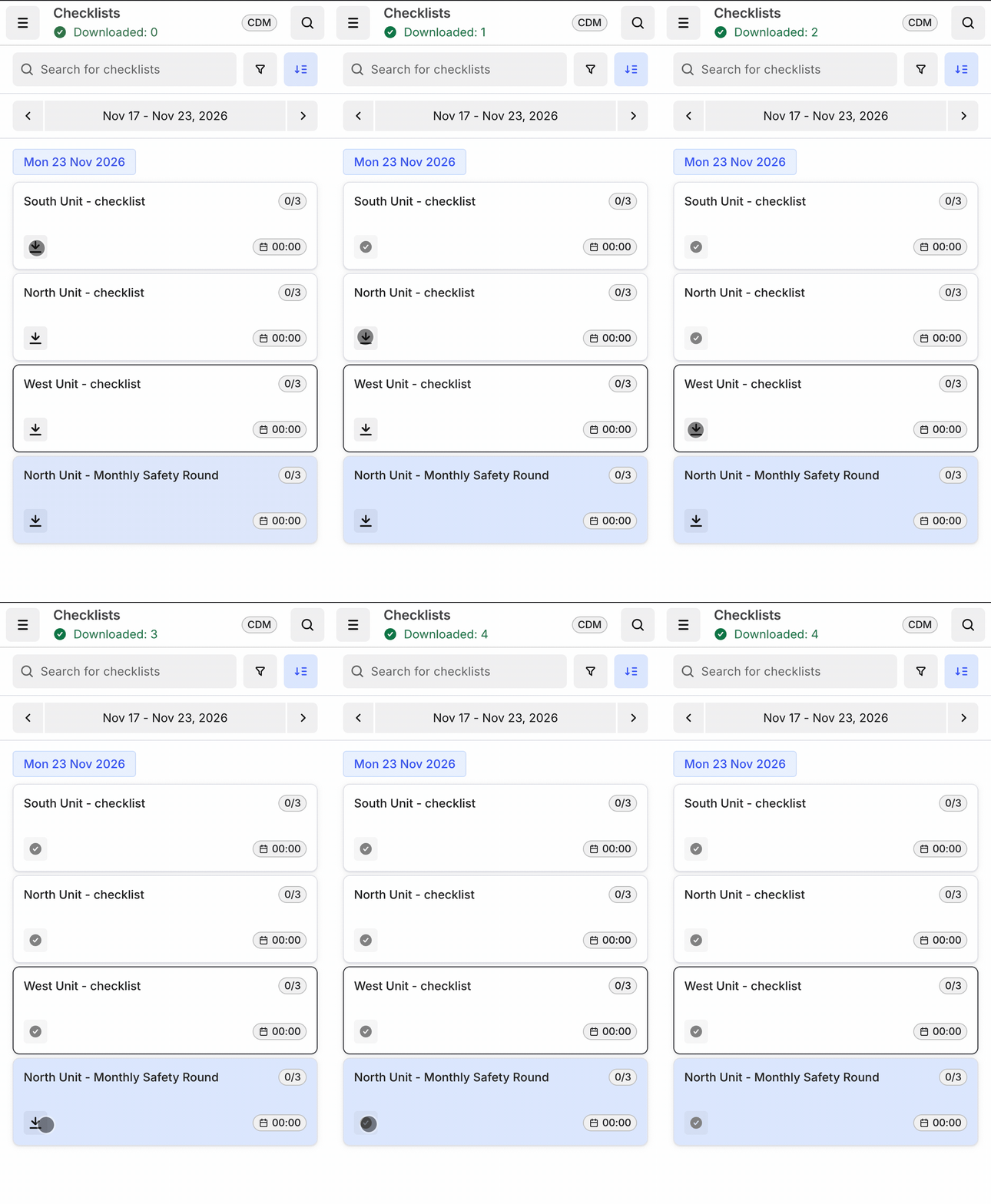
InField Offline: Multiple checklistsProduction Increase industrial workforce capacity | Technicians lose access to their work the moment connectivity drops. Dead zones on site mean paper fallbacks, double entry and unfinished rounds.
| Download multiple checklists before heading out, complete work fully offline, and let changes sync automatically on reconnect, with clear offline and sync indicators. This is phase 1 of the offline program, for CDM. Documentation |
| ||
Checklist Overview: find, sort and resume viewsProduction Increase industrial workforce capacity | Supervisors rebuild the same filters every day just to find the checklists they care about. | Filter and sort the checklist list, and your views persist so you resume where you left off. Finding the right checklist takes seconds instead of minutes, every shift. Documentation |
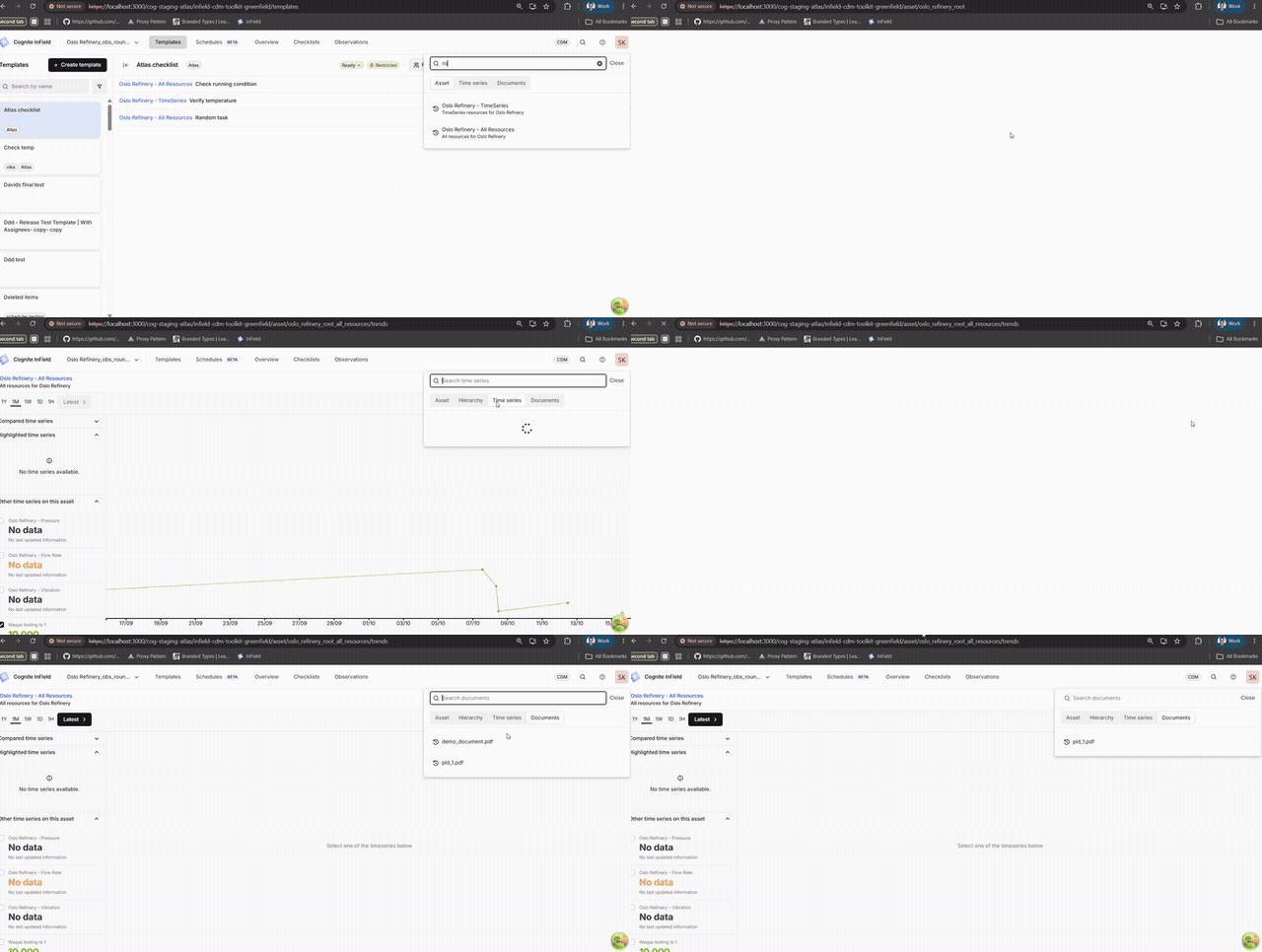
Remember my previous searches and viewsProduction Increase industrial workforce capacity | Field workers look up the same assets and documents daily, but every search starts from zero. | Recent assets, time series and documents appear before you start typing, so you get straight back to the equipment you work with, with fewer keystrokes when wearing gloves. Documentation |
| ||
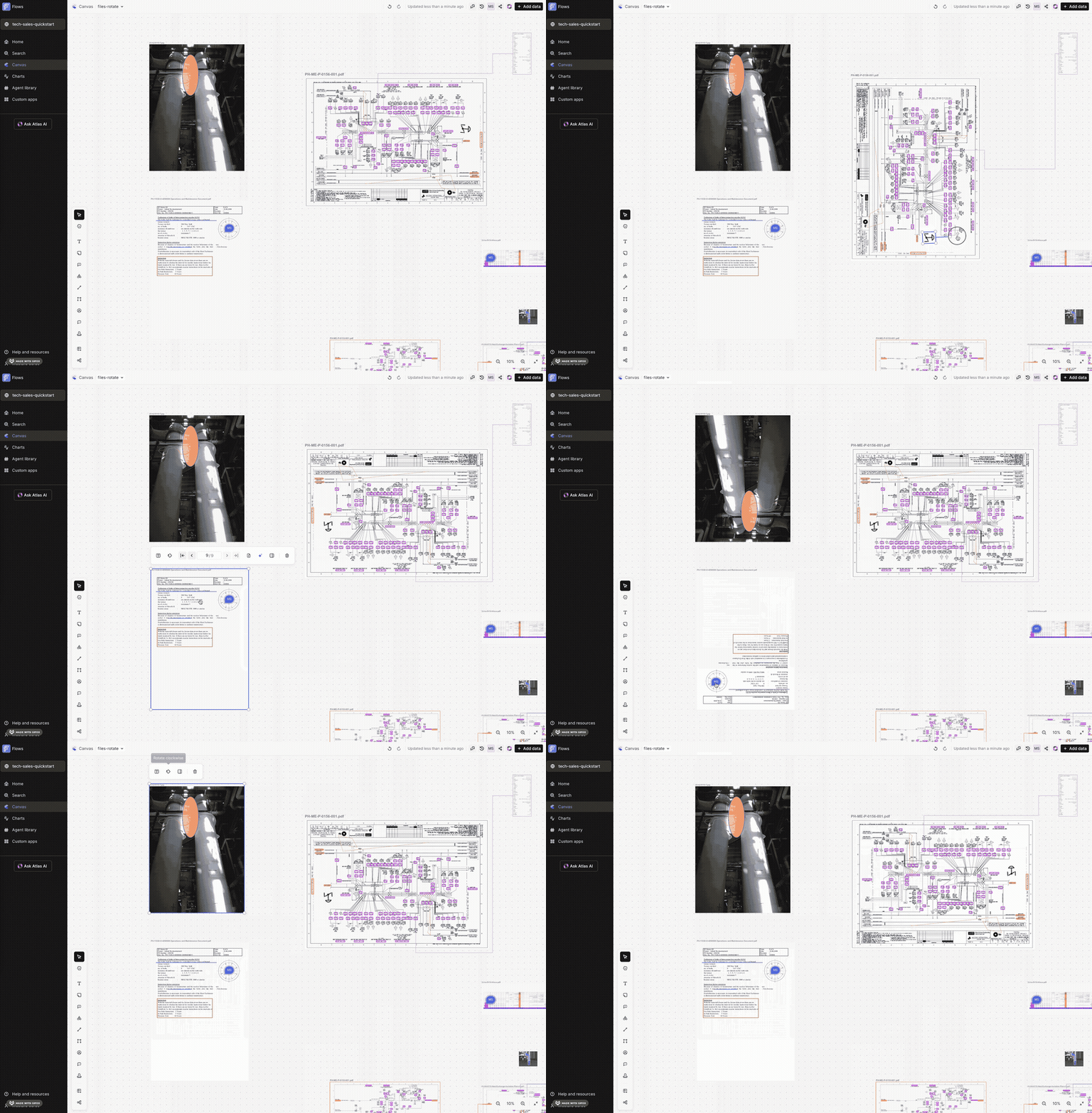
Canvas: File RotationProduction Increase industrial workforce capacity | Scans and exports, such as P&IDs and reports, often arrive sideways or upside down. Industrial Canvas displayed files exactly as uploaded, which made them hard to read. | Rotate files in Industrial Canvas, including files that carry annotations and markups. Comments and the container header stay horizontal and readable at any rotation, and you can extract a page range from a multi-page PDF and rotate that page independently. Files read the right way up without leaving Canvas, so annotating, sharing and building job packages happen in one place. Documentation |
| ||
2. Flows Custom Applications
| Feature | Problem (Challenge) | Solution: What You Can Do Now |
|---|---|---|
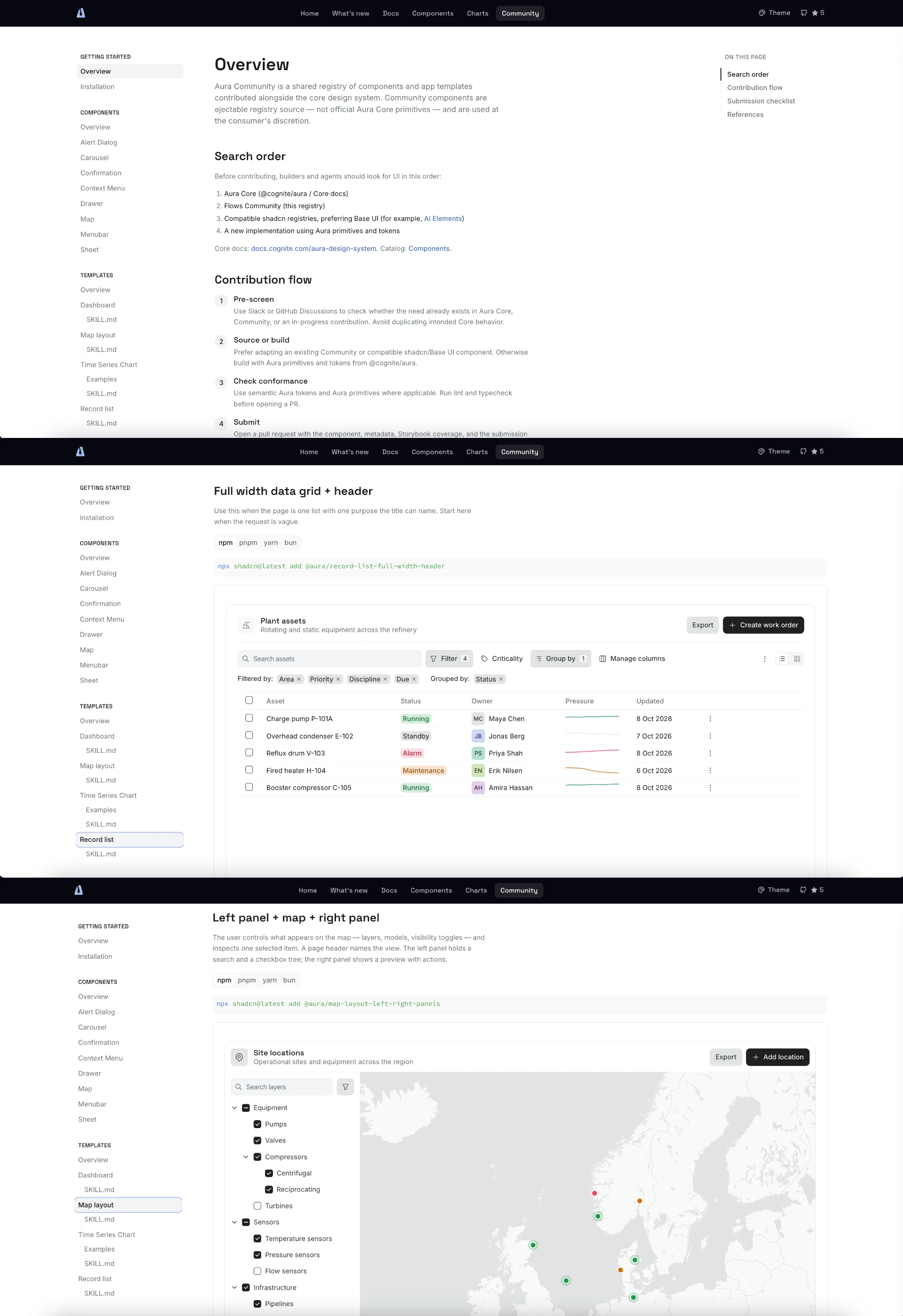
Aura: Industrial Component LibraryProduction Rapidly scaling use cases across your enterprise | Builders extending Aura had almost nothing for the industrial domain layer, so everyone rebuilt the same Gantt charts, scheduling views and asset widgets from scratch. | Use a public Industrial Community Component Library with a live repo and website. Install, customize and contribute components and app templates with one command, all built on Aura tokens and theming for a consistent experience. Documentation |
| ||
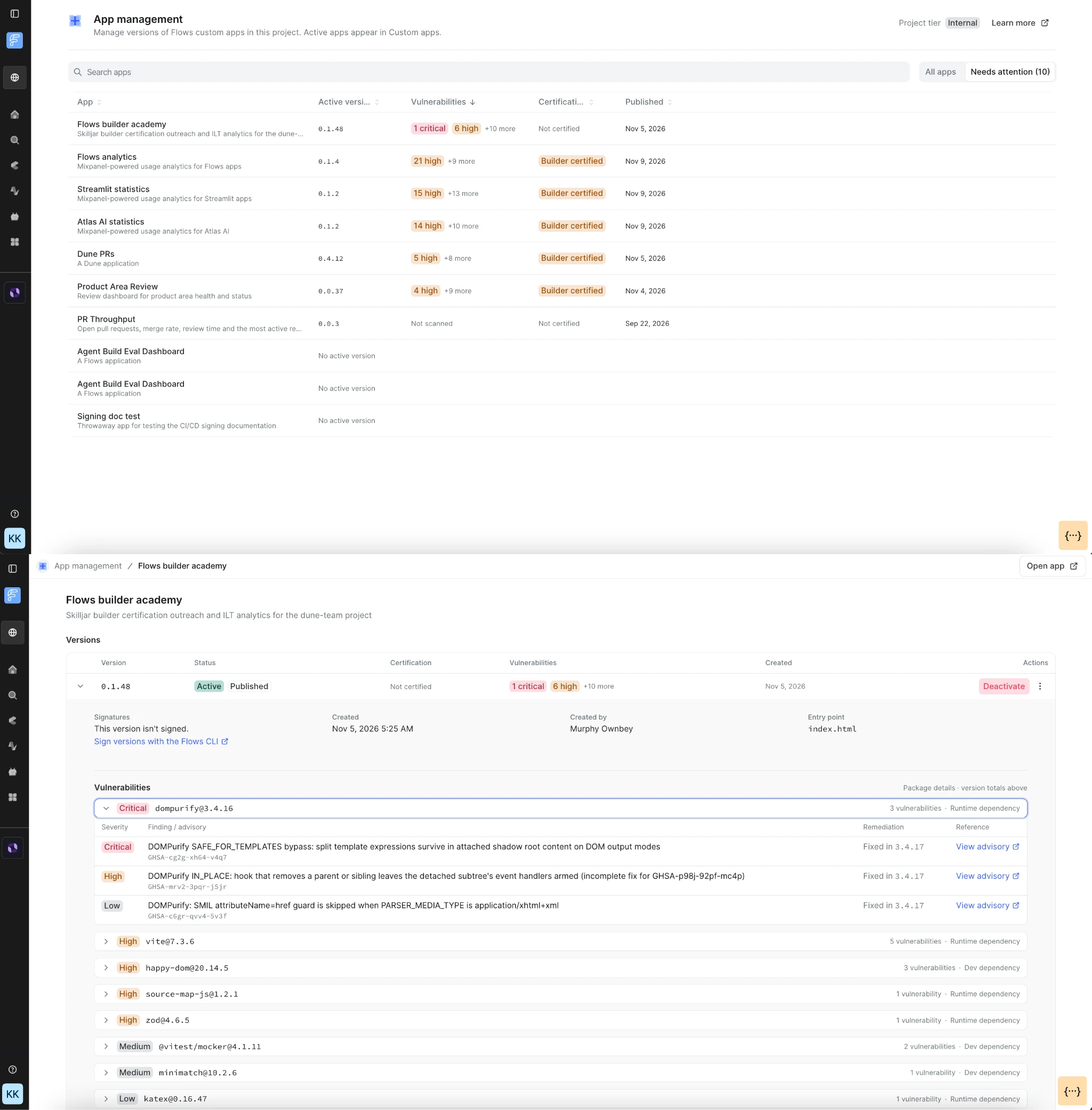
Custom Apps: Application managementPublic Preview Reduce the amount and cost of downtime | As the number of Custom Apps grows, admins cannot monitor or govern their fleet without inspecting each app one by one. | Use the new application management view in the Flows workspace to review signing status, version, vulnerabilities and update actions, plus known vulnerabilities (CVEs) across the project with a CVE deep-dive per application. This makes Custom Apps viable at enterprise scale. Documentation
|
| ||
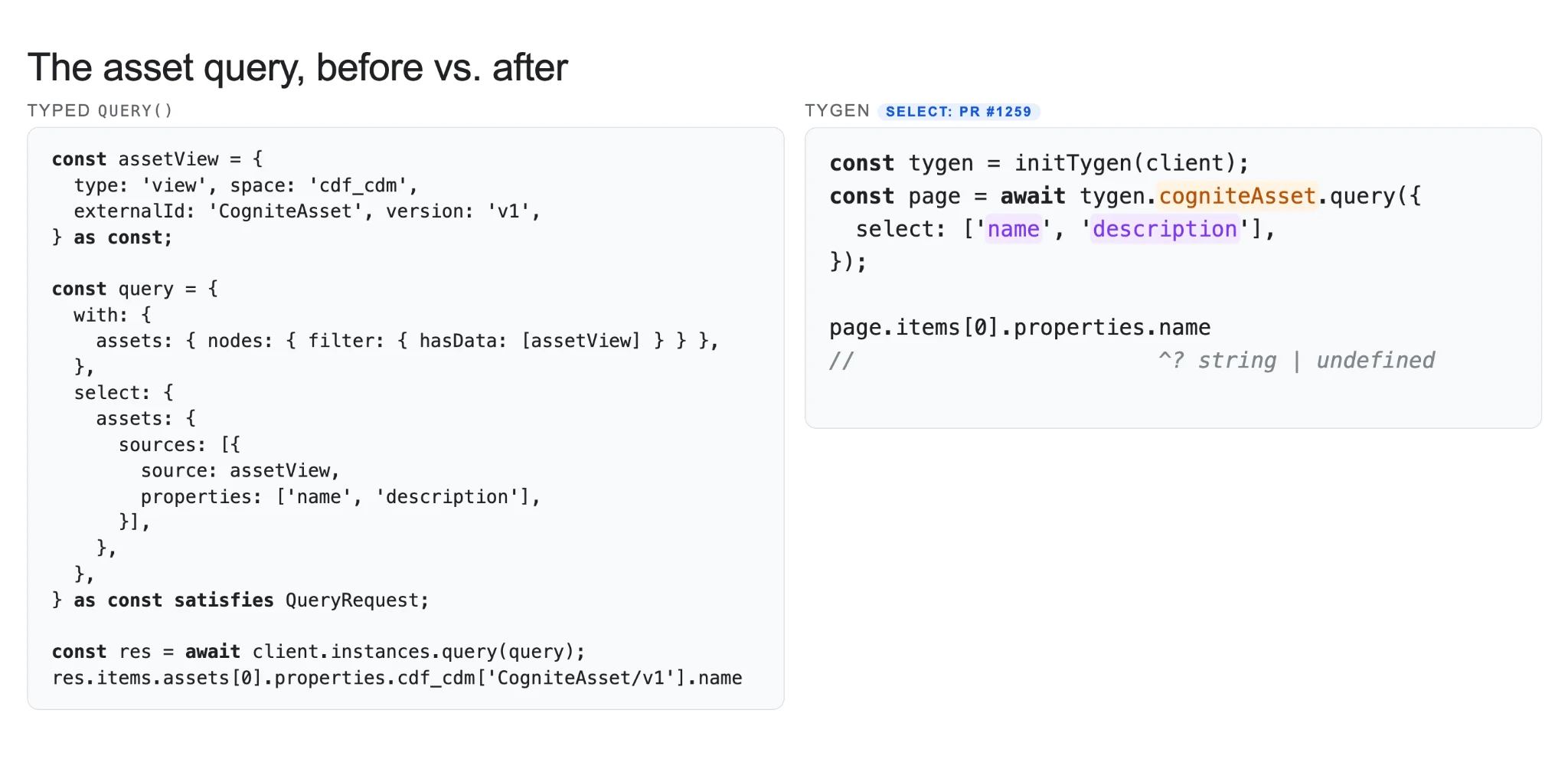
Custom Apps: Generated TypeScript SDKPublic Preview Accelerated time to value with your use cases | Custom app builders have no type-safe way to query CDF, and nothing steers them away from poorly designed queries. | Generate a type-safe SDK from any data model in CDF with the Cognite TyGen SDK, released via the Cognite CLI. It discourages or prevents poorly designed queries, so Custom Flows apps are faster and simpler to build on your data models. Documentation |
| ||
3. Atlas AI
| Feature | Problem (Challenge) | Solution: What You Can Do Now |
|---|---|---|
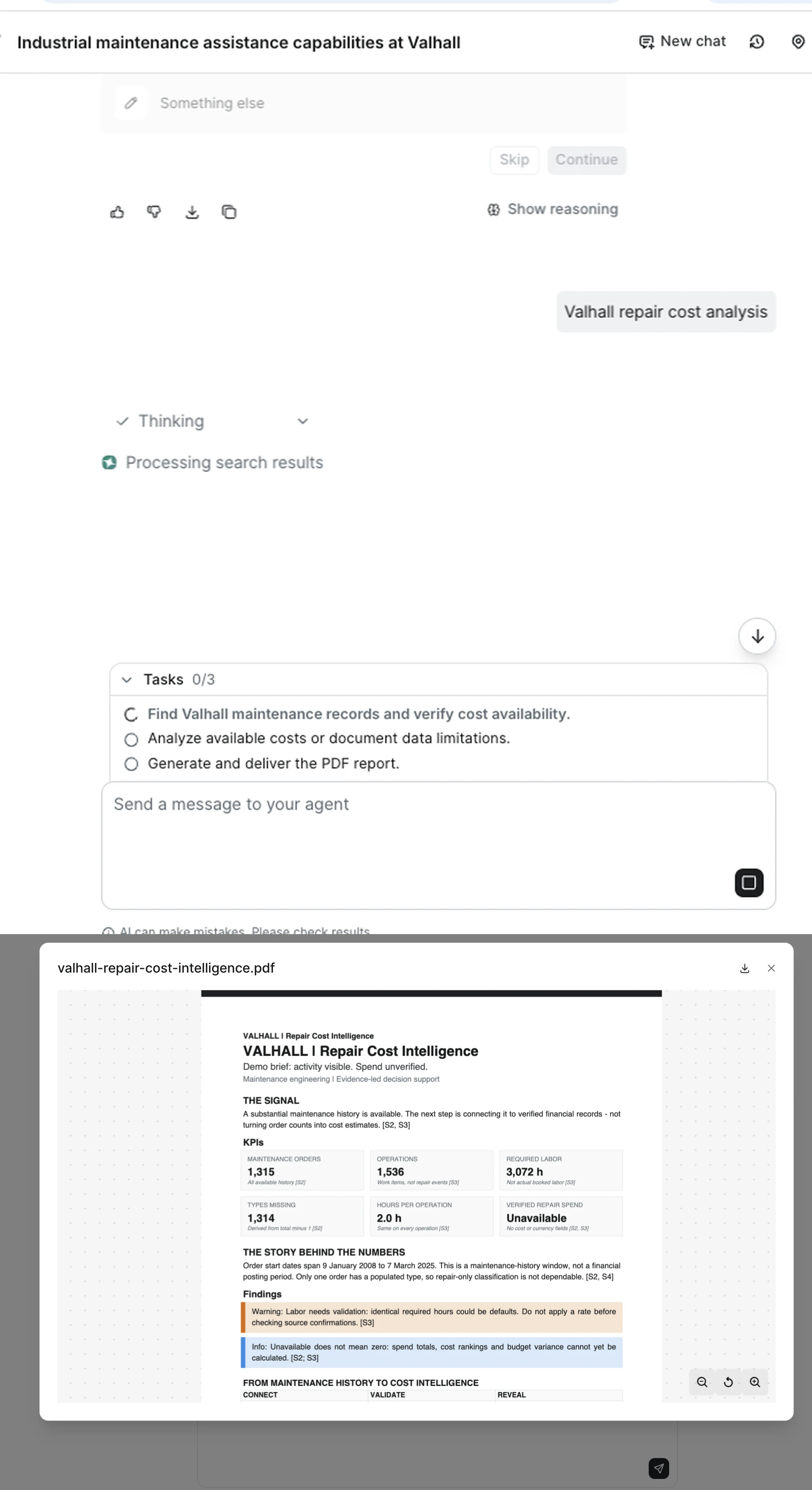
A new default agent that turns industrial data into finished workPrivate Preview Increase industrial workforce capacity | Industrial work spans time series, documents and P&IDs, and teams need answers across all of them, turned into work they can act on. | Get fleet-wide answers instead of one asset at a time, pull insights from manuals, reports and P&IDs, and receive finished reports and files, not just chat. Multi-step tasks are planned and tracked to done, and admins tailor one agent to each site. Documentation |
| ||
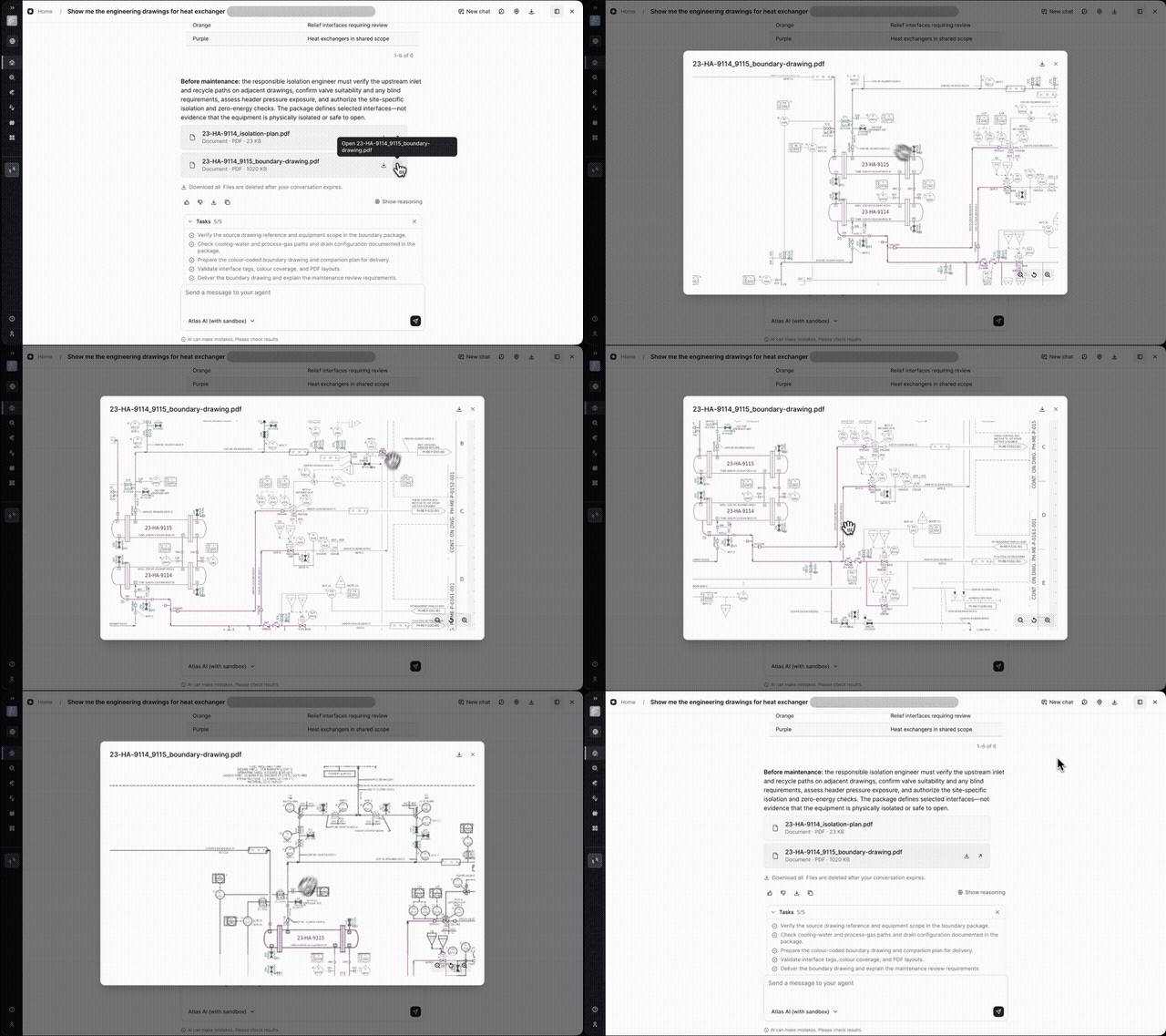
A computer for Atlas AI agents to run deep analysisPublic Preview Increase industrial workforce capacity | Engineers' real questions are investigations: pulling data from many sources, running calculations and checking results over hours. | Agents can analyze P&IDs, photos and other images, draft complex industrial reports, and plot and visualize results, read-only and with each user's own permissions. Analyses that take half a day to a week can take minutes to an afternoon. Available for Azure customers in this release. Documentation |
| ||
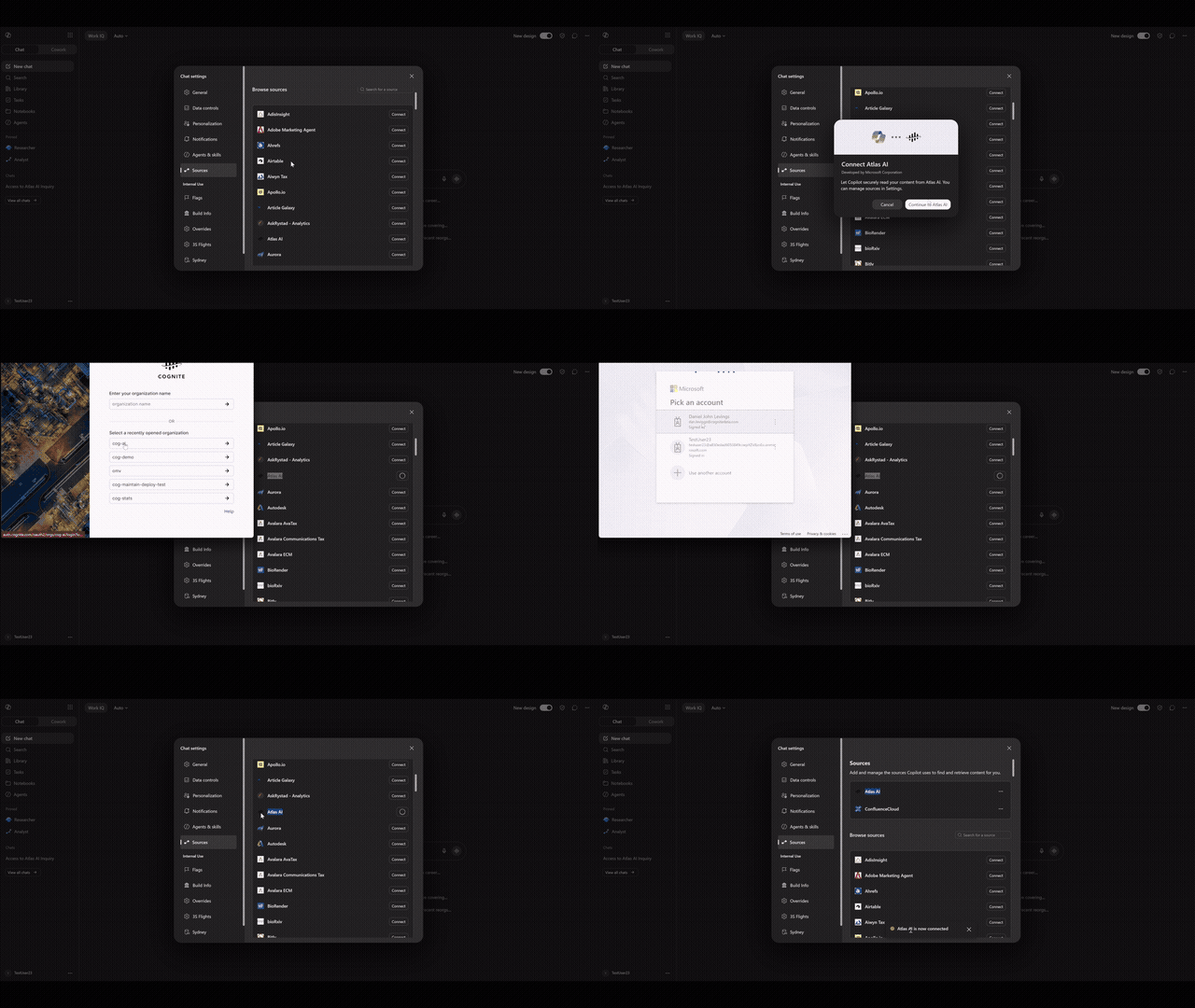
Productized Microsoft Copilot connector for CDFPublic Preview Rapidly scaling use cases across your enterprise | Industrial users spend their day in Microsoft 365 and increasingly ask Copilot for help, while the operational data they need lives in CDF. | Use CDF data inside the Copilot your users already have. Connect in one click with an interactive sign-in, built on the Cognite MCP connector, so users get answers from Cognite Data Fusion in the tool they already work in. Requires Atlas AI. Documentation |
| ||
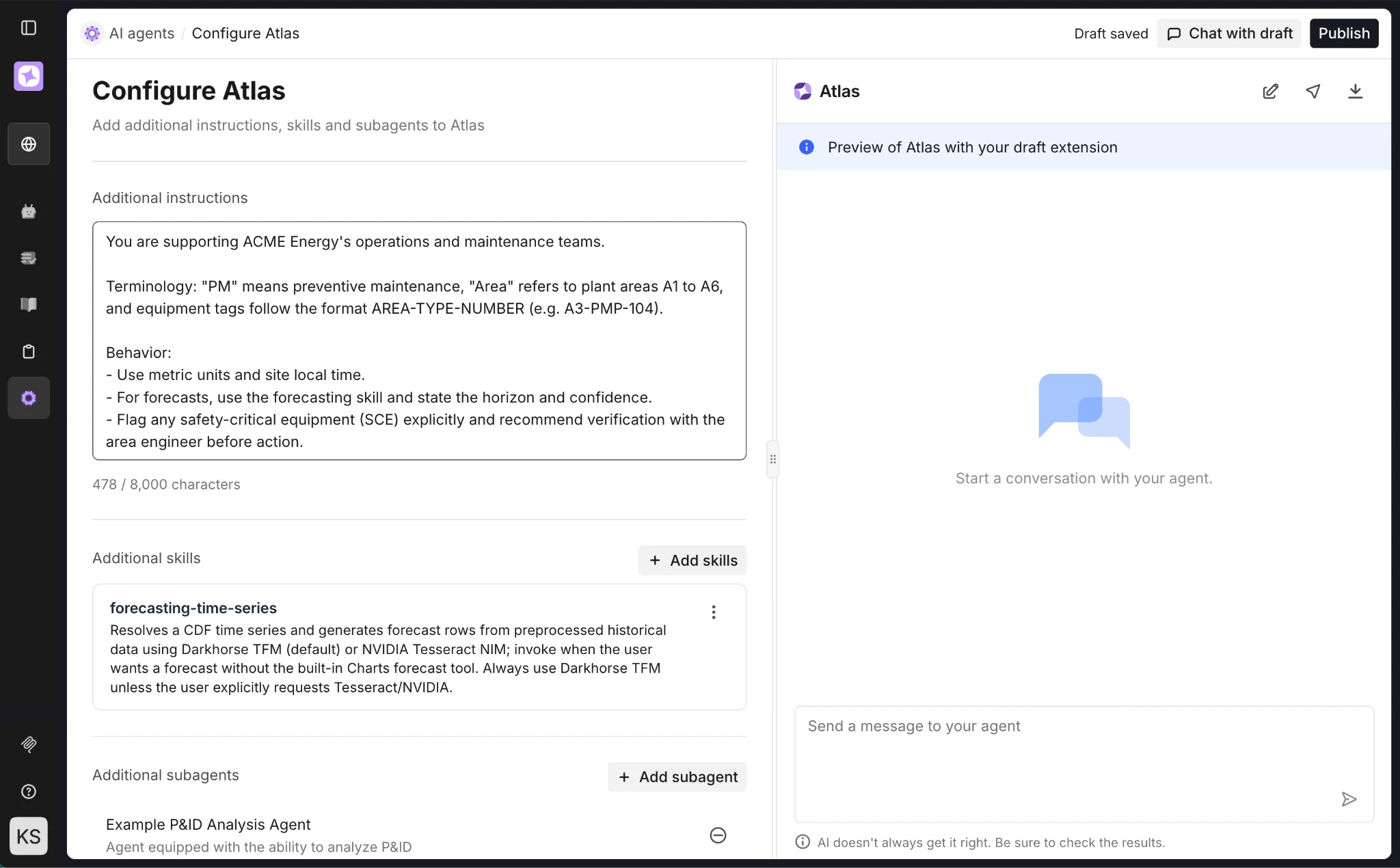
Make the default agent your ownPublic Preview Rapidly scaling use cases across your enterprise | Every site has its own workflows, procedures and terminology. Capturing them means building and maintaining a separate custom agent, and users have to know which agent to switch to for which task. | Add custom workflows with a skill, not a new agent, apply enterprise instructions to every conversation, and define your own subagents that are delegated to automatically when they fit. Your agent is always built on the latest default agent, maintained by Cognite. Documentation |
| ||
4. Data Fusion
| Feature | Problem (Challenge) | Solution: What You Can Do Now |
|---|---|---|
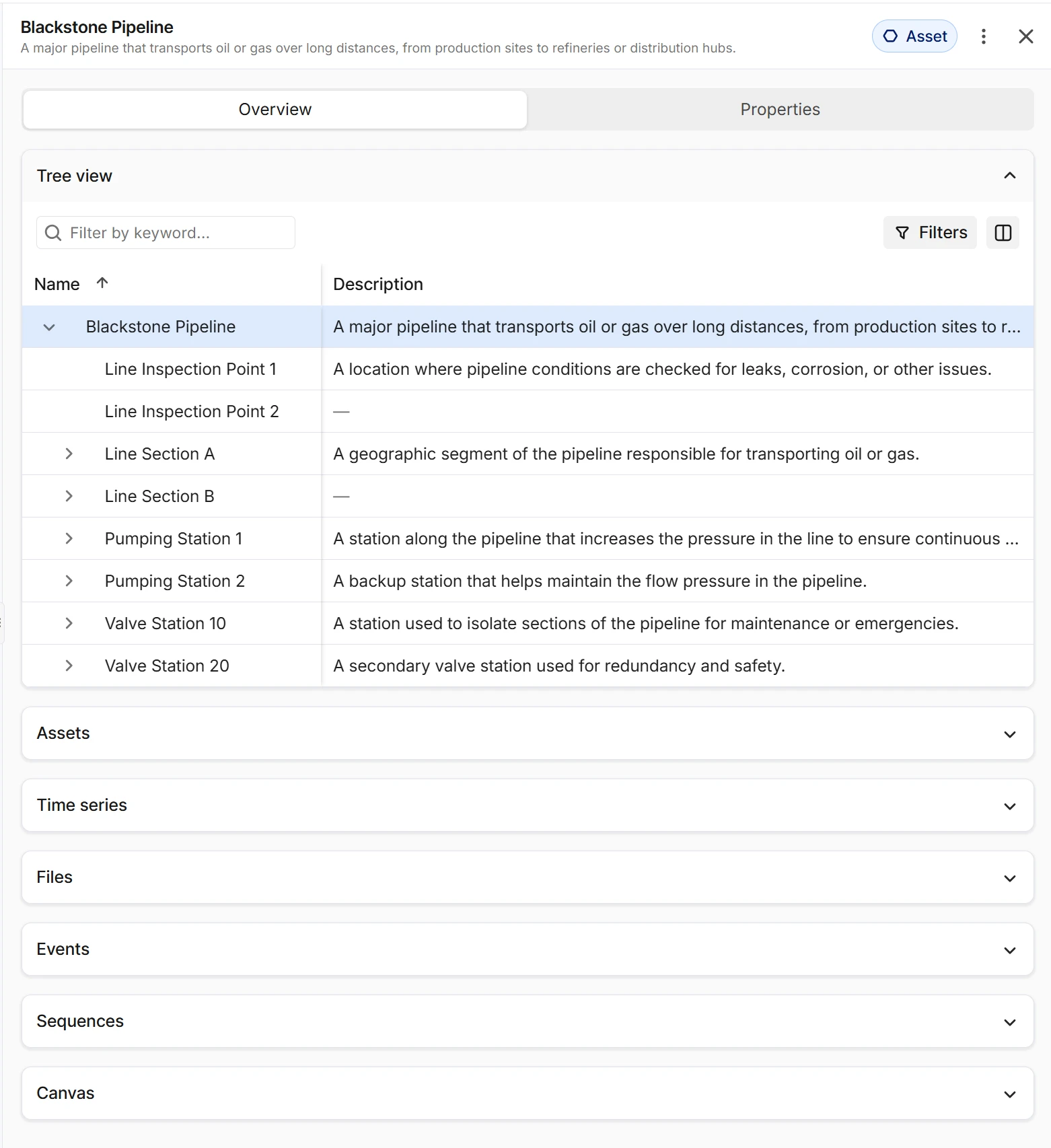
Search Preview Panel design updatePublic Preview Increase industrial workforce capacity | The Preview Panel shows every possible relationship as a widget, even empty ones, and to search, filter or change columns of related data users have to open a separate details page per relation. | The Preview Panel is simplified to two tabs, Overview and Properties. Relationship widgets are collapsed accordions by default and, once expanded, offer search, filter and column selection. The result is a cleaner, more scannable panel with fewer API calls, since data is fetched only on demand. Documentation |
| ||
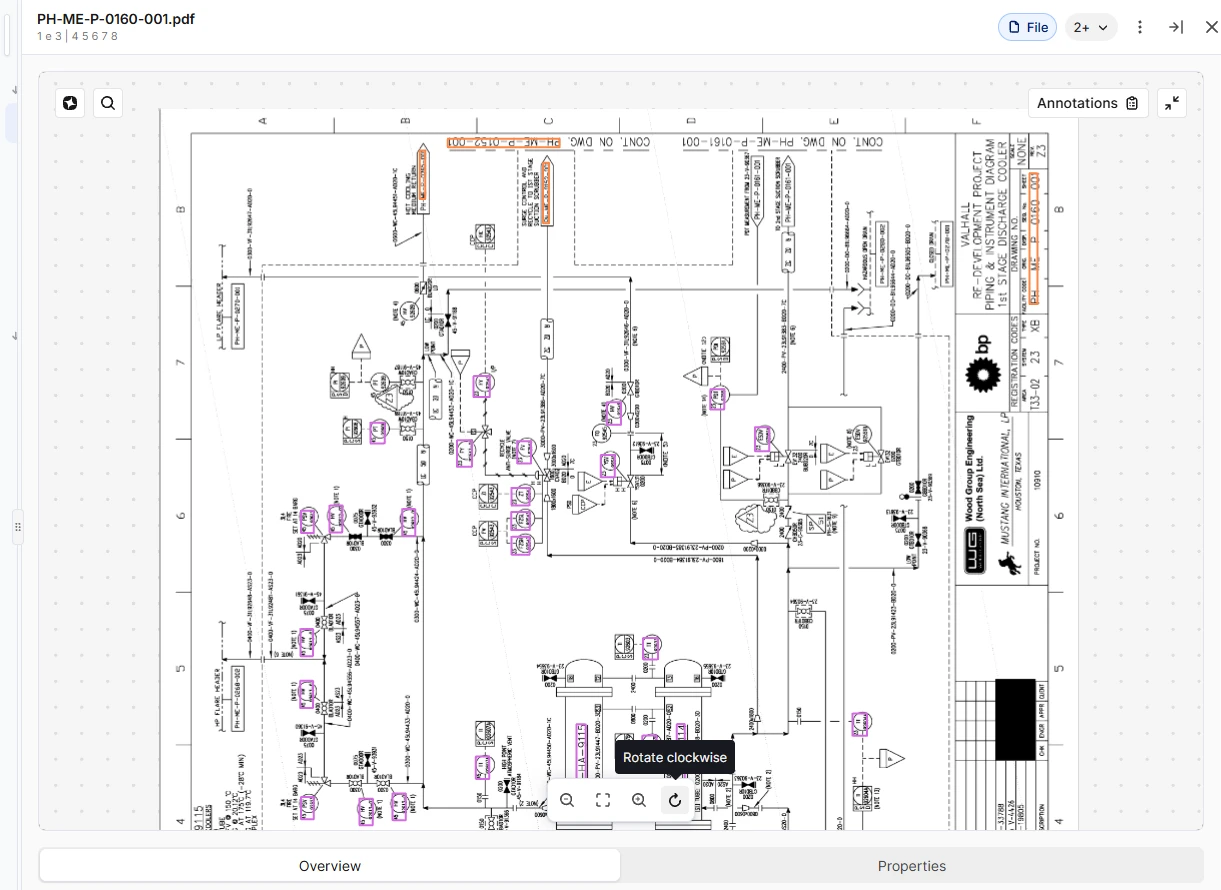
Search: Rotate sideways and upside-down documentsProduction Increase industrial workforce capacity | Scans and exports that arrive sideways or upside down stay that way, and today the fix is to rotate the file outside CDF and upload it again. | Use the Rotate button in the file preview to turn PDFs and images 90° clockwise per click. Annotations turn with the page and stay on the tags they mark. This is a view-only change; the stored file is not modified. Documentation |
| ||
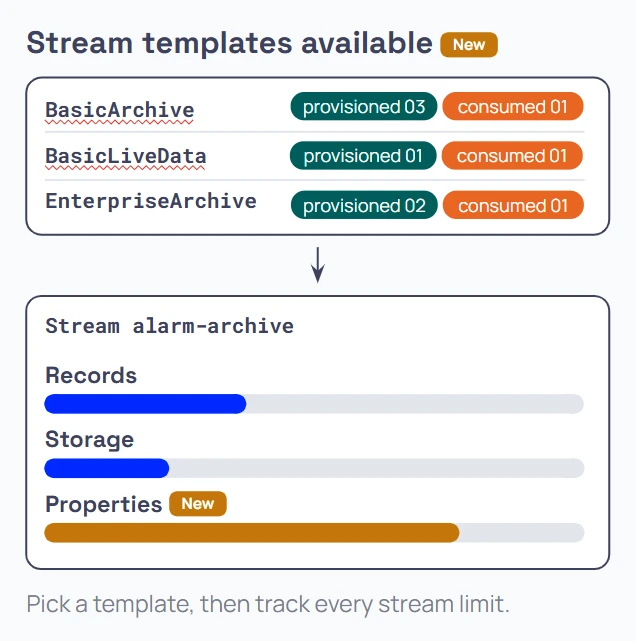
Records: Stream templates and property usageProduction Reduce the amount and cost of downtime | Customer-specific templates and the per-stream property limit were not visible in the API, so checking them meant asking support or finding out at ingestion time. | A new endpoint lists the stream templates a project can use, standard and customer-specific, with default settings. Stream settings include the property limit, and includeStatistics=true returns current property usage, so you see capacity before you hit the limit. Documentation |
| ||
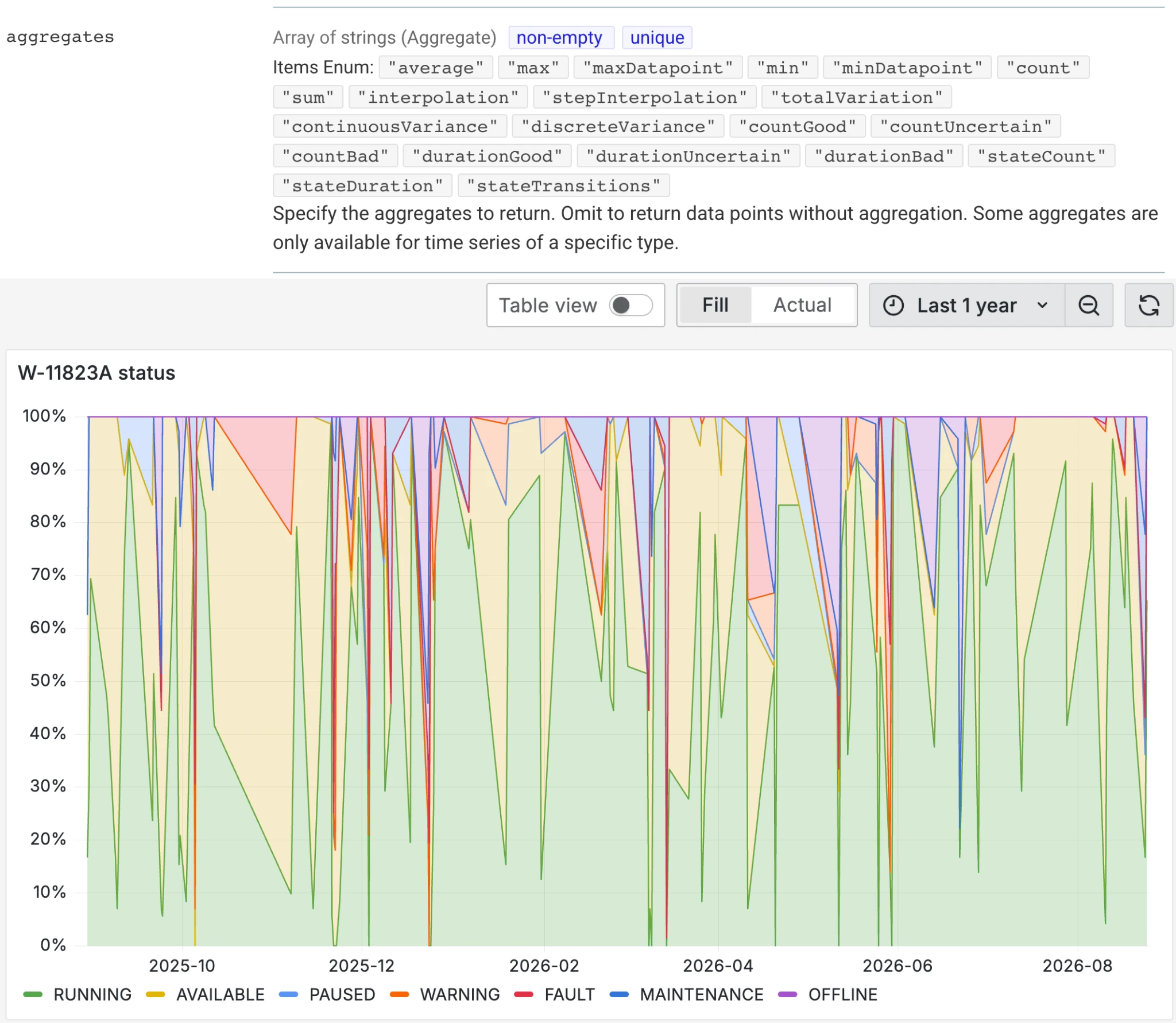
State Time SeriesProduction Accelerated time to value with your use cases | Machine states are a closed set of values that needs a code to plot, a name to read, and time spent per state, so state data from historians fits neither numeric nor string time series cleanly. | Use the new state type on CogniteTimeSeries, linked to a CogniteStateSet of allowed numeric and string value pairs. Per-state aggregates (stateDuration, stateTransitions, stateCount) come from the API, and states plot as step charts with no client-side lookup table. Documentation |
| ||
Time Series gap filling: reconstructing compressed signalsProduction Accelerated time to value with your use cases | Where historians compress heavily (10-100x), they rebuild the signal at query time, and that reconstruction step does not come along with the data. | Add fill.limit to aggregate queries to turn on reconstruction and cap the largest gap CDF will fill. Interpolation follows OPC UA (linear or step, with forward-fill past the last point). It is opt-in, and sensor outages stay visible as gaps. Documentation |

| ||
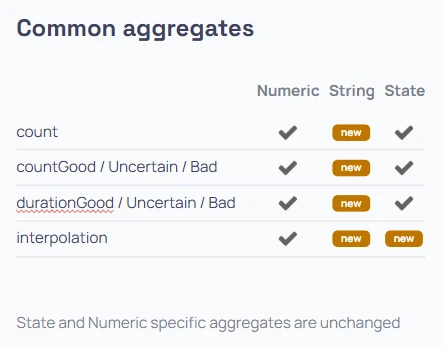
Time Series common aggregatesProduction Accelerated time to value with your use cases | Aggregates were built for numeric time series, and state time series added their own set, while string series could only be read as raw data points. | count, countGood, durationBad and the other status aggregates now work on string time series, and interpolation on string and state series returns the last value before each bucket boundary. A mixed dashboard gets aligned buckets for every series in one call. Documentation |
| ||
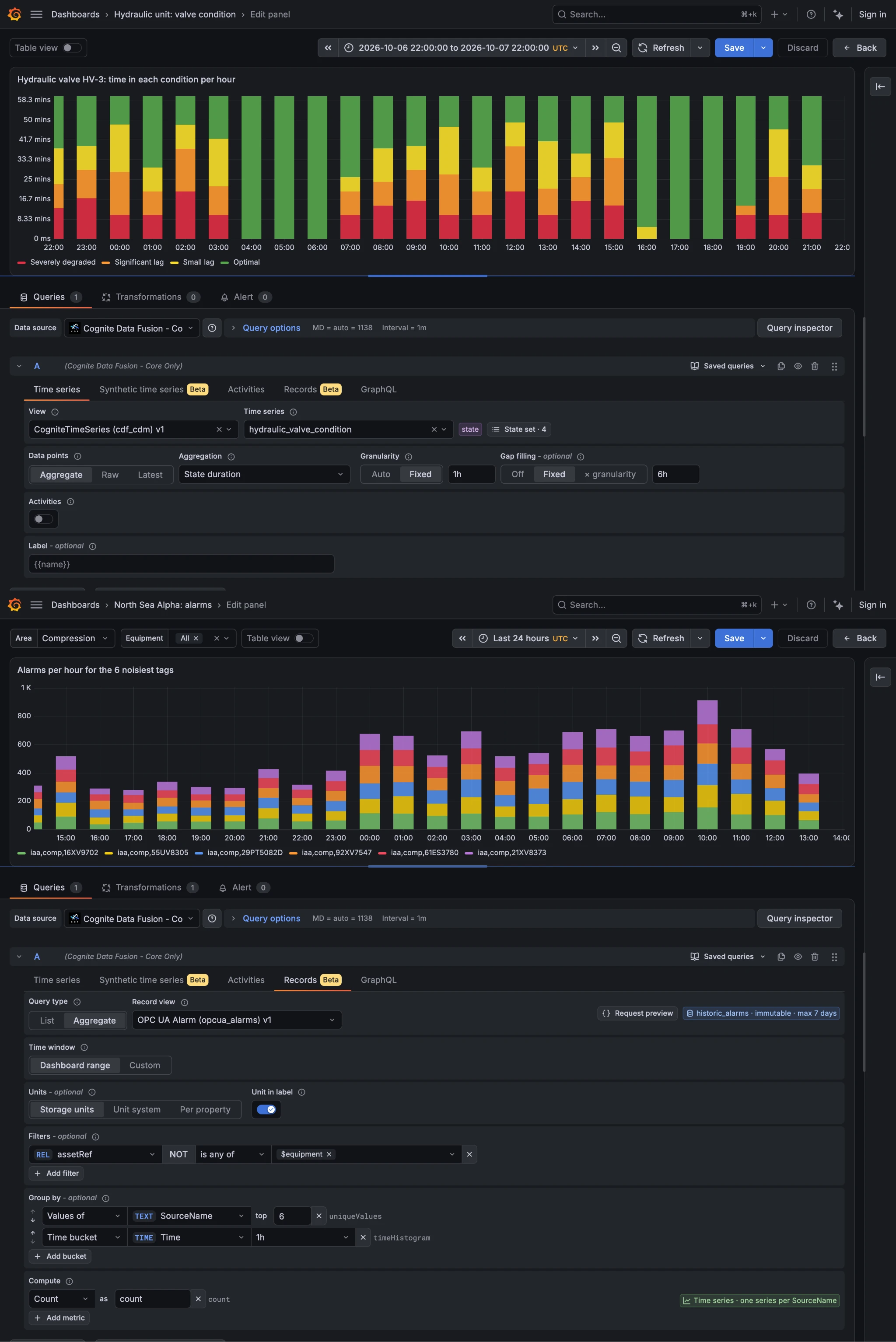
Grafana: Full Records and Time Series supportPublic Preview Rapidly scaling use cases across your enterprise | The Grafana connector covered numeric time series only. String series were limited to raw and latest values, state series were not supported, and records were not supported at all. | Use one connector for all CDF time series types (numeric, string, state) and for records, with filters, group by, time histograms and unit conversion. A new synthetic time series tab uses CDM time series, and dashboard variables can pass instance IDs, so dashboards built on deprecated asset-centric resources can fully migrate. Requires Grafana 4.7.0. Documentation |
| ||
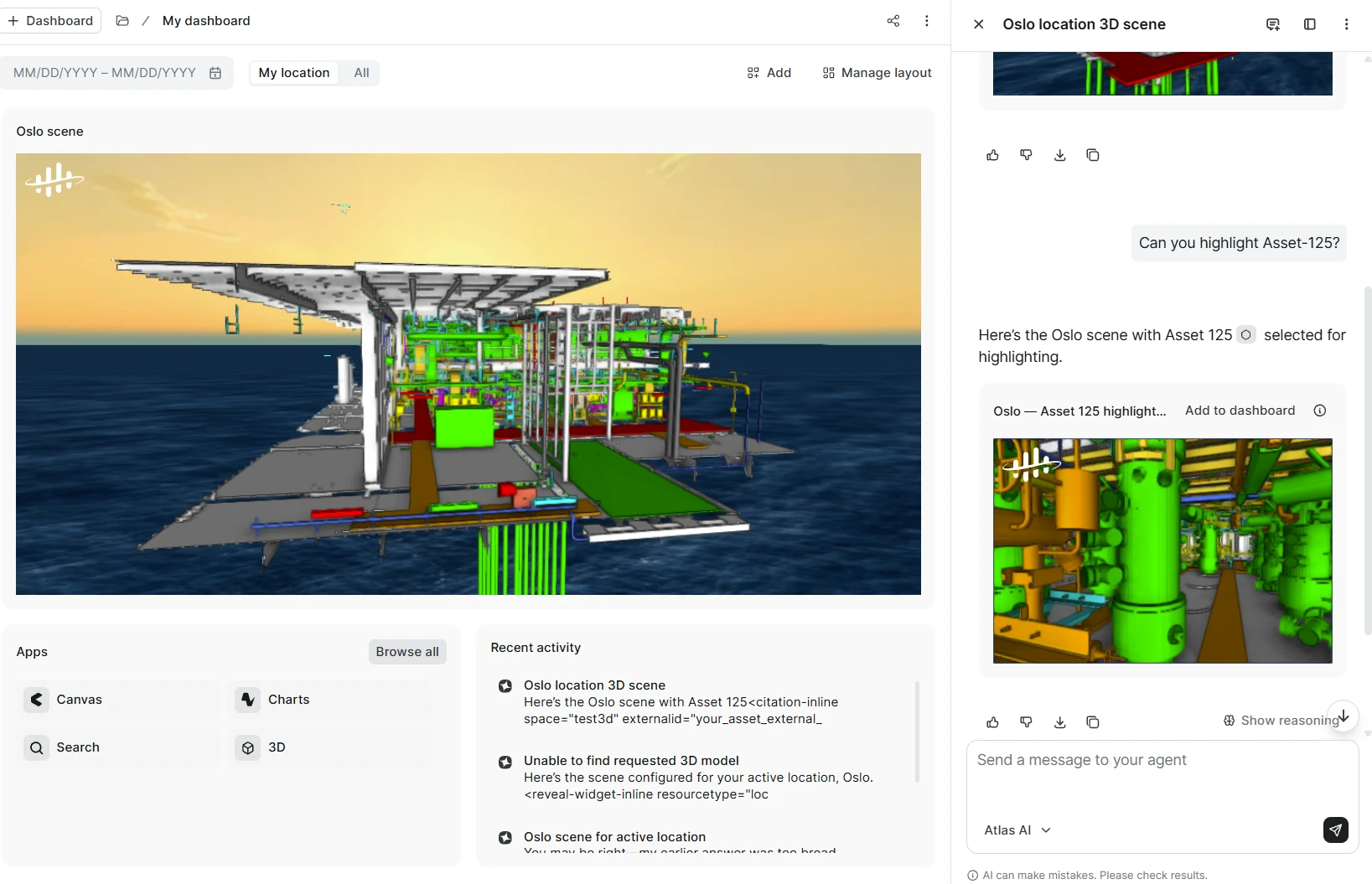
3D in Adaptive Experiences and Atlas AIProduction Increase industrial workforce capacity | Users lacked spatial context during AI chat and dashboard analysis, forcing them to switch back and forth to separate 3D applications. | Embed 3D scenes for the active location in Atlas AI chat and adaptive dashboards, create 3D widgets from a chat prompt or the manual builder, and jump into Search 3D with the exact camera view preserved. Query-based highlighting marks specific assets and work orders. Requires Atlas AI (for chat) and a DM-only project. Documentation |
| ||
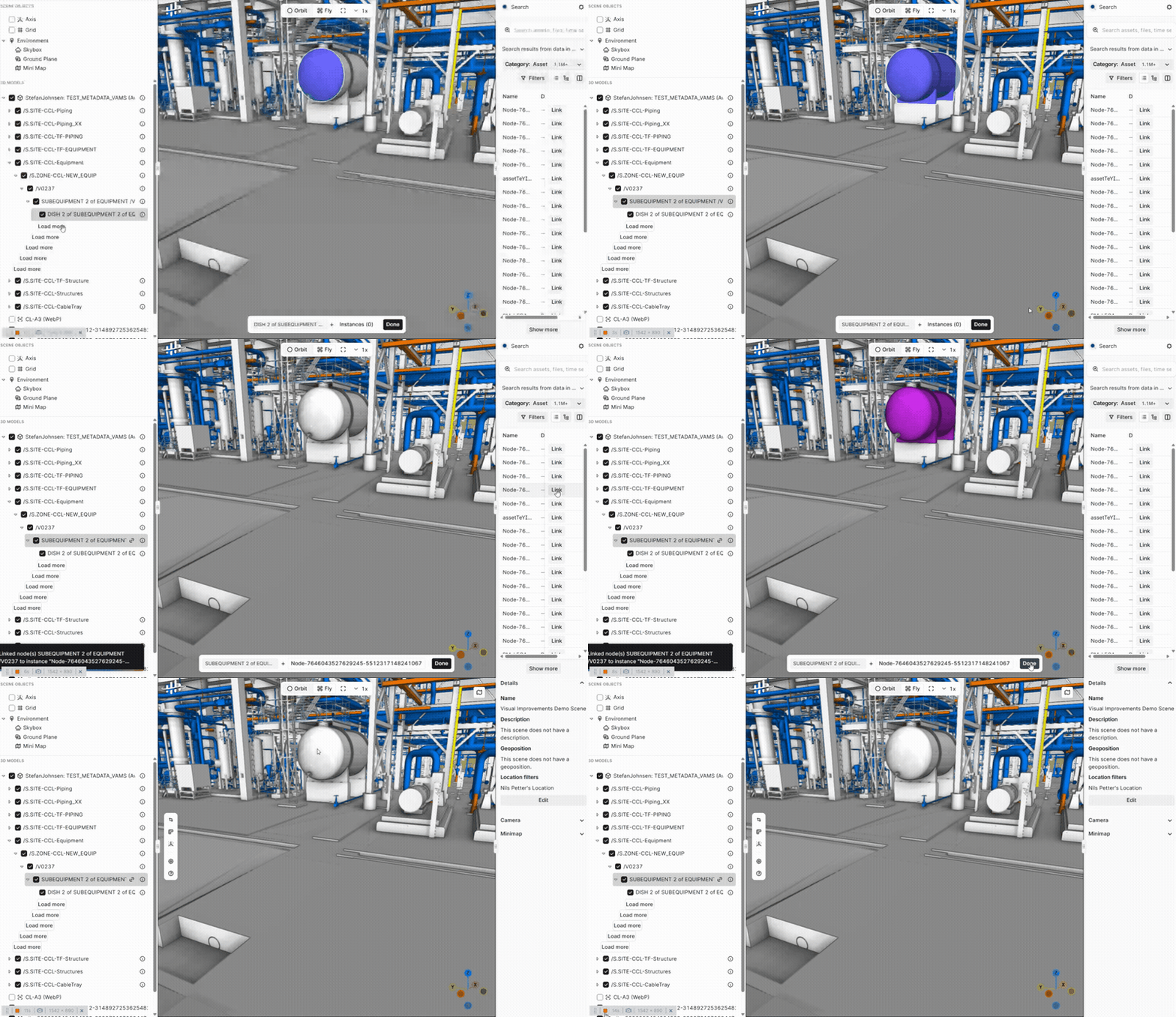
New 3D contextualization experiencePrivate Preview Accelerated time to value with your use cases | Annotating and linking data to 360 images, CAD models and point clouds was inconsistent, with different steps and tools for each format. | Link all types of 3D data in a single, unified interface, guided by a bottom bar helper that shows which 3D component is linked to which asset. Contextualize directly in entire 3D scenes rather than individual models. Requires 3D Scenes to be set up. Documentation |
| ||
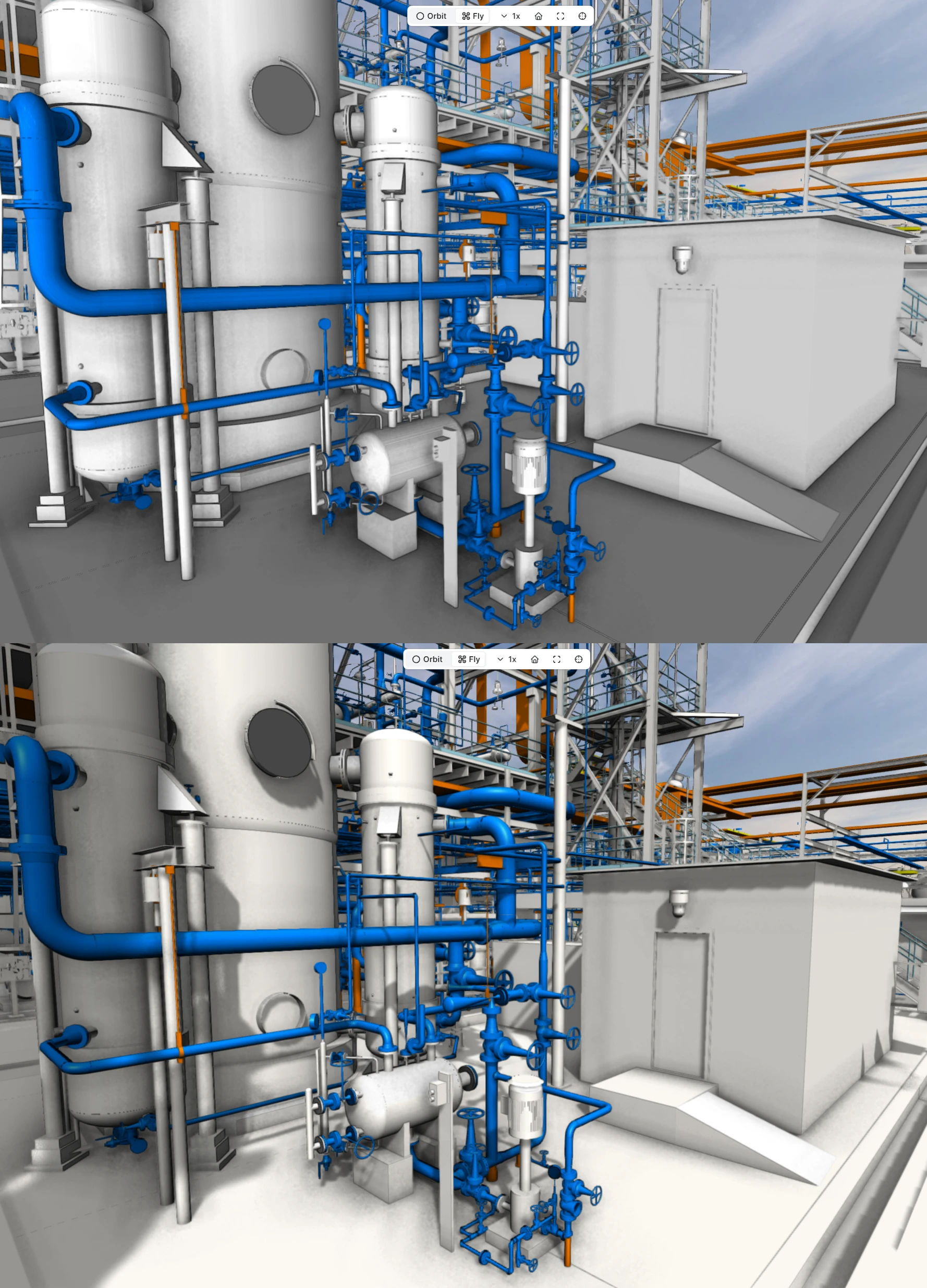
Visual improvements to 3DProduction Increase industrial workforce capacity | CAD models appeared flat, environments were limited, and point clouds often showed distracting gaps. | Dynamic lighting and shadows add depth to CAD models, with 2 new skyboxes and 9 new ground planes including water environments. Gap filling in Reveal uses synthetic points to make point clouds denser. Shadows and lighting are toggleable and off by default, so you balance fidelity and performance. Documentation |
| ||
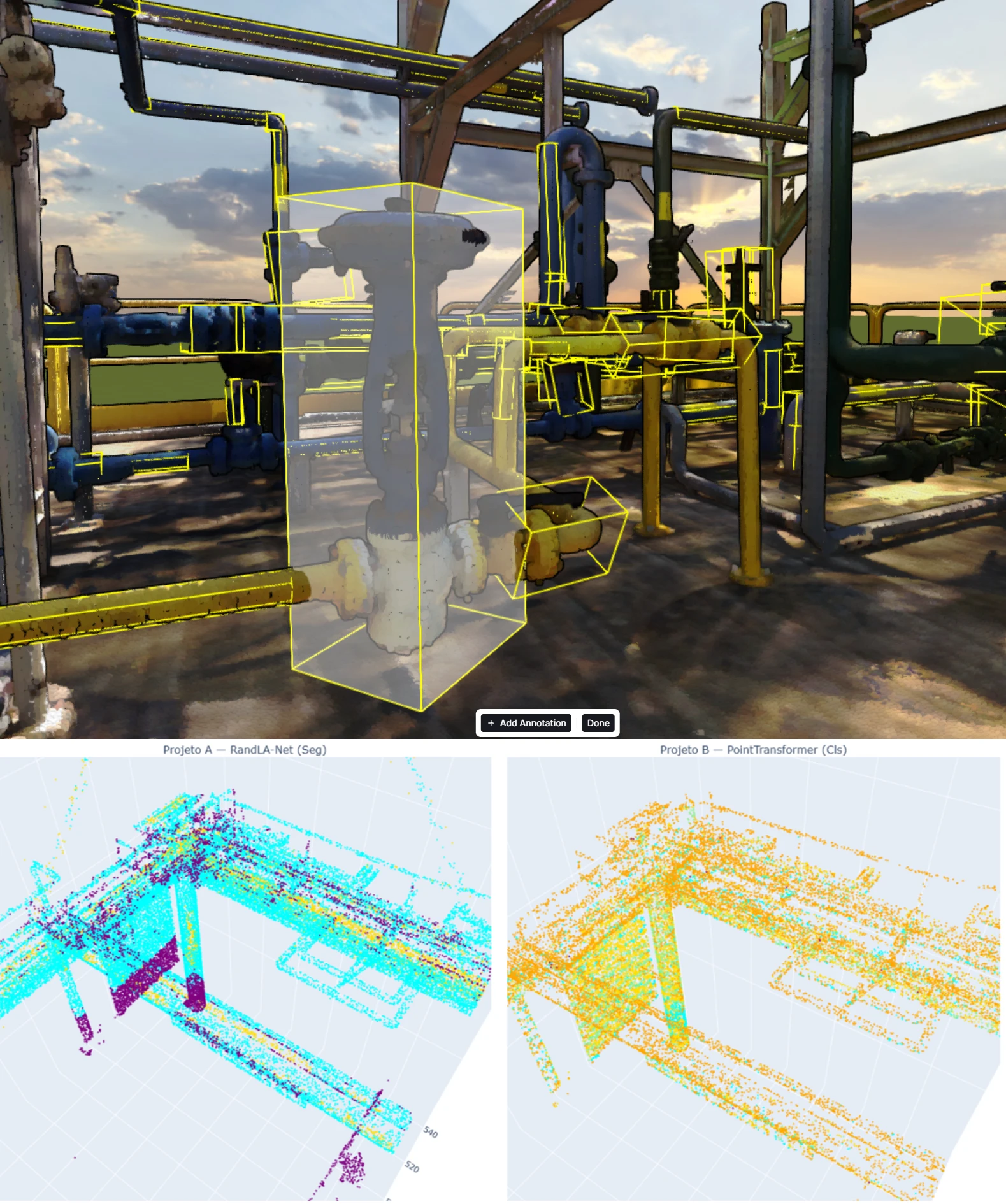
Next-Gen 3D Point Cloud ClassificationPublic Preview Rapidly scaling use cases across your enterprise | The previous classification system often missed critical equipment like pumps and tanks, and was too slow and computationally heavy to process large industrial sites at scale. | A new classification model (PointNet++ and Point Transformer V3) delivers up to 25x faster processing, cutting analysis time per area from hours to minutes, with 17% higher accuracy on complex equipment. It identifies key assets and creates bounding volumes for easy contextualization. User-enabled toggle. Documentation |
| ||
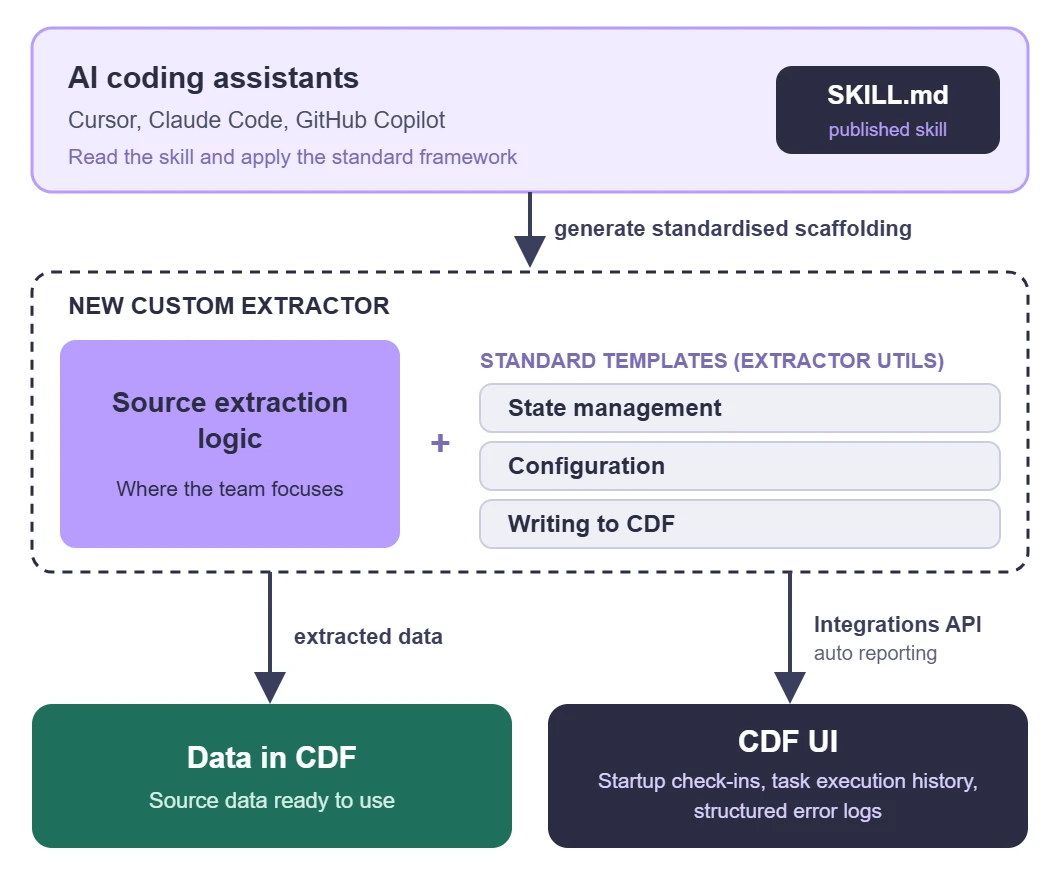
Skill for building custom extractorsProduction Accelerated time to value with your use cases | There is no structured framework for building custom extractors, and the process is fragmented and manual. | Use a published SKILL.md that AI coding assistants (Cursor, Claude Code, GitHub Copilot) can follow, with standard templates built on the extractor utils for state, configuration and writing to CDF. Extractors report startup check-ins, task history and structured error logs to the CDF UI through the Integrations API. Documentation |
| ||
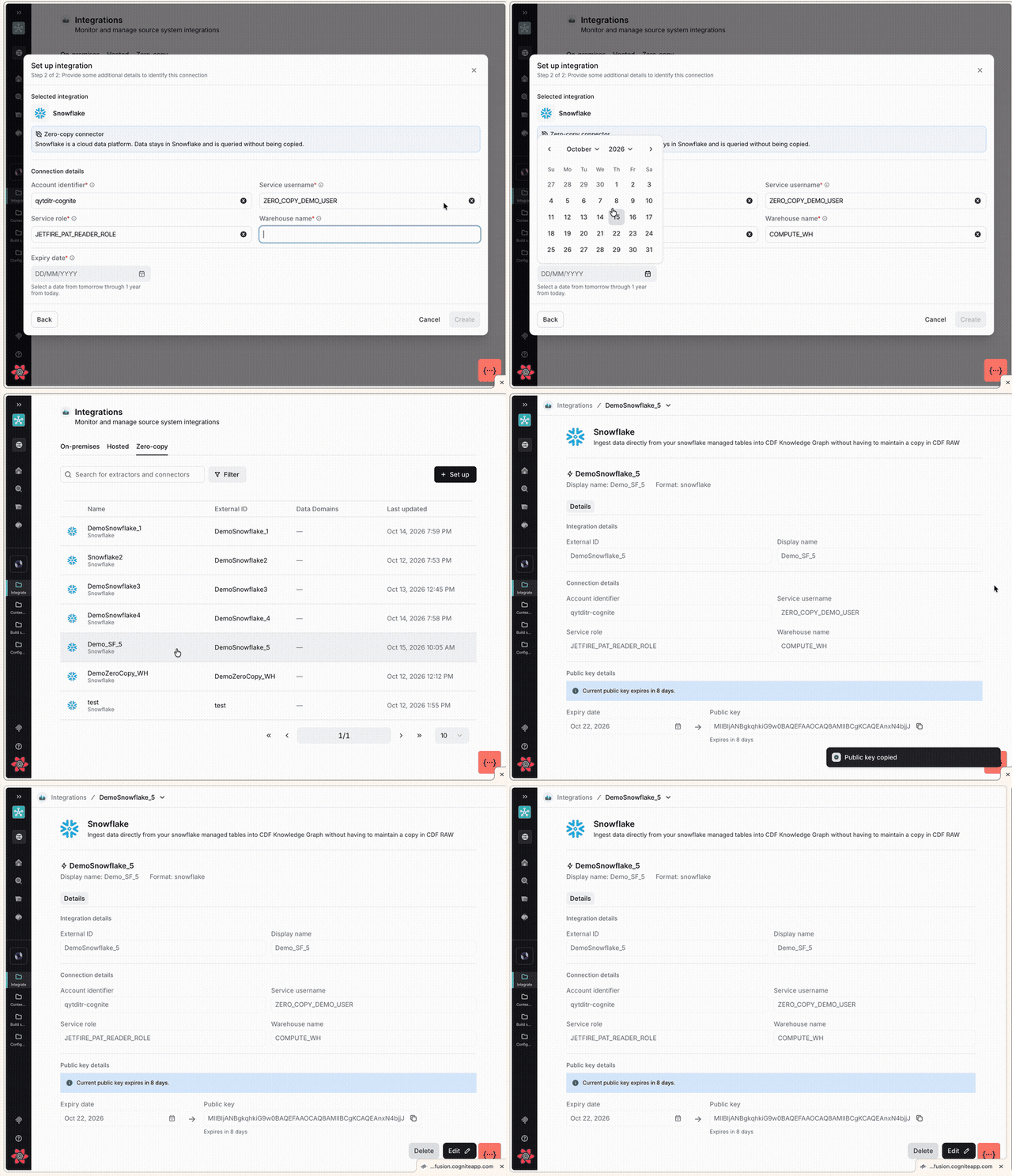
Zero-Copy Inbound support for Snowflake through TransformationsPublic Preview Rapidly scaling use cases across your enterprise | Customers who keep large data in Snowflake have to duplicate it into CDF RAW via extractors before they can consume it. | The Snowflake integration moves from proof of concept to public preview, enabling direct reads from CDF Spark Transformations with incremental processing and a UI. Ingest Snowflake data without copying it into RAW and without extractor operation overhead. Documentation |
| ||
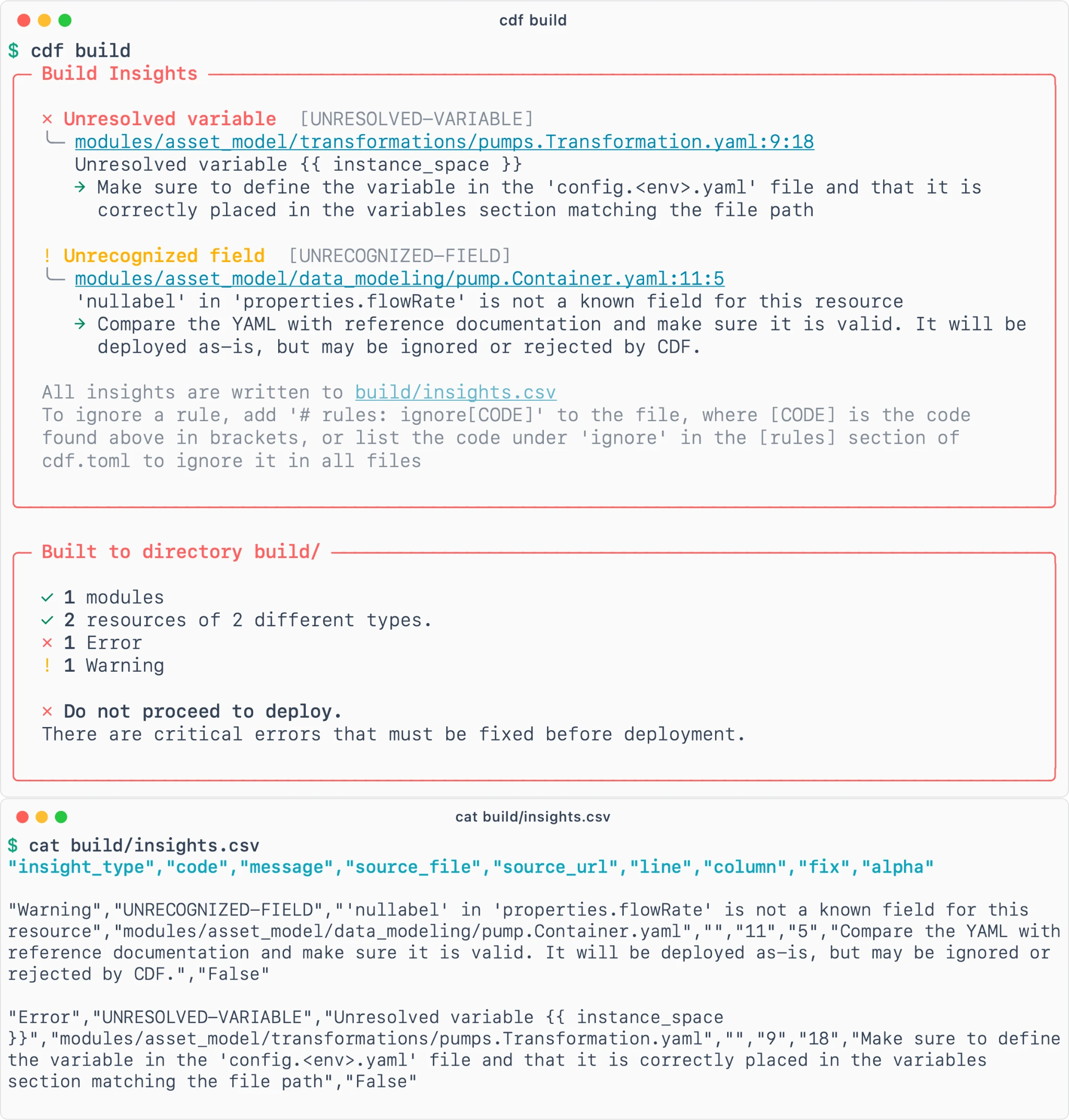
Toolkit CLI: Improved warning systemProduction Reduce the amount and cost of downtime | CLI warnings and errors are confusing and ambiguous, so users get alert fatigue and ignore them, and problems surface weeks later in production. | Redesigned messages say what happened, why it matters and what to do next, and structured JSON and CSV output makes warnings and errors machine-readable, for AI agents as well as people. Documentation |
| ||
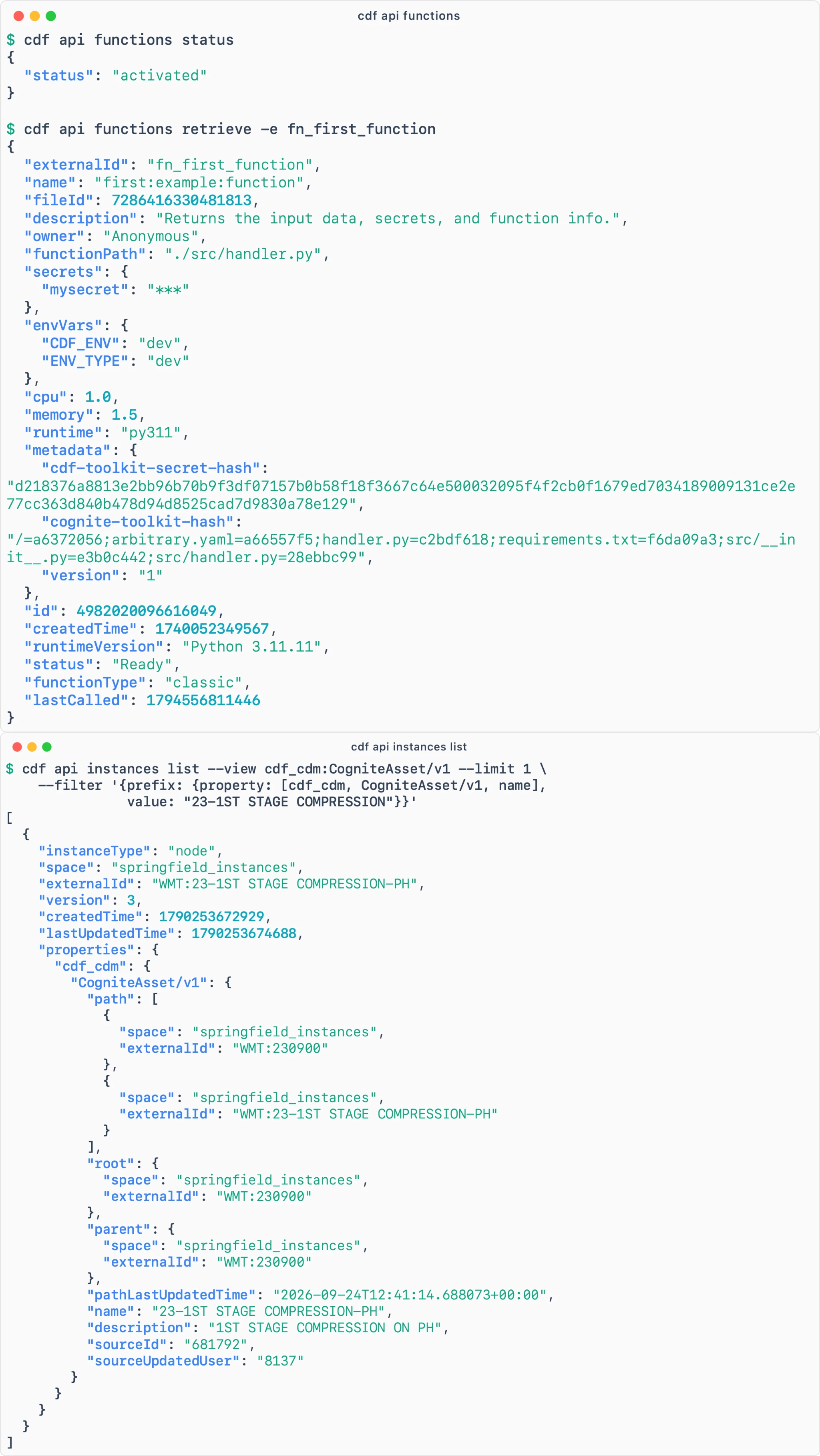
Toolkit CLI: direct API modePublic Preview Accelerated time to value with your use cases | Simple lookups and one-off actions in CDF from the terminal, through API calls or writing scripts, are a waste of time and tokens for a quick question. This hurts builders mid-flow and agents that need to check live state. | Use the new direct-access CLI mode cdf api <type> <verb>: JSON in, JSON out, with no resource files or manifests. It sits alongside configuration-as-code, not instead of it. Documentation |
| ||
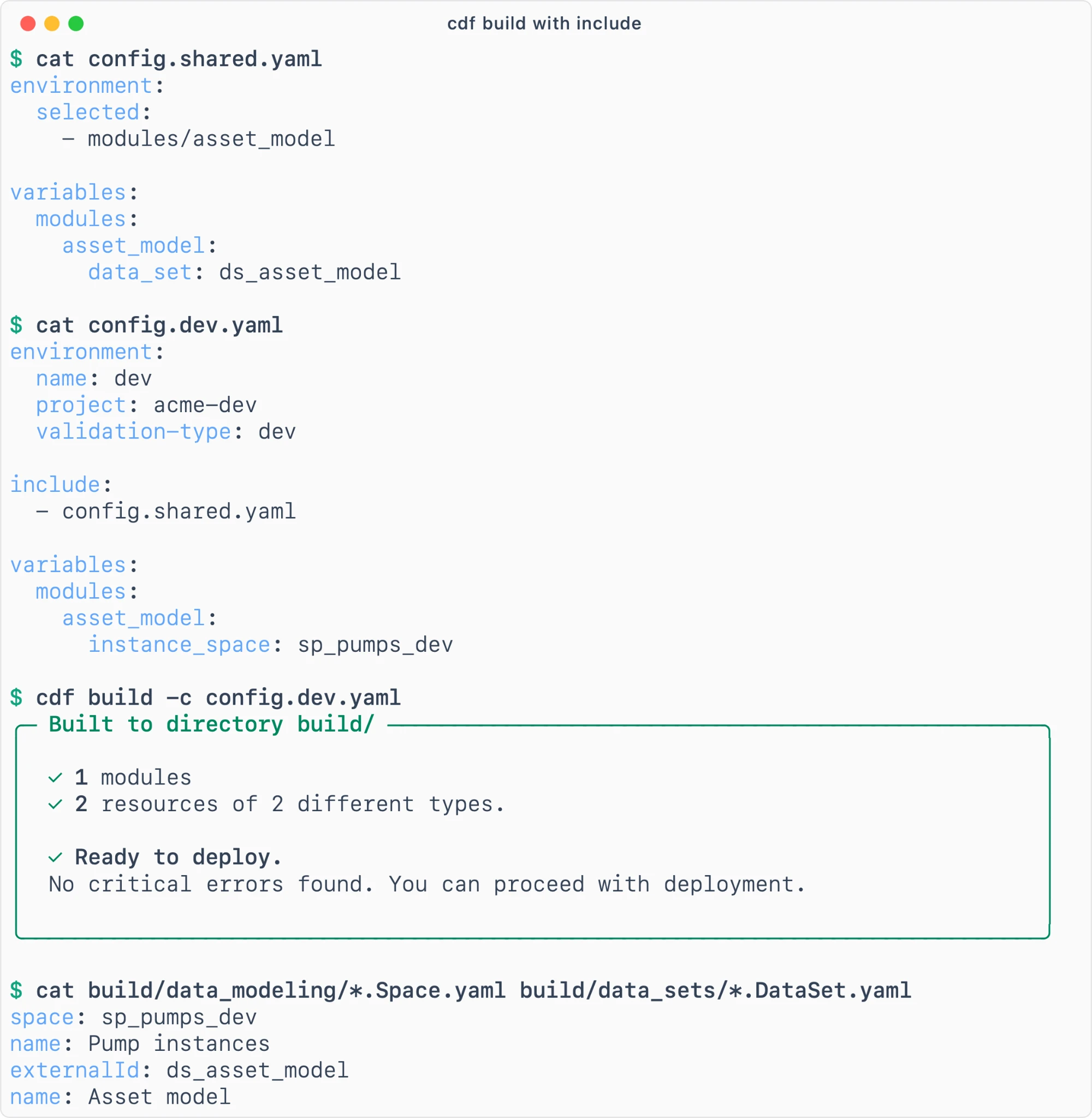
Toolkit: Scaling configurationPublic Preview Rapidly scaling use cases across your enterprise | Large or scaling customers struggle with complexity in big deployments: keeping config reusable without duplication, knowing what is deployed where, and limiting access and blast radius of changes. | Teams can split large config files across modules and reference them where they are needed, so large deployments can be managed across multiple teams with better guidelines and tooling from the start. Documentation |
| ||
For a comprehensive list of all technical updates, improvements, and bug fixes, view the full Q4 2026 Release Notes.
