

 Check the
documentation
Check the
documentation Ask the
Community
Ask the
Community Take a look
at
Academy
Take a look
at
Academy Cognite
Status
Page
Cognite
Status
Page Contact
Cognite Support
Contact
Cognite Support

Enhanced CAD Tree Navigation and Highlighting in Unified 3D
Hi everyone,
We’re pleased to share an update to the Unified 3D application in Cognite Data Fusion that makes navigating CAD models faster and more informative.
What’s new
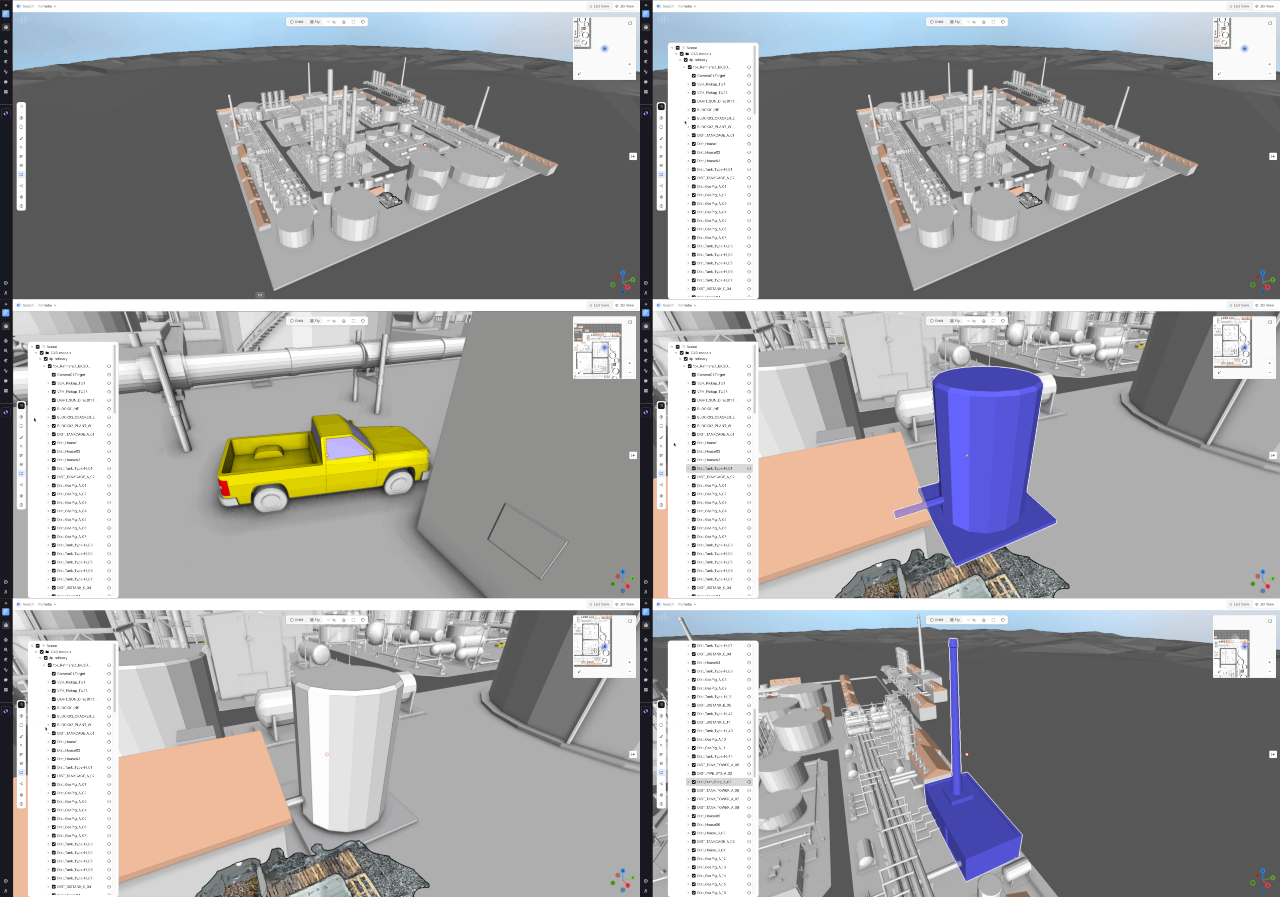
- New CAD tree display — a structured tree menu on the left side of the screen makes model hierarchy easy to explore at a glance.
- Node highlight — selecting a node in the tree highlights the corresponding geometry inside the 3D view.
- Auto-zoom camera — when you pick a node from the tree, the camera automatically zooms to that part for immediate, clear visibility.
- Node properties via info icon — an info (i) icon at the end of each node name opens a properties panel showing metadata and attributes. The panel opens without changing your current camera view, so you can inspect details while keeping visual context.
Why this helps
- Faster navigation — jump directly to relevant parts of large models without manual orbiting or searching.
- Clearer context — highlight + auto-zoom reduces ambiguity about which component you’re inspecting.
- Immediate metadata access — view node details quickly from the tree without interrupting your inspection or shifting the camera.
- Improved collaboration — presenters and reviewers can point team members to exact nodes and their properties more reliably during reviews and handovers.
We’d love your feedback — what’s working well, what could be improved, and any fields or interactions you’d like added to the properties panel. Please leave your thoughts in the comments below.
For a quick look at the zoom, highlight, and info-panel behavior.
Thanks,
The 3D Product Team
