

 Check the
documentation
Check the
documentation Ask the
Community
Ask the
Community Take a look
at
Academy
Take a look
at
Academy Cognite
Status
Page
Cognite
Status
Page Contact
Cognite Support
Contact
Cognite Support

Cognite InField summer update - Create ad-hoc Checklists directly in the field
Cognite InField summer update 📲
Create ad-hoc Checklist directly in the field
With Cognite InField, Templates can be scheduled to automatically generate Checklists for whenever works needs to be done in the field. For anything that needs to be done every shift, daily, weekly, monthly or yearly, scheduling removes the need for spending time on manual Checklist creation.
However, not all Checklists have a calendar-based schedule and changes in operating conditions might lead to the need for doing work ahead of or later in time. When this happens we can’t rely on having a desktop at hand, as we’re probably already in the field. Due to this we have now added Templates on mobile, allowing you to find available Templates and create Checklists directly in the field.
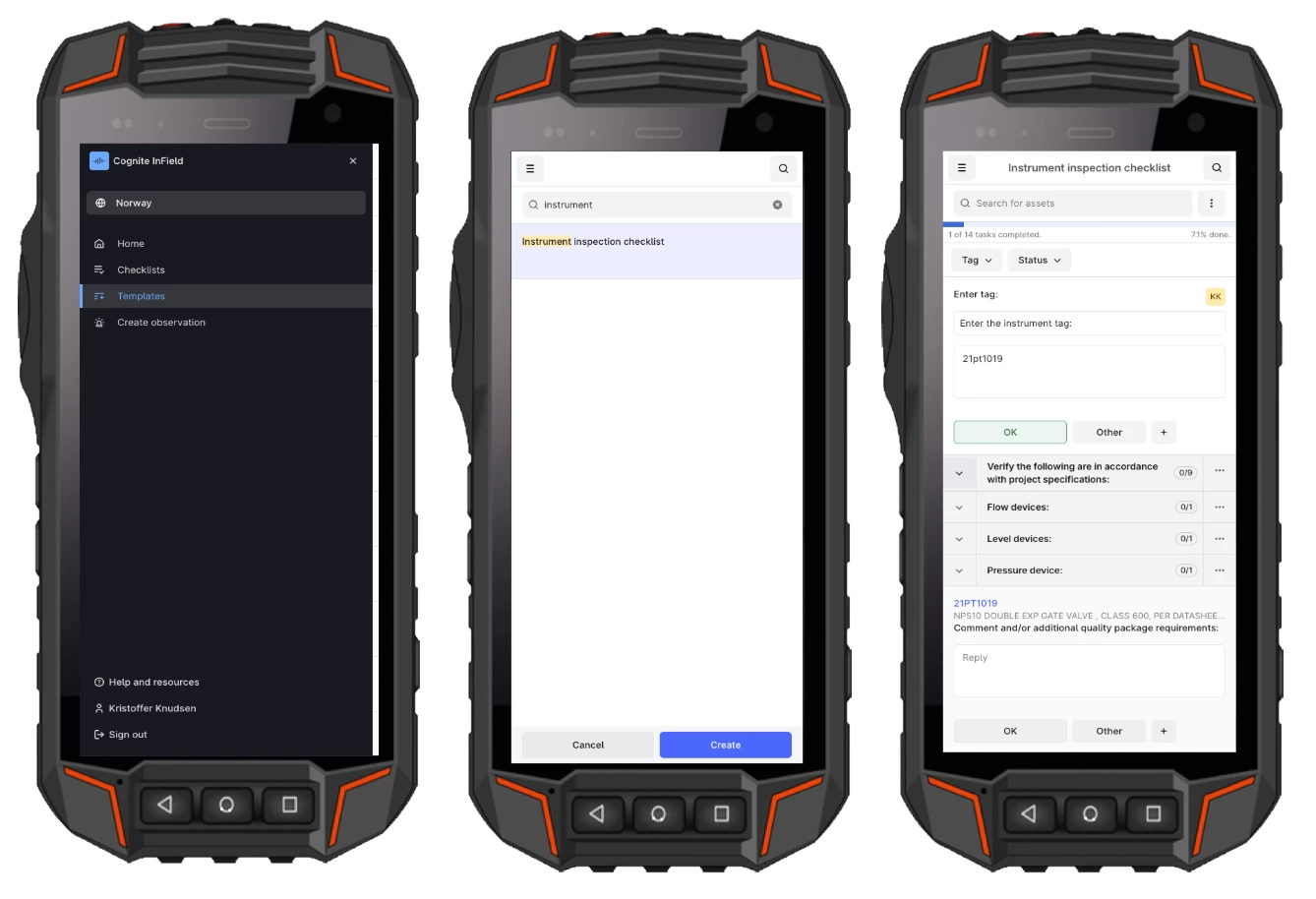
Can’t see this feature in your InField? Contact your application administrator and we’ll ensure that it’s enabled in your project.
See latest numerical reading and marking checklists as “done”
With this we’ve also added improved functionality for working with Checklists. A large portion of routine inspections involves capturing “numerical readings” in the field. In this release we’ve added a quick way to validate the results you’re seeing in the field by exposing the latest reading. If you need further historical records you can always navigate to the associated Asset and “Trends” to see the full history. Note that you will also see a positive change when capturing the reading as InField now displays the numerical keyboard by default, removing un-needed mobile touches in the field. If needed you can select your preferred keyboard under “device settings” on mobile.
In addition to this we’ve also removed unnecessary time for marking checklists as “done”. Now the “Set to Done” option will appear automatically once you are at 100% completion. Note that this will only apply to “checklist admins” if those are configured in your project.
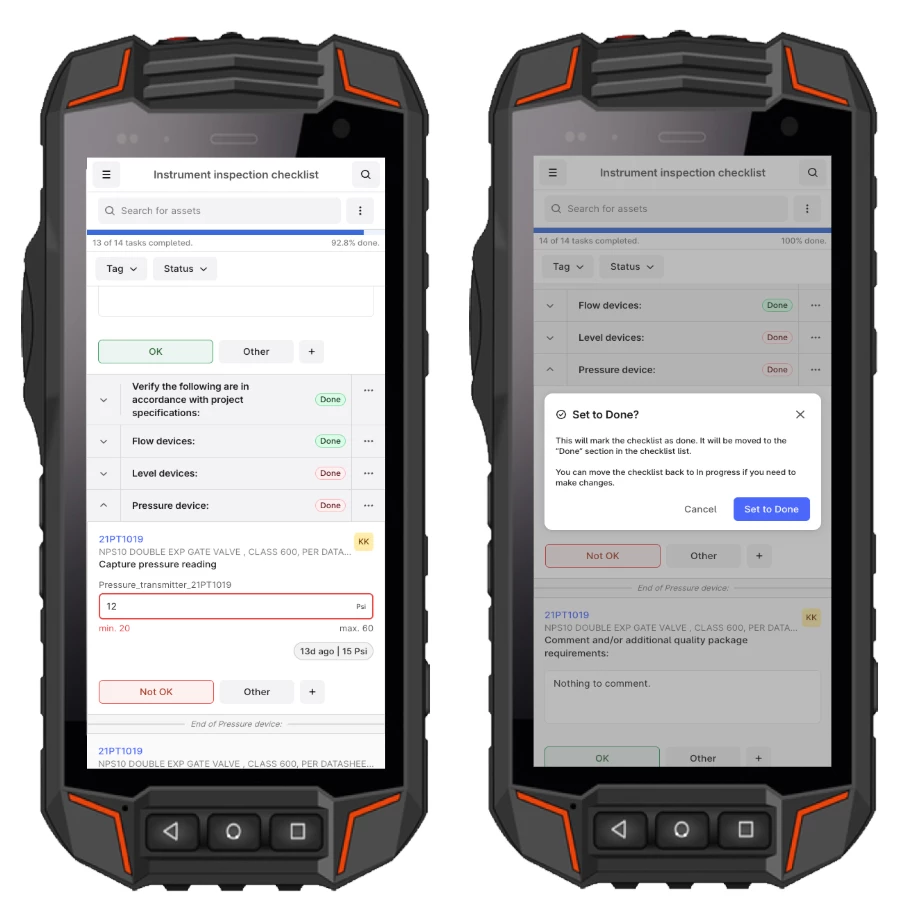
View and filter checklists created by individual users
Finally we’ve also added improved filtering in the “Checklist Overview” on desktop. Now you can easily view and filter on Checklist created by yourself or any of your colleagues. This gives you quick access to find Checklists you created in the field with the new “Templates on mobile” feature. Note that “auto-generated” checklists means that they were created by the scheduler.
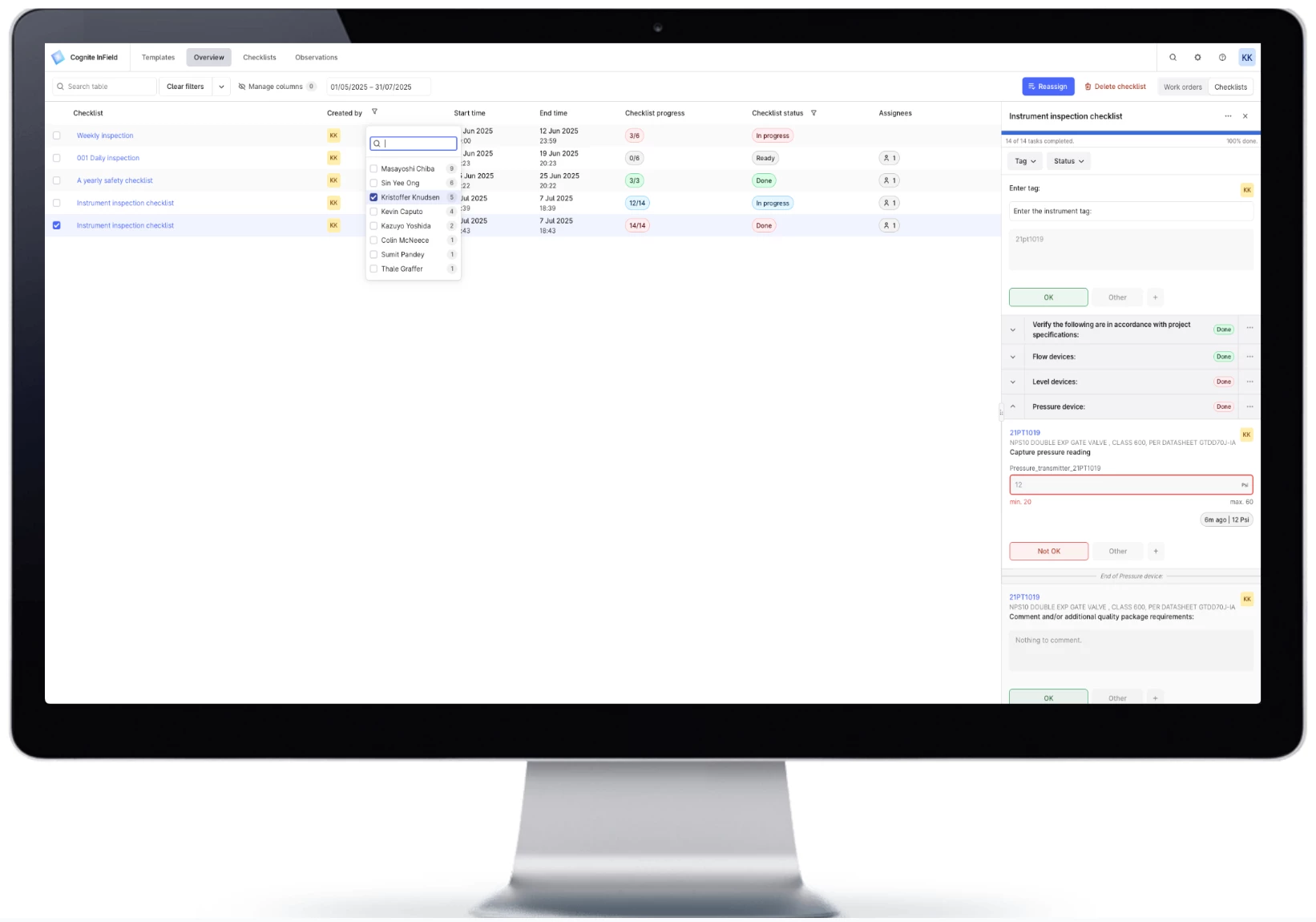
On behalf of the product team we wish you all a great summer and look forward to more updates in September 🌞 Please comment here if you have any questions, we’ll look forward to your feedback.
