
Seasoned ⭐️⭐️
November 7, 2024
Implemented

Search: Category dropdowns under "Assets", "Files" and "Events"

Related products:Search UI
  • November 7, 2024
  • 4 replies
  • 68 views

This is an Adoption Blocker for Search.

The Filters are too complex for our users to use. Please implement a dropdown list under each resource type with their categories. 


Drop down list under "Assets": The items in the "Catalog Profile Description" filter.

Drop down list under "Files": The items in the "type" (LOWERCASE) filter.
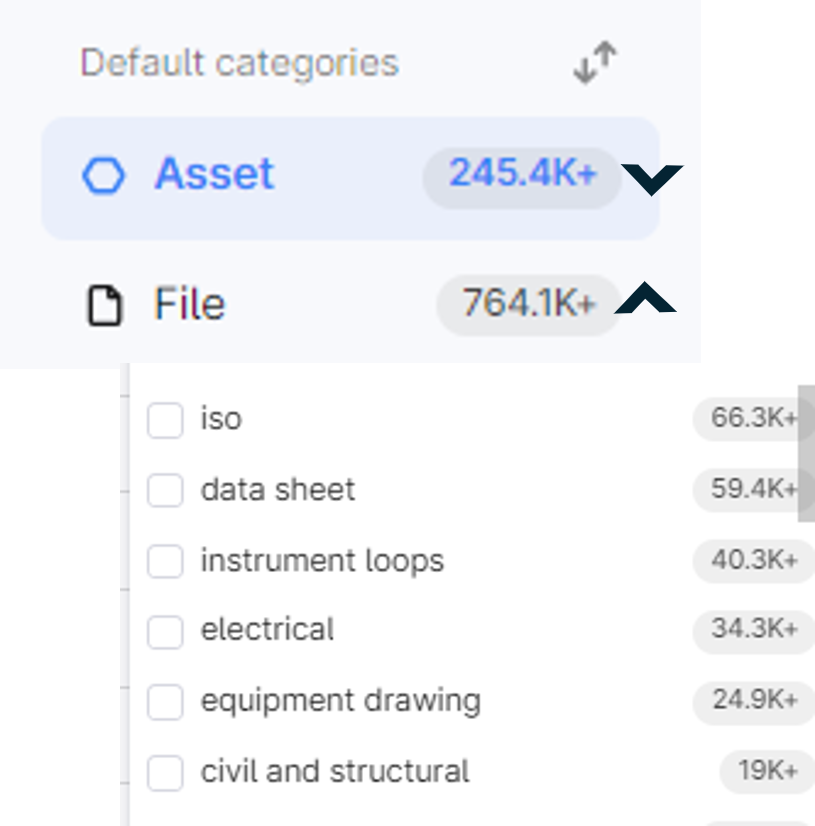
Drop down list under "Events": The items in the "Subtype" filter.
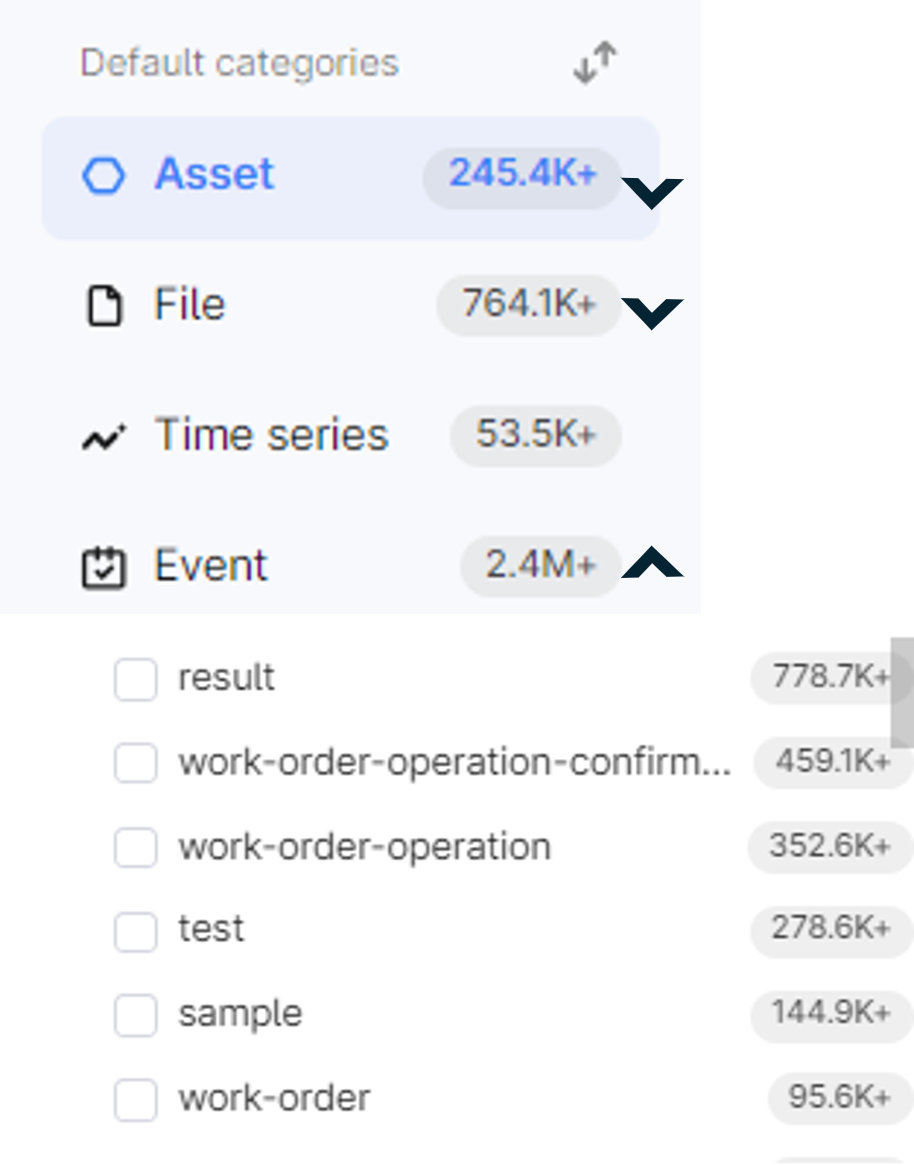
This way the user can navigate straight to all "Pressure relief device" assets, or all "P&ID" files, or all "work order" events, etc. 

    4 replies

    Sofie Svartdal Berge
    Expert ⭐️⭐️⭐️⭐️
    Expert ⭐️⭐️⭐️⭐️
    November 8, 2024

    Hi @EmilyViola ! Thank you for this suggestion. 


    I have advised the team to create Saved Filters for the same items you want in the dropdown. When creating saved filters, you remove the need for the end user to know which metadata field to filter on, as you create the filter in the background and give it a suitable Name and Description. Saved Filters are at the top of the filter dropdown within each category. 

    Saved filters allow for quick access to filtered views.

    Let me know what you think.

    When fully transitioning to Data Modeling, your project will also be able to model views of your data that could correspond to the categories you refer to here, and you will get very close to the suggestion you have added. 

    Best, 

    Sofie Berge, Product Manager

    Seasoned ⭐️⭐️
    November 8, 2024

    Great! Are these filters created by project, or by user? Who creates them?

    Sofie Svartdal Berge
    Expert ⭐️⭐️⭐️⭐️
    Expert ⭐️⭐️⭐️⭐️
    November 9, 2024

    @EmilyViola these Saved Filters are, for now, possible to set up by Cognite counterpart and are across the project. Tagging here @Diego Antonino. For the Q1 release, we are working on a configuration user interface in the Admin workspace to set up these filters and remove dependency on the Cognite counterpart. 


    Best, 

    Sofie

    Seasoned ⭐️⭐️⭐️
    December 3, 2024

    Looks good in dev! I would change from “saved filters” to “suggested filters” b/c saved filters implies that the user can save their own filters
