

 Check the
documentation
Check the
documentation Ask the
Community
Ask the
Community Take a look
at
Academy
Take a look
at
Academy Cognite
Status
Page
Cognite
Status
Page Contact
Cognite Support
Contact
Cognite Support


How to understand Function Memory Quotas in CDF [Cognite Official]
Overview
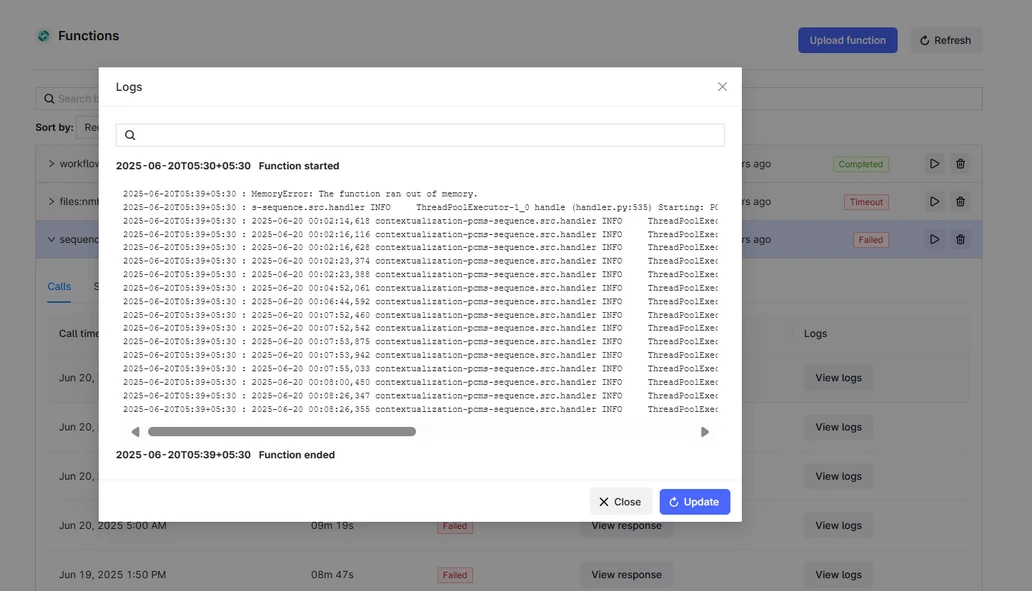
In Cognite Data Fusion (CDF), each project has predefined limits for the number of allowed function calls and concurrent executions. These limits include a fixed memory quota allocated per function call. When a function exceeds this memory limit, CDF will throw the following error:
MemoryError: Function ran out of memory
This how-to guide explains the cause of this error and provides recommendations for how to address it.
Cause
Each function in CDF runs with a fixed amount of RAM. These memory quotas are predefined based on the environment (e.g., Azure or AWS) and cannot be changed or customized per function.
When a function tries to use more memory than the allowed quota, it will fail with a MemoryError. This typically occurs in memory-intensive workloads, such as:
-
Processing large datasets in a single function call
-
Handling large input payloads
-
Running extensive computations without optimization
Workaround
Since the RAM per function call is not configurable, the recommended solution is to optimize how the workload is handled. Consider the following strategies:
-
Split workloads into smaller batches: Process data in smaller chunks to reduce memory consumption per call.
-
Break down large tasks into smaller function calls: Divide the logic into multiple, lighter-weight executions.
-
Stream data when possible: Avoid loading large datasets entirely into memory at once.
These approaches help stay within the memory limits and ensure successful function execution.
Predefined Configuration Summary (as of 24/06/2025)- Cloud provider limitations | Cognite Documentation
| Cloud provider | Functions per CDF project | Concurrent calls | Schedules | CPU cores per function call | RAM per function call | Function call timeout | Function call data payload size |
|---|---|---|---|---|---|---|---|
| | 100 | 100 per function | 1000 per project, 100 per function | default: 1.0, maximum: 3.0 | default: 1.5 GB, maximum: 5.0 GB | 9 minutes1 | 9 MB |
| Azure | 100 | 100 per function | 1000 per project, 100 per function | 1.0 (not configurable) | 1.5 GB (not configurable) | 10 minutes | 36 kB |
| AWS | 100 | 100 per function | 1000 per project, 100 per function | 1.0 (not configurable) | 1.5 GB (not configurable) | 10 minutes | 240 kB |
Conclusion
To avoid memory errors in CDF functions, it is essential to design your workloads with memory limits in mind. Since memory allocation per function call cannot be adjusted, breaking tasks into smaller, manageable chunks is the most effective solution.
