Check the
documentation
Check the
documentation Ask the
Community
Ask the
Community Take a look
at
Academy
Take a look
at
Academy Cognite
Status
Page
Cognite
Status
Page Contact
Cognite Support
Contact
Cognite Support

Solved
Cognite Functionality Issues in Edge Browser (Search, Canvas, P&ID)
Issue:
Some functionality is not working properly in Edge browser, while it works fine in Chrome. We have a few internal tickets highlighting these issues:
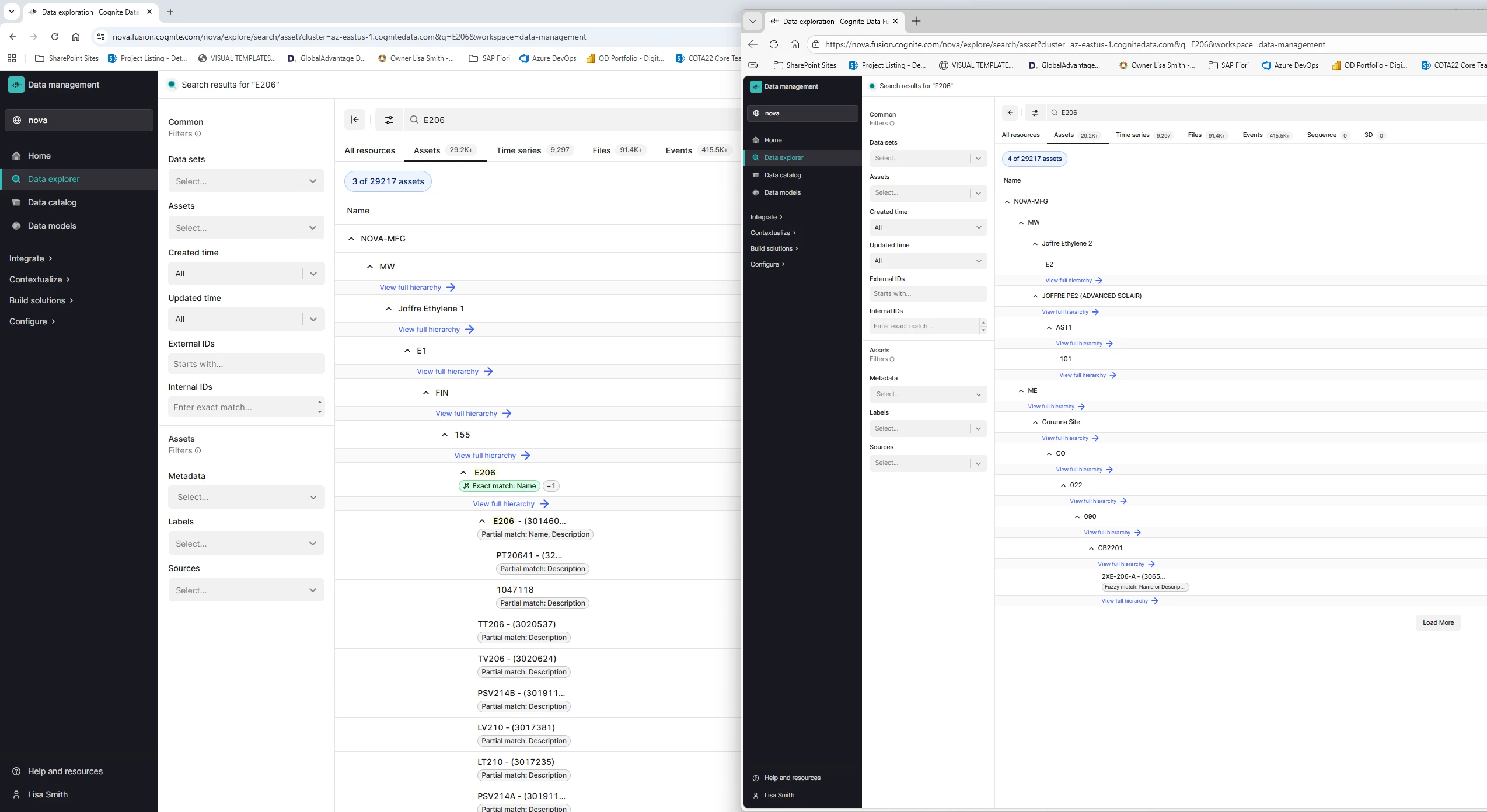
- Ticket 1 – Search issue in Cognite Data Explorer:
- The user is trying to search for the asset “E206” in the Assets section using Edge, but it does not appear in the results. Searching the same asset in Chrome works correctly. This issue occurs only with the E206 asset; other assets in the same hierarchy are searchable in Edge.
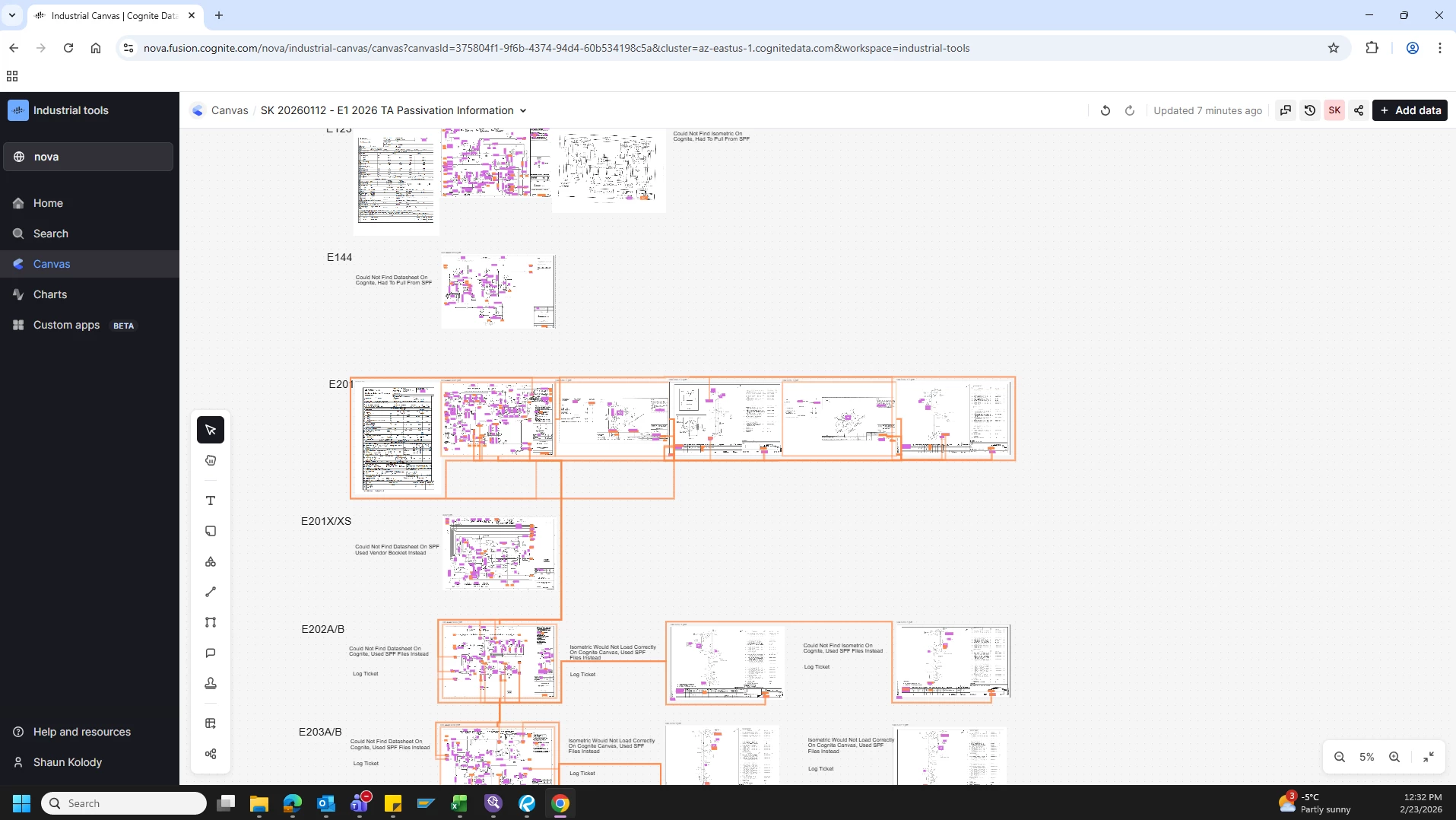
- Ticket 2 – Canvas not loading properly:
- Canvases are not loading correctly in Edge. The same canvases load without any issues in Chrome.
- Ticket 3 – P&ID diagram loading issue:
- A user is trying to load a specific P&ID diagram in Edge, but it fails to load. The diagram loads correctly in Chrome.
Steps Taken to Resolve
- Clear Edge Cache and Cookies
- Navigate to Settings → Privacy, Search, and Services → Clear Browsing Data → Cached Images & Files + Cookies.
- Restart Edge and log in again.
- Check Extensions and Tracking Prevention
- Temporarily disable extensions, especially privacy blockers.
- Disable Tracking Prevention and test the search again.
- Check Login / Token
- Log out from CDF in Edge.
- Close the browser completely.
- Reopen Edge, log in, and try the search again.
- Inspect Network Requests
- Open DevTools (F12 or Ctrl+Shift+C) → Network tab.
- Check request headers, status codes, and errors such as 403 or 429.
- While inspecting, we noticed that Edge shows a 403 error, which does not appear in Chrome.
We have attempted the above steps to resolve the issues. Ticket 3 has been resolved successfully, but Tickets 1 and 2 remain unresolved. Could you please advise on the next steps or possible solutions to address these issues?
TICKET 1: Screenshots (left one is chrome and right one is Edge)
TICKET 2: Screenshots
Edge Browser:
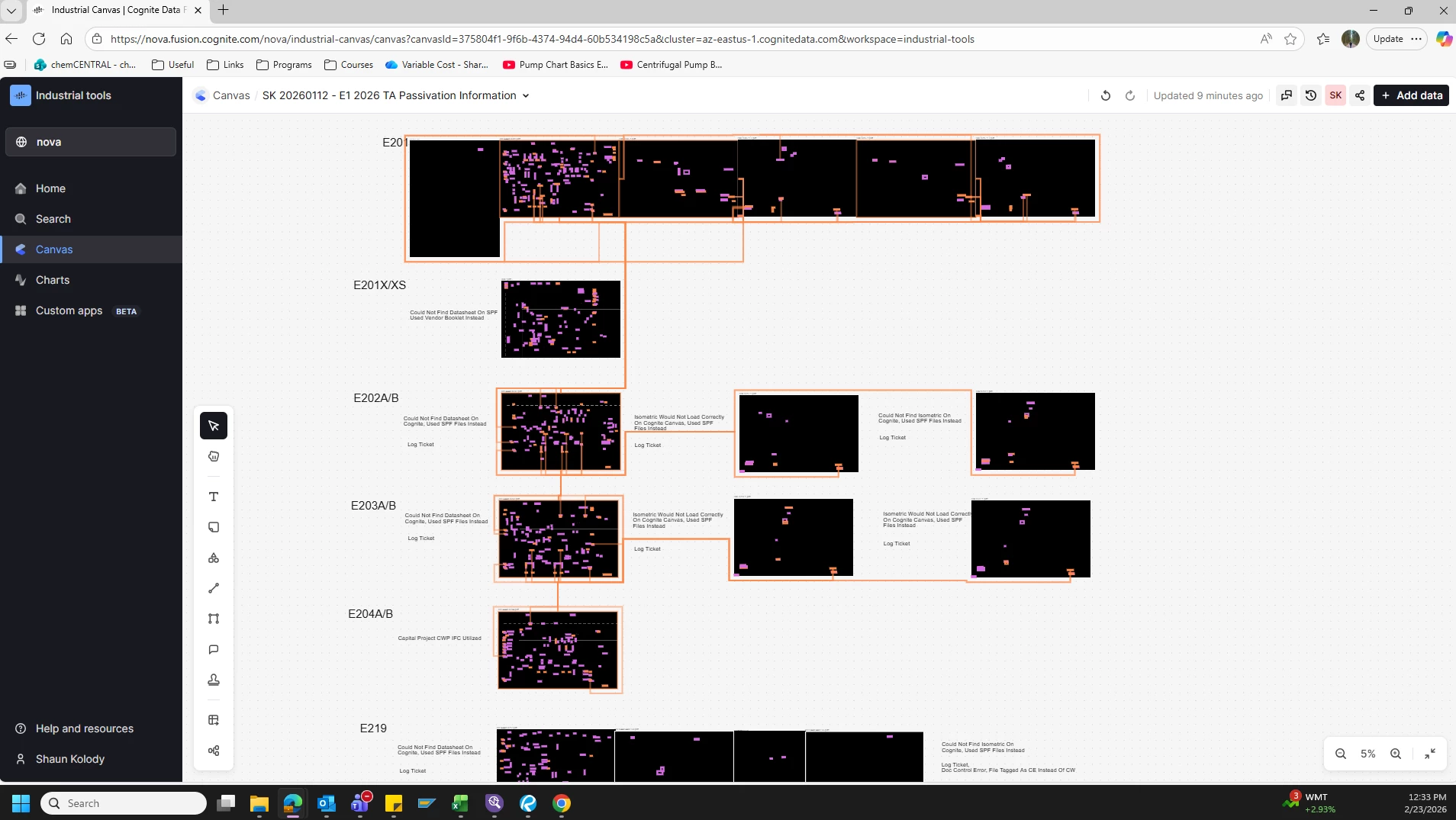
Chrome Browser: