Answer

bootcamp-pre-work Training : unable to download zip file a pre-configured Ubuntu virtual machine

  • February 21, 2023
  • 6 replies
  • 83 views

Forum|alt.badge.img+2

As part of bootcamp-prework training, pre-configured ubuntu VM, We are unable to download pre-configured Ubuntu VM image zip file (it is around 10GB) and it got stuck-up.
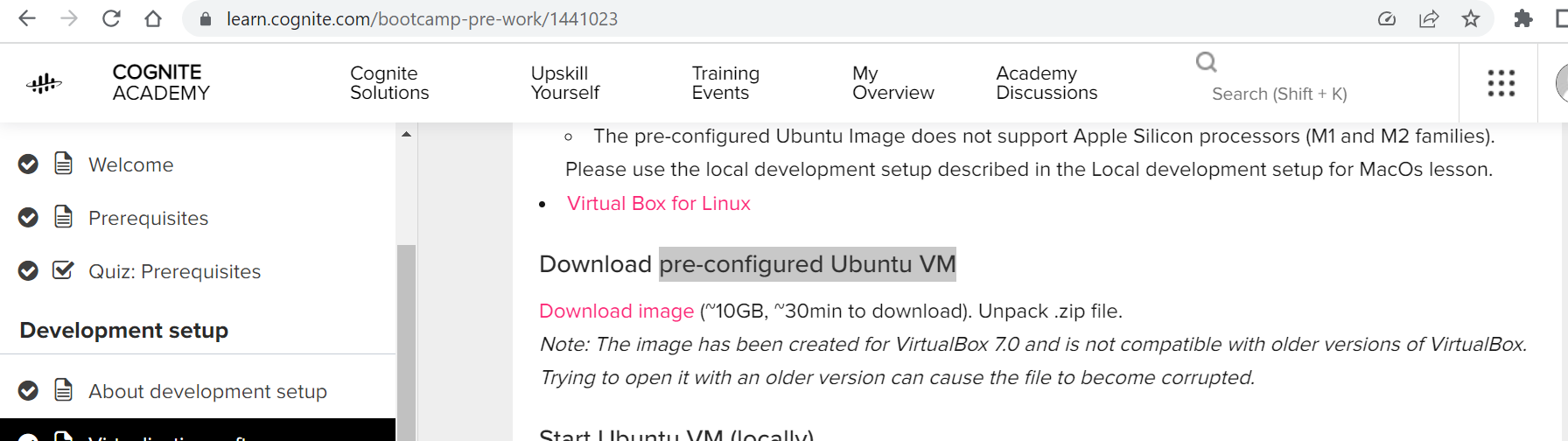
 

training link : https://learn.cognite.com/bootcamp-pre-work/1441023

Best answer by hahmad1

As part of bootcamp-prework training, pre-configured ubuntu VM, We are unable to download pre-configured Ubuntu VM image zip file (it is around 10GB) and it got stuck-up.


training link : https://learn.cognite.com/bootcamp-pre-work/1441023


I faced a similar issue, but was finally able to download on Edge browser (chrome download kept showing as corrupt)

6 replies

Sofie Haug
Seasoned Practitioner
Forum|alt.badge.img+12
  • Cognite Academy Instructor
  • February 21, 2023

Hi ShylashriSelvamani


I’m sorry to hear that this is an issue for you. Could the issue be related to the file living in a Google Drive?


Sofie


Forum|alt.badge.img+2

in this training link https://learn.cognite.com/bootcamp-pre-work/1441023 whenyou refer the topic

Download pre-configured ubuntu VM, click on Download image (highlighted in red) which is 10GB, unable to download that zip file.


Sofie Haug
Seasoned Practitioner
Forum|alt.badge.img+12
  • Cognite Academy Instructor
  • February 21, 2023

So it never starts downloading at all? Could you try on another network? 

Sofie


Forum|alt.badge.img+1
  • Active
  • Answer
  • February 27, 2023

As part of bootcamp-prework training, pre-configured ubuntu VM, We are unable to download pre-configured Ubuntu VM image zip file (it is around 10GB) and it got stuck-up.


training link : https://learn.cognite.com/bootcamp-pre-work/1441023


I faced a similar issue, but was finally able to download on Edge browser (chrome download kept showing as corrupt)


Sofie Haug
Seasoned Practitioner
Forum|alt.badge.img+12
  • Cognite Academy Instructor
  • February 28, 2023

@hahmad1 thanks for letting us know! 


  • Seasoned Practitioner
  • March 3, 2023

Hi @ShylashriSelvamani, have you been able to get the file downloaded with the workaround suggested? Does it work when you try via a different browser?