Chris Selph
Practitioner ⭐️⭐️⭐️
Practitioner ⭐️⭐️⭐️
March 3, 2023
Solved

Transformation to Numeric Data

  • March 3, 2023
  • 3 replies
  • 125 views

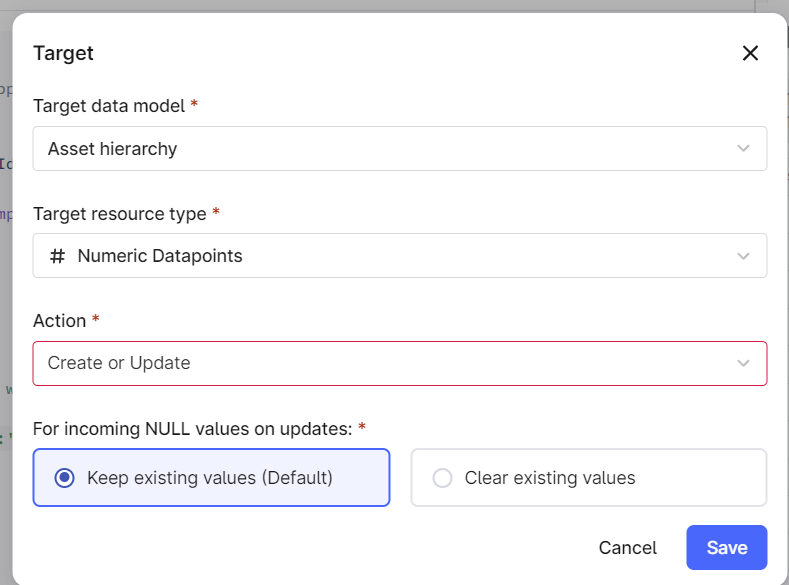
I’m trying to transform some time-series data (manufacturing pump pressures) into Asset Hierarchy/Numeric Data.

The SQL is not writing to the timestamp column and not seeing errors in Preview.

I’ve tried MANY different SQL commands to convert the DateTimeStamp string column to timestamp column/datatype and none have worked. 

CSV files are attached if anyone wants to try it.


Added query in attachments. 

Help is greatly appreciated!
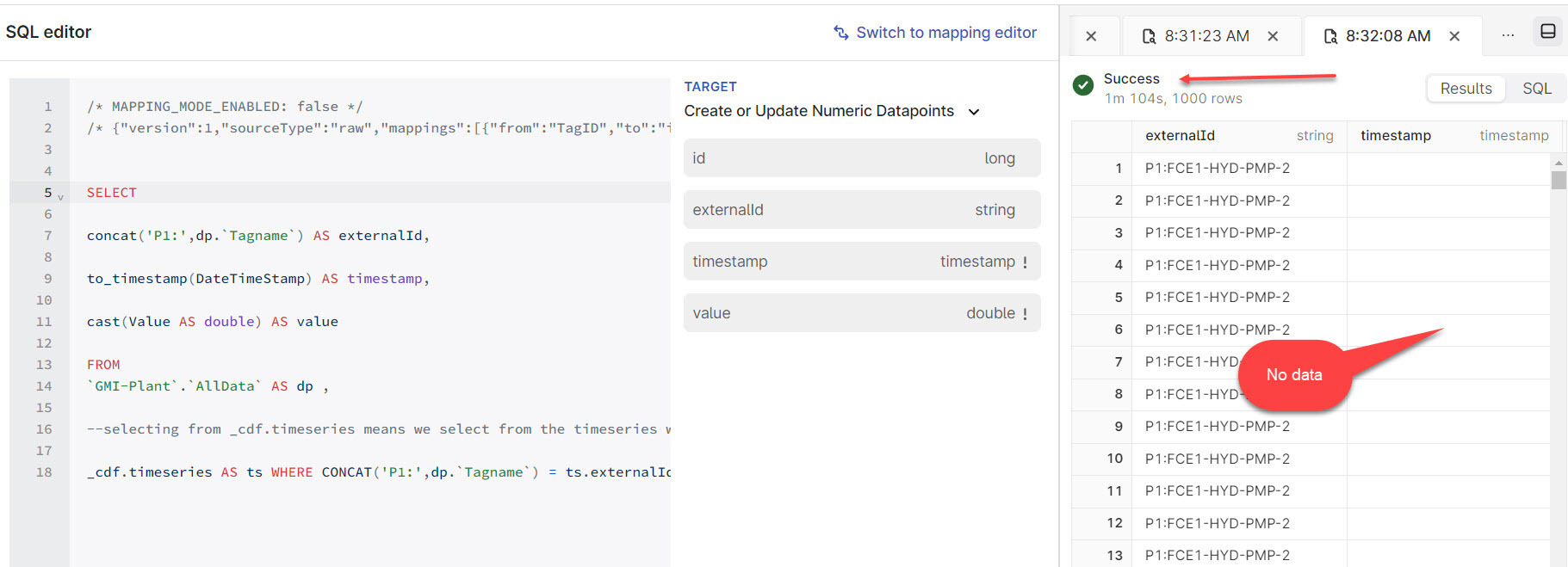
 

Transform setup:
 

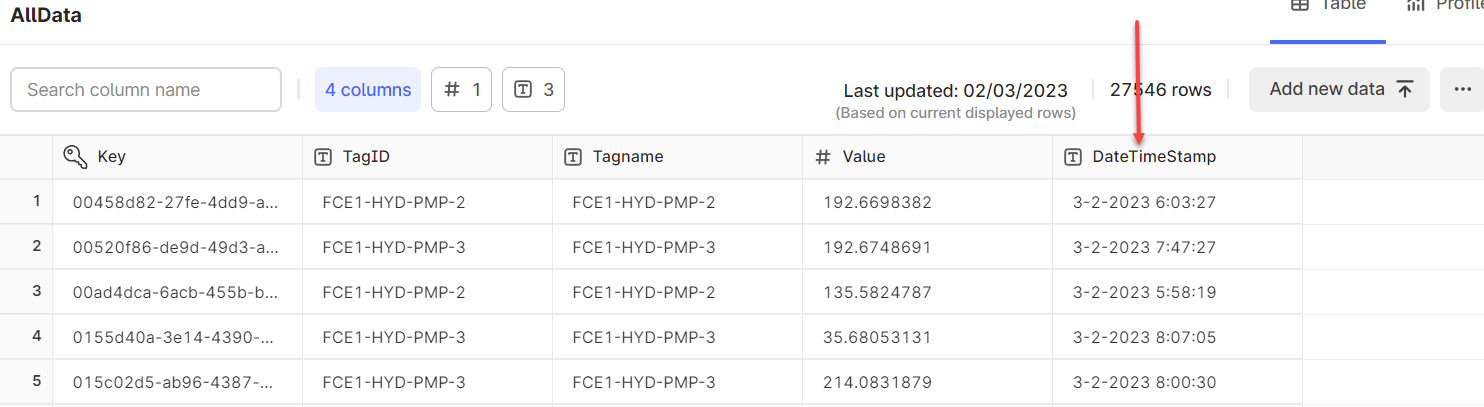
Here is some of my data being edited in Excel and saved as CSV then imported into CDF Raw.


TagID Tagname Value DateTimeStamp
FCE1-HYD-PMP-3 FCE1-HYD-PMP-3 NULL 3/2/2023 3:41
FCE1-HYD-PMP-3 FCE1-HYD-PMP-3 28.54443 3/2/2023 5:51
FCE1-HYD-PMP-3 FCE1-HYD-PMP-3 35.68053 3/2/2023 5:51
FCE1-HYD-PMP-3 FCE1-HYD-PMP-3 42.81664 3/2/2023 5:51
FCE1-HYD-PMP-3 FCE1-HYD-PMP-3 49.95274 3/2/2023 5:51


RAW


    Best answer by Gaetan Helness

    Hi Chris

    Since your input date format is not consistent, we need to deconstruct the date and rebuild it

      to_timestamp(
    --- concat day,month,year,hour,minutes,second according to the expected format
    concat(
    -- get the day (first element split on "-") and append 0 if necessary
    lpad(split(DateTimeStamp, "-") [0], 2, 0),
    "-",
    -- get the month (second element split on "-") and append 0 if necessary
    lpad(split(DateTimeStamp, "-") [1], 2, 0),
    "-",
    -- get the year (third element split on "-" before the space) and append 0 if necessary
    lpad(split(split(DateTimeStamp, "-") [2], " ") [0], 4, 0),
    " ",
    -- get the hour (first element split on ":" after the space) and append 0 if necessary
    lpad(split(split(DateTimeStamp, " ") [1], ":") [0], 2, 0),
    ":",
    -- get the minutes (second element split on ":" after the space) and append 0 if necessary
    lpad(split(split(DateTimeStamp, " ") [1], ":") [1], 2, 0),
    ":",
    -- get the seconds (third element split on ":" after the space) and append 0 if necessary
    lpad(split(split(DateTimeStamp, " ") [1], ":") [2], 2, 0)
    ),
    "dd-MM-yyyy hh:mm:ss"
    ) AS timestamp,

    This code will split your date into individual blocks (day, month, year, hours, mins, seconds), append 0 if necessary and then format the date accordingly. 

    There could be a faster way, but I am not aware of it and if anyone has a better and cleaner solution, feel free to suggest it


    3 replies

    Gaetan  Helness
    MVP ⭐️⭐️⭐️⭐️⭐️
    MVP ⭐️⭐️⭐️⭐️⭐️
    March 6, 2023

    Hi Chris

    Since your input date format is not consistent, we need to deconstruct the date and rebuild it

      to_timestamp(
    --- concat day,month,year,hour,minutes,second according to the expected format
    concat(
    -- get the day (first element split on "-") and append 0 if necessary
    lpad(split(DateTimeStamp, "-") [0], 2, 0),
    "-",
    -- get the month (second element split on "-") and append 0 if necessary
    lpad(split(DateTimeStamp, "-") [1], 2, 0),
    "-",
    -- get the year (third element split on "-" before the space) and append 0 if necessary
    lpad(split(split(DateTimeStamp, "-") [2], " ") [0], 4, 0),
    " ",
    -- get the hour (first element split on ":" after the space) and append 0 if necessary
    lpad(split(split(DateTimeStamp, " ") [1], ":") [0], 2, 0),
    ":",
    -- get the minutes (second element split on ":" after the space) and append 0 if necessary
    lpad(split(split(DateTimeStamp, " ") [1], ":") [1], 2, 0),
    ":",
    -- get the seconds (third element split on ":" after the space) and append 0 if necessary
    lpad(split(split(DateTimeStamp, " ") [1], ":") [2], 2, 0)
    ),
    "dd-MM-yyyy hh:mm:ss"
    ) AS timestamp,

    This code will split your date into individual blocks (day, month, year, hours, mins, seconds), append 0 if necessary and then format the date accordingly. 

    There could be a faster way, but I am not aware of it and if anyone has a better and cleaner solution, feel free to suggest it


    Chris Selph
    Practitioner ⭐️⭐️⭐️
    Practitioner ⭐️⭐️⭐️
    March 6, 2023

    @Gaetan Helness thank you for this solution. I found some help who suggested this which seems to work.

    to_timestamp(DateTimeStamp, 'M/d/yyyy h:mm') AS timestamp,

    I do not know why but the seconds (ss) do not appear to be present in the Raw table (but existed in the CSV) so I omitted the ss from the format in the transformation which satisfied it. 

    Your solution may be helpful in other situations for me and others so thanks again!

    Chris

    Gaetan  Helness
    MVP ⭐️⭐️⭐️⭐️⭐️
    MVP ⭐️⭐️⭐️⭐️⭐️
    March 6, 2023

    Great to hear you found a solution :) 

    And thanks for the update