Check the
documentation
Check the
documentation Ask the
Community
Ask the
Community Take a look
at
Academy
Take a look
at
Academy Cognite
Status
Page
Cognite
Status
Page Contact
Cognite Support
Contact
Cognite Support

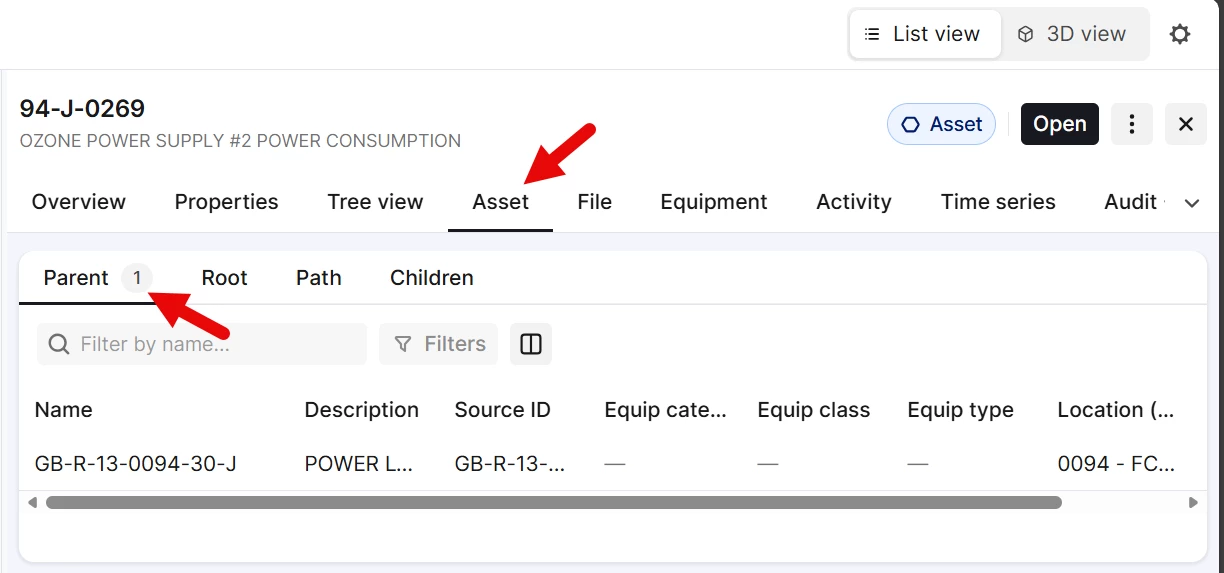
When viewing an asset in search, if you click the asset tab in the overview window, that tab is defaulted to the “Asset Parent”, but path would be a more appropriate default, showing details for the currently selected asset.
 +1
+1When viewing an asset in search, if you click the asset tab in the overview window, that tab is defaulted to the “Asset Parent”, but path would be a more appropriate default, showing details for the currently selected asset.
Enter your E-mail address. We'll send you an e-mail with instructions to reset your password.