Answer

error 400 while testing postman API

  • August 26, 2023
  • 4 replies
  • 161 views

Forum|alt.badge.img+3

hi guys, 

 can you please tell me the reason of the error below while API testing in Postman:
any help is very much appreciated
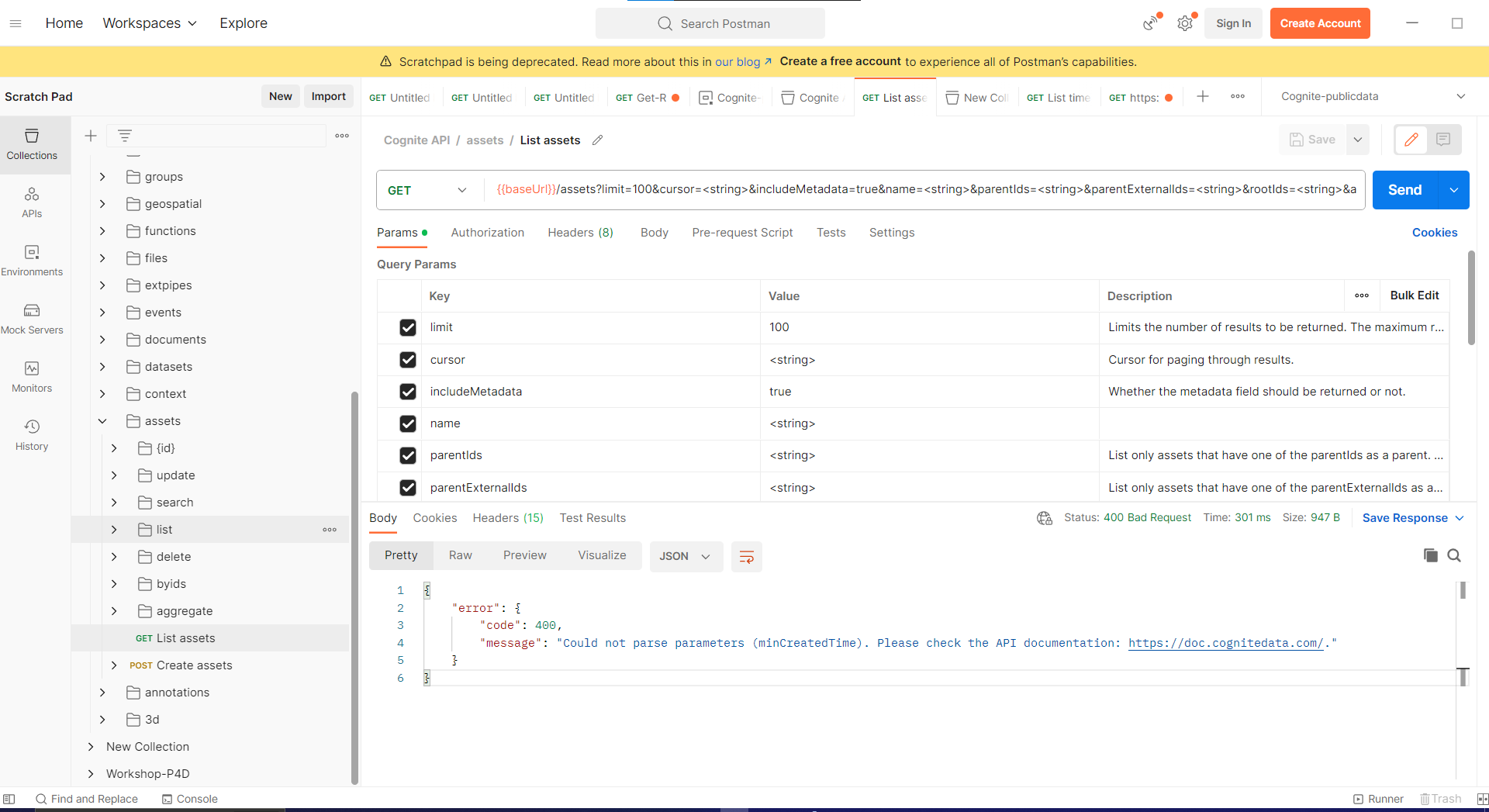
 

Best answer by Ben Petree

It looks like you haven’t replaced any of the parameter value’s placeholders. You might try deselecting the ones you aren’t using.

4 replies

Ben Petree
Seasoned Practitioner
Forum|alt.badge.img+4
  • Seasoned Practitioner
  • Answer
  • August 28, 2023

It looks like you haven’t replaced any of the parameter value’s placeholders. You might try deselecting the ones you aren’t using.


  • Seasoned Practitioner
  • August 31, 2023

Hi @Ishita Mathur, did you try the above? Did it work?


Andre Alves
MVP
Forum|alt.badge.img+14

@Ishita Mathur 

It worked for me when I removed the body content and replaced it with {} since I didn't want to pass any parameters.

Example: {{baseUrl}}/api/v1/projects/{{project}}/assets/list

Request body: {}


Status 200OK

Time:289 ms

Size:13.51 KB


Forum|alt.badge.img+2

In case this helps someone. Sharing what worked for me:

  1. In the GET request, choose the from the ‘cognite-publicdata’ Environment Variables i.e. baseURL=https://api.cognitedata.com and project=publicdata (see images for reference)


So the full URL for the GET request to list assets should look like:
GET https://api.cognitedata.com/api/v1/projects/publicdata/assets
(you can directly paste this in the GET request window too for understanding, but better to use variables)


  1. Go to the Authorization tab and ensure all the parameters are set correctly.

    The API request should work this way. Happy to know for any better ideas or corrections. Thanks!