Planned for development

Improving Visibility in 360 Images

Related products:Search and Data Exploration3D
  • December 17, 2025
  • 7 replies
  • 85 views

Daiki Miyazawa
Committed
Forum|alt.badge.img+1

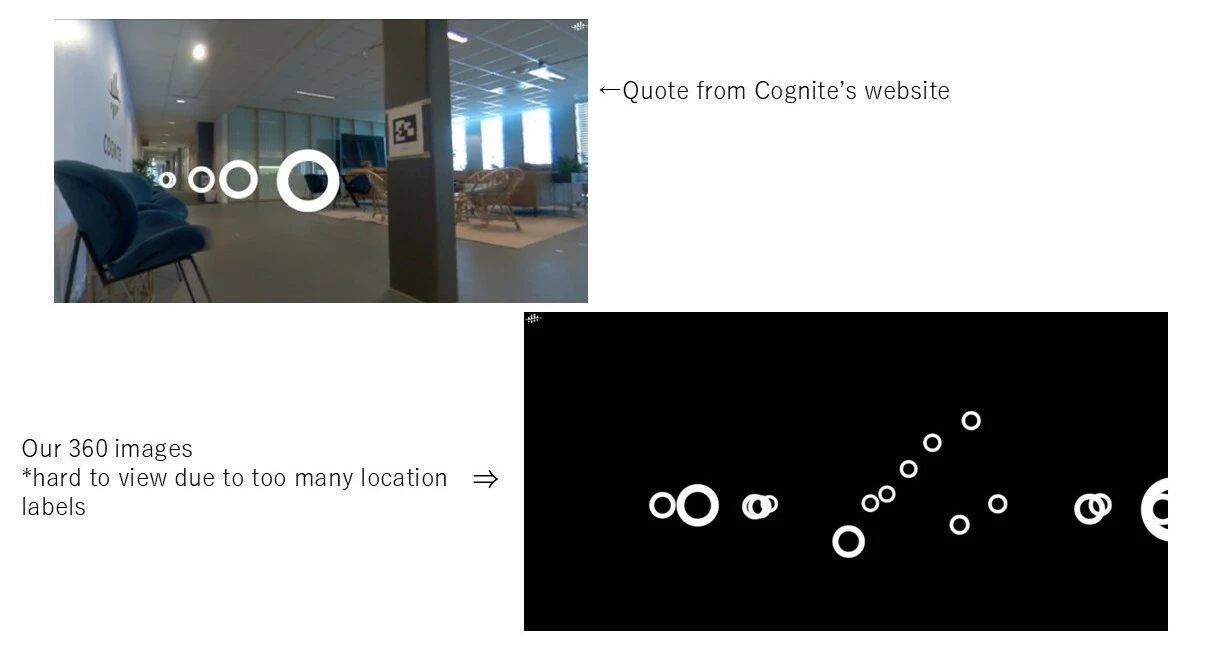
In our 360 images, the circles indicating shooting positions are quite large, and when multiple markers are displayed, they tend to obstruct the view.

I have several ideas, but the most practical and system-friendly suggestion would be to make the “invisible distance” setting stricter.

It would be even better if this parameter could be configured on the system side. Currently, I feel like markers are visible from a very long distance.

Other ideas include enabling size adjustments for the circles or adding an option to toggle their visibility on and off. However, I believe the first suggestion would be the easiest to implement.


Note: Due to internal security reasons, we cannot share 360 plant images online. For illustrations, I’m using a black image during loading. Please imagine your own plant with your mind’s eye! 😊



7 replies

Hi ​@Daiki Miyazawa, thank you for your feedback. I am the product manager for 3D and we agree that the current solution is not ideal and that the icons take up too much space. We are planning on redesigning the 360-image experience in Q1 and Q2 to improve both the marker interactions, as well as navigation between 360 images. We will keep you posted!


Masayoshi Chiba
Seasoned Practitioner
Forum|alt.badge.img
  • Seasoned Practitioner
  • December 18, 2025

Hi ​@Daiki Miyazawa -san,

Thank you for your feedback. I am a product support in Japan. I would like to share some recently released features with you, just in case you haven’t had a chance to try them yet.

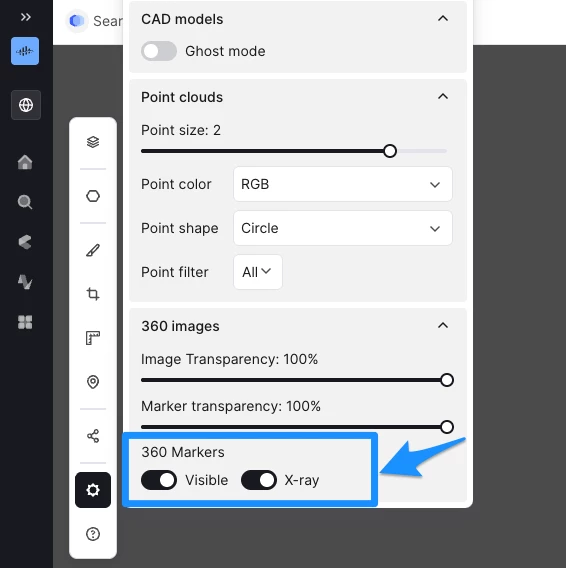
As shown in the attached screenshot, there are several visibility settings available, and I have outlined two options in blue that might be particularly helpful for your situation. If you haven't used them yet, please give them a try.

I hope this helps improve your experience!


Daiki Miyazawa
Committed
Forum|alt.badge.img+1
  • Author
  • Committed
  • December 18, 2025

Dear ​@Magnus Helgeby,

Thank you for the information.

I’m glad to hear about such a great initiative, and I look forward to hearing good news in the product updates!


Dear ​@Masayoshi Chiba,

Thank you for your response.

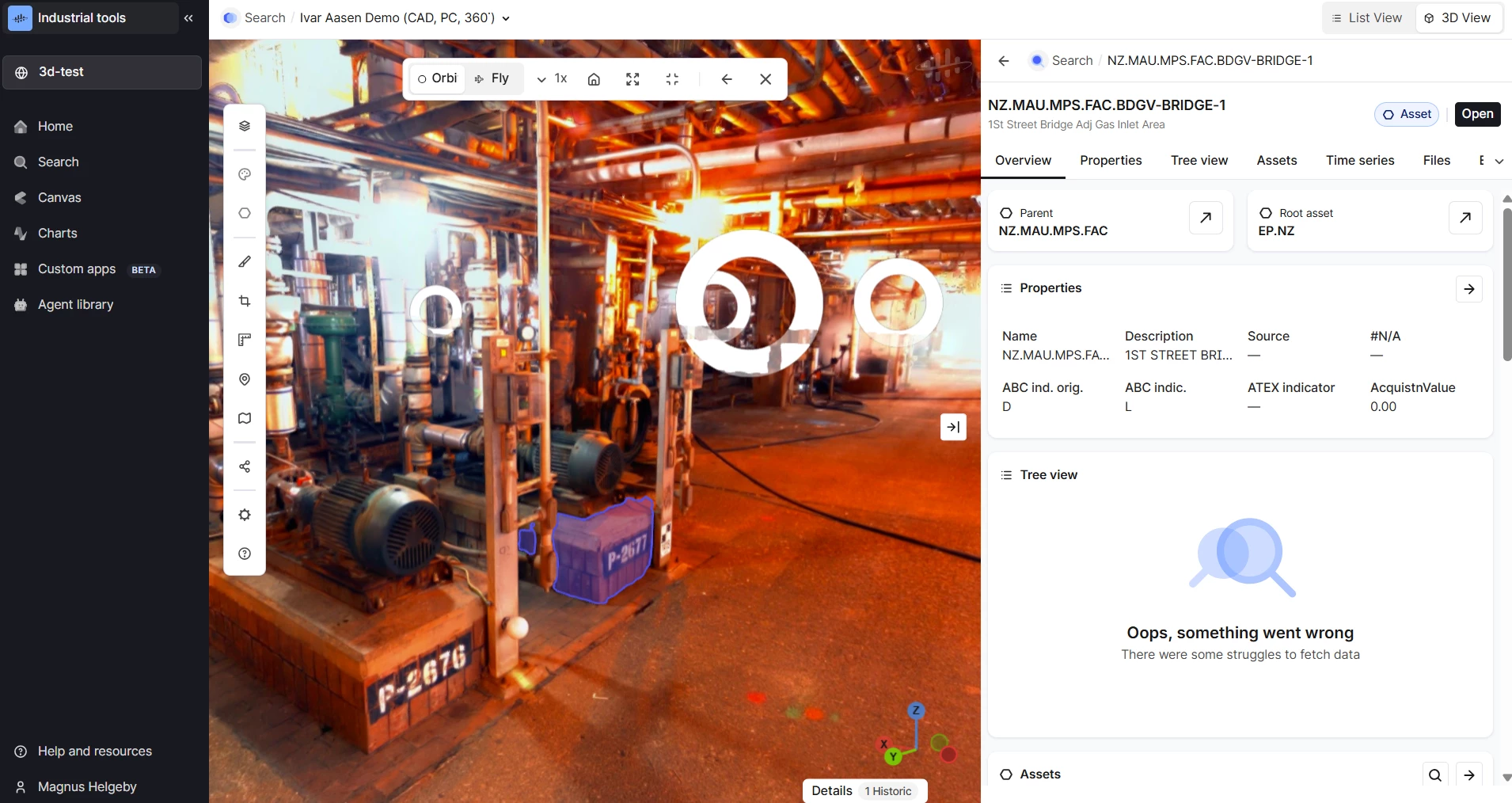
It seems that you access from Industrial Tools. But we can only access 360° images through Data Explorer because of data structure of our company's CDF.

If you can a fundamental improvement, it would be very helpful if it could be rolled out across the Japan team.

返信ありがとうございます。データ探索からアクセスした際の対策のように見えますが、当社のCDFデータ構造ですと現状はデータエクスプローラからしか360°画像にアクセス出来ない状態です。もし、他の手段で抜本的な改善策を打てるようであれば、日本チーム内で横展開して頂けると助かります。


@Daiki Miyazawa, thank you for this information. Unfortunately, the 3D team is not prioritizing updates to Data Explorer. Are there plans to migrate to CDM so that you can make use of the latest feature set in Search and 3D? What is blocking the usage of 3D and Search, today?


Daiki Miyazawa
Committed
Forum|alt.badge.img+1

@Magnus Helgeby 

Thanks for your response — and Happy New Year!


This is sad news. However, I understand that tasks need to be prioritized, so I would appreciate it if this could remain in the backlog for future consideration.
In our company, users are very familiar with 360 images, and there is strong demand for being able to perform walk-throughs within them.

Because of this, it is little difficult for Search or 3D (point clouds) to serve as alternatives.


Regarding the migration from Asset-Centric to CDM, we are working together with engineers from Cognite’s Japan blanch. However, a full migration has not yet been achieved.
We recognize that there are several challenges when it comes to transferring 3D-data into CDM, and we are currently addressing them one by one.


 ​@Daiki Miyazawa

Happy New Year to yourself as well! 

Hopefully the combination of CDM upgrades and 360 image improvements will allow you to use Search and 3D in Industrial Tools. To give you some more context on what we are doing in Q1 and Q2:
 

Q1:

  • Support for 360 images in Search preview
  • Ability to open 360 images in full 3D view
  • Ability to open Scenes from Search preview

Q2:

  • Improved marker interactions and 360 image navigation
  • 3D interactions (measurements, points of interest) visible in 360 images

To benefit from these changes you will need to create Scenes and use Industrial Tools. Is there anything else blocking you from using Industrial Tools instead of Data Explorer? 


Daiki Miyazawa
Committed
Forum|alt.badge.img+1

@Magnus Helgeby 

Thank you for information!
This looks like a very exciting improvement, and I’m really looking forward to it!


As for the current issue is that 360 images cannot be viewed from Search. However, I think this is due to the way the data is ingested.

As we progress with the migration from AC to CDM, I’ll discuss this with the Japan branch's engineer to find a solution.