Implemented

Elapsed time unit should be next to Elapsed time by Default in CDF Data Explorer screen under Events tab for Meta data section for Failure events.


Related products:Search and Data Exploration
  • February 7, 2024
  • 3 replies
  • 23 views

Mithila Jayalath
Seasoned Practitioner
Forum|alt.badge.img+8

I’m creating this feature request on behalf of @Smitakshi Sen 

Elapsed time unit should be next to Elapsed time by Default in CDF Data Explorer screen under Events tab for Meta data section for Failure events.

3 replies

  • Committed
  • February 7, 2024

The feature request here is for how the Default metadata ordering is happening within CDF.

We know that CDF data explorer has the ability to allow sorting metadata of a particular resource type (In the details panel) alphabetically. But the “Default” ordering of metadata is not clear. The transformation that creates these events has specific order of metadata properties and this is not followed by the “Default” order in CDF for metadata. How does the “Default” order work? can it be enforced to follow a particular order of metadata names?


Sofie Svartdal Berge
Seasoned Practitioner

Hi @Mithila Jayalath External and @gghaleb !

Thank you for reaching out. The default metadata ordering in CDF Data Explorer is based on how the data is structured in the backend, where there is no guarantee of the order. So in the frontend, the order does not necessarily correspond to the order defined in your transformation. 

For new Search (you might have seen the banner to test this experience on the landing page of fusion.cognite.com), we will shortly introduce the ability to define default ordering of metadata for the project. This would mean that you as an Admin/priviliged user can programatically define the order you want metadata to be presented, and this becomes the default for all users in the project. I will make sure to provide you update when this functionality is in place. 


Best, 

Sofie Berge, Lead Product Manager


Sofie Svartdal Berge
Seasoned Practitioner

Hi!
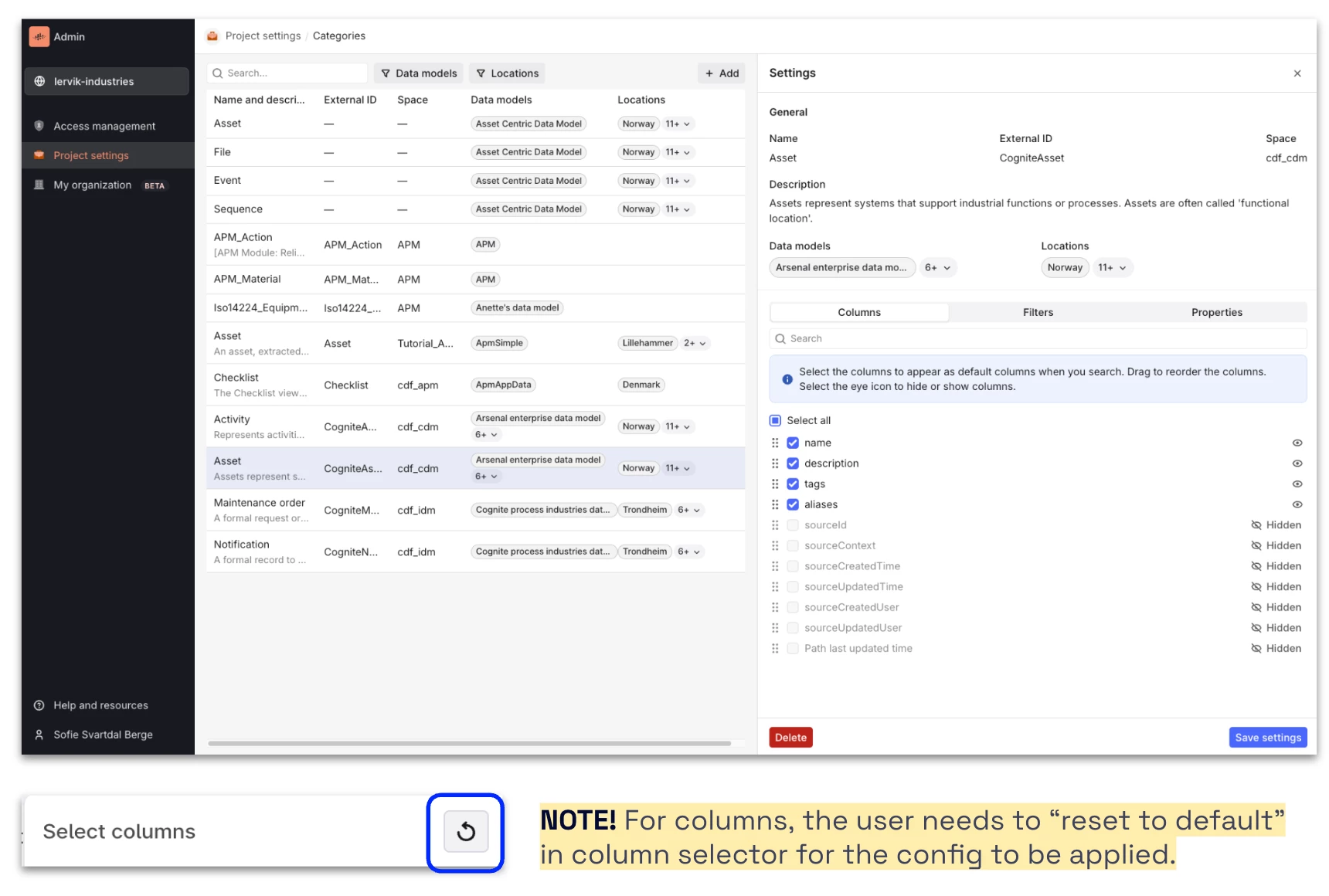
Admins can now configure default columns, filters, and properties displayed (including the order of them) in the Search application and “add data” panel in Charts and Canvas for all users in the project (open beta functionality).

Here are the release notes: https://docs.cognite.com/cdf/whatsnew/#june-2025


Let us know if you have feedback!

Best, 

Sofie Berge, Product Manager