Implemented

Change default search settings for a tenant/project

  • October 3, 2024
  • 7 replies
  • 58 views

Øystein Aspøy
Committed
Forum|alt.badge.img+4

I would like to change the standard default search setting for all our environments for all our users.

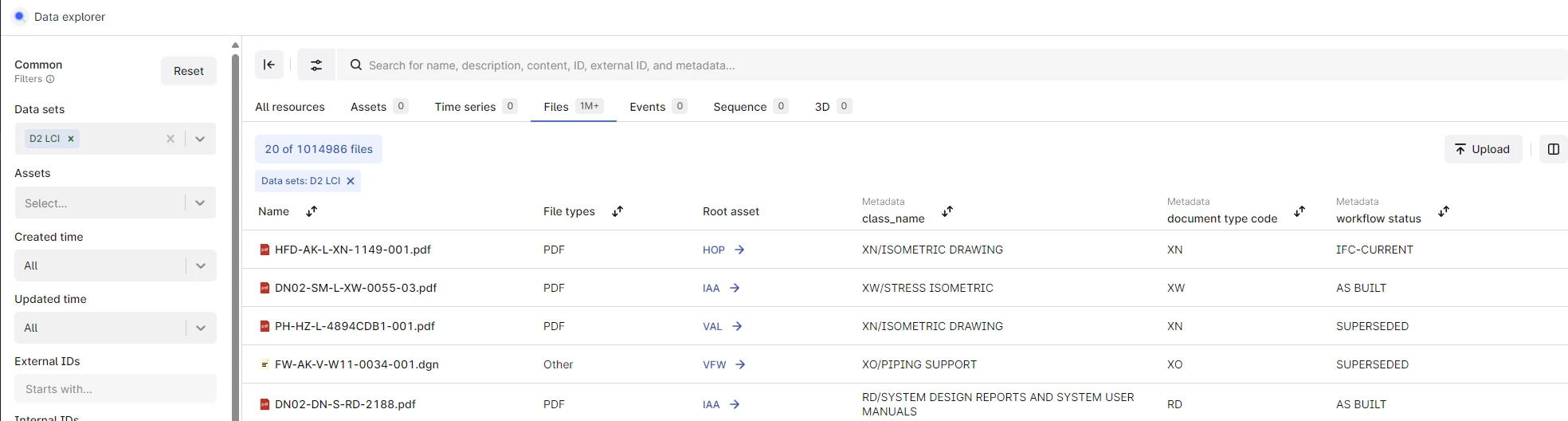
Today each user have to set up their own search setting with regards to which metadata to show etc, but I would like the users to have a better starting point first time they log in to fusion. This would make it easier to have a good start with using fusion, also I think most of the users does not know that this setting can be changed.

Is it possible for me to set up the default fields to show for each category for all users?
 

7 replies

Mithila Jayalath
Seasoned Practitioner
Forum|alt.badge.img+8

Hi @Øystein Aspøy, This is currently not possible. There is a product idea for this feature which is planned to be released in Q1 release next year.

More information on this can be found here.


Andre Alves
MVP
Forum|alt.badge.img+14

Sorry @Øystein Aspøy , I was reading the answer and accidentally clicked "solved." If @Mithila Jayalath  hasn't addressed your question, we can request to have it reopened.


Anita Hæhre
Seasoned Practitioner
Forum|alt.badge.img+1
  • Head of Community
  • October 3, 2024

No worries @Andre Alves! I unmarked @Mithila Jayalath’s reply @Øystein Aspøy - when you have the chance let us know if we fully answered your question, 


Øystein Aspøy
Committed
Forum|alt.badge.img+4

Just a late reply here, the other thread regarding the default search settings for project/company will solve this.

It is a highly needed feature since it will make Fusion a lot easier to use!


Anita Hæhre
Seasoned Practitioner
Forum|alt.badge.img+1
  • Head of Community
  • October 22, 2024

Thanks @Øystein Aspøy @Andre Alves! This have been converted into a product idea - allowing others to upvote and give their thoughts on it as well. @Mithila Jayalath FYI


Sofie Svartdal Berge
Seasoned Practitioner

Hi @Øystein Aspøy !

Fully agree with you that we should provide tooling to define default state for all users in a project. The future for search and data exploration is the application Search available to you in the Industrial tools workspace. For Search, we are planning to create a configuration user interface for Admins to define the default settings for users per project. We will start on this in Q1, and then evolve it over the quarters. We see this configuration also to include which metadata/properties to display as columns per resource type/category, which filters to display, ordering of filters, easy way to create custom filters, and more. 


Best, 

Sofie Berge, Product Manager


Sofie Svartdal Berge
Seasoned Practitioner

Hi!
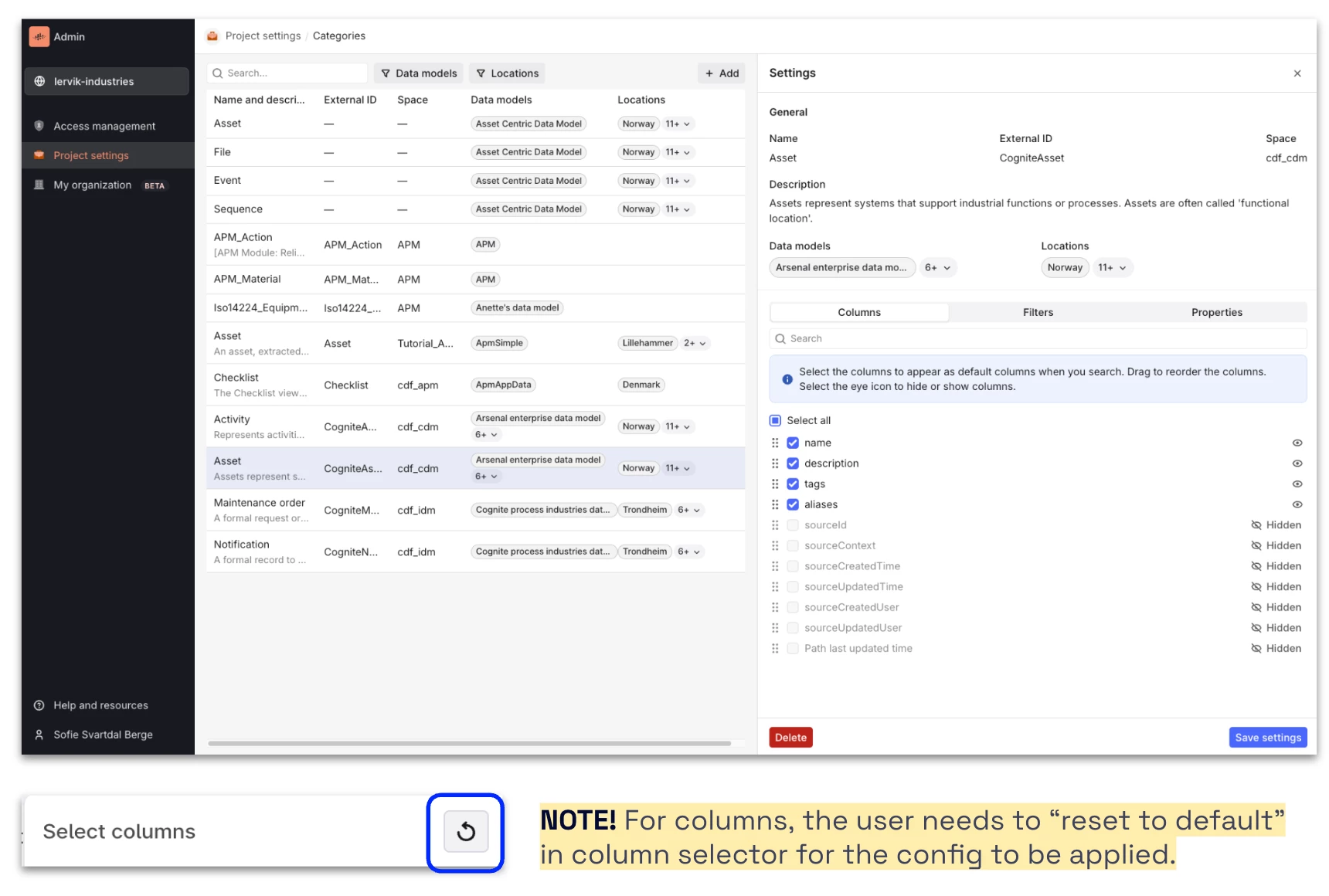
Admins can now configure default columns, filters, and properties displayed (including the order of them, and including the option to hide properties to be displayed at all) in the Search application and “add data” panel in Charts and Canvas for all users in the project (open beta functionality).

Here are the release notes: https://docs.cognite.com/cdf/whatsnew/#june-2025


Let us know if you have feedback!

Best, 

Sofie Berge, Product Manager