Viewing Suggested Tags/Symbols from Parsed Diagram

  • May 27, 2025
  • 6 replies
  • 97 views

Forum|alt.badge.img+6

Hello,

When testing the new Diagram Parser tool on Vector PDFs, I found that it successfully finds some Assets ingested in the DMS and Symbols from a selected library. However, the Assets only show up as annotations even when verifying them. How can I get the suggested Assets to link to the Diagram in the DMS (i.e. open the diagram and see Assets directly linked to the diagram)? 

Thanks,

Gabriel

6 replies

Que Tran
Practitioner
Forum|alt.badge.img
  • Practitioner
  • May 28, 2025

Hi ​@Gabriel Abes,

Great to hear that Asset and Symbol detection is working for you!

Currently, the association between detected symbols and assets currently has some limitations:

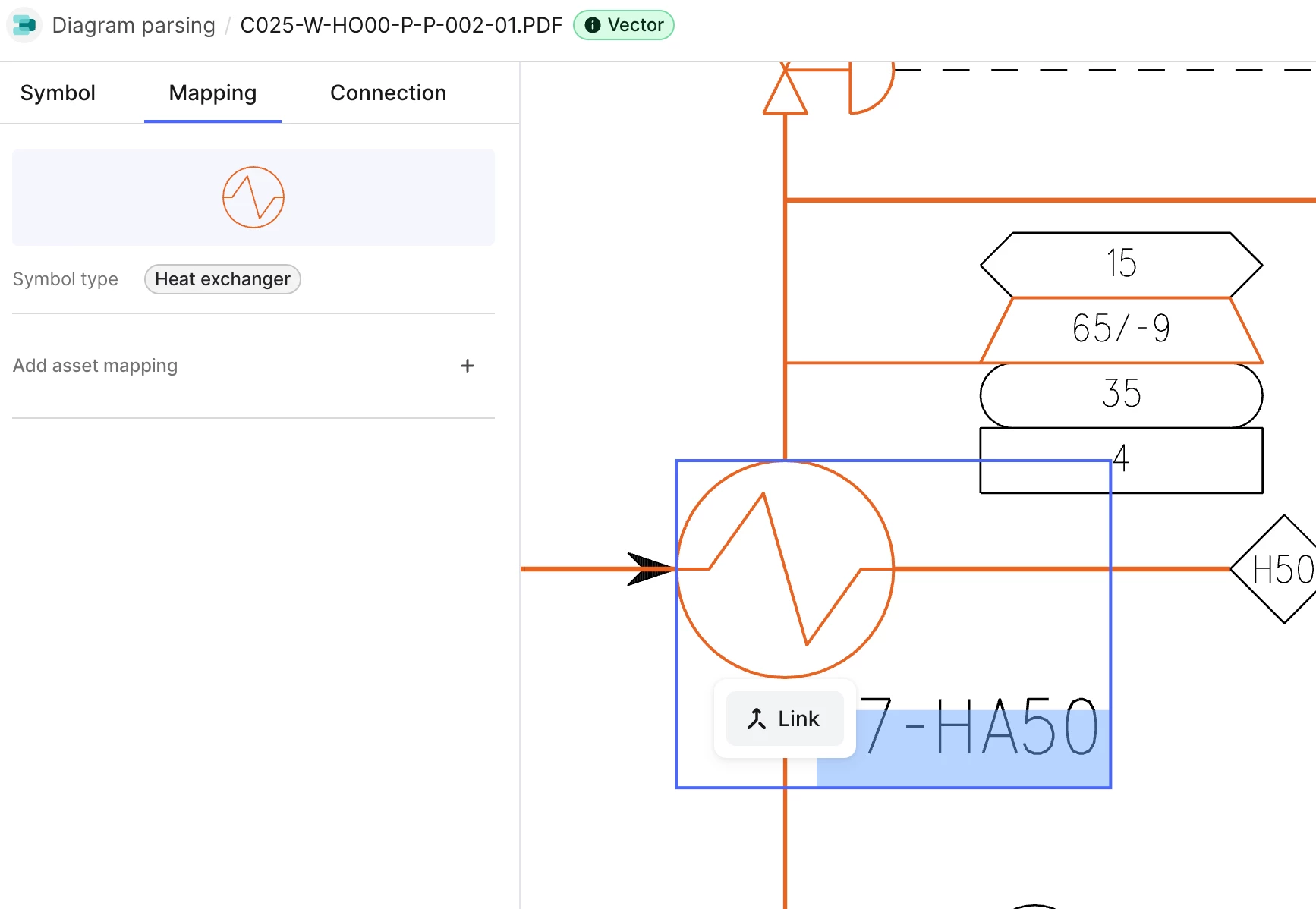
  • If a symbol and a tag overlap, the symbol is mapped to the asset.
  • If there's no overlap, you'll need to manually "Link" the tag and symbol to map the symbol to the asset in DM.


We plan to make this association more automatic in the future.

Hope it helps :) Best regards,
Que Tran


Forum|alt.badge.img+6
  • Author
  • Committed
  • May 28, 2025

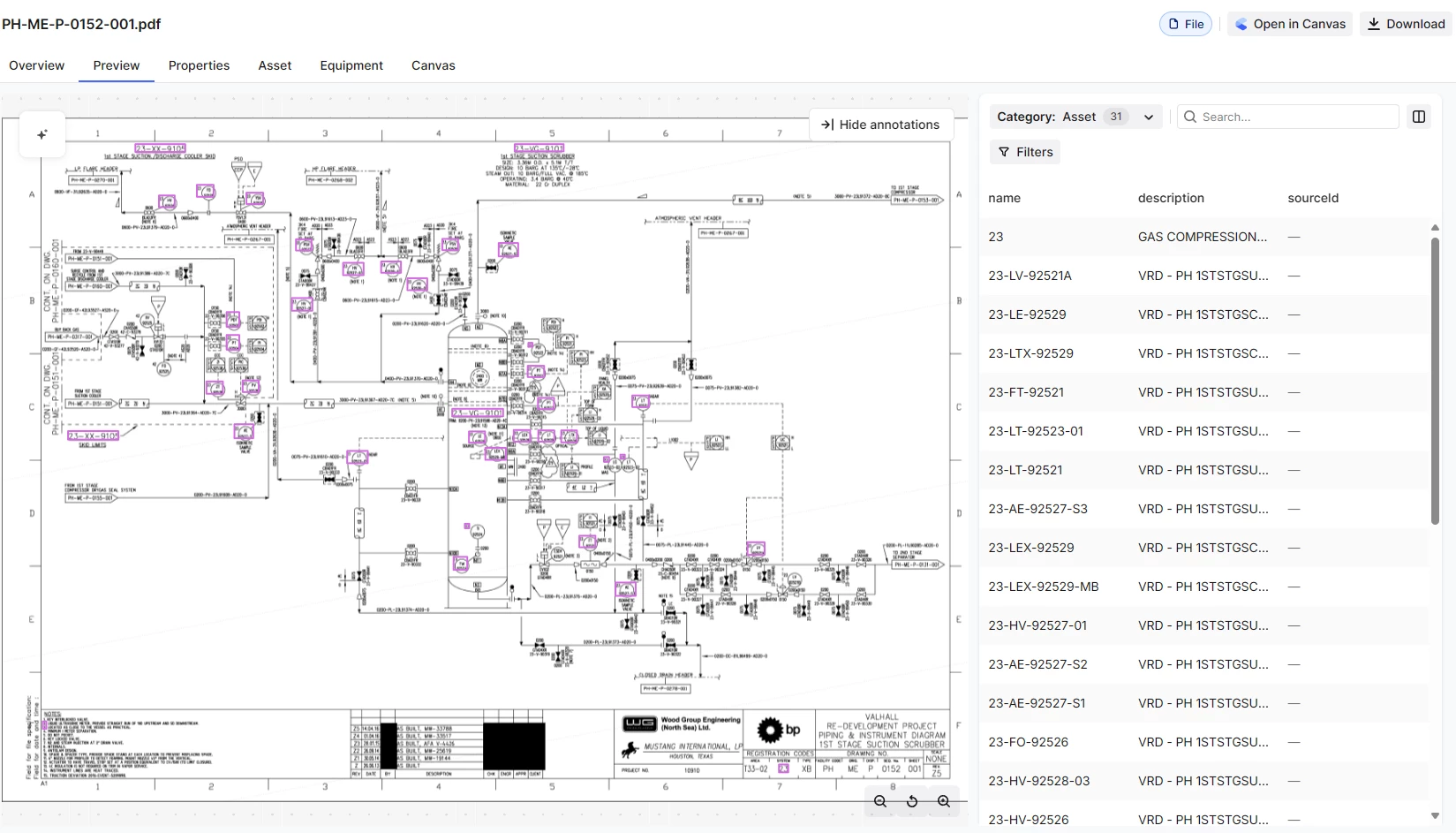
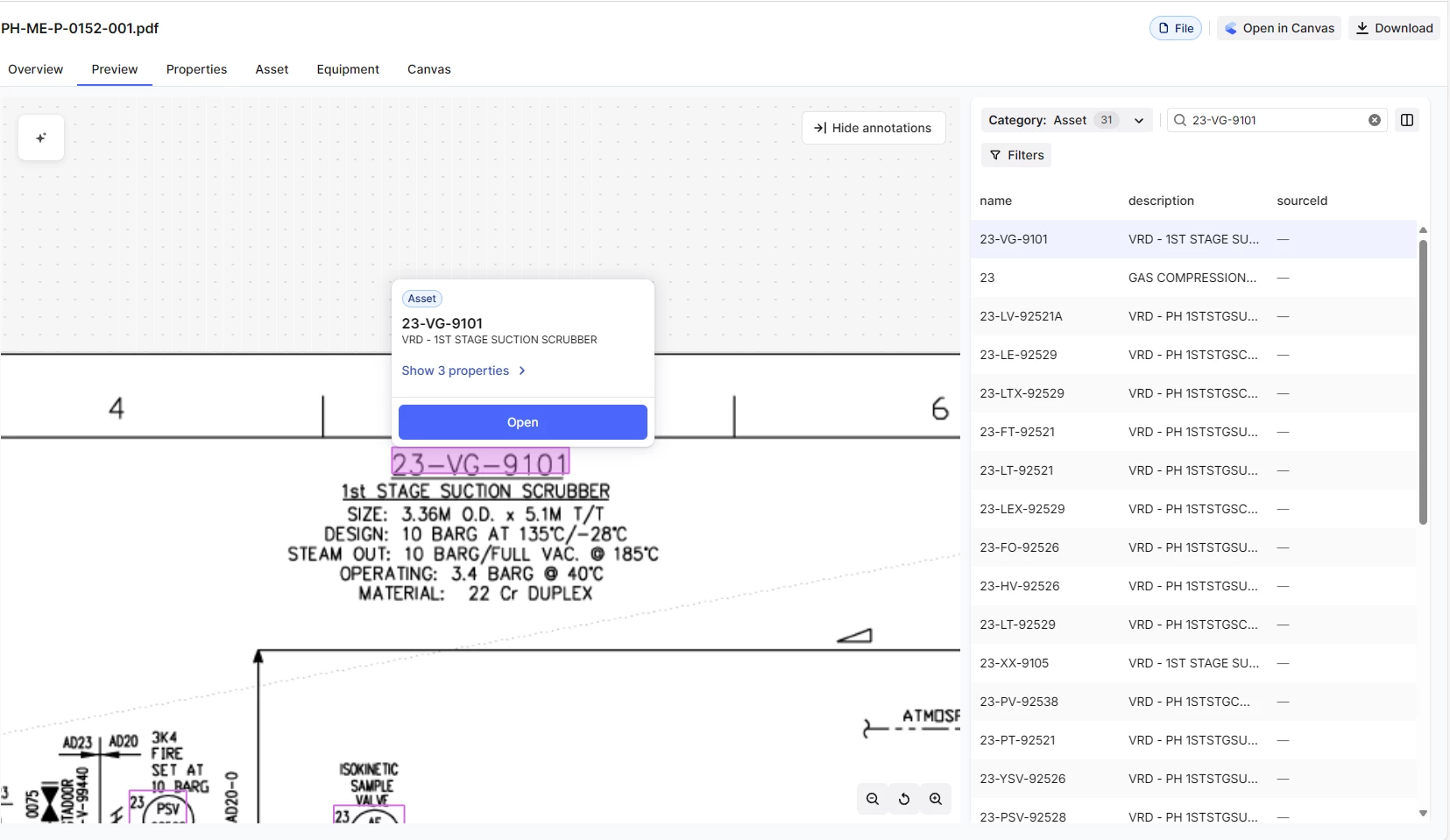
Thank you ​@Que Tran for your response! I would like to inquire about how diagram-asset relationships are recognized in the DMS. If I were to open the parsed Diagram in Search, I only see suggested/verified Assets listed as annotations. However, when using the legacy Diagram Parser or Creating Interactive Engineering Diagrams, suggested/verified Assets will appear “Directly Linked” to the Diagram. Please see the images here:


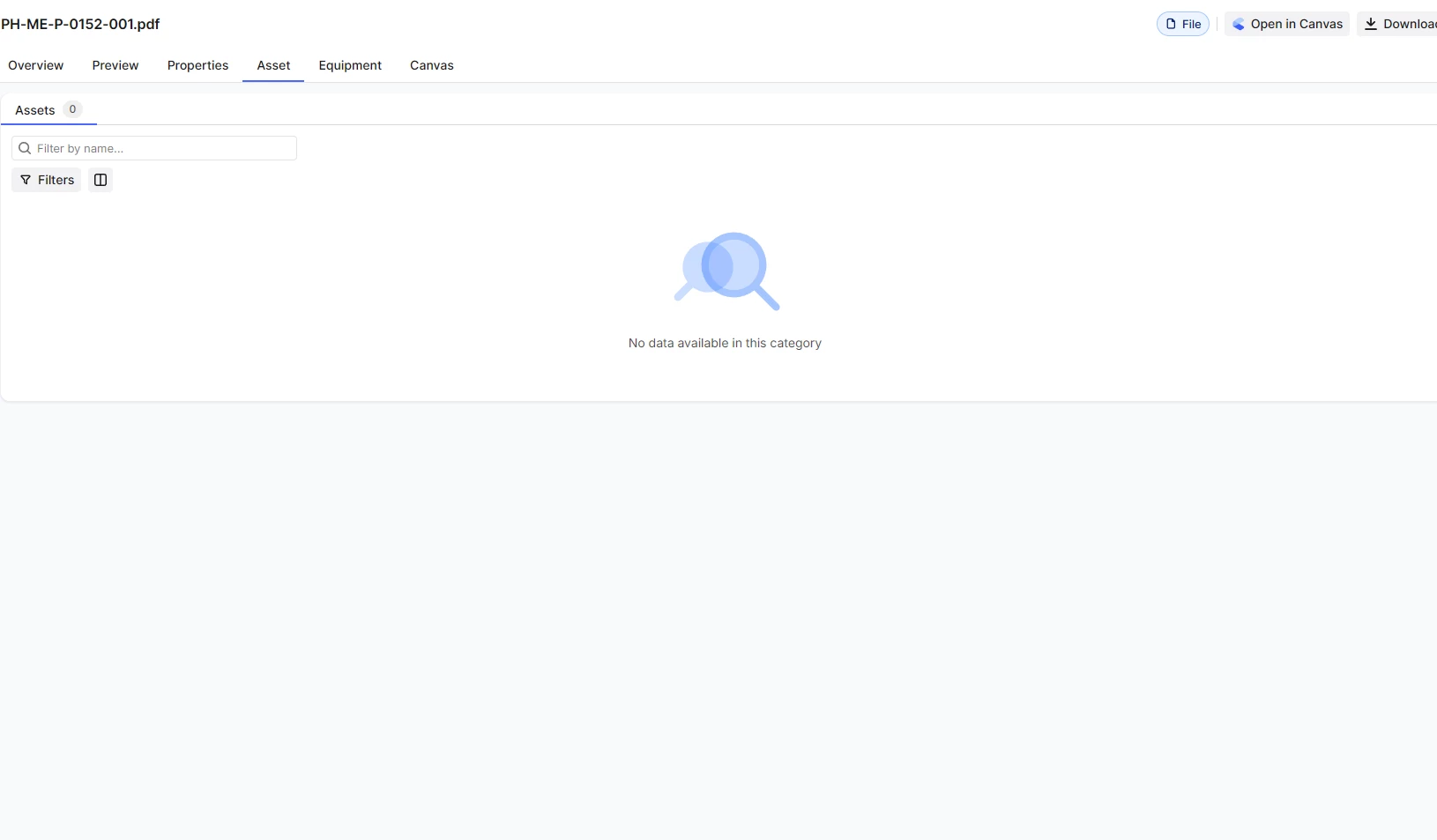
Here, you can see the “Asset” category with some assets listed.
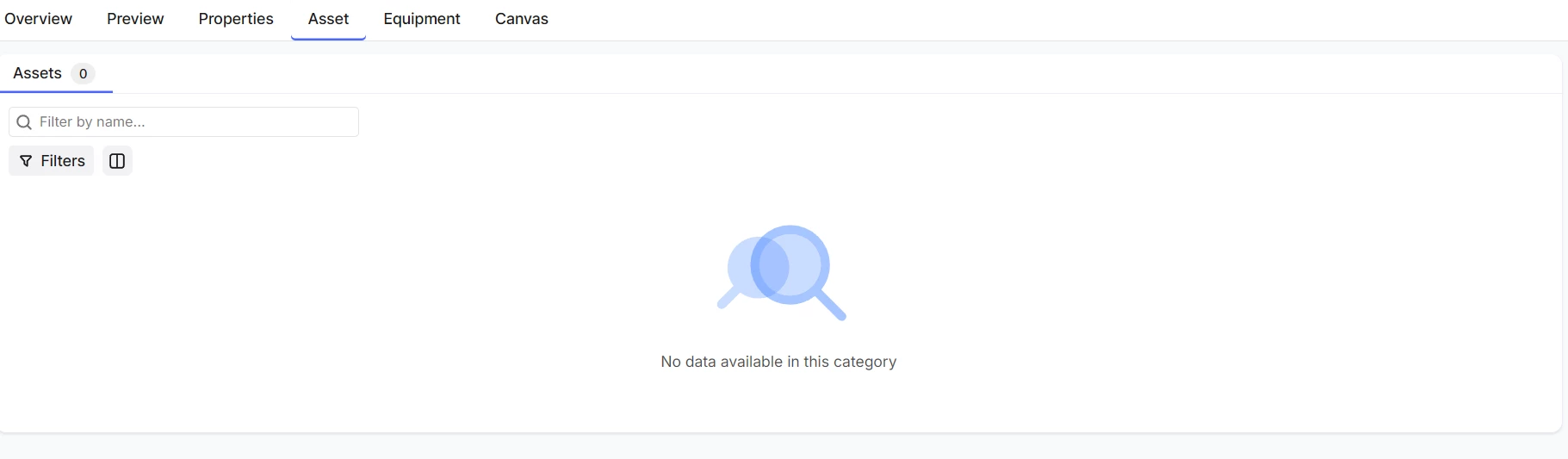
However, when navigating to the Assets, these assets do not appear linked to the Diagram or vice versa.


Another way to look at it is through Canvas. The assets found via new Diagram Parser Service will not appear linked in Canvas as they would with Assets found in a diagram using the legacy Diagram Parser. 

Hope that clarifies things!


Thanks,

Gabriel 


Forum|alt.badge.img+6
  • Author
  • Committed
  • June 16, 2025

Hello,


I wanted to follow up on this question, as I believe it is not yet fully resolved. Please see the images below.

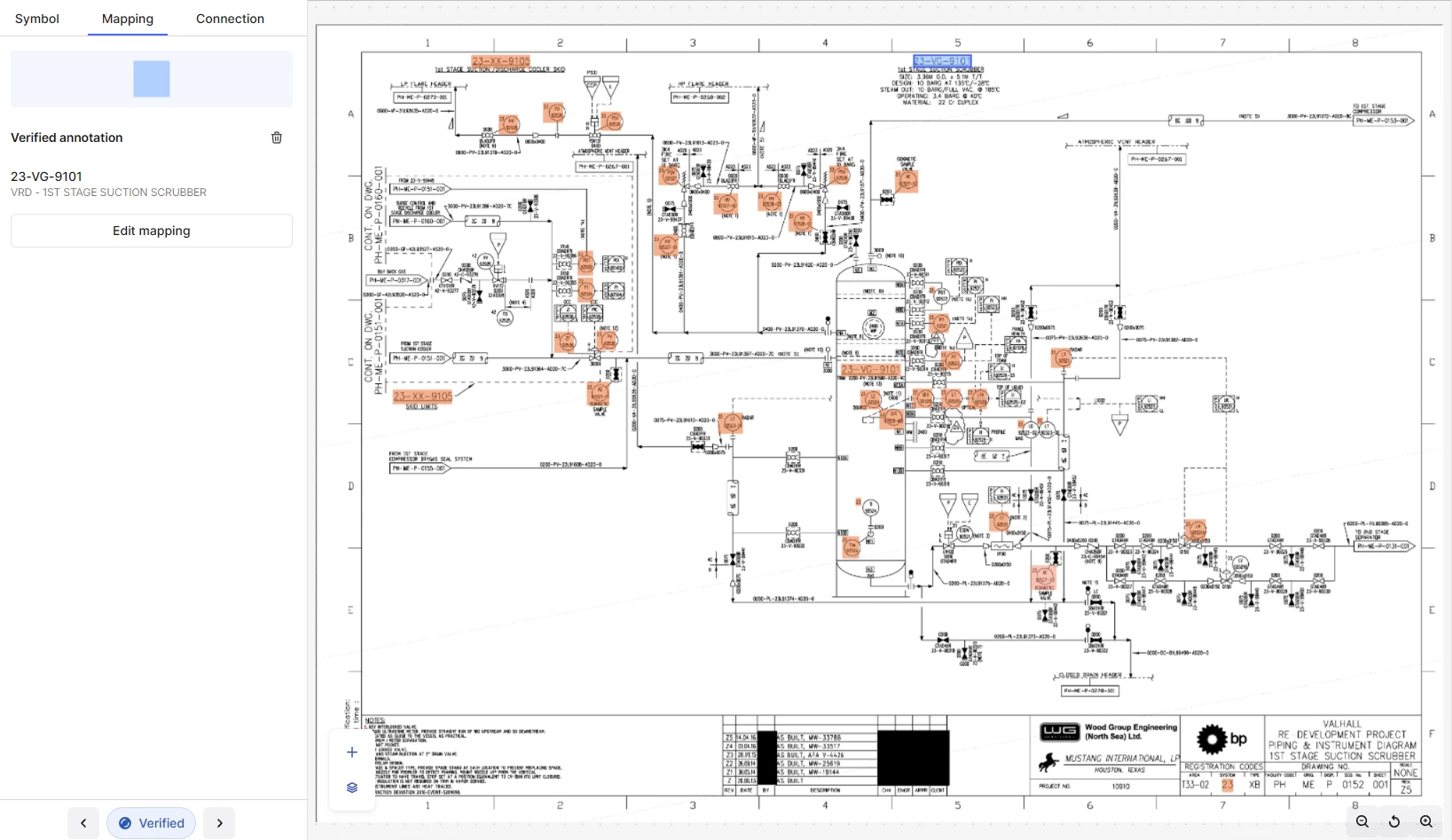
This image shows the results after running the new Diagram Parser. I have ingested the asset hierarchy and a few PIDs as a sample. After the results appeared, I tried to verify a mapping that shows that it changed color here.

As you can see in the image, there are mappings of the tags identified based on the Asset Hierarchy. They can be seen as annotations:
 

Assets found are shown here as Annotations
Clicking on the Annotation shows that Cognite sees the annotation as an “Asset”


But even when Cognite sees annotations as assets and the mappings have been verified, the “Asset” does not appear to be linked to the PDF.


No linked assets are appearing even after seeing the annotation recognized as an “Asset” and verifying the mapping.

I was wondering if there's an extra step that creates the relationships in the front-end? Or do we set the relationships by extracting the results from the Diagram Parser using Beta REST API endpoints and explicitly dictating the relationships with assets?


Thanks,

Gabriel


Sofie Svartdal Berge
Seasoned Practitioner

Hi ​@Gabriel Abes!


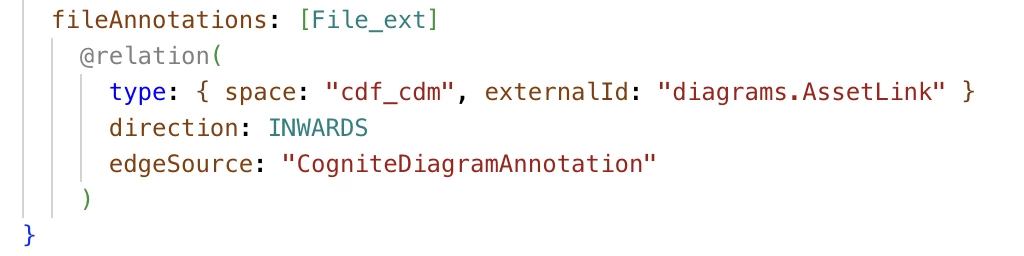
We would like to support showing these annotation relationships directly without the need for an additional modeling step - something we will target to work on later this year. For now, what you can do to display these annotation relationships is to: 

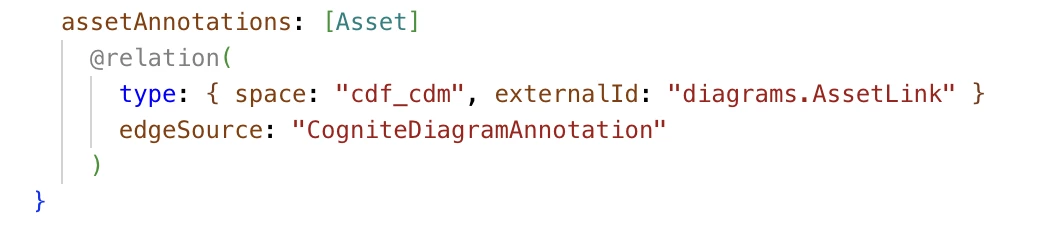
Add a property to your custom asset and file extensions (if extending Cognite Core Data Model) where you model the link to these annotations. Then they will show up in your asset or file view as a list of annotations. 


For assets, it would show as;


Let me know how this works for you!

Best regards, 

Sofie, Product Manager


Dinesh Makked
Committed
Forum|alt.badge.img

@Gabriel Abes We are about to try out the same feature as referenced in this thread. I am curious if you were able to resolve the issue reported above?


Thanks,

Dinesh

cc: ​@Abhay Ahirkar 


Forum|alt.badge.img+6
  • Author
  • Committed
  • November 28, 2025

Hello ​@Sofie Svartdal Berge and ​@Dinesh Makked. Apologies for the late reply. Yes, this method works. I have also tried simply fetching the annotations from the diagrams and directly relating the suggested annotations back to the file after parsing as that second step, without creating a new property. This allowed us to view the suggested annotations as an “Asset” when viewing relationships, rather than a custom asset type. 


Best Regards,

Gabriel