Solved

3D File Extractor Fails to Ingest ~5GB Files While SDK Multipart Upload Succeeds

  • December 23, 2025
  • 9 replies
  • 171 views

Forum|alt.badge.img+4

Description / Problem Statement

We are using the Cognite 3D File Extractor to migrate 3D model files from an on-premises Windows VM to Cognite Data Fusion (CDF).

The majority of 3D files are ingested successfully with multiple sizes mostly > 10 GB. However, four specific files consistently fail ingestion, even after multiple retries.

Key observations:

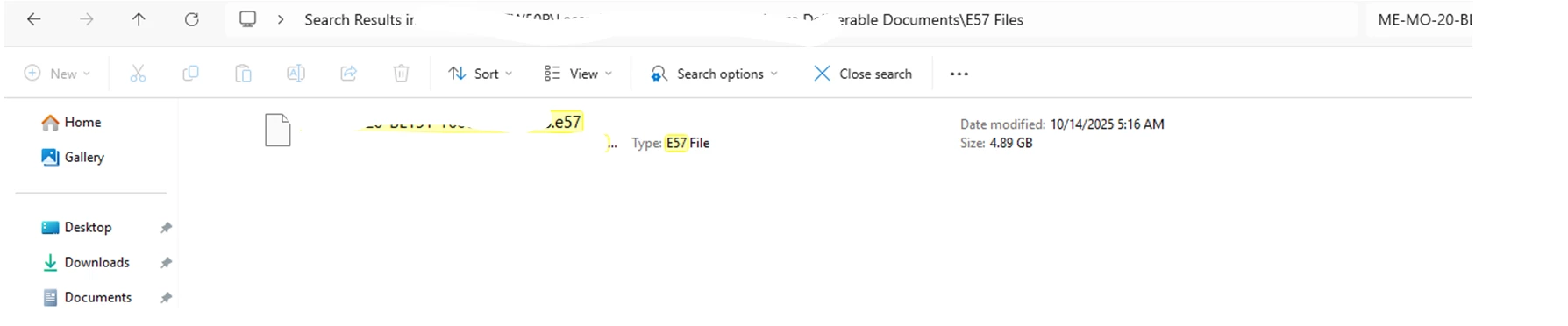
  • All failing files are close to 5 GB in size
  • Example sizes (as shown in Windows Explorer):
    • 4.99 GB
    • 4.94 GB
    • 4.91 GB
  • When checked via terminal/command line, these same files report a larger actual size (~5.3 GB)

    It appears that based on the Windows VM file size, the 3D extractor determines it should use a single-part upload. However, when it attempts to upload the actual file, the process fails because the size exceeds 5 GB



Best answer by nithin.bodanapu

Hey ​@Jeeva Ganapathy 

The new version of File Extractor 2.10.4 should be out. Can you test it out and let me know if this solves your issue? 

9 replies

Mithila Jayalath
Seasoned Practitioner
Forum|alt.badge.img+8

@Jeeva Ganapathy I’ll inform about this to the relevant team. In the meantime will you be able to check this how-to guide as a workaround?


@Jeeva Ganapathy 


> We are using the Cognite 3D File Extractor to migrate 3D model files from an on-premises Windows VM to Cognite Data Fusion (CDF).


Can you confirm that you are using the Cognite File Extractor? I assume you had set this up using this particular documentation.


> It appears that based on the Windows VM file size, the 3D extractor determines it should use a single-part upload. However, when it attempts to upload the actual file, the process fails because the size exceeds 5 GB

 

Can you share the complete logs and also config file that was used to run the extractor? 


Forum|alt.badge.img+4

@nithin.bodanapu 
>Can you confirm that you are using the Cognite File Extractor? I assume you had set this up using this particular documentation.

Yes, that is correct.

>Can you share the complete logs and also config file that was used to run the extractor? 

Please find the attached documents for your reference.


@Jeeva Ganapathy I am currently looking at the logs. I will get back to you utmost by Monday 19th January. If I finish my analysis before that, I will keep this thread updated.


@Jeeva Ganapathy I am still doing some testing due to which there were a few delays. I will send you the update tomorrow. 


Apologies for the delay.


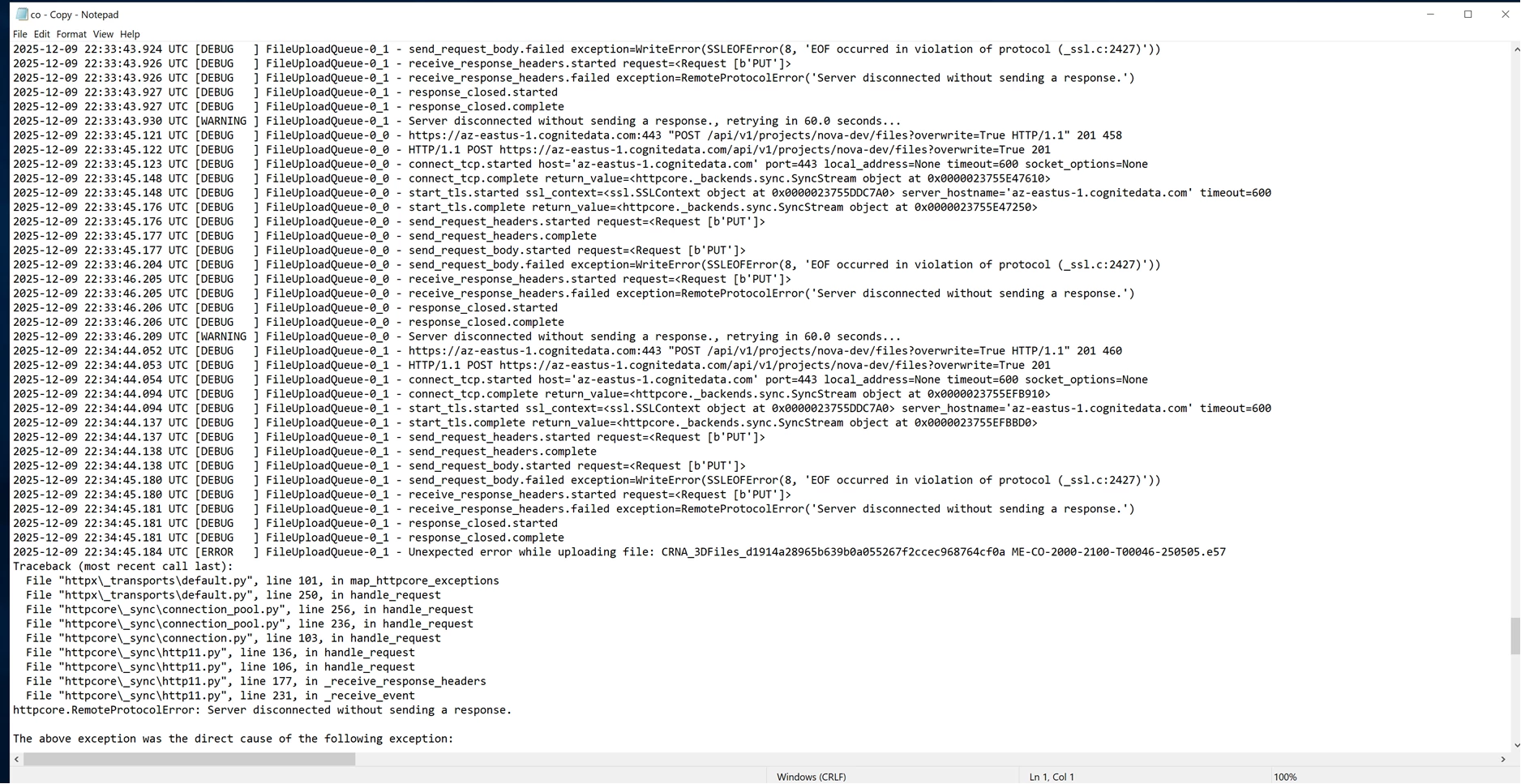
@Jeeva Ganapathy I have been testing this quite actively, and I was able to discover a bug where, if a file is close to 5 GiB the upload fails. But the difference is behaviour is that, we see an error which explicitly says that the payload is too large.


```

httpx.HTTPStatusError: Client error '413 Payload Too Large' for url '<upload_url_for_file>' 

```


But in the logs that you uploaded, this particular error message does not show up. I am going to create a reference to this bug internally and we will look into this. I would recommend that you create a support ticket with this hub as a reference so you can stay updated with the releases of the File Extractor. 


Mithila Jayalath
Seasoned Practitioner
Forum|alt.badge.img+8

@nithin.bodanapu ​@Jeeva Ganapathy I’ll create a support ticket for this issue from this ticket.


Hey ​@Jeeva Ganapathy 

The new version of File Extractor 2.10.4 should be out. Can you test it out and let me know if this solves your issue? 


Forum|alt.badge.img+4

Hi ​@nithin.bodanapu,

>The new version of File Extractor 2.10.4 should be out. Can you test it out and let me know if this solves your issue? 

Yes, the issue has been resolved. Thank you for your support.