Check the
documentation
Check the
documentation Ask the
Community
Ask the
Community Take a look
at
Academy
Take a look
at
Academy Cognite
Status
Page
Cognite
Status
Page Contact
Cognite Support
Contact
Cognite Support

Overview
The Root Cause Analysis (RCA) module provides intelligent Atlas AI agents for advanced root cause analysis capabilities in your Cognite Data Fusion (CDF) environment. This module is designed to work with the RMDM (Reliability Maintenance Data Model) v1 data model deployed in CDF.
Dependencies
⚠️ Important: This module requires the data_models/rmdm_v1/ module to be deployed in your CDF project before deploying these agents.
All agents in this module connect to and query the RMDM data model within CDF to access equipment, failure notifications, time series, and other maintenance-related data.
Deployment
Prerequisites
Before you start, ensure you have the following:
- You already have a Cognite Toolkit project set up locally
- Your project contains the standard
cdf.tomlfile - You have valid authentication to your target CDF environment
- The RMDM v1 data model is already deployed (see
data_models/rmdm_v1/)
Step 1: Enable External Libraries and Agents
Edit your project's cdf.toml and add:
[alpha_flags]
external-libraries = true
agents = true

[library.cognite]
url = "https://github.com/cognitedata/library/releases/download/latest/packages.zip"
checksum = "sha256:795a1d303af6994cff10656057238e7634ebbe1cac1a5962a5c654038a88b078"
This allows the Toolkit to retrieve official library packages and enables Atlas AI agent deployment.
📝 Note: Replacing the Default Library
By default, a Cognite Toolkit project contains a
[library.toolkit-data]section pointing tohttps://github.com/cognitedata/toolkit-data/.... This provides core modules like Quickstart, SourceSystem, Common, etc.These two library sections cannot coexist. To use this Deployment Pack, you must replace the
toolkit-datasection withlibrary.cognite:
Replace This With This [library.toolkit-data][library.cognite]github.com/cognitedata/toolkit-data/...github.com/cognitedata/library/...The
library.cognitepackage includes all Deployment Packs developed by the Value Delivery Accelerator team (RMDM, RCA agents, Context Quality Dashboard, etc.).
⚠️ Checksum Warning
When running
cdf modules add, you may see a warning like:WARNING [HIGH]: The provided checksum sha256:... does not match downloaded file hash sha256:...
Please verify the checksum with the source and update cdf.toml if needed.
This may indicate that the package content has changed.This is expected behavior. The checksum in this documentation may be outdated because it gets updated with every release. The package will still download successfully despite the warning.
To resolve the warning: Copy the new checksum value shown in the warning message and update your
cdf.tomlwith it. For example, if the warning showssha256:da2b33d60c66700f..., update your config to:
[library.cognite]
url = "https://github.com/cognitedata/library/releases/download/latest/packages.zip"
checksum = "sha256:da2b33d60c66700f..."
Step 2 (Optional but Recommended): Enable Usage Tracking
To help improve the Deployment Pack and provide insight to the Value Delivery Accelerator team, you can enable anonymous usage tracking:
cdf collect opt-inThis is optional, but highly recommended.
Step 3: Add the Module
Run:
cdf modules init .⚠️ Disclaimer: This command will overwrite your existing modules in the current directory. Make sure to commit any changes before running this command, or use it in a fresh project directory.
This opens the interactive module selection interface.
Step 4: Select the Atlas AI Deployment Pack
From the menu, select:
Atlas AI Deployment Pack: Deploy all Atlas AI modules in one package.
Then select RCA with RMDM module.
Follow the prompts. Toolkit will:
- Download the RCA agents module
- Update the Toolkit configuration
- Place the files into your project
Step 5: Verify Folder Structure
After installation, your project should now contain:
modules/
    └── atlas_ai/
        └── rca_with_rmdm/
            ├── agents/
            │   ├── cause_map_agent.Agent.yaml
            │   ├── rca_agent.Agent.yaml
            │   └── ts_agent.Agent.yaml
            ├── data_sets/
            │   └── rca_resources.DataSet.yaml
            ├── files/
            │   ├── combined_cause_map.CogniteFile.yaml
            │   └── combined_cause_map.json
            ├── module.toml
            └── README.md
If you see this structure, the RCA agents module has been successfully added to your project.
Step 6: Deploy to CDF
Build and deploy as usual:
cdf buildcdf deploy --dry-runcdf deployAfter deployment, the RCA agents will be available in your CDF environment's Atlas AI.
Agents
This module contains three specialized Atlas AI agents that work together to provide comprehensive root cause analysis capabilities:
1. Cause Map Agent (cause_map_agent.Agent.yaml)
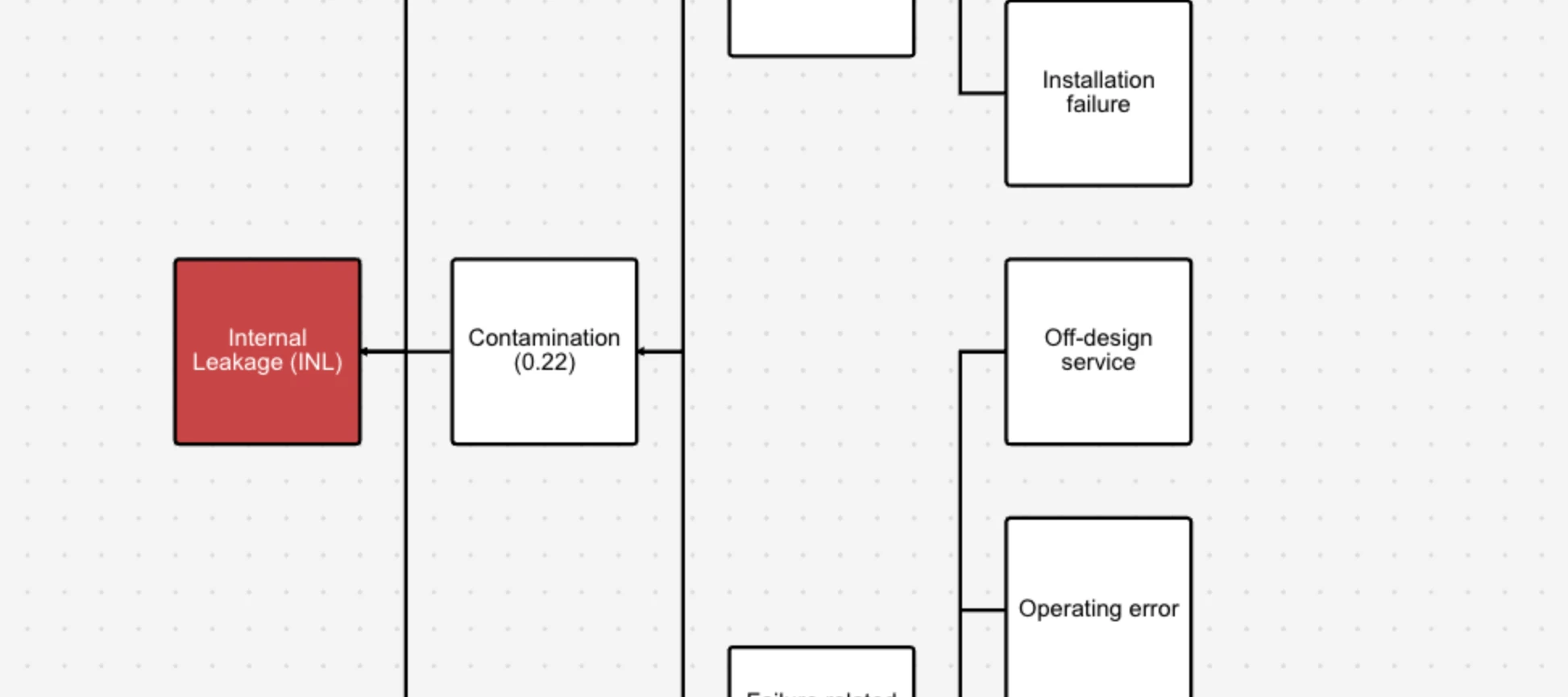
The Cause Map Agent helps users generate visual cause maps for equipment failures.
What it does:
- Finds equipment and retrieves its latest failure notification, failure mode, and equipment class
- Generates a structured cause map showing the relationships between failure modes, failure mechanisms, root cause categories, and specific root causes
- Can work with either the latest high-priority failure notification or the most common failure mode for a piece of equipment
- Automatically builds and displays the cause map on the canvas, expanding the top 3 failure mechanisms with the highest failure rates
- Queries the RMDM data model for Equipment, FailureNotification, FailureMode, and EquipmentClass views
2. RCA Agent (rca_agent.Agent.yaml)
The RCA Agent is the main agent for conducting comprehensive root cause analysis investigations.
What it does:
- Guides users through a complete RCA workflow for failing equipment or assets
- Retrieves multiple types of data from the RMDM knowledge graph including:
- Assets and their hierarchical relationships (parent, children, siblings)
- Maintenance orders and work orders (corrective and preventive)
- Failure notifications
- Related documents and files (P&IDs, technical documentation)
- Images
- Time series metadata
- Acts as a maintenance professional and RCA expert, asking proactive follow-up questions
- Provides objective information and analysis without making assumptions or hallucinating
- Helps identify the most common failures and related patterns
3. Time Series Agent (ts_agent.Agent.yaml)
The Time Series Agent specializes in retrieving and analyzing time series data for equipment.
What it does:
- Retrieves time series data from the RMDM knowledge graph for assets
- Finds time series for related assets (children, siblings, or parent assets)
- Plots and visualizes time series data to identify trends, patterns, and anomalies
- Performs statistical analysis including computing averages with optional filtering
- Provides insights and recommendations based on time series analysis
- Acts as a maintenance professional and data analyst expert
- Guides users through time series analysis workflows within the industrial domain
How It Works
All three agents connect to the RMDM data model (space: rmdm, version: v1) deployed in your CDF environment. They use various tools including:
- Knowledge graph queries to retrieve data from RMDM views
- Python code execution for complex data processing and analysis
- Document Q&A for analyzing technical documentation
- Image analysis for visual inspection
- Time series data retrieval and computation
These agents work together to provide a complete root cause analysis experience, from identifying equipment and failures, to analyzing historical data, to generating visual cause maps that help identify the root causes of equipment failures.
Support
For troubleshooting or deployment issues:
- Refer to the Cognite Documentation
- Contact your Cognite support team
- Join the Slack channel #topic-deployment-packs for community support and discussions